
This page is not an official page of the app or its developer, but an independent editorial publication created for informational and commentary purposes. Unless expressly stated otherwise, neither the app nor its developer is affiliated with, endorsed by, sponsored by, authorized by, or otherwise officially connected with MWM, Apple, Google Play, the app publisher, or the app's developer, and nothing on this page implies that the app was developed using MWM's services. Any trademarks, logos, screenshots, and other content remain the property of their respective owners.


iRetouch - Photo Video Eraser
Reality no longer dictates your image. The app hands users the power to purge imperfections and unwanted elements with surgical precision.
Downloads
5M+User Rating
Total Ratings
84.6KPublisher
Category
UtilitiesLocales
33Latest Version
2.14Size
84.4 MBFirst Released
Feb 27, 2018An evaluation of core functionalities designed for quick and creative content enhancement.
iRetouch - Photo Video Eraser: Key Feature Analysis
Object & Element Removal
It allows users to effortlessly clear debris, unwanted people, and objects from both photos and videos, ensuring clean and professional-looking content.
Creative Filters & Effects
The app provides an extensive collection of filters and advanced effects such as Spotlight, Hue adjustment, Highlight, Gloom, Blur, and Focus, enabling users to transform their photos and videos with artistic flair.
Comprehensive Video Editing
This tool features robust video editing capabilities, including the ability to crop, cut, and erase specific unwanted segments, giving users precise control over their video content.
Customizable Text & Graphics
It allows users to personalize their photos and videos by adding various text labels, fun emoticons, and creative stickers, enhancing communication and engagement.
The following screenshots and description are sourced directly from the app's official store listing and are the property of the app developer.
App Store
Screenshots
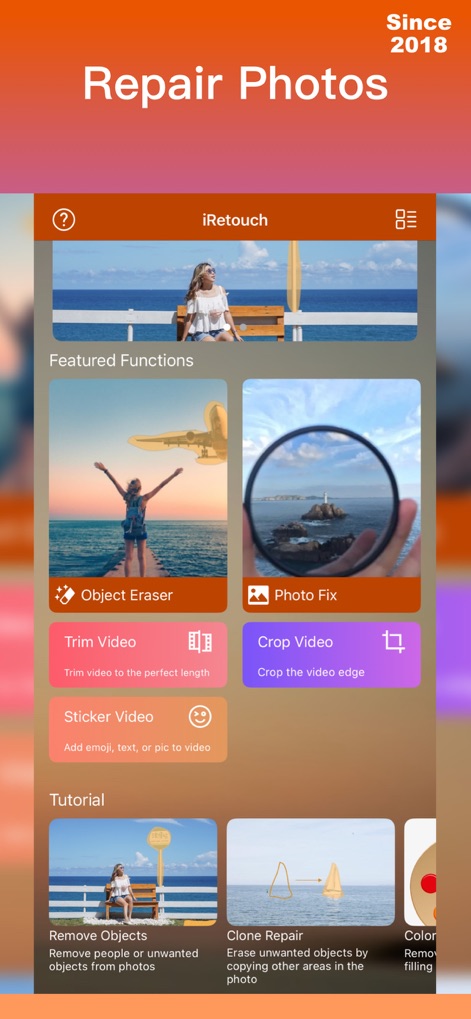
The app’s intuitive interface highlights essential 'Featured Functions' and offers easy access to detailed 'Tutorial' guides.
App's Core Features
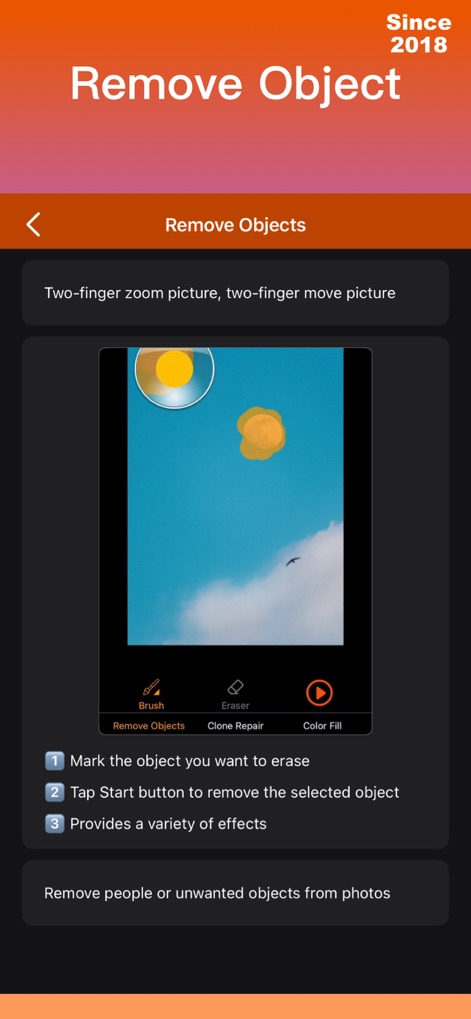
Users are guided through object removal with the interactive 'Brush' tool and clear, numbered 'instructions' for precision.
Object Removal Guide
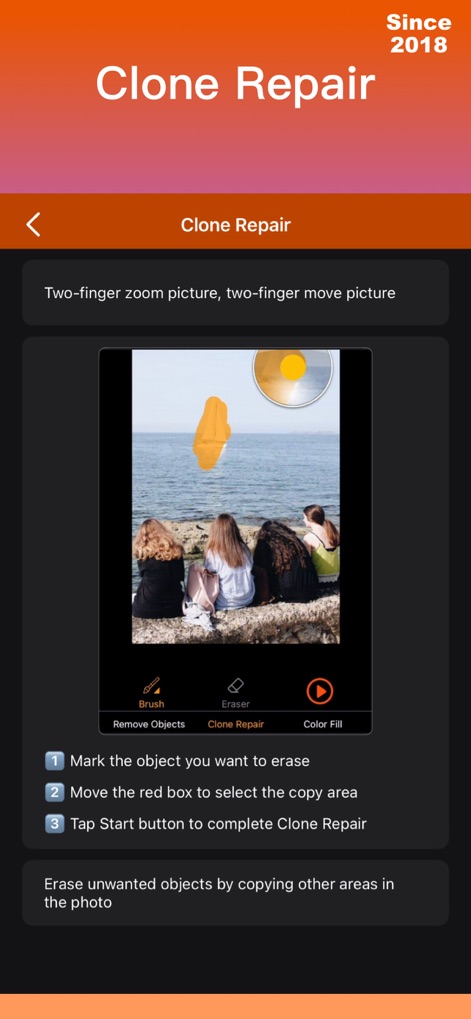
This tool empowers users with 'Clone Repair' functionality, allowing them to select and copy areas using a precise 'red box' indicator.
Seamless Clone Repair
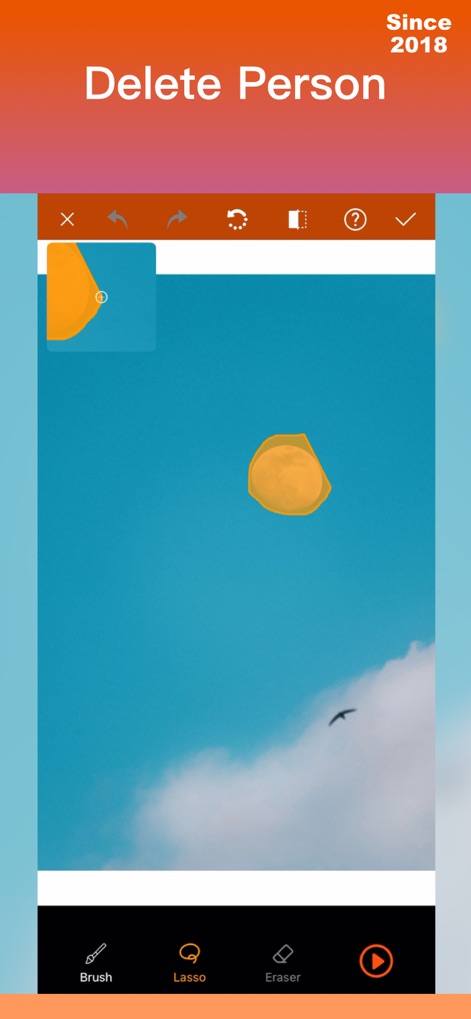
The app provides advanced selection options like the 'Lasso' tool, complemented by convenient 'undo/redo' functionality for refined edits.
Precise Selection Tools
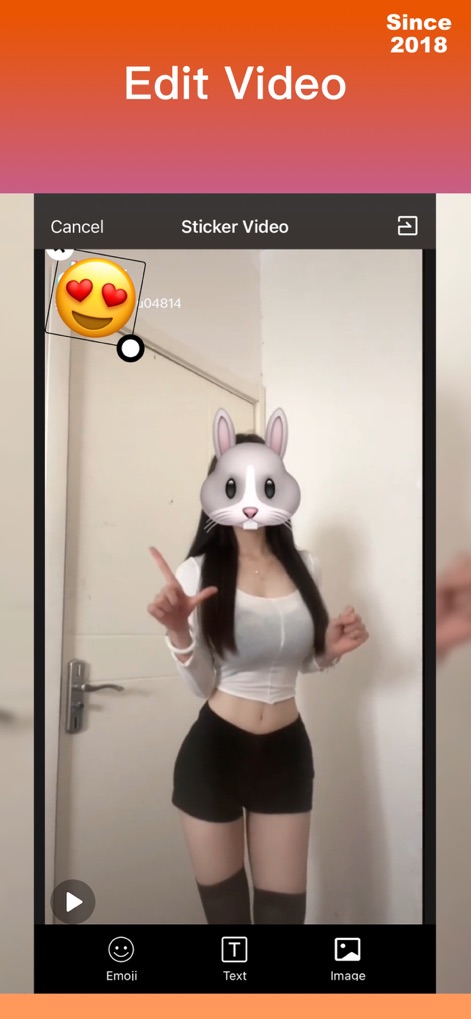
Users can enhance videos with creative overlays, utilizing diverse 'Emoji' stickers and customizable 'Text' options.
Dynamic Video Editing
Description
Download
More Like This
Apps with similar features and user experience

CocoAI - BG Remover
Beijing Jianchang Technology Co., Ltd.

水印宝-视频水印助手软件
Beijing Pengtuzhumeng Technology Co., Ltd.

PhotoBy-Batch adding borders
岳森 刘

Watermarkly ― Watermark Maker
Julia Nikitina

去水印大师-短视频编辑助手
志阳 郭

大神水印-照片图像制作修图神器
伟 黄

Add Watermark -Batch Process
Saraswati Javalkar

Background Remover: BG Eraser
Nero AG

Background Eraser: AI Remove
SUNWOONG JANG
This page is not an official page of the app or its developer, but an independent editorial publication created for informational and commentary purposes. Unless expressly stated otherwise, neither the app nor its developer is affiliated with, endorsed by, sponsored by, authorized by, or otherwise officially connected with MWM, Apple, Google Play, the app publisher, or the app's developer, and nothing on this page implies that the app was developed using MWM's services. Any trademarks, logos, screenshots, and other content remain the property of their respective owners.