iTransfer Pro

iTransfer Pro

Download on App Store
Logo of iTransfer Pro

iTransfer Pro: Professional File Transfer & Secure Cloud Management

Bridge the gap between your mobile device, corporate servers, and cloud storage. The ultimate tool for IT professionals and power users requiring SFTP Private Key authentication and unified file control.

Publisher

ComcSoft Corporation

Category

Utilities

Downloads

299K+

User Rating

3.8/5

Total Ratings

400

Locales

3

Your Mobile Command Center

Discover the interface used by 299K+ users.
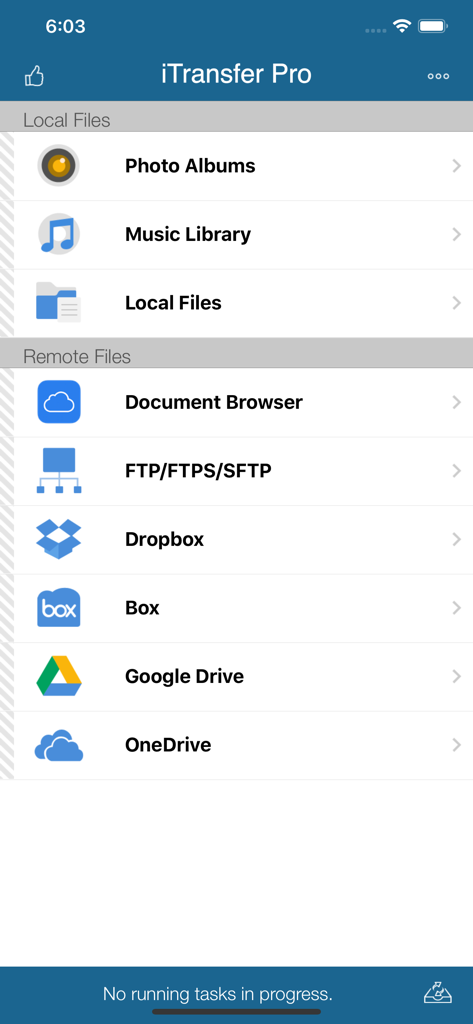
Main dashboard of iTransfer Pro app displaying local and remote file storage options including FTP and cloud services

Main dashboard of iTransfer Pro app displaying local and remote file storage options including FTP and cloud services

Photo selection screen in iTransfer Pro showing multiple images selected for upload or sharing.

Photo selection screen in iTransfer Pro showing multiple images selected for upload or sharing.

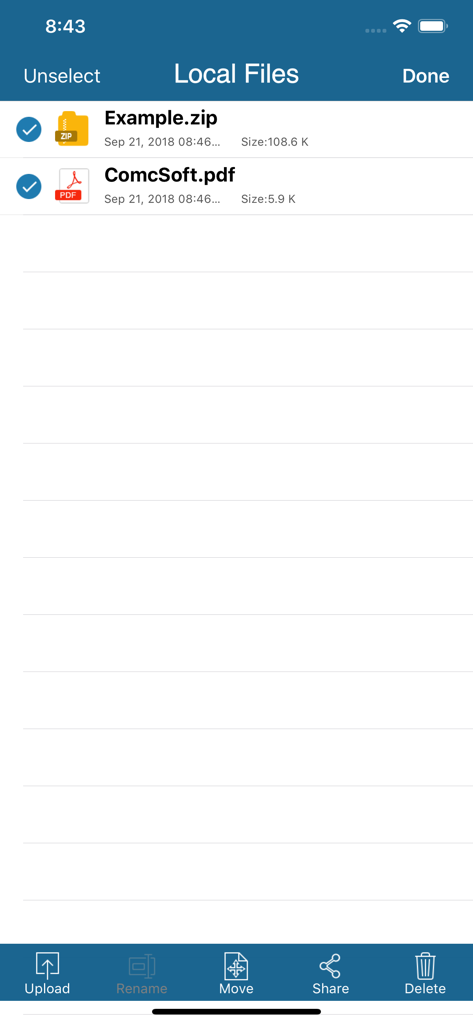
iTransfer Pro app interface showing local file management with selected ZIP and PDF files and action buttons for upload and rename

iTransfer Pro app interface showing local file management with selected ZIP and PDF files and action buttons for upload and rename

A menu screen in iTransfer Pro showing options to upload files to FTP, SFTP, Dropbox, Box, Google Drive, and OneDrive.

A menu screen in iTransfer Pro showing options to upload files to FTP, SFTP, Dropbox, Box, Google Drive, and OneDrive.

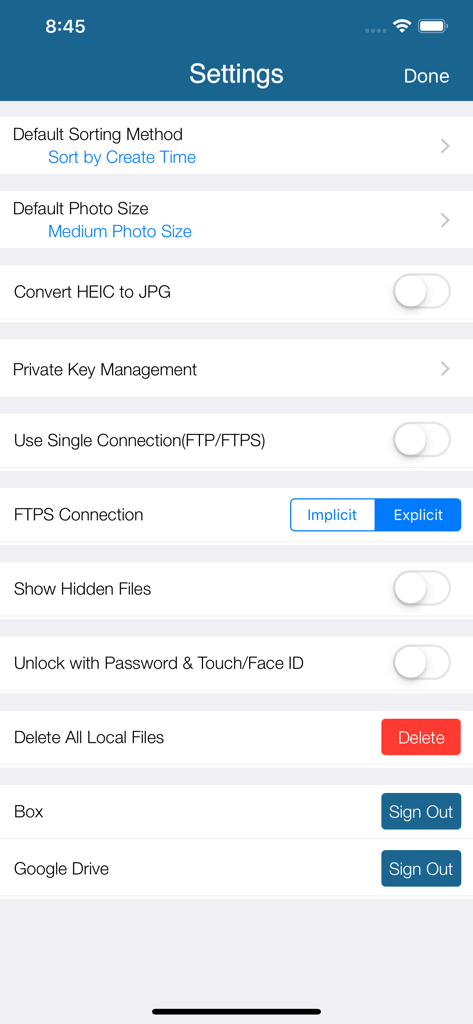
Settings interface of iTransfer Pro app displaying file transfer and security configuration options

Settings interface of iTransfer Pro app displaying file transfer and security configuration options

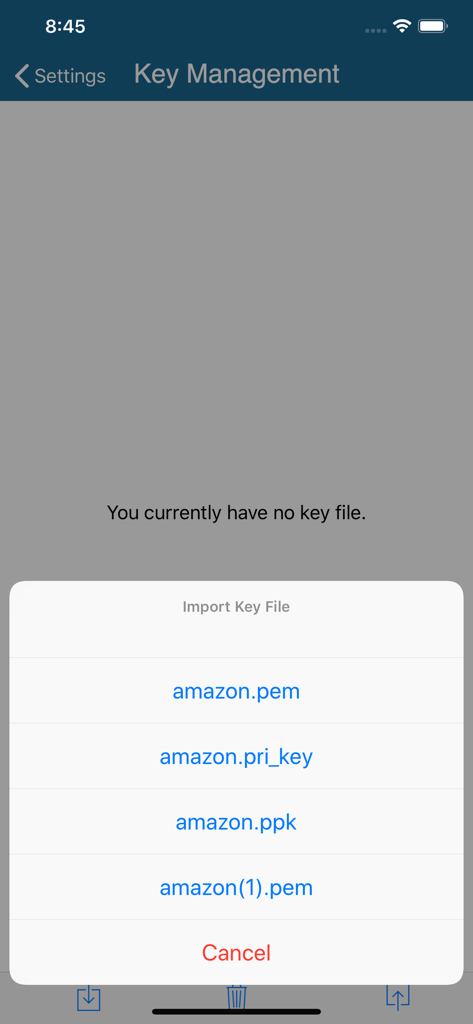
Screenshot of the Key Management screen in iTransfer Pro showing a menu to import SFTP private key files like PEM and PPK

Screenshot of the Key Management screen in iTransfer Pro showing a menu to import SFTP private key files like PEM and PPK

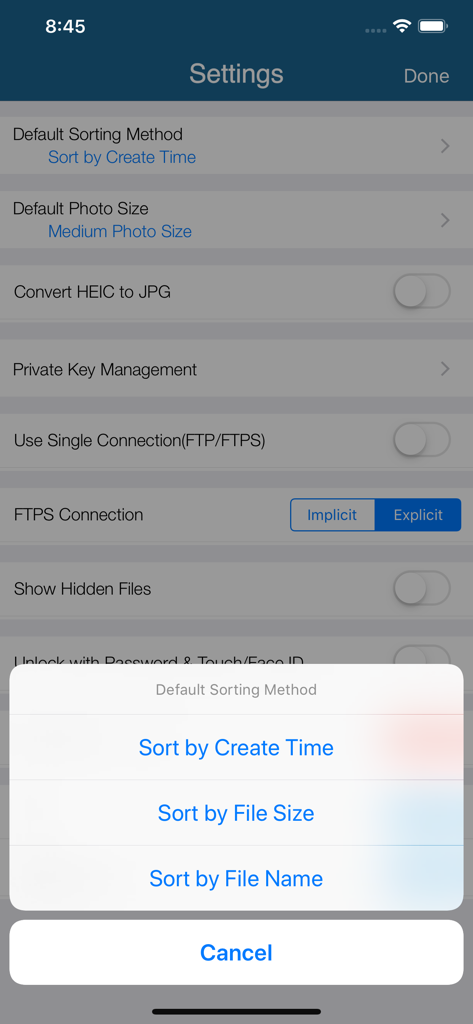
iTransfer Pro app settings interface showing file sorting options and security preferences

iTransfer Pro app settings interface showing file sorting options and security preferences

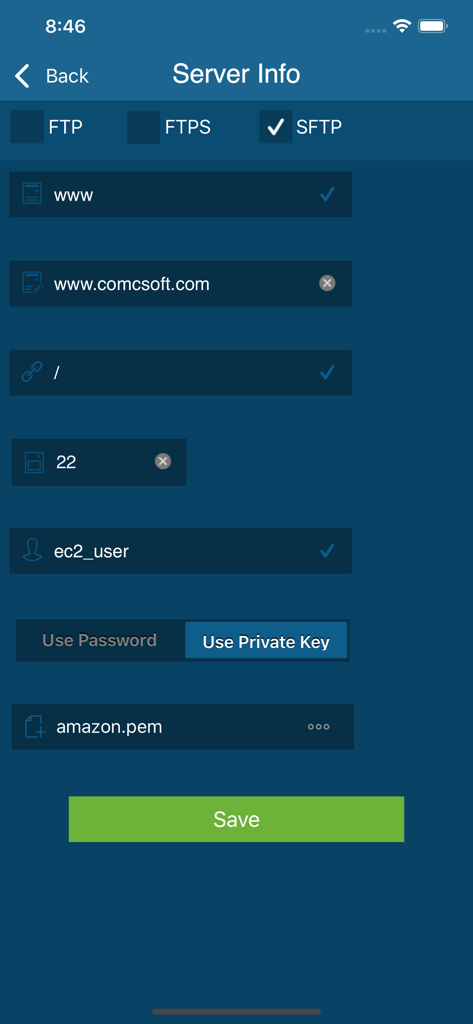
SFTP server configuration screen in iTransfer Pro showing private key authentication settings

SFTP server configuration screen in iTransfer Pro showing private key authentication settings

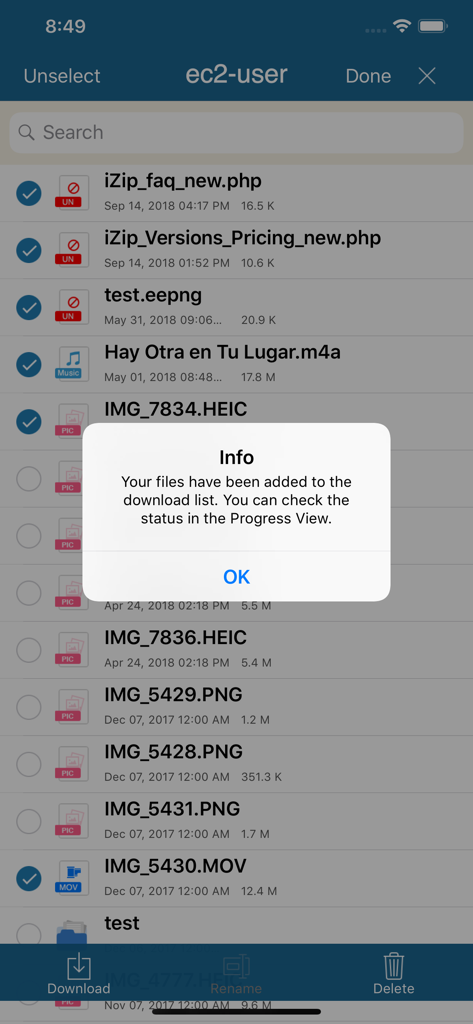
File download confirmation message in iTransfer Pro mobile app

File download confirmation message in iTransfer Pro mobile app

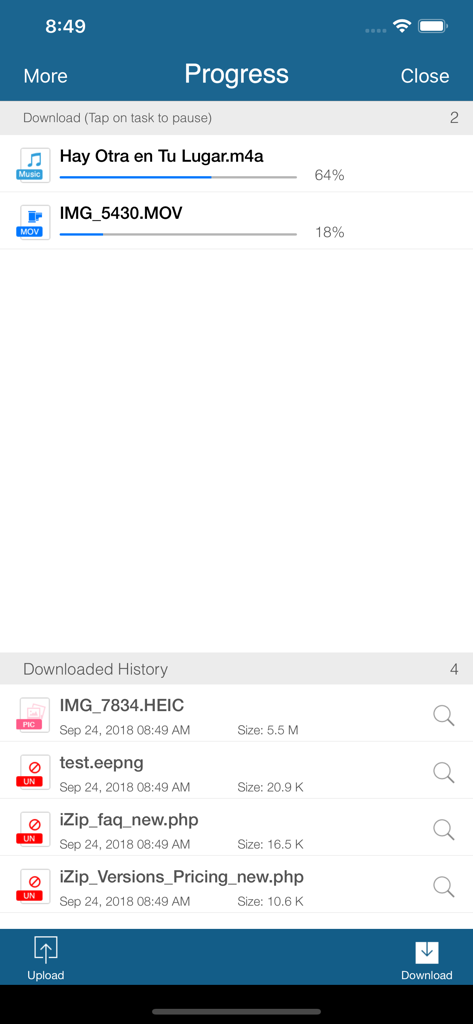
Interface of iTransfer Pro showing active file download progress bars and transfer history

Interface of iTransfer Pro showing active file download progress bars and transfer history

Professional File Management Without Boundaries

The tools that make this app stand out, trusted by 299K+ users.

🌐

Multi-Protocol Connectivity

Seamlessly bridge your iPhone or iPad with SFTP, FTP, and all major cloud services like OneDrive, Dropbox, and Google Drive in a single interface.

🛡️

Enterprise-Grade Security

Protect sensitive corporate data with support for Private Key authentication (PPK/PEM) and secure password-protected app launching.

📂

Advanced Document Control

Manage, preview, and print office documents or media files locally without an internet connection, turning your iPad into a true laptop replacement.

About the app

Everything you need to know about iTransfer Pro.

Description

iTransfer Pro is the Pro Version of iTransfer, the No. 1 App for file transfer on iPhone/iPad. Besides all the features available on iTransfer, the Pro Version has more features, which are essential to business and professional users, including Dropbox, Box, OneDrive, and GoogleDrive access. Supported features include: 1. Download files from your iCloud Drive. Save local files to iCloud Drive. 2. Upload/download files to/from FTP/SFTP/FTPS servers, DropBox, Box, OneDrive, and GoogleDrive. 3. Support both user name/password and Private Key authentication for SFTP. Support both PPK and PEM keys. Support importing keys from/exporting keys to iCloud Drive under iTransfer/keys folder. 4. Email files. 5. Manage files, including adding a folder, searching, renaming, moving or deleting files. 6. View supported files, including: PDF, DOC, EXCEL, PPT, image files, TXT, etc. 7. Open files using other Apps through “Open in”. 8. Play photo slideshows. 9. Playback music and videos. 10. Support launching with a password. 11. Print documents. 12. Share photos on Facebook, Twitter and Weibo. With its simple interfaces, iTransfer Pro provides the easiest way to transfer files on iPhone and iPad. If you have any questions, please visit: http://www.comcsoft.com/Portfolio/our_apps/iTransfer/iTransfer_overview.php.

Latest Version

12.0

Size

48.9 MB

First Released

Feb 23, 2013

Take Command of Your Professional Workflow

Join thousands of IT professionals and power users who trust iTransfer Pro for secure, multi-cloud file management and encrypted server access on iPhone and iPad.

Download on App Store

App information, icons, screenshots, and descriptions displayed on this page are sourced from the Apple App Store and are the property of their respective developers. Download estimates and rankings are based on MWM's proprietary models and may not reflect actual figures. This page is provided for informational and analytical purposes only.

Believe this page infringes your intellectual property? File a dispute