
This page is not an official page of the app or its developer, but an independent editorial publication created for informational and commentary purposes. Unless expressly stated otherwise, neither the app nor its developer is affiliated with, endorsed by, sponsored by, authorized by, or otherwise officially connected with MWM, Apple, Google Play, the app publisher, or the app's developer, and nothing on this page implies that the app was developed using MWM's services. Any trademarks, logos, screenshots, and other content remain the property of their respective owners.


剪影 - 视频剪辑 & 卡点影集制作
Elevate your aesthetic on TikTok and Reels. From effortless beat-syncing to cinematic filters and unique mirroring tools, create the high-end content your followers will love.
Downloads
3M+User Rating
Total Ratings
52K+Publisher
Category
Photo & VideoLocales
5Latest Version
5.11.19Size
185.4 MBFirst Released
Apr 1, 2019Level Up Your Social Game
Transform your raw footage into high-engagement content with professional tools tailored for TikTok, Reels, and YouTube Shorts creators.
Effortless Beat-Syncing
Master the rhythm with tools that automatically align your transitions to the music for that perfect viral flow.
Cinematic Filters & Effects
Access a massive library of aesthetic filters and professional stickers to give your vlogs a polished, high-end look.
Frequently Asked Questions
Everything you need to know about 剪影 - 视频剪辑 & 卡点影集制作
What are the main video editing features available in the 剪影 app?
The 剪影 app provides extensive video editing features including clipping, merging, splitting, adding filters, subtitles, music, watermarks, stickers, and adjusting speed. It also supports multi-layer editing.
Can I create video collages using the 剪影 - Video Tools app?
Yes, the 剪影 - Video Tools app allows users to create video collages. You can paste multiple videos together like stickers to form a single masterpiece directly within the app.
How much does a Pro membership for the 剪影 app cost?
The 剪影 app's Pro membership costs $6.99 per month for a continuous monthly subscription or $36.99 per year for a continuous annual subscription, subject to iAP information.
How do I cancel the automatic renewal for my 剪影 Pro membership?
To cancel Pro membership renewal for the 剪影 app, manually turn off the automatic renewal function in your iTunes/Apple ID settings management at least 24 hours before your current subscription period expires.
Does the 剪影 video editing app allow for adjusting video playback speed?
Yes, the 剪影 video editing app supports video speed adjustment. Users can set slow motion up to 0.2 times slowest and fast motion up to 4 times faster.
Does 剪影 - 视频剪辑 & 卡点影集制作 offer advanced video filters for editing?
Yes, 剪影 - 视频剪辑 & 卡点影集制作 offers diverse and advanced video filters. These filters support photo retouching and include categories like Photo and Food, as shown in the app interface.
Can users perform multi-layer video editing in the 剪影 app?
Yes, the 剪影 app supports multi-layer video editing. This includes features like layer blending, animation, and volume control for individual layers, enhancing complex video projects.
Where can I find the Privacy Policy for the 剪影 - 视频剪辑 & 卡点影集制作 app?
The Privacy Policy for the 剪影 - 视频剪辑 & 卡点影集制作 app is available at https://jianyingeditor.cn/privacy/privacy-new.html. This link provides details on data handling.
The following screenshots and description are sourced directly from the app's official store listing and are the property of the app developer.
App Store
Screenshots
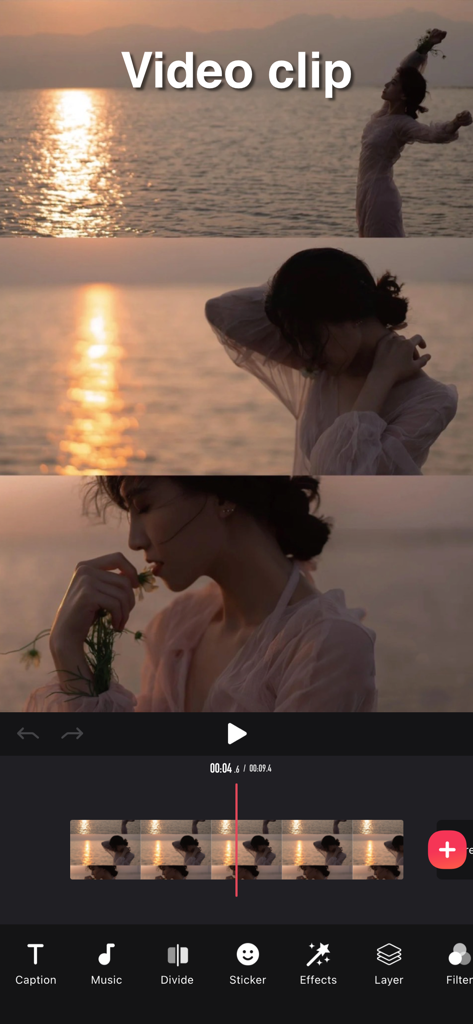
Interface of the Silhouette video editing app showing a video clip being edited with a timeline and tools like music and filters.
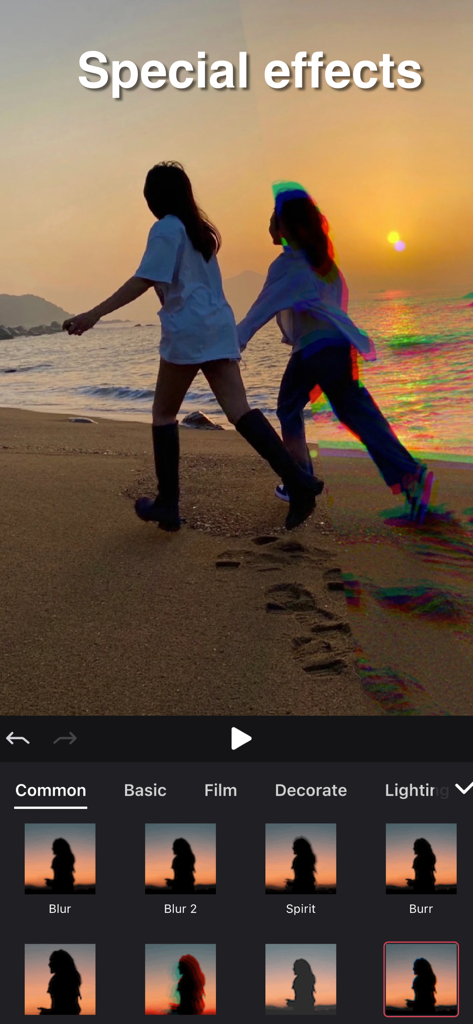
Interface of Silhouette video editing app showing special effects like Spirit and Burr applied to a beach sunset video.
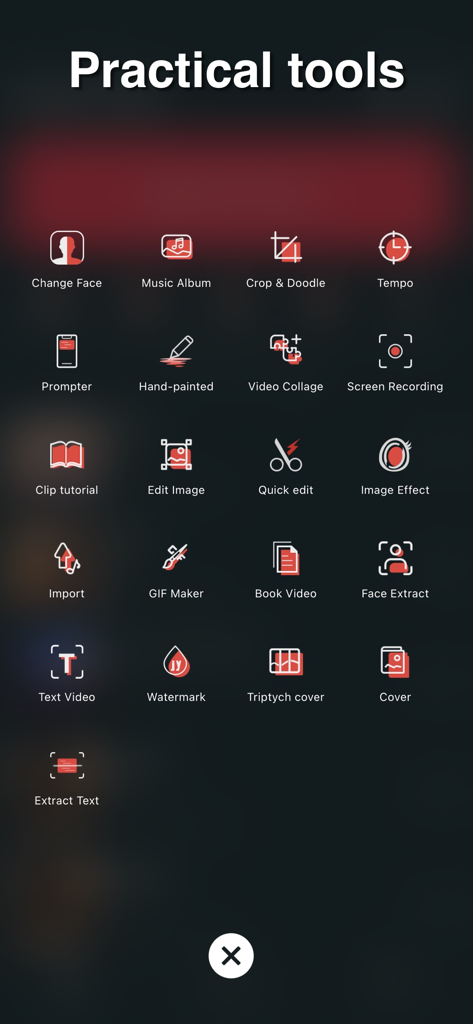
A menu display within the Silhouette video editor app titled Practical tools showing icons for GIF Maker Video Collage and more
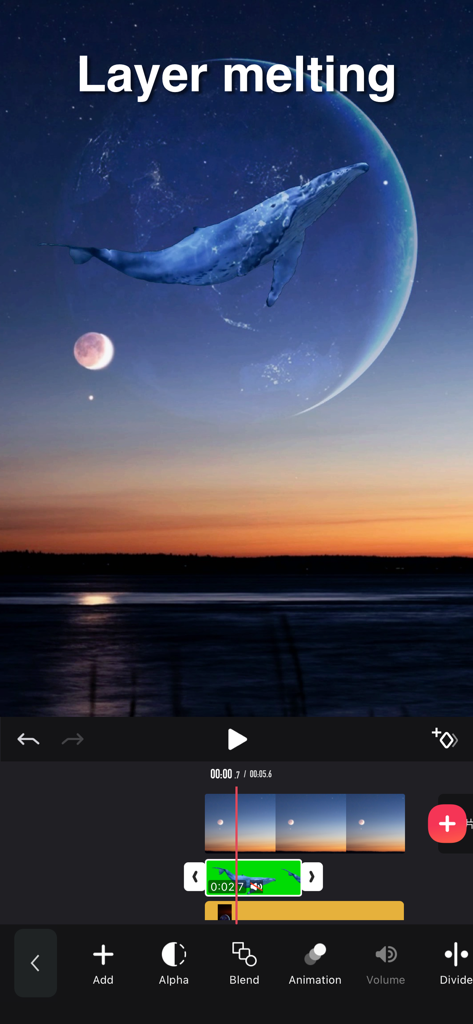
A mobile video editing interface showcasing a layer melting effect with a whale superimposed over a moon and sunset landscape.
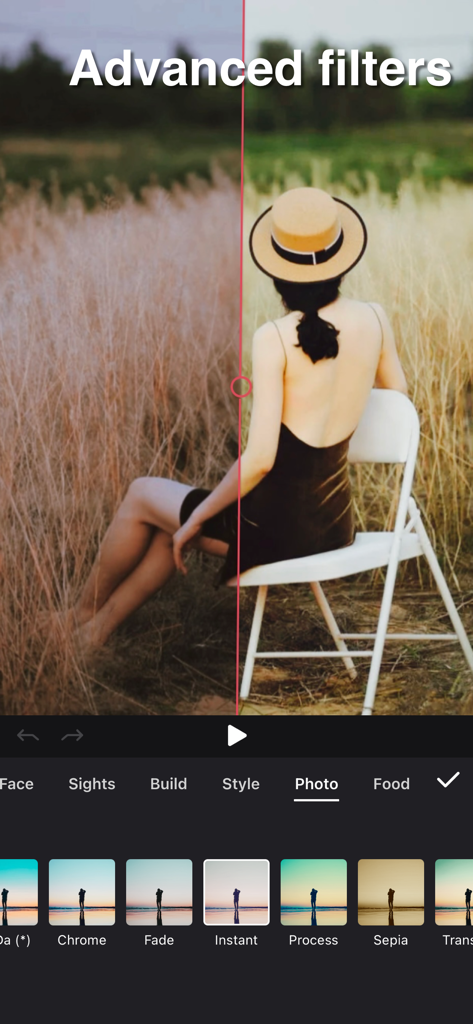
Split screen comparison of advanced filters in the Silhouette video editing app
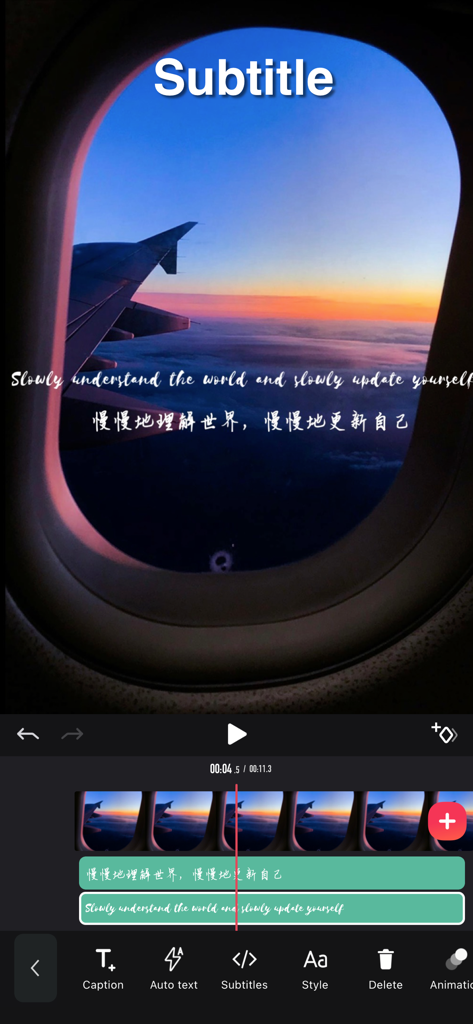
A mobile video editing screen showing the addition of multi-layer English and Chinese subtitles over a cinematic airplane sunset video.
Description
Download
More Like This
Apps with similar features and user experience

Edits: Video Editor
Instagram, Inc.

VLLO- Video Editor, Vlog Edits
vimosoft

YouCut - AI Video Editor
SHANTANU PTE. LTD.

必剪-B站官方出品
Shanghai Bilibili Animation Co.,Ltd

Videoshop - Video Editor
Jajijujejo Inc.

VDIT - Video Maker & Editor
ImgBase, Inc.

Video Editor with Music・VidLab
Onelight Apps CY Ltd

Video Maker-movie maker&Editor
Changsha Fugui Bamboo Network Technology Co., Ltd.

一键水印-专业水印视频编辑大师
Chongqing tuanshui technology Co., Ltd.
This page is not an official page of the app or its developer, but an independent editorial publication created for informational and commentary purposes. Unless expressly stated otherwise, neither the app nor its developer is affiliated with, endorsed by, sponsored by, authorized by, or otherwise officially connected with MWM, Apple, Google Play, the app publisher, or the app's developer, and nothing on this page implies that the app was developed using MWM's services. Any trademarks, logos, screenshots, and other content remain the property of their respective owners.