JotNot Fax - Send Receive Fax
Download on App Store

This page is not an official page of the app or its developer, but an independent editorial publication created for informational and commentary purposes. Unless expressly stated otherwise, neither the app nor its developer is affiliated with, endorsed by, sponsored by, authorized by, or otherwise officially connected with MWM, Apple, Google Play, the app publisher, or the app's developer, and nothing on this page implies that the app was developed using MWM's services. Any trademarks, logos, screenshots, and other content remain the property of their respective owners.

Logo of JotNot Fax - Send Receive Fax
Download on App Store

JotNot Fax - Send Receive Fax

Skip the trip to the fax store and turn your device into a professional mobile office. Scan documents, get a dedicated number, and receive instant proof of transmission—all in one reliable app.

Key Figures

Downloads

0

User Rating

4.8/5

Total Ratings

0

Publisher

MobiTech 3000 LLC

Category

Business

Locales

1

Latest Version

6.3

Size

20.9 MB

First Released

Feb 18, 2011
Features

Professional Faxing for Modern Businesses

Stop searching for a physical fax machine. JotNot Fax gives you a full-service fax station in your pocket, designed for the speed of modern work and high-stakes industries.

Skip the Fax Store

Turn your phone into a portable scanner and fax machine. Send signed contracts or sensitive documents instantly from your desk, home, or on the road.

Professional Polish

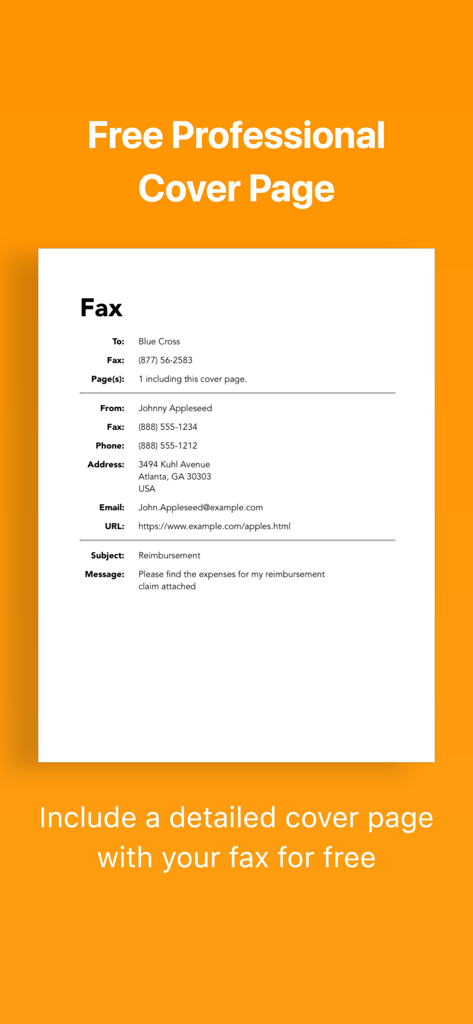
Make a great first impression with built-in professional cover pages and a high-quality document scanner that supports PDF and docx formats.

The following screenshots and description are sourced directly from the app's official store listing and are the property of the app developer.

App Store

Screenshots
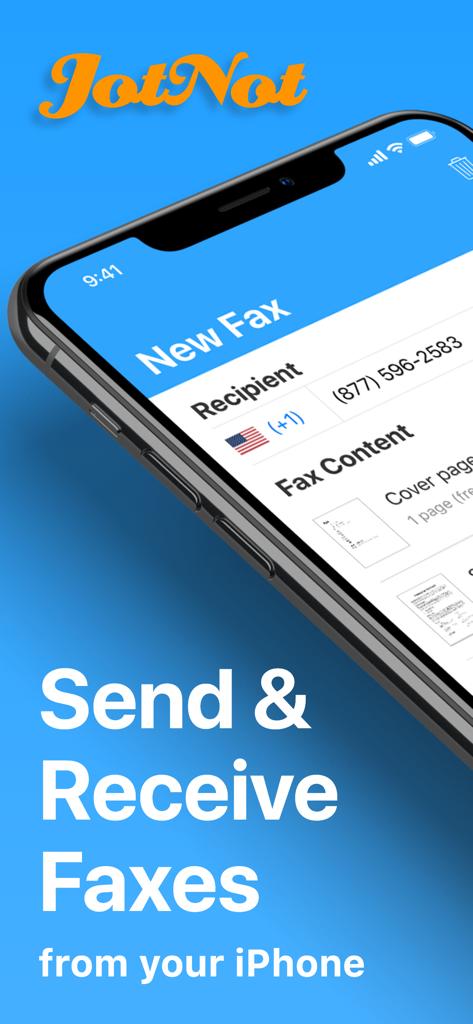
JotNot Fax - Send Receive Fax - JotNot Fax app interface on an iPhone displaying options to send and receive faxes
JotNot Fax app interface on an iPhone displaying options to send and receive faxes

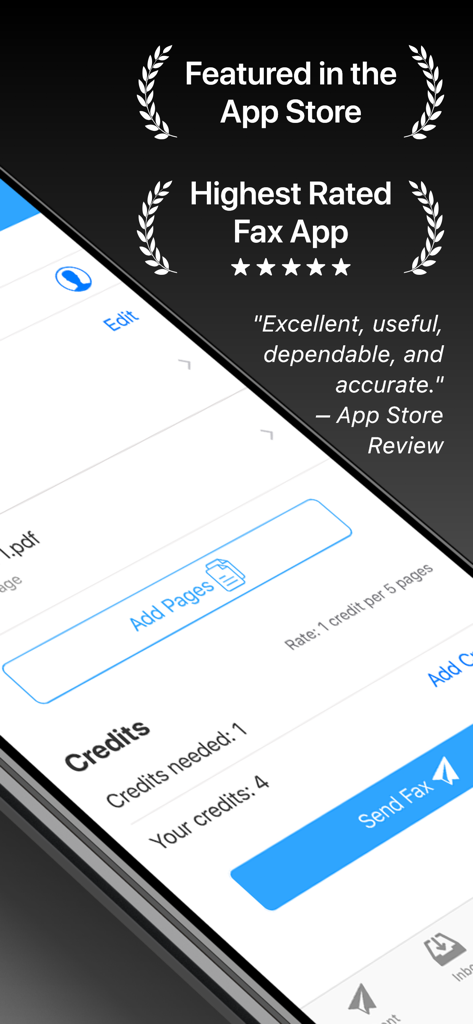
JotNot Fax - Send Receive Fax - JotNot Fax app interface showing high App Store ratings and the fax credit system for sending documents.

JotNot Fax app interface showing high App Store ratings and the fax credit system for sending documents.

JotNot Fax - Send Receive Fax - JotNot Fax trust page featuring user reviews and media logos from major publications
JotNot Fax trust page featuring user reviews and media logos from major publications

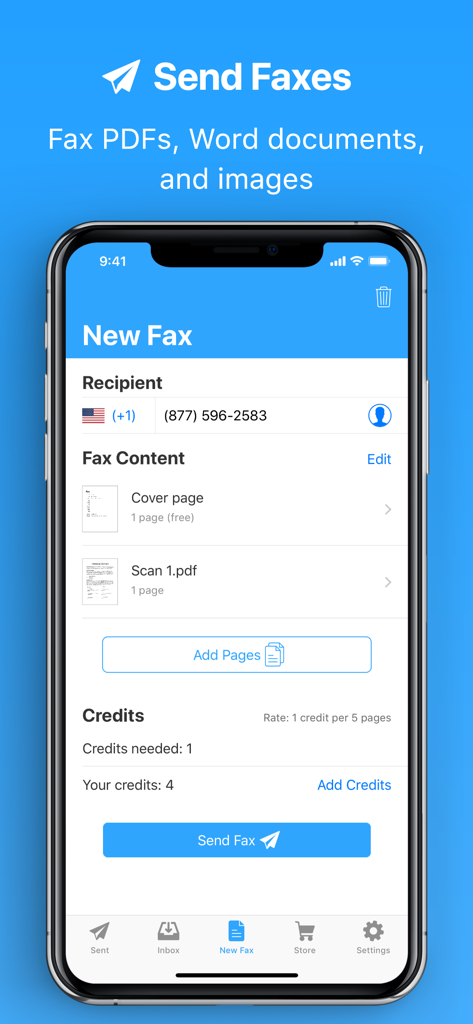
JotNot Fax - Send Receive Fax - JotNot Fax mobile app screenshot showing the process of sending a new fax with recipient number and document attachments
JotNot Fax mobile app screenshot showing the process of sending a new fax with recipient number and document attachments

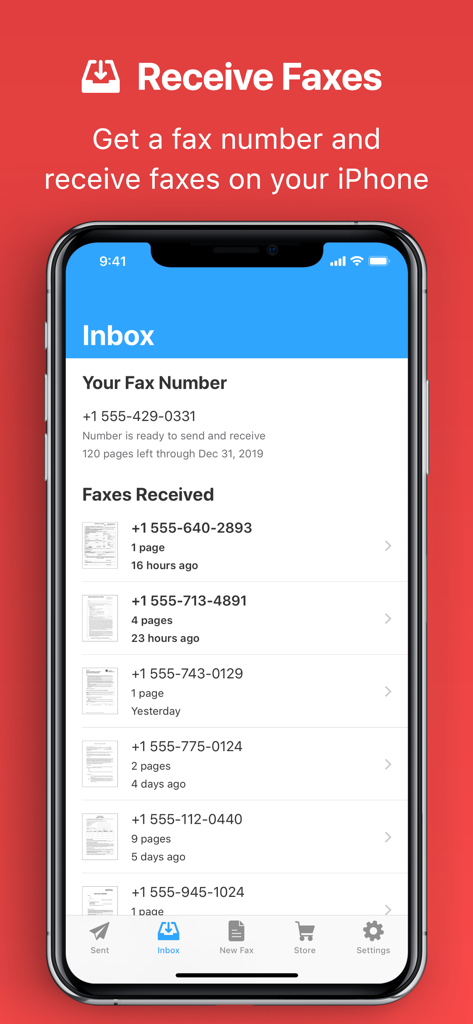
JotNot Fax - Send Receive Fax - JotNot Fax app inbox on iPhone showing a list of received faxes and a dedicated professional fax number
JotNot Fax app inbox on iPhone showing a list of received faxes and a dedicated professional fax number

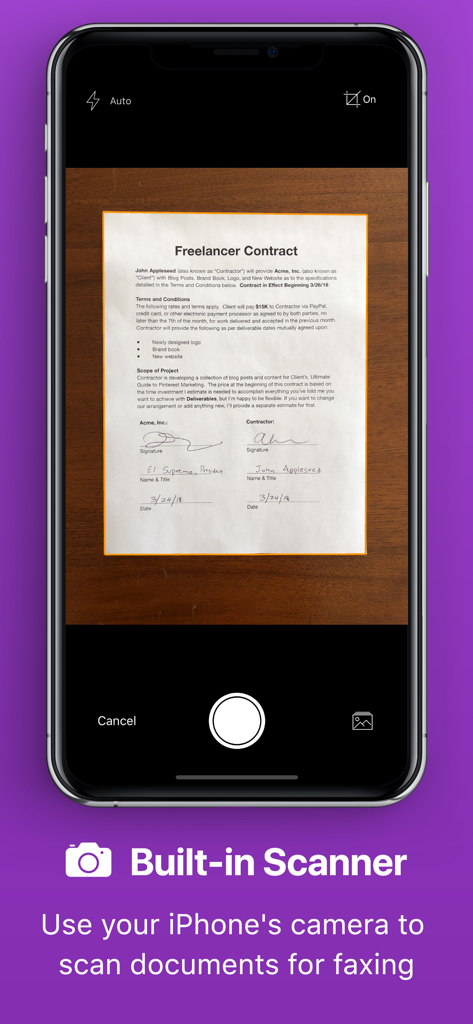
JotNot Fax - Send Receive Fax - JotNot Fax app built-in scanner interface scanning a document on an iPhone
JotNot Fax app built-in scanner interface scanning a document on an iPhone

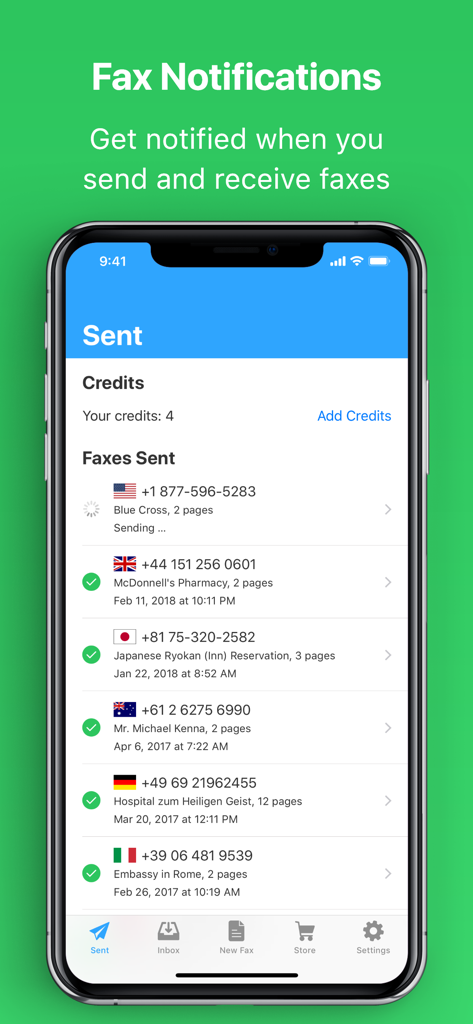
JotNot Fax - Send Receive Fax - List of sent faxes with status notifications in JotNot Fax app
List of sent faxes with status notifications in JotNot Fax app

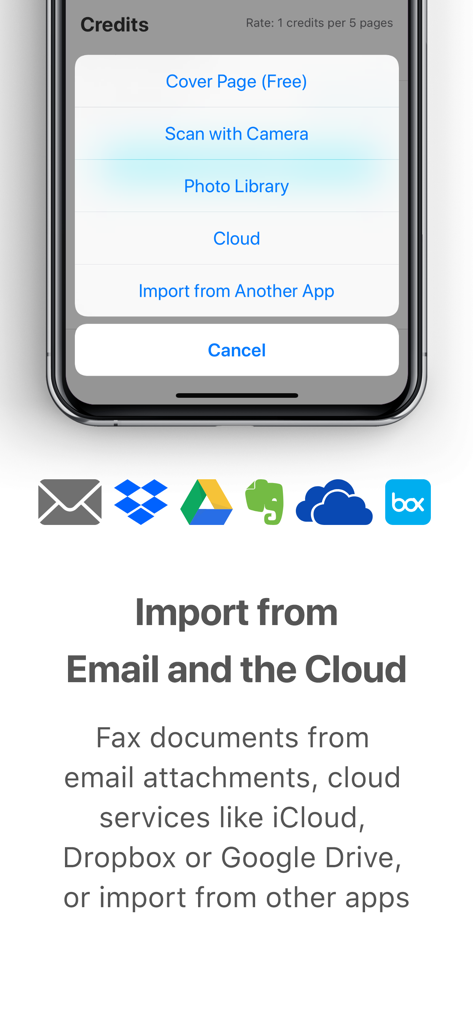
JotNot Fax - Send Receive Fax - JotNot Fax interface showing options to import documents from email and cloud storage
JotNot Fax interface showing options to import documents from email and cloud storage

JotNot Fax - Send Receive Fax - Example of a professional fax cover page generated by the JotNot Fax app
Example of a professional fax cover page generated by the JotNot Fax app

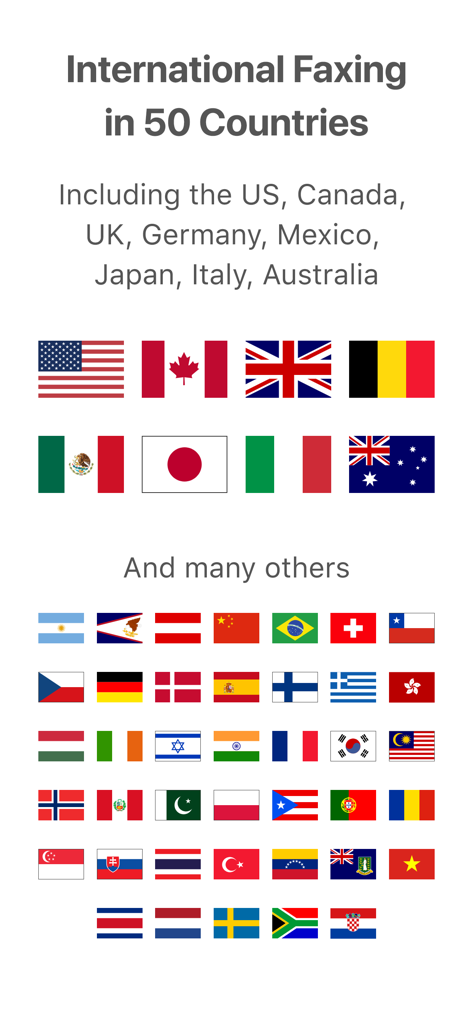
JotNot Fax - Send Receive Fax - A screen showing that JotNot Fax supports international faxing in 50 countries with a display of various national flags.

A screen showing that JotNot Fax supports international faxing in 50 countries with a display of various national flags.

Description

JotNot Fax is the easiest, most reliable, and fastest way to send and receive faxes. Save time and money with JotNot by skipping the fax store. JotNot Fax comes with a built-in scanner, so you don't need to find a scanner or fax machine if you need to fax a paper document. Just scan in the document with your phone's camera, enter the fax number, and hit send. The app lets you get your own fax number that you can use for sending and receiving faxes. Pick a number in the app, and we'll set it up with the phone company for you in just a few seconds -- no hassle, and no service calls by a technician. Create a free JotNot account to sync faxes and credits across multiple devices and other platforms, including iOS, the Web, and more. JotNot Fax will send you a push notification to let you know when you've received a fax, or when a fax that you've sent has finished. Other benefits include: - Send faxes from your iPhone and monitor incoming faxes while out of the office - Built-in, free cover pages give a polished first impression - Stay organized and keep track of your faxes - Get a proof of transmission for each successfully sent fax - Fax any document (from email attachments, the cloud, or other apps) - Supports all common file types, including PDF, docx, and images. Fax Pricing: JotNot Fax charges a subscription for sending and receiving. There is also a pay-as-you-go option for sending only with credits. All purchases in the app are charged to the credit card or other payment method in your App Store account. 1. Sending and receiving with a subscription: We offer three subscription plan options. Each one comes with your choice of a fax number. - Standard plan: includes 100 pages of sending and receiving each month - Premium plan: includes 300 pages of sending and receiving each month - Business plan: includes 1,000 pages of sending and receiving each month Each plan can be purchased on either a monthly or annual basis, with a discount for annual plans. Subscriptions auto-renew unless you cancel more than 24 hours before the renewal date. Payment will be charged to your iTunes Account at confirmation of purchase. Any unused portion of a free trial period, if offered, will be forfeited when the user purchases a subscription to that publication, where applicable. If you use more than the number of pages in a given month, you can add extra pages to that month by buying credits. Credits can be converted to pages at a rate of 5 pages per credit. 2. Sending with credits: Without a subscription, sending a fax costs 1 credit for every 5 pages. For example: - a fax with 1-5 pages costs 1 credit - a fax with 6-10 pages costs 2 credits - a fax with 11-16 pages costs 3 credits, and so on The fax cover page is free -- it does not count towards the page count for the purposes of calculating the credits needed for a fax. You can purchase credits in packs within the app. We offer packs of 3, 10, 20, and 100 credits; larger packs offer cheaper pricing per credit. See the app for local pricing. JotNot Fax supports sending faxes to these countries and regions: United States, Canada, United Kingdom, Germany, Mexico, Japan, Italy, Australia, American Samoa, Argentina, Austria, Belgium, Brazil, Chile, China, Costa Rica, Croatia, Czech Republic, Denmark, Finland, France, Greece, Guam, Hong Kong, Hungary, India, Ireland, Israel, Malaysia, Netherlands, Norway, Pakistan, Peru, Poland, Portugal, Puerto Rico, Romania, Singapore, Slovakia, South Africa, South Korea, Spain, Sweden, Switzerland, Taiwan, Thailand, Turkey, U.S. Virgin Islands, Venezuela, Vietnam. JotNot Fax supports getting a phone number in the United States and Canada. Our privacy policy is available here: https://www.jotnot.com/privacy.html Our terms of use are available here: https://www.jotnot.com/terms-of-use.html If you have any issues or suggestions please email us at support@jotnot.com (you can do it from within the app) and we will get back to you shortly.

Download

Download on App Store

This page is not an official page of the app or its developer, but an independent editorial publication created for informational and commentary purposes. Unless expressly stated otherwise, neither the app nor its developer is affiliated with, endorsed by, sponsored by, authorized by, or otherwise officially connected with MWM, Apple, Google Play, the app publisher, or the app's developer, and nothing on this page implies that the app was developed using MWM's services. Any trademarks, logos, screenshots, and other content remain the property of their respective owners.