
This page is not an official page of the app or its developer, but an independent editorial publication created for informational and commentary purposes. Unless expressly stated otherwise, neither the app nor its developer is affiliated with, endorsed by, sponsored by, authorized by, or otherwise officially connected with MWM, Apple, Google Play, the app publisher, or the app's developer, and nothing on this page implies that the app was developed using MWM's services. Any trademarks, logos, screenshots, and other content remain the property of their respective owners.


Keeper Password Manager
Stop reusing passwords. The app eliminates your weakest security link: human memory.
Downloads
2.5M+User Rating
Total Ratings
354.0KPublisher
Category
ProductivityLocales
20Latest Version
17.8.0Size
155.3 MBFirst Released
Feb 12, 2019Evaluating core functionalities for security-conscious individuals and professionals.
Keeper Password Manager: Key Features Analysis
Dark Web Monitoring with BreachWatch
It proactively monitors the dark web for breached accounts and passwords, immediately notifying users of exposures to enable swift protective action.
Zero-Knowledge Security & Advanced Encryption
The app employs patented zero-knowledge architecture and AES-256 encryption, ensuring that only the user can access their data, providing the highest level of privacy and protection.
Secure Password & Passkey Management
This tool enables users to generate strong, unique passwords and securely store an unlimited number of passwords and passkeys in an encrypted digital vault.
Seamless Autofill & Cross-Device Synchronization
It allows users to instantly autofill credentials and passkeys across all sites and apps, with seamless synchronization across phones, tablets, and computers for consistent access.
Integrated Two-Factor Authentication (2FA)
The app supports strong two-factor authentication for vault access and allows storage and autofilling of TOTP codes for other websites and applications, enhancing overall account security.
Secure Credential Sharing
It allows users to securely share credentials with other Keeper users or send "One-Time Share" links to family, friends, or colleagues, balancing security with collaborative needs.
Frequently Asked Questions
Everything you need to know about Keeper Password Manager
What is Keeper Password Manager?
Keeper Password Manager is an app that secures passwords, passkeys, and 2FA codes using AES-256 encryption. It generates strong passwords, autofills logins, syncs across devices, and monitors the Dark Web for breaches.
Does Keeper Password Manager generate strong passwords?
Yes, Keeper Password Manager includes a built-in password generator that creates strong, random passwords and passphrases. It allows customization for length, characters, numbers, and symbols.
Can Keeper Password Manager autofill passwords?
Yes, Keeper Password Manager autofills login credentials across mobile apps and browsers. It uses KeeperFill, which can be authenticated with fingerprint or Face ID for secure access.
Is Keeper Password Manager secure?
Yes, Keeper Password Manager is highly secure, utilizing patented zero-knowledge security, AES-256-bit encryption, and PBKDF2 technology. It is SOC-2, ISO 27001, ISO 27017, ISO 20718, FedRAMP, and StateRAMP certified.
Can I store passkeys with Keeper Password Manager?
Yes, Keeper Password Manager allows users to save and sync passkeys, along with passwords and 2FA codes. These can be accessed from any device and are stored in an encrypted digital vault.
Does Keeper Password Manager offer two-factor authentication (2FA) support?
Yes, Keeper Password Manager supports two-factor authentication (2FA) for vault access and stores/protects TOTP codes for autofilling into other sites. It also supports security keys like YubiKey.
Can Keeper Password Manager monitor for data breaches?
Yes, Keeper Password Manager includes BreachWatch, which monitors the Dark Web for breached accounts and passwords. It notifies users immediately if their information is exposed, enabling quick action.
What record types can Keeper Password Manager store?
Keeper Password Manager stores various record types, including login credentials, payment cards, addresses, bank accounts, secure files, notes, photos, driver's licenses, passports, and SSH keys.
Can I share passwords securely using Keeper Password Manager?
Yes, Keeper Password Manager enables secure sharing of credentials with other Keeper users or via a "One-Time Share" link for non-users. Users can define permissions like edit or view access.
Can I sync my Keeper vault across multiple devices?
Yes, Keeper Password Manager syncs your encrypted digital vault across all your phones, tablets, and computers. This ensures consistent access to your passwords and data.
The following screenshots and description are sourced directly from the app's official store listing and are the property of the app developer.
App Store
Screenshots
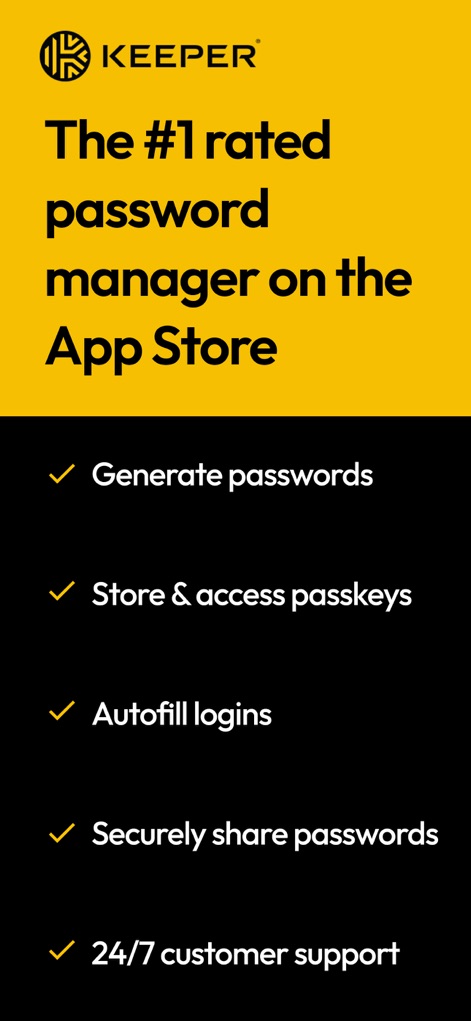
This screenshot highlights the app's top ranking on the App Store and its core capabilities like generating passwords and enabling autofill logins.
Top-Rated Security
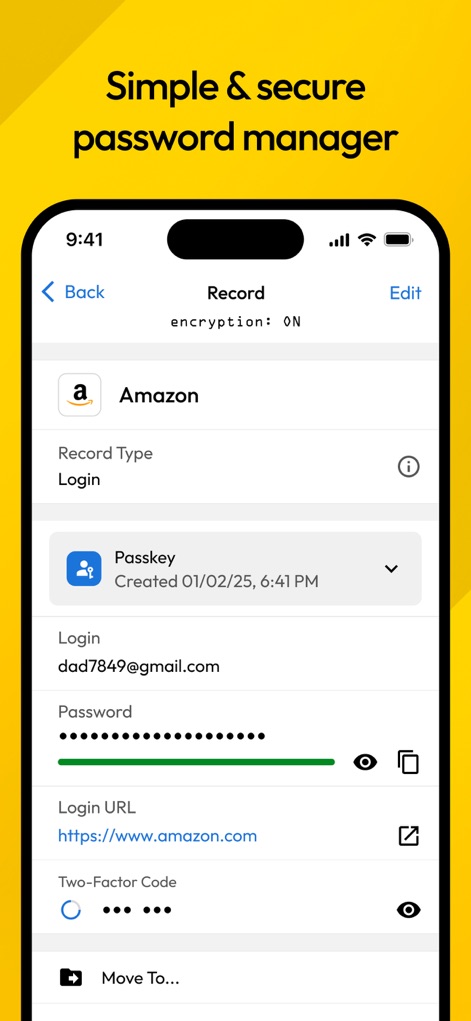
This visual showcases a detailed record entry, featuring both a Passkey and the integrated Two-Factor Code field for complete login security.
Record Details View
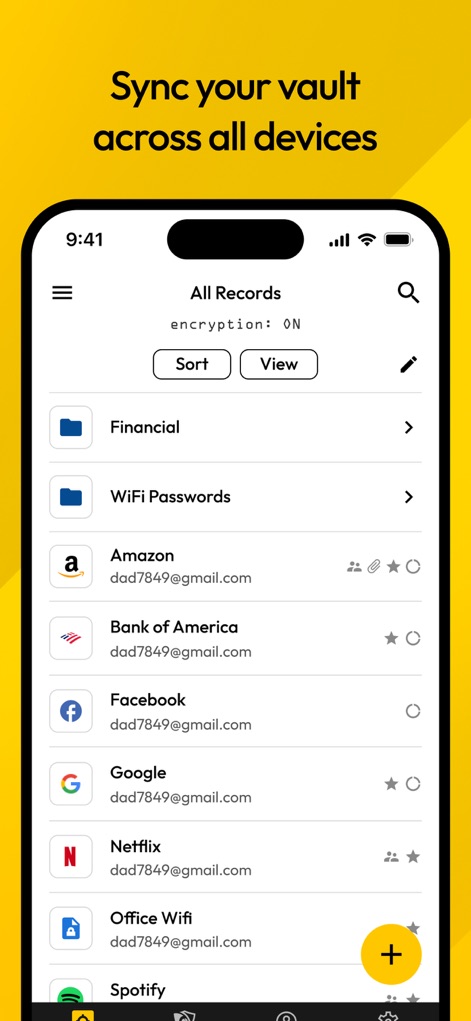
Users can effectively manage their digital assets with organized categories like "Financial" and easily sort their numerous records for quick access.
Vault Organization
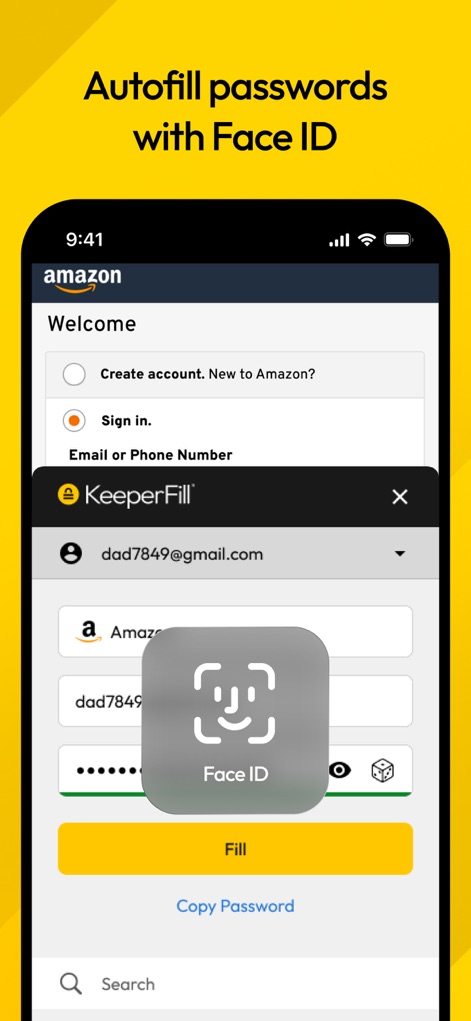
The app simplifies logging in by showcasing the "KeeperFill" pop-up and integrating Face ID for rapid and secure credential entry.
Seamless Autofill
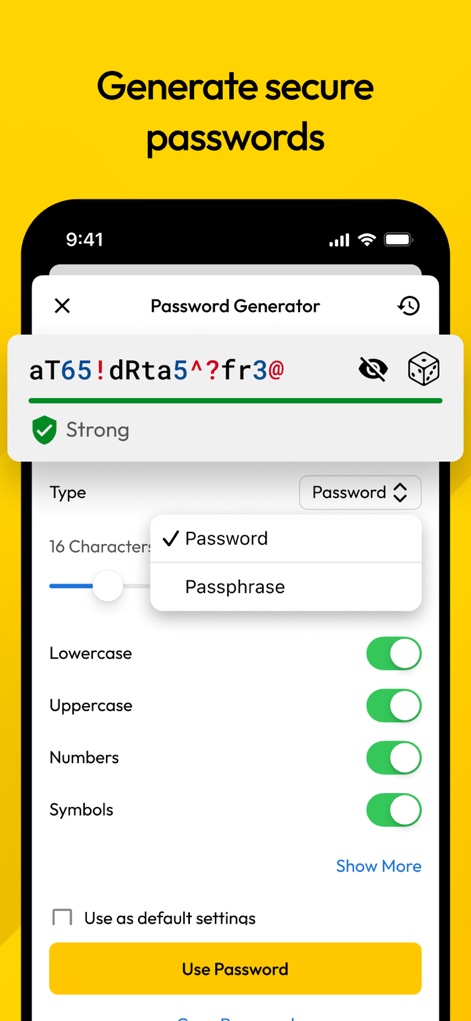
The powerful password generator allows users to customize strength with character type toggles and provides options for both complex passwords and passphrases.
Strong Password Creation
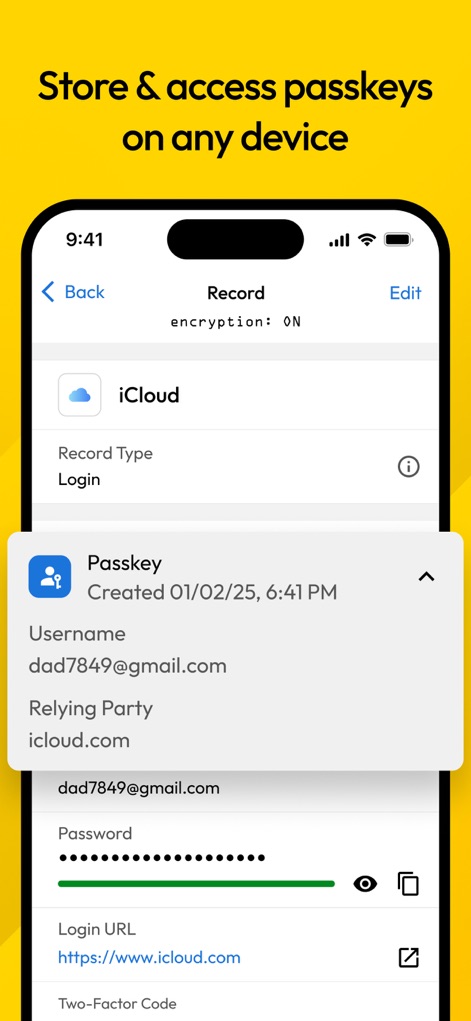
This view demonstrates the app's ability to store and display passkeys, showing details like the creation date and the associated username for iCloud.
Passkey Management
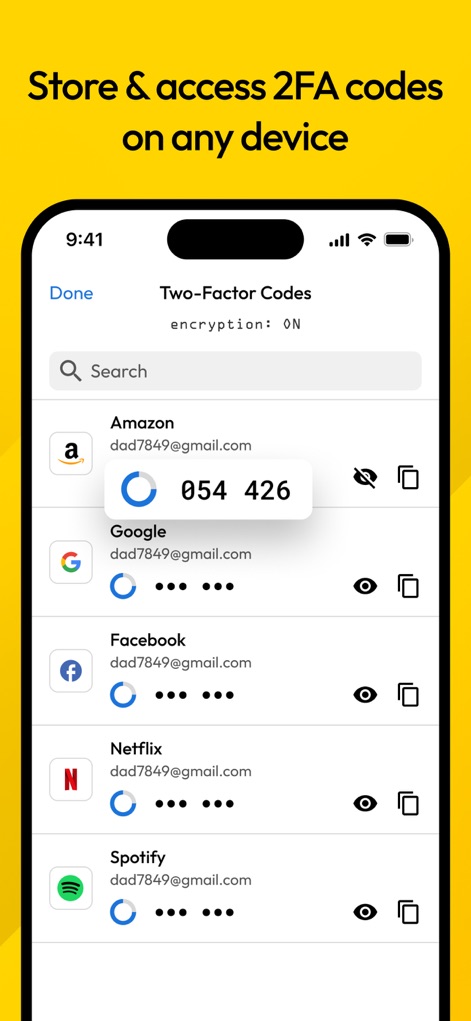
The app securely stores and displays Two-Factor Authentication (2FA) codes for various services, providing quick access to critical security tokens.
2FA Code Integration
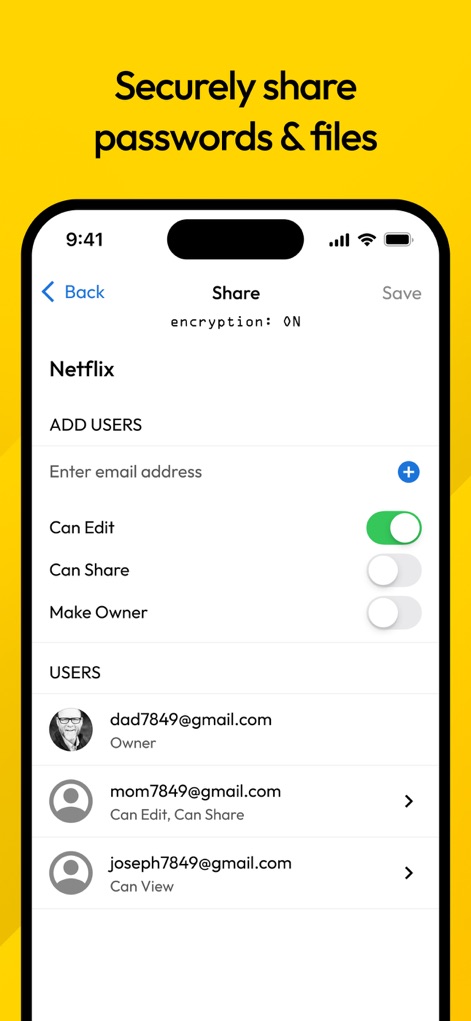
The app offers robust sharing capabilities, enabling users to add collaborators and precisely manage permissions like "Can Edit" and "Can Share" for sensitive records.
Secure Sharing Controls
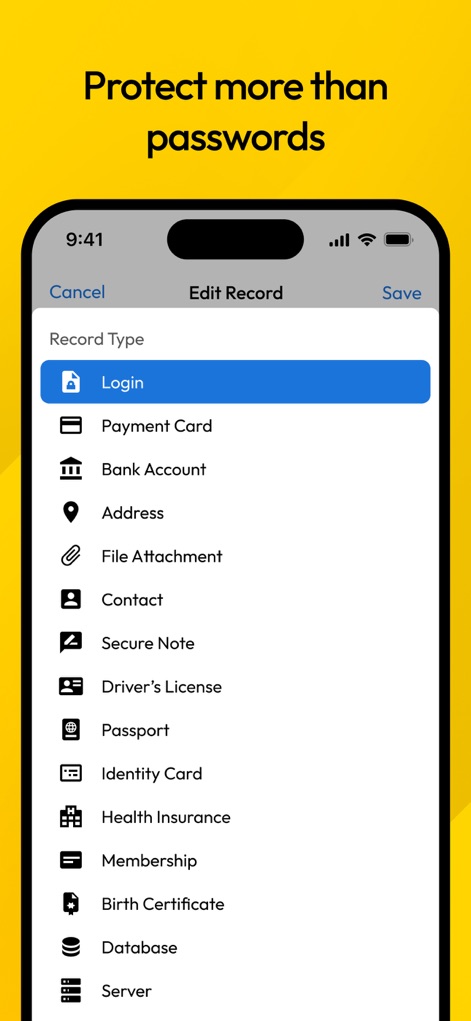
This visual reveals the extensive range of record types the app can secure, from standard "Login" credentials to sensitive "Driver's License" and "Bank Account" details.
Comprehensive Data Protection
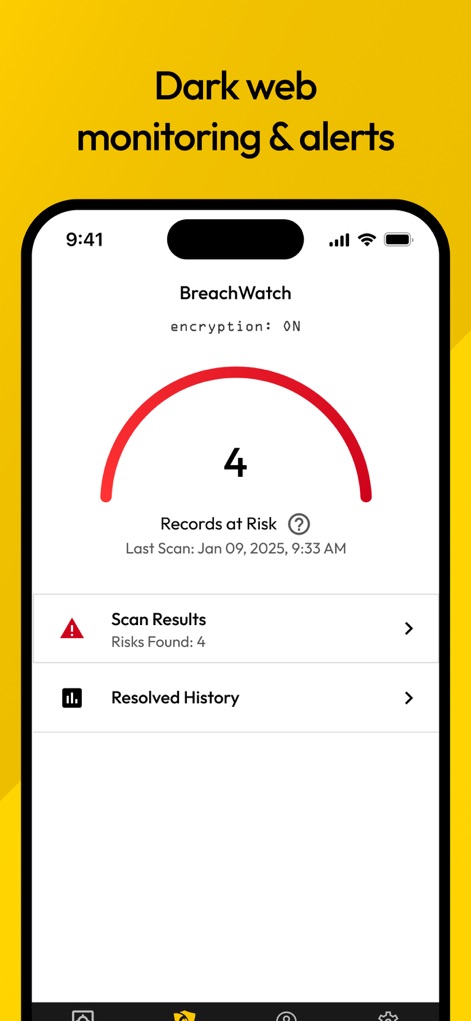
BreachWatch actively monitors for compromised data, clearly displaying "Records at Risk" and providing detailed "Scan Results" for proactive security.
Dark Web Monitoring
Description
Download
More Like This
Apps with similar features and user experience

Proton Pass - Password Manager
Proton AG

Dashlane Password Manager
Dashlane

Password Manager - mSecure
mSeven Software, LLC

Kepttor Password Manager
MACREL SRL SEMPLIFICATA

DataVault Manager - Encrypted
MIKHAIL SHERSHNEV

Authenticator ·
SMM service, s.r.o.

Bitwarden Password Manager
Bitwarden Inc

Authenticator App ⁸
AGILE CODE LIMITED

Authenticator App ℗
RHO DEVELOPERS LLC
This page is not an official page of the app or its developer, but an independent editorial publication created for informational and commentary purposes. Unless expressly stated otherwise, neither the app nor its developer is affiliated with, endorsed by, sponsored by, authorized by, or otherwise officially connected with MWM, Apple, Google Play, the app publisher, or the app's developer, and nothing on this page implies that the app was developed using MWM's services. Any trademarks, logos, screenshots, and other content remain the property of their respective owners.