
This page is not an official page of the app or its developer, but an independent editorial publication created for informational and commentary purposes. Unless expressly stated otherwise, neither the app nor its developer is affiliated with, endorsed by, sponsored by, authorized by, or otherwise officially connected with MWM, Apple, Google Play, the app publisher, or the app's developer, and nothing on this page implies that the app was developed using MWM's services. Any trademarks, logos, screenshots, and other content remain the property of their respective owners.


KineMaster - Video Editor
Unleash your inner director; this app puts studio power in your pocket.
Downloads
7.5M+User Rating
Total Ratings
166.4KPublisher
Category
Photo & VideoLocales
18Latest Version
8.1.5(2356)Size
181.7 MBFirst Released
May 1, 2022An in-depth analysis of KineMaster's core functionalities and their relevance for mobile content creators.
KineMaster - Key Feature Evaluation
Extensive Asset Store
The app features an extensive asset store providing tens of thousands of resources including effects, stickers, music, fonts, transitions, and stock media to enhance video projects and streamline creative workflows.
Chroma Key (Green Screen)
It allows users to remove backgrounds and combine video layers seamlessly using chroma key technology, enabling professional-grade visual effects directly on mobile.
AI-Powered Captioning and Narration
This tool provides AI Auto Captions to instantly add subtitles from video or audio and AI Text-to-Speech to create spoken audio from text with one tap, significantly improving accessibility and content creation efficiency.
Advanced Keyframe Animation
The app features keyframe animation capabilities, allowing precise control over the size, position, and rotation of every layer, which enables the creation of dynamic and visually engaging effects.
Templates and Project Sharing
It offers thousands of pre-made video project templates for quick starts and a 'Mix' feature to save and share user-created templates, empowering users to jumpstart creativity and collaborate.
Multi-Layer Video Composition
This tool enables users to add and stack multiple layers of photos, videos, and GIFs, allowing for complex and visually rich video compositions simultaneously.
High-Resolution and Optimized Export
The app provides output options for incredible 4K 60 FPS quality and also optimized settings for direct sharing to social media platforms like YouTube, TikTok, and Instagram, ensuring videos look great and load fast.
AI Magic Removal
It includes AI Magic Removal to cut out backgrounds around people and faces, offering a quick and effective way to isolate subjects for creative compositing without manual selection.
Cloud Project Backup
The app offers KineCloud for backing up personal projects to the cloud, allowing users to seamlessly continue editing on different devices or at a later time without losing progress.
Flexible Speed Control
This tool features comprehensive speed control options, enabling users to reverse, slow down, or accelerate videos into time-lapse masterpieces, offering versatile creative pacing.
Frequently Asked Questions
Everything you need to know about KineMaster - Video Editor
Does KineMaster offer automatic captioning for videos?
Yes, KineMaster features AI Auto Captions. This tool instantly adds subtitles from video or audio, enhancing accessibility and saving editing time for users.
Can KineMaster remove backgrounds from videos or images?
Yes, KineMaster offers AI Magic Removal to cut out backgrounds around subjects. It also supports Chroma Key (Green Screen) for professional background removal and video combining.
What is the maximum video export quality supported by KineMaster?
KineMaster supports exporting videos in high resolution, specifically up to 4K quality at 60 frames per second (FPS). Users can also optimize videos for social media sharing.
Does KineMaster provide ready-to-use video templates?
Yes, KineMaster provides thousands of pre-made video project templates. Users can easily replace photos and videos within these templates to jumpstart their creative projects.
What content can users find in the KineMaster Asset Store?
The KineMaster Asset Store contains tens of thousands of resources. These include effects, stickers, music, fonts, transitions, VFX, stock videos, images, and color filters for video enhancement.
Does KineMaster offer AI-powered artistic style effects?
Yes, KineMaster features AI Style, enabling users to add various artistic effects to their videos and images. This includes applying styles to transform visual appearance, such as 'Cartoon'.
Can KineMaster projects be backed up to the cloud?
Yes, KineMaster integrates KineCloud. This feature allows users to back up their personal video projects to the cloud, facilitating continued editing on different devices or at a later time.
Does KineMaster have a feature for removing background noise?
Yes, KineMaster includes AI Noise Removal. This advanced feature effectively zaps distracting sounds from video or audio tracks, significantly improving sound clarity in projects.
Can users add multiple video and image layers in KineMaster?
Yes, KineMaster supports layering. Users can add and stack numerous photos, videos, and GIFs, enabling complex compositions where elements play simultaneously within the timeline.
Does KineMaster provide undo and redo options for editing mistakes?
Yes, KineMaster features multiple Undo and Redo capabilities. This allows users to revert unwanted changes or reapply editing history, ensuring flexibility and control during the editing process.
The following screenshots and description are sourced directly from the app's official store listing and are the property of the app developer.
App Store
Screenshots
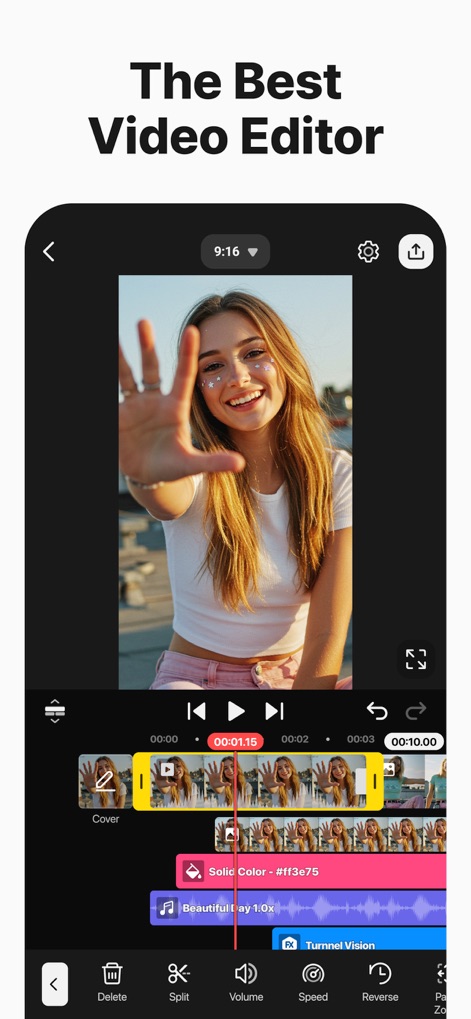
This tool provides a clear video preview and a multi-track timeline, allowing users precise control over their projects.
Intuitive Edit Interface
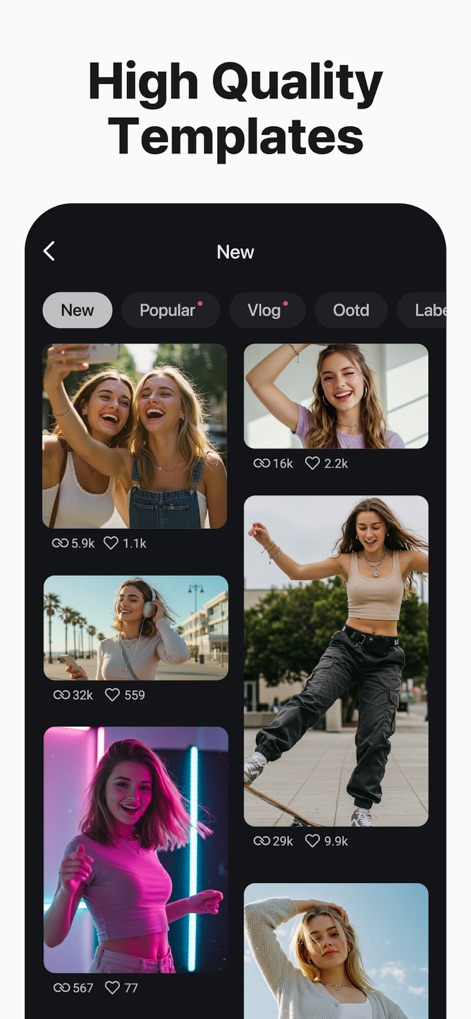
The app offers thousands of high-quality templates, categorized by themes like "Vlog" and "Popular," to jumpstart creative video projects.
Curated Template Gallery
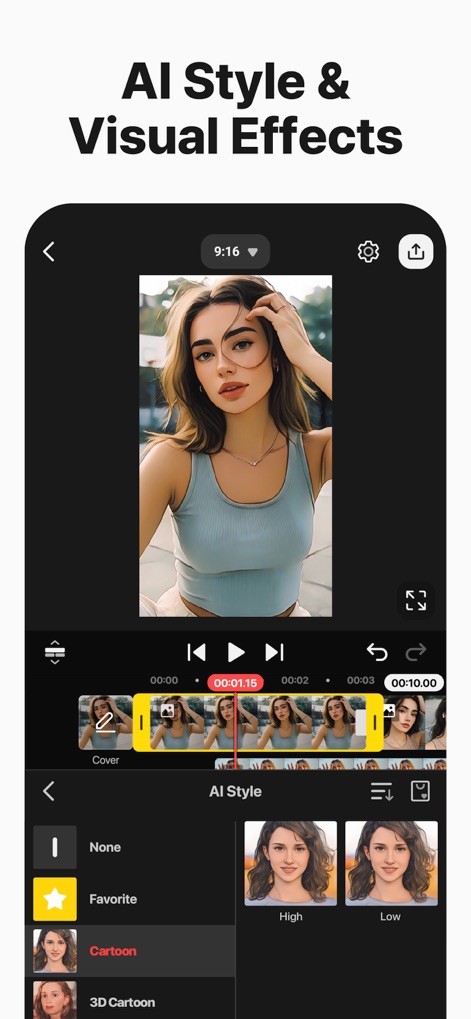
Users can instantly apply diverse artistic styles like "Cartoon" to their videos and adjust intensity with "High" or "Low" settings.
AI Style Integration
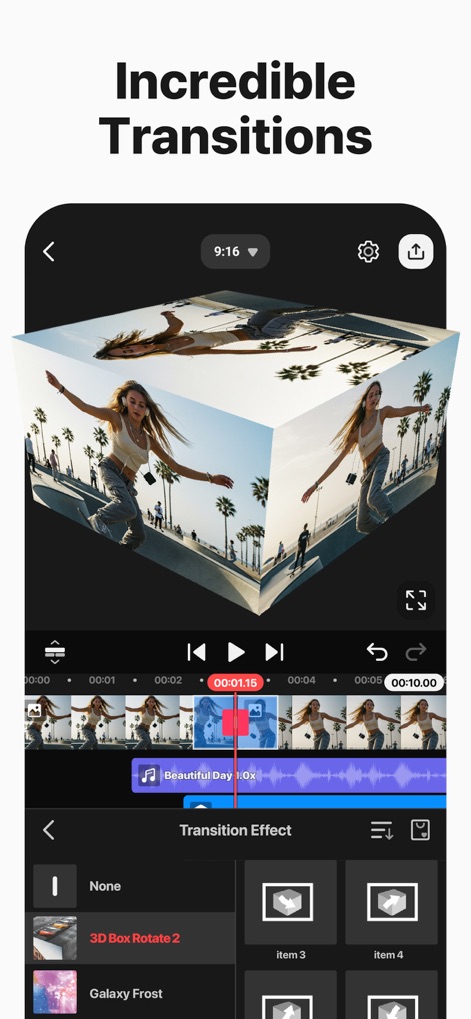
Explore a range of engaging transition effects, from classic wipes to advanced "3D Box Rotate 2" options, to seamlessly blend video clips.
Dynamic Video Transitions
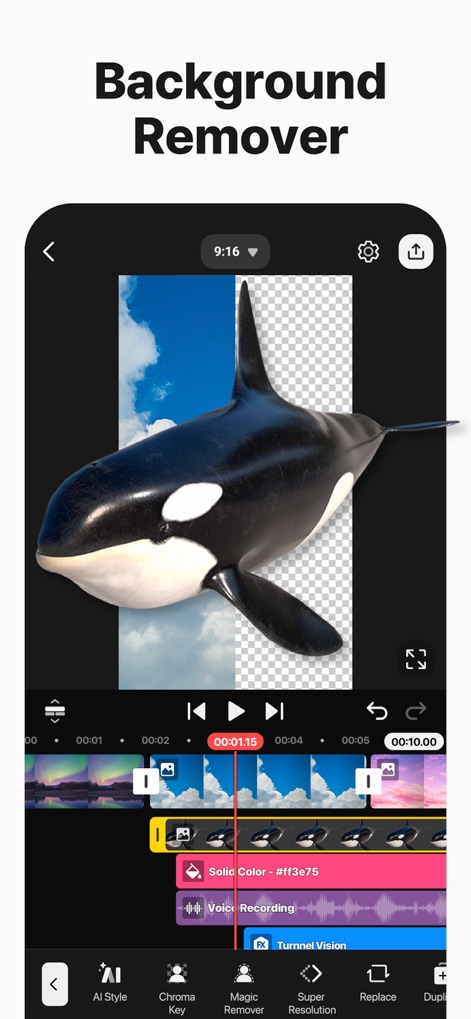
This tool enables precise background removal using features like "Magic Remover" and "Chroma Key," allowing for seamless video compositing.
Advanced Background Tools

Users can fine-tune their sound with features like a detailed "Volume" slider and an "Auto" option for professional audio mixing.
Comprehensive Audio Control
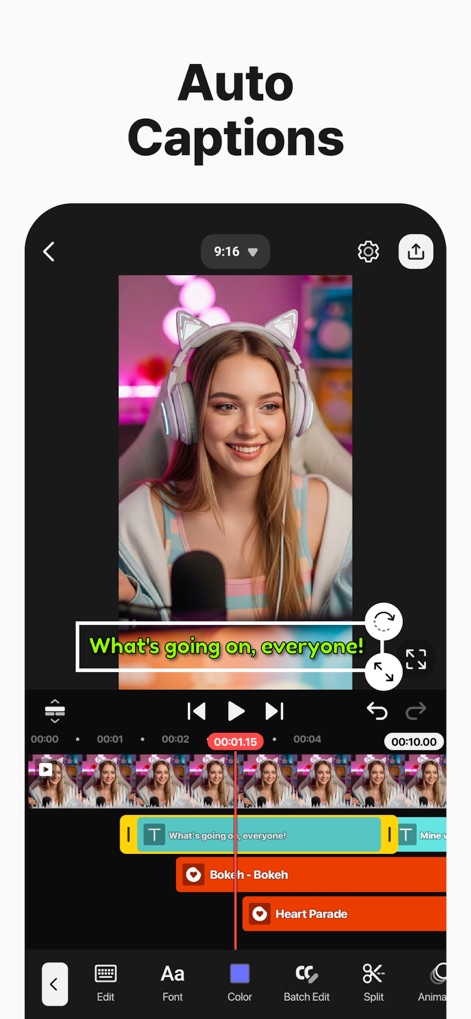
The app automatically generates accurate captions, visible both in the video preview and as editable text layers on the timeline, enhancing accessibility.
Instant Auto Captions
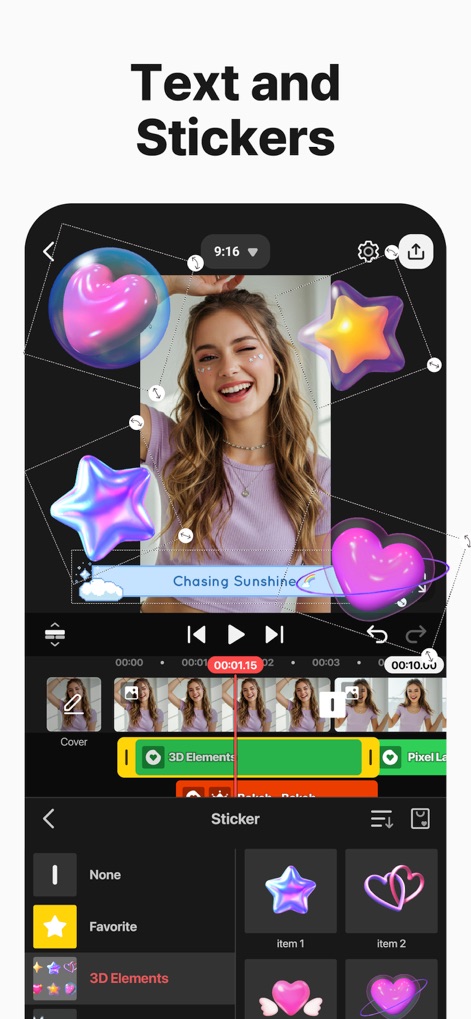
Enhance videos with a wide array of graphic elements, including animated "3D Elements" and customizable text, for engaging visual storytelling.
Creative Text & Stickers
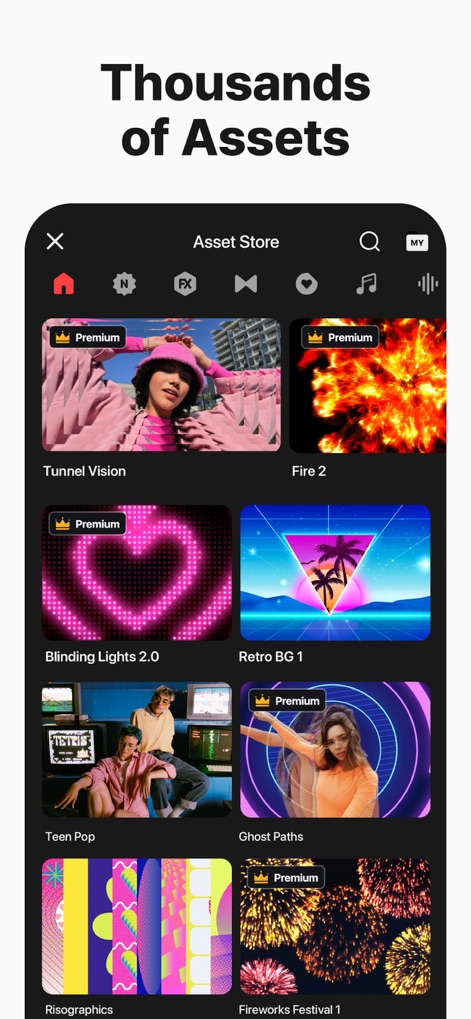
The extensive "Asset Store" offers thousands of resources, from "Tunnel Vision" effects to "Fire 2" backgrounds, to elevate video production.
Extensive Asset Library
Description
Download
More Like This
Apps with similar features and user experience

Edits: Video Editor
Instagram, Inc.

VLLO- Video Editor, Vlog Edits
vimosoft

YouCut - AI Video Editor
SHANTANU PTE. LTD.

必剪-B站官方出品
Shanghai Bilibili Animation Co.,Ltd

剪影 - 视频剪辑 & 卡点影集制作
Shanghai Jian Ji Software Technology Co., Ltd

Videoshop - Video Editor
Jajijujejo Inc.

VDIT - Video Maker & Editor
ImgBase, Inc.

Video Editor with Music・VidLab
Onelight Apps CY Ltd

Video Maker-movie maker&Editor
Changsha Fugui Bamboo Network Technology Co., Ltd.
This page is not an official page of the app or its developer, but an independent editorial publication created for informational and commentary purposes. Unless expressly stated otherwise, neither the app nor its developer is affiliated with, endorsed by, sponsored by, authorized by, or otherwise officially connected with MWM, Apple, Google Play, the app publisher, or the app's developer, and nothing on this page implies that the app was developed using MWM's services. Any trademarks, logos, screenshots, and other content remain the property of their respective owners.