
This page is not an official page of the app or its developer, but an independent editorial publication created for informational and commentary purposes. Unless expressly stated otherwise, neither the app nor its developer is affiliated with, endorsed by, sponsored by, authorized by, or otherwise officially connected with MWM, Apple, Google Play, the app publisher, or the app's developer, and nothing on this page implies that the app was developed using MWM's services. Any trademarks, logos, screenshots, and other content remain the property of their respective owners.


Koto AI Reader: Text To Speech
Boost your productivity by turning documents, PDFs, and photos into natural, human-like speech. Reclaim your commute and listen to your world on the go.
Downloads
20K+User Rating
Total Ratings
100Publisher
Category
ProductivityLocales
7Latest Version
2.9.3Size
43.2 MBFirst Released
Apr 17, 2024Read Faster, Listen Smarter
Bridge the gap between your busy schedule and your reading list. Koto AI transforms any document into a high-quality audio experience tailored for your life on the go.
Hyper-Realistic AI Narrators
Experience crystal-clear audio with voices that sound genuinely human, ensuring you stay focused and engaged without the ear fatigue of robotic speech.
Snap a Photo, Listen Instantly
Turn physical books, printed reports, or computer screens into audio in seconds. Just point your camera and let our advanced OCR do the heavy lifting.
Frequently Asked Questions
Everything you need to know about Koto AI Reader: Text To Speech
What is Koto AI Reader?
Koto AI Reader is an AI voice generator that transforms any text, including documents and photos, into natural, human-like speech instantly. It provides crystal-clear audio for various content types.
How can I input text into Koto AI Reader?
You can input text into Koto AI Reader by typing directly, uploading documents (PDFs, Word), importing photos of text, or scanning documents.
Does Koto AI Reader support multiple languages?
Yes, Koto AI Reader supports over 50 languages with stunning voice quality. This feature allows users to convert text into speech across a wide linguistic range.
Can I choose different voices in Koto AI Reader?
Yes, Koto AI Reader offers multiple natural-sounding human-like voices. Users can select from various options like Anton, Ethan, Sophie, or Liam, each with distinct characteristics.
What types of documents can Koto AI Reader convert to audio?
Koto AI Reader converts PDFs, Word documents, and other text-based content into audio. Users can also scan or photograph physical documents for conversion.
How does Koto AI Reader convert photos to audio?
Koto AI Reader allows you to take a photo of any book page, printed document, or computer screen. The app then instantly converts the text from the photo into speech.
Where can I find the privacy policy for Koto AI Reader?
The privacy policy for Koto AI Reader is available at the following link: https://elvetech.io/privacy. This document details how user data is handled.
Does Koto AI Reader provide AI summaries of content?
Yes, Koto AI Reader provides an AI Summary feature. Users can choose between a short summary or a long summary to quickly grasp the main points of their content.
The following screenshots and description are sourced directly from the app's official store listing and are the property of the app developer.
App Store
Screenshots
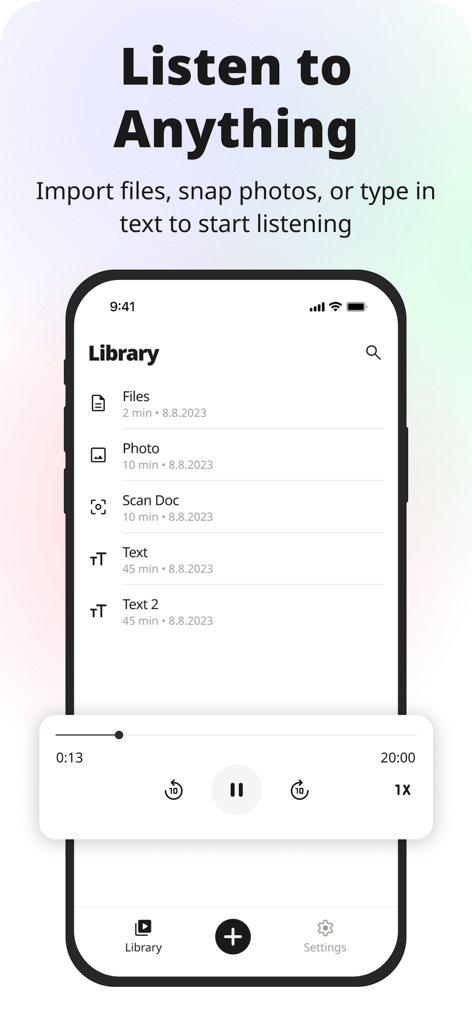
Koto AI Reader app showing a library of documents with text-to-speech playback controls.
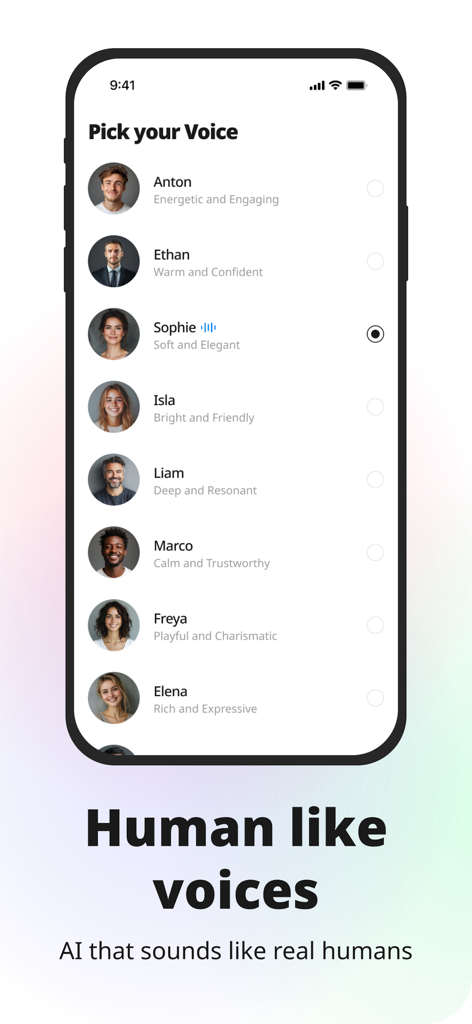
A menu in the Koto AI Reader app showing a selection of natural human like AI voices with different personality descriptions
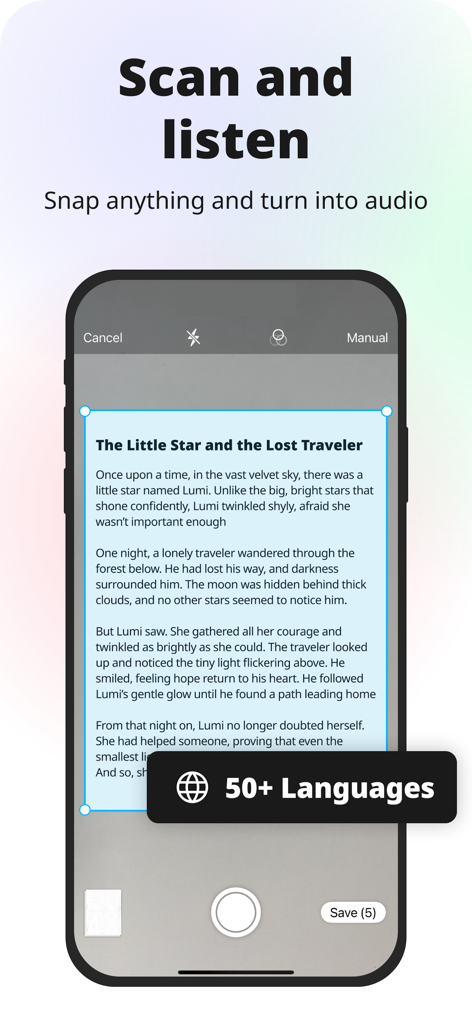
A mobile phone using Koto AI Reader to scan a book page and convert it into audio.
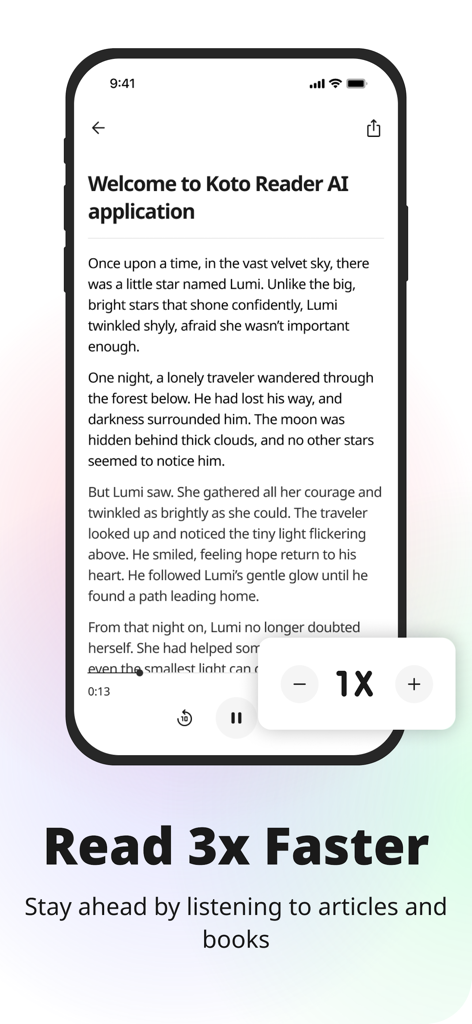
Koto AI Reader app interface with text to speech playback and speed adjustment controls
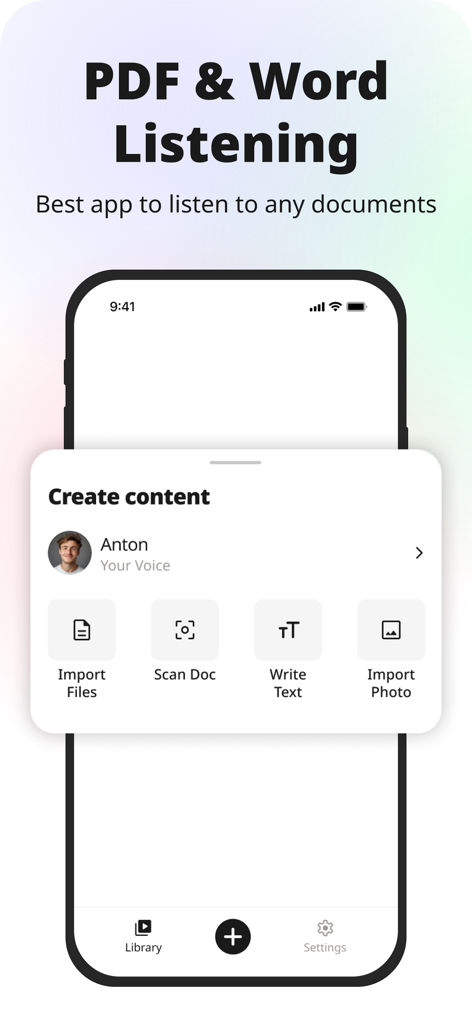
Interface of Koto AI Reader showing options to import PDF and Word files for text to speech conversion
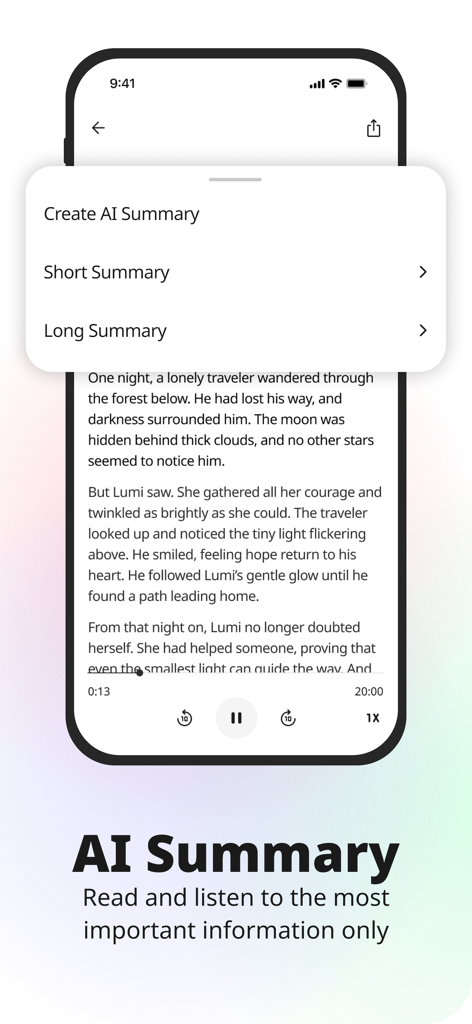
Interface of Koto AI Reader app showing options to generate short or long summaries from text for efficient reading
Description
Download
More Like This
Apps with similar features and user experience

Speechify – Voice AI Assistant
Speechify Inc.

NaturalReader - Text To Speech
NaturalSoft

ElevenReader - Read Text Aloud
Eleven Labs Inc.
Voice Aloud Reader
Marcin Olawski

Peech: Text to Speech Reader
Dopefin Limited
Text to Speech!
Gwyn Durbridge

ListenMe - Text to Speech
SCALEUP YAZILIM HIZMETLERI ANONIM SIRKETI

Readify: AI Natural Read Aloud
New Port LLC

Labs AI : Text to Speech
James Carter
This page is not an official page of the app or its developer, but an independent editorial publication created for informational and commentary purposes. Unless expressly stated otherwise, neither the app nor its developer is affiliated with, endorsed by, sponsored by, authorized by, or otherwise officially connected with MWM, Apple, Google Play, the app publisher, or the app's developer, and nothing on this page implies that the app was developed using MWM's services. Any trademarks, logos, screenshots, and other content remain the property of their respective owners.