
This page is not an official page of the app or its developer, but an independent editorial publication created for informational and commentary purposes. Unless expressly stated otherwise, neither the app nor its developer is affiliated with, endorsed by, sponsored by, authorized by, or otherwise officially connected with MWM, Apple, Google Play, the app publisher, or the app's developer, and nothing on this page implies that the app was developed using MWM's services. Any trademarks, logos, screenshots, and other content remain the property of their respective owners.


Layout for Instagram・Inpreview
Plan your grid, preview highlights, and generate AI captions effortlessly. The ultimate toolkit for creators to design a flawless profile without needing to log in.
Downloads
8M+User Rating
Total Ratings
114K+Publisher
Category
Photo & VideoLocales
12Latest Version
6.9.0Size
210.5 MBFirst Released
Mar 2, 2017Curate Your Digital Brand with Ease
The all-in-one toolkit to design a stunning Instagram presence, automate your workflow, and grow your audience without the guesswork.
Flawless Grid Planning
Drag and drop photos to visualize your aesthetic. Hide or rearrange posts to ensure every tile fits your brand's unique visual identity perfectly.
AI-Powered Content
Beat creative block with AI-generated captions and smart hashtags tailored to your style, moving you from draft to published in seconds.
Frequently Asked Questions
Everything you need to know about Layout for Instagram・Inpreview
What is Inpreview and what are its main features?
Inpreview is an app that allows users to plan their Instagram feed, preview grid layouts, schedule posts, and apply filters without an Instagram login. It also offers Highlights Preview and AI-generated content.
Does Inpreview allow users to preview Instagram highlights?
Yes, Inpreview offers a unique Highlights Preview feature. Users can plan the order of their highlights, preview them on their page, and select aesthetic highlight covers.
Can Inpreview generate AI hashtags and captions for Instagram posts?
Yes, Inpreview can instantly add AI-generated hashtags and captions. This feature assists users in optimizing their posts for better engagement and content creation.
Does Inpreview offer post scheduling for Instagram?
Yes, Inpreview allows users to schedule posts in several taps. This post scheduling capability is one of the features available with the PREMIUM plan.
Can I manage multiple Instagram accounts with Inpreview?
Yes, Inpreview supports switching between multiple Instagram accounts. This functionality is a key feature provided within the PREMIUM plan.
Does Inpreview support Dark Mode for its interface?
Yes, Inpreview users can enjoy Dark Mode. This feature provides an alternative visual theme for the application's interface.
What features are included in Inpreview's FREE plan?
Inpreview's FREE plan includes support for 1 Instagram account, the ability to hide posted images, and the option to export new images directly to Instagram.
What are the benefits of Inpreview's PREMIUM plan?
The PREMIUM plan offers multiple accounts, hide/unhide posted images, post scheduling, adding captions, removal of ads, access to all new features, and all filters.
Does Inpreview offer auto-renewing subscriptions?
Yes, Inpreview subscriptions automatically renew. Auto-renewal turns off if not canceled at least 24-hours before the current period ends via Account Settings.
Does Inpreview require an Instagram login for its core functionalities?
No, Inpreview does not require an Instagram login to plan your feed, schedule posts, or apply filters. Users can also log in without a password for IGTV and Reels posts.
The following screenshots and description are sourced directly from the app's official store listing and are the property of the app developer.
App Store
Screenshots
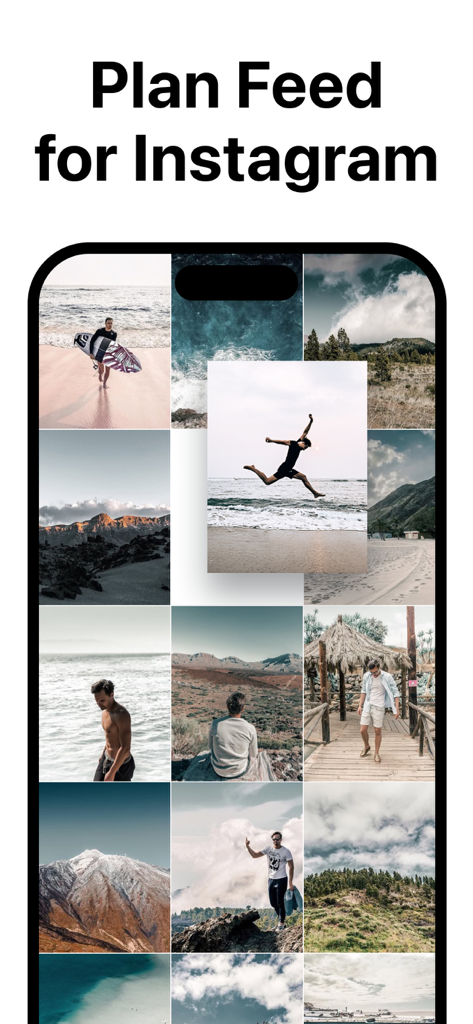
Aesthetic Instagram feed preview with travel and lifestyle photos
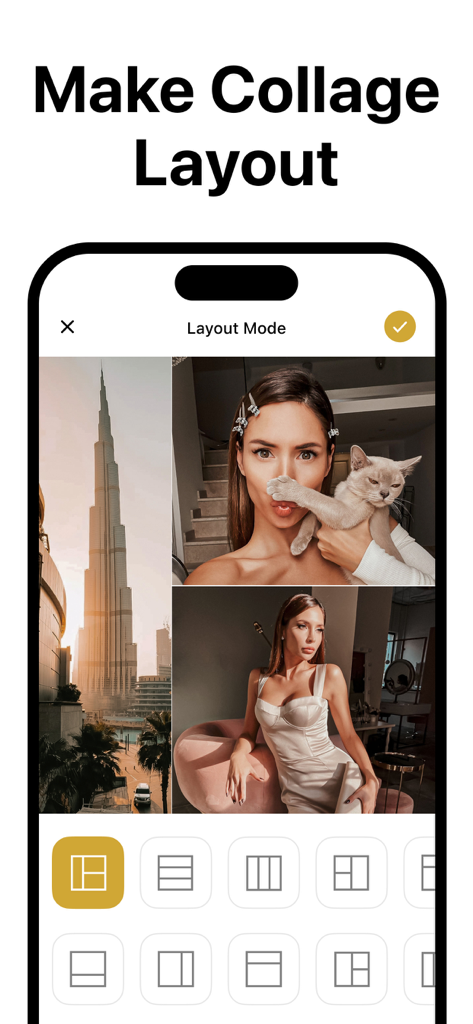
Mobile app interface for creating an aesthetic Instagram photo collage layout with multiple grid options.
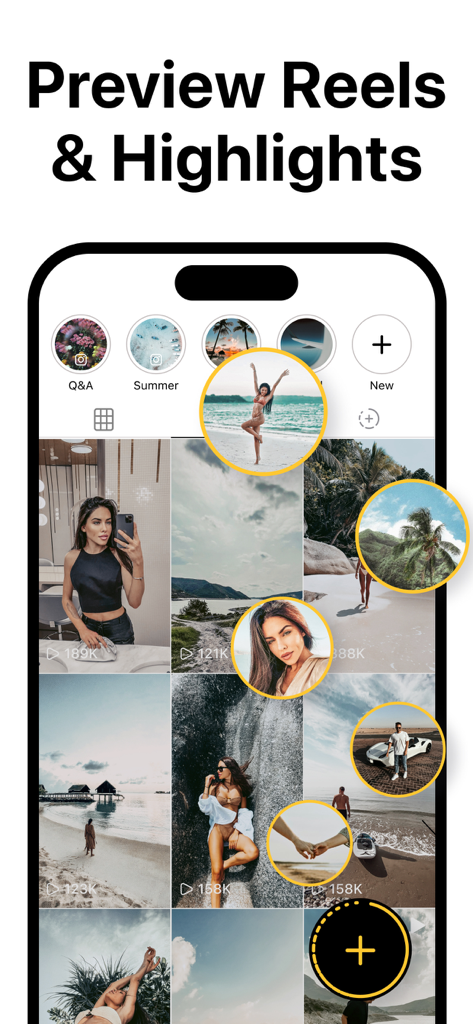
A mobile app interface showing a preview of Instagram reels and story highlights over a curated grid layout
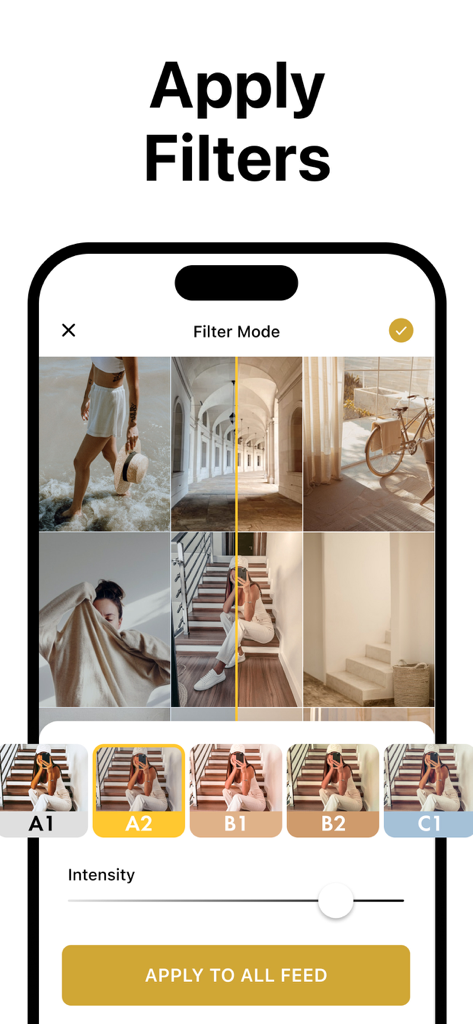
Interface of Inpreview app showing filter selection and intensity slider for an aesthetic Instagram feed layout
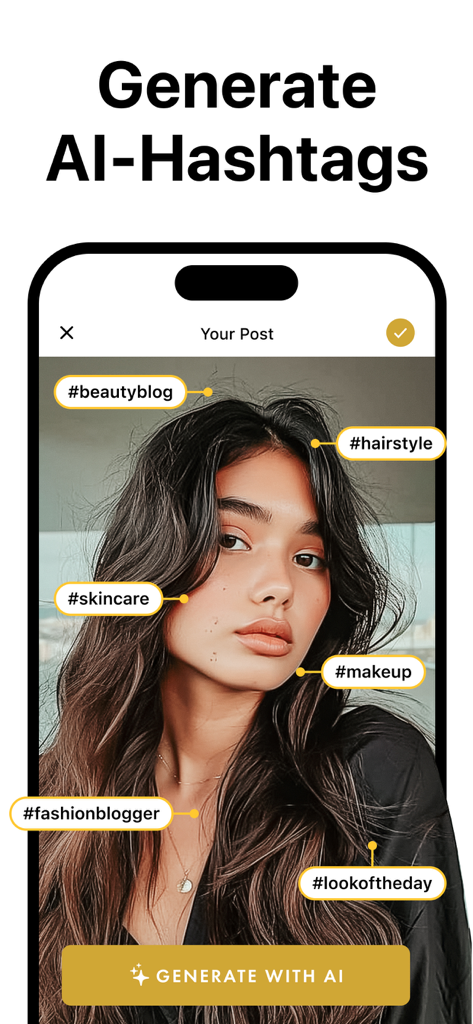
Interface showing AI hashtag generation for social media posts with tags like skincare and makeup.
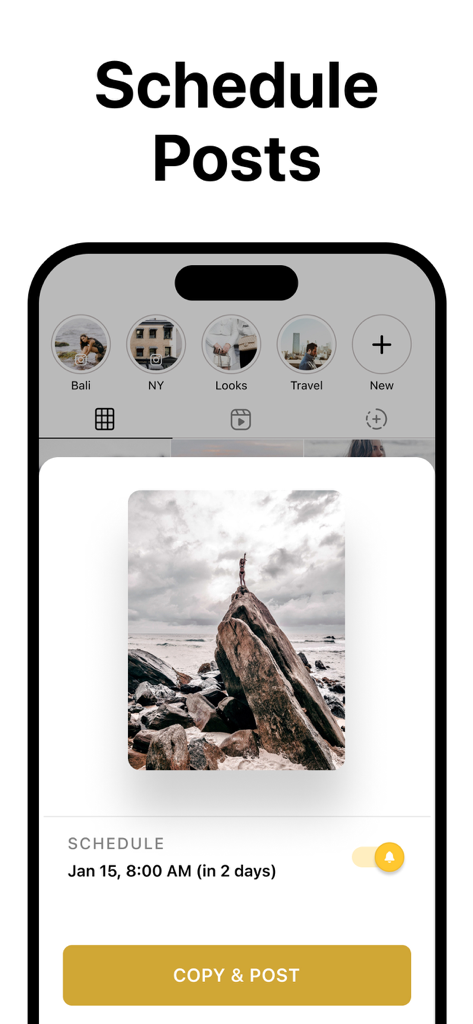
Mobile app interface showing how to schedule Instagram posts with a photo preview and date selection
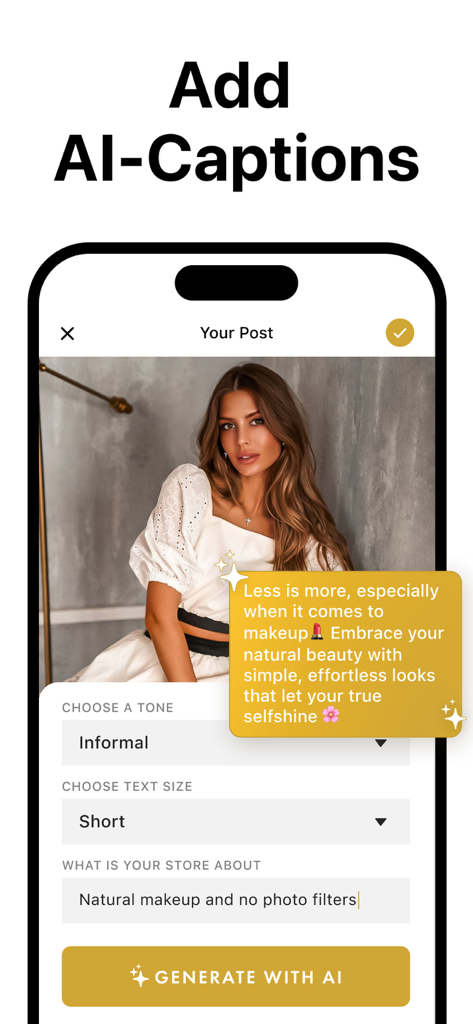
Interface of Inpreview app showing AI caption generation for an Instagram post
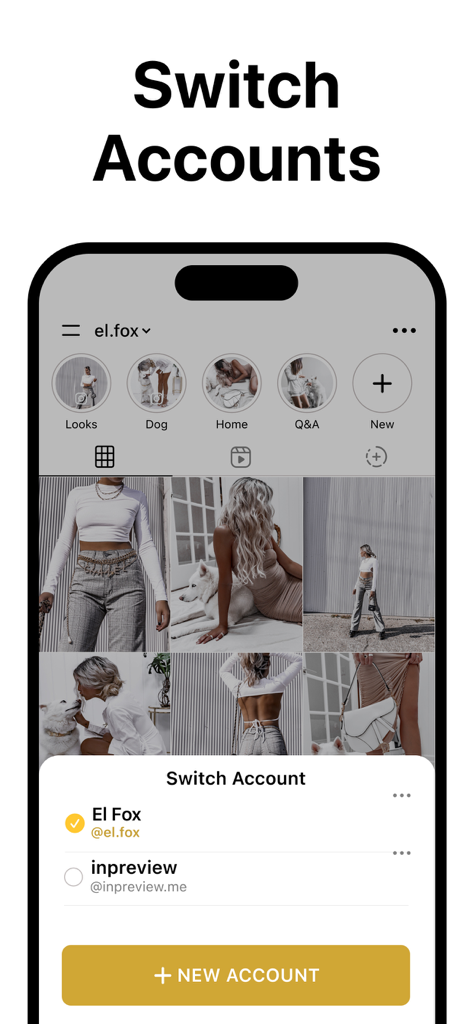
Mobile app screen showing how to switch between different Instagram accounts within the Inpreview layout planner.
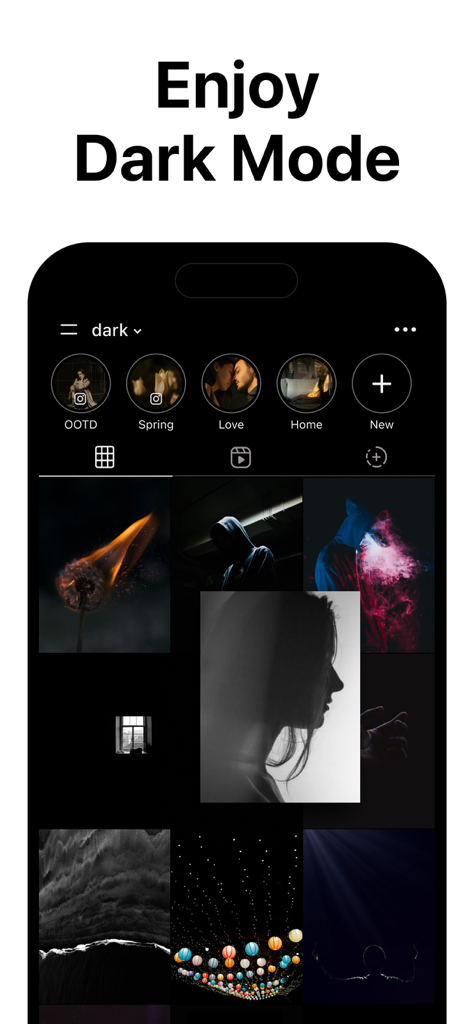
Preview of the Inpreview app showing an aesthetic Instagram grid in dark mode
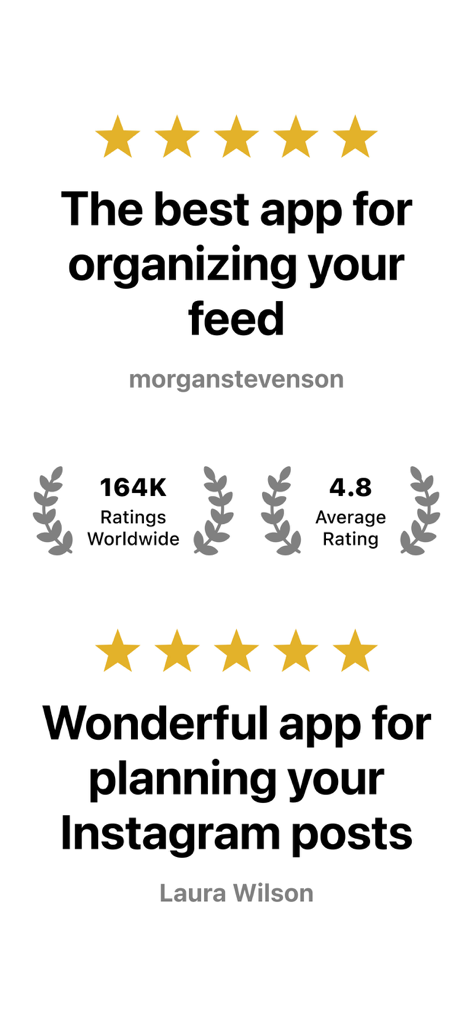
User reviews and 4.8 star rating for the Inpreview Instagram grid layout app
Description
Download
More Like This
Apps with similar features and user experience

Crsel: Carousel & Story Maker
Georgy Romelashvili

Carousel Layout Maker・SwipeMix
Onelight Apps CY Ltd

PanoCut: Panorama Scroll Maker
Hashone Tech LLP

PhotoSplit for Instagram
Tech Positive Inc.

Setty: Photo Filters & Presets
A Color Story LLC

Preview Feed for Insta・Layout
Appslead Ltd

Feed Preview Planner IG・InPlan
Cubetix Ltd.

Feeds: Post & Template Maker
WNDR11 LTD
GRIDS Post maker for Instagram
WNDR11 LTD
This page is not an official page of the app or its developer, but an independent editorial publication created for informational and commentary purposes. Unless expressly stated otherwise, neither the app nor its developer is affiliated with, endorsed by, sponsored by, authorized by, or otherwise officially connected with MWM, Apple, Google Play, the app publisher, or the app's developer, and nothing on this page implies that the app was developed using MWM's services. Any trademarks, logos, screenshots, and other content remain the property of their respective owners.