Lightbox Tracing Pad

Lightbox Tracing Pad

Download on App Store
Logo of Lightbox Tracing Pad

Lightbox Tracing Pad: Your Portable Studio for Flawless Tracing

Turn your iPhone or iPad into a professional light table. Lock your screen, enhance contrast, and perfectly trace any design onto paper for journaling, tattoos, or DIY art.

Download on App Store

Publisher

Natalia Obukhova

Category

Utilities

Downloads

700

User Rating

1.0/5

Total Ratings

0

Locales

1

See the Perfection

Discover the interface used by 700 users.
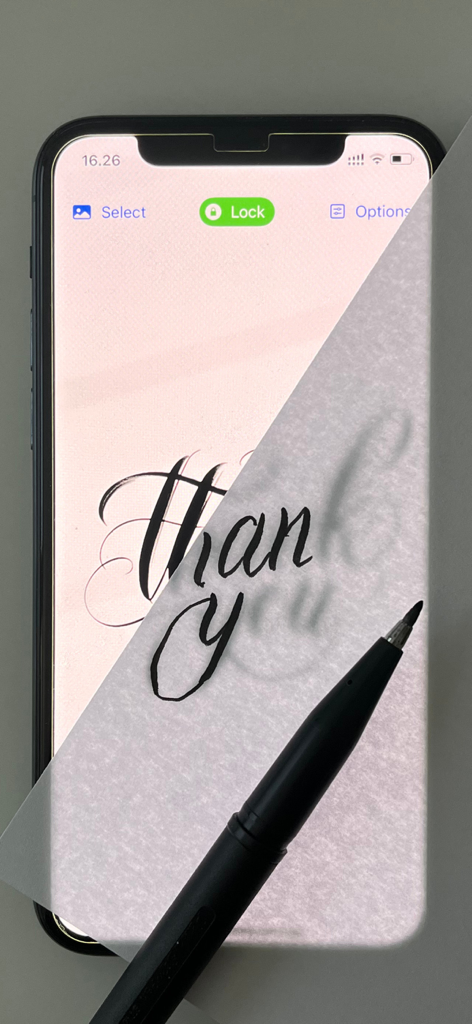
A person tracing calligraphy on a piece of paper placed over an iPhone screen using the Lightbox Tracing Pad app

A person tracing calligraphy on a piece of paper placed over an iPhone screen using the Lightbox Tracing Pad app

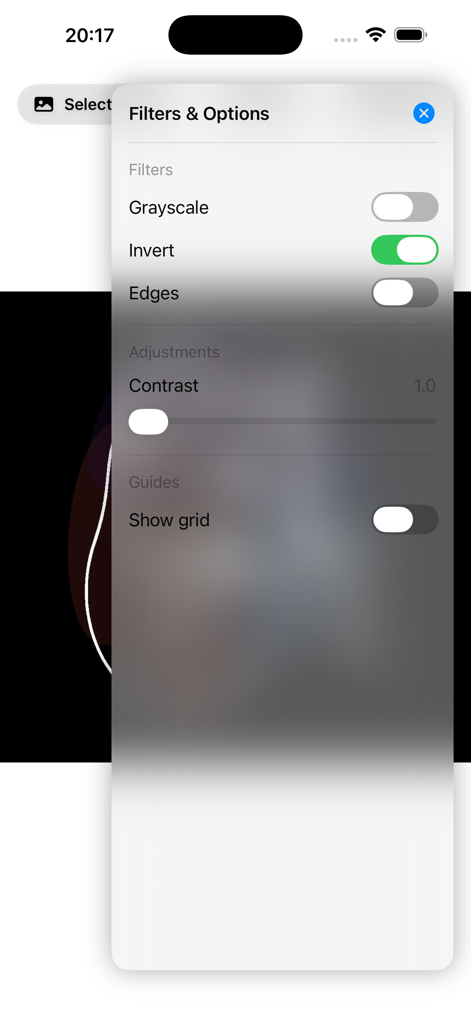
Lightbox Tracing Pad app screen showing filters for grayscale invert and contrast with grid guide enabled

Lightbox Tracing Pad app screen showing filters for grayscale invert and contrast with grid guide enabled

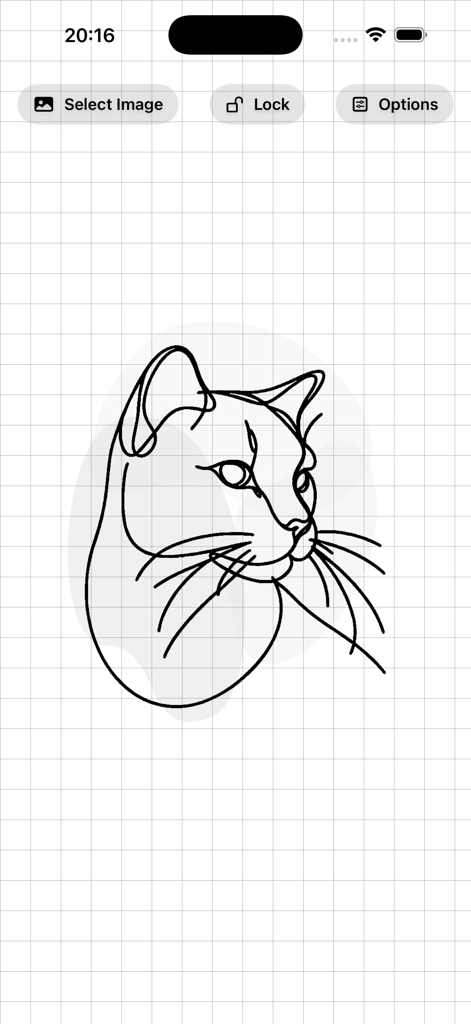
Lightbox Tracing Pad app interface showing a cat outline on a grid background.

Lightbox Tracing Pad app interface showing a cat outline on a grid background.

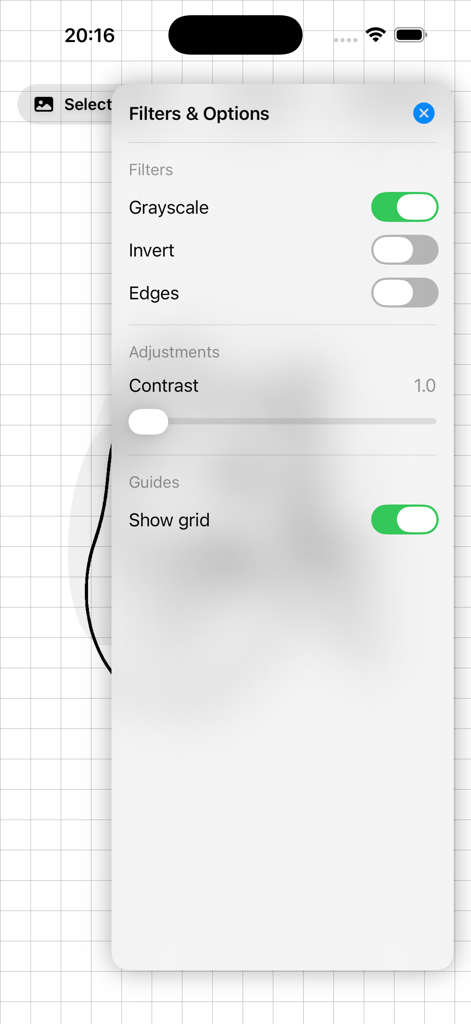
Lightbox Tracing Pad app screen showing image filters and contrast adjustments for better tracing

Lightbox Tracing Pad app screen showing image filters and contrast adjustments for better tracing

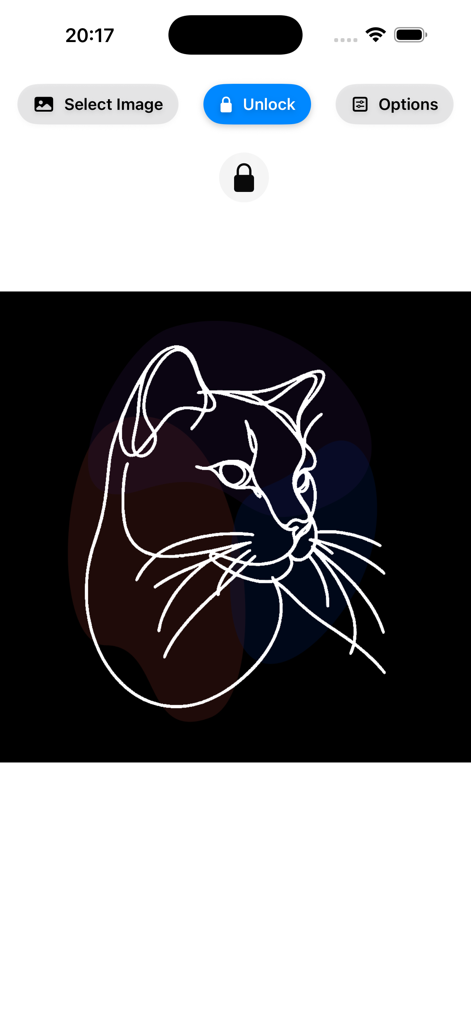
Interface of Lightbox Tracing Pad app showing a white line drawing of a cat and a screen lock feature for tracing

Interface of Lightbox Tracing Pad app showing a white line drawing of a cat and a screen lock feature for tracing

Professional Tools for Your Creative Workflow

The tools that make this app stand out, trusted by 700 users.

🔒

Zero-Touch Screen Lock

Trace with total confidence. Our specialized lock mode prevents accidental swipes and zooms so your image stays perfectly still while you work.

👁️

Smart Visibility Filters

Boost contrast and clarity instantly. See every detail clearly through thick watercolor paper, cardstock, or bullet journal pages.

📐

Precision Zoom & Scaling

Fit any project perfectly. Easily resize and position your reference image to match your paper size, from delicate jewelry designs to large illustrations.

About the app

Everything you need to know about Lightbox Tracing Pad.

Description

Unleash your creativity with Lightbox Tracing Pad — turn your iPhone or iPad into a portable lightbox for tracing and drawing anywhere. Whether you’re sketching, practicing lettering, creating tattoo designs, working on illustrations, or helping kids learn to draw, Lightbox Tracing Pad makes tracing simple, fast, and satisfying. Key features: • Import images instantly from your photo library • Adjust with smart filters to boost contrast for cleaner tracing • Pinch to zoom & resize to fit any project size • Screen lock mode to prevent accidental touches while you work • Trace on real paper — place a white sheet over the screen and outline with a pencil or marker Enjoy a clean, intuitive interface designed to keep you focused on creating. Download Lightbox Tracing Pad today and start turning any image into art!

Latest Version

1.1

Size

0.5 MB

First Released

May 7, 2024

Ready to Bring Your Ideas to Life?

Download Lightbox Tracing Pad today and turn your device into a professional light table for perfect sketches, lettering, and stencils.

Download on App Store

App information, icons, screenshots, and descriptions displayed on this page are sourced from the Apple App Store and are the property of their respective developers. Download estimates and rankings are based on MWM's proprietary models and may not reflect actual figures. This page is provided for informational and analytical purposes only.

Believe this page infringes your intellectual property? File a dispute