
This page is not an official page of the app or its developer, but an independent editorial publication created for informational and commentary purposes. Unless expressly stated otherwise, neither the app nor its developer is affiliated with, endorsed by, sponsored by, authorized by, or otherwise officially connected with MWM, Apple, Google Play, the app publisher, or the app's developer, and nothing on this page implies that the app was developed using MWM's services. Any trademarks, logos, screenshots, and other content remain the property of their respective owners.


LINE WORKS: Team Communication
Bring your team together with an easy-to-use platform that separates work from your private life. Chat, manage tasks, and sync calendars in one secure app—free for up to 100 members.
Downloads
7M+User Rating
Total Ratings
96K+Publisher
Category
BusinessLocales
5Latest Version
4.4.3Size
322.7 MBFirst Released
Jul 14, 2016Everything Your Team Needs to Get Work Done
Separate your professional life from your personal messages with a powerful, all-in-one suite designed for seamless collaboration.
Professional Chat, Private Life
Communicate with your team in a familiar interface without mixing business with your personal messaging apps.
Integrated Productivity Tools
Manage schedules, assign tasks, and run surveys all in one place—no more jumping between five different apps.
Frequently Asked Questions
Everything you need to know about LINE WORKS: Team Communication
What is LINE WORKS?
LINE WORKS is a team communication application for companies, organizations, or teams. It enables smooth communication by allowing members to register, invite others, and utilize various collaboration features.
Does LINE WORKS link with my personal LINE account or friends list?
No, LINE WORKS does not link to your existing LINE user account or friend list. The "Start with LINE Account" and "Login with LINE" functions are solely for convenient ID and password management.
Is there a free plan available for LINE WORKS?
Yes, LINE WORKS provides a free plan. This free plan supports up to 100 people at no cost, enabling organizations to expand their usage without initial financial commitment.
Can I use LINE WORKS on both mobile and PC?
Yes, LINE WORKS functions across both mobile and PC platforms. It offers real-time synchronization between devices, ensuring continuous and accessible communication for all users.
Does LINE WORKS include AI features for work assistance?
Yes, LINE WORKS integrates AI features through AiStudio. This offers tools like "WORKS Mate" and capabilities to create AI assistants, task makers, and report experts for enhanced work efficiency.
Does LINE WORKS support mobile online meetings?
Yes, LINE WORKS supports mobile online meetings. Users can participate in voice and video meetings directly from their mobile devices, allowing them to view members' faces during calls.
How does LINE WORKS handle file sharing and storage?
LINE WORKS manages file sharing and storage via its Drive function. This feature ensures secure access to files and allows for safe sharing with both internal colleagues and external partners.
Can LINE WORKS help manage tasks within an organization?
Yes, LINE WORKS includes a dedicated Task function. Users can easily create, assign, and manage tasks directly from talk content, setting deadlines and ensuring organized workflow.
Does LINE WORKS offer a calendar for scheduling?
Yes, LINE WORKS features a Calendar function for smart time management. It allows users to quickly check meeting participants' availability and efficiently manage team members' schedules.
Can I create and distribute surveys using LINE WORKS?
Yes, LINE WORKS offers a Form function to create and distribute surveys. Users can easily generate various types of surveys from mobile devices, utilizing available templates for convenience.
Does LINE WORKS include email capabilities?
Yes, LINE WORKS integrates email capabilities. It provides secure business functions such as read receipts and reminders, along with robust spam filtering, enhancing professional communication.
The following screenshots and description are sourced directly from the app's official store listing and are the property of the app developer.
App Store
Screenshots
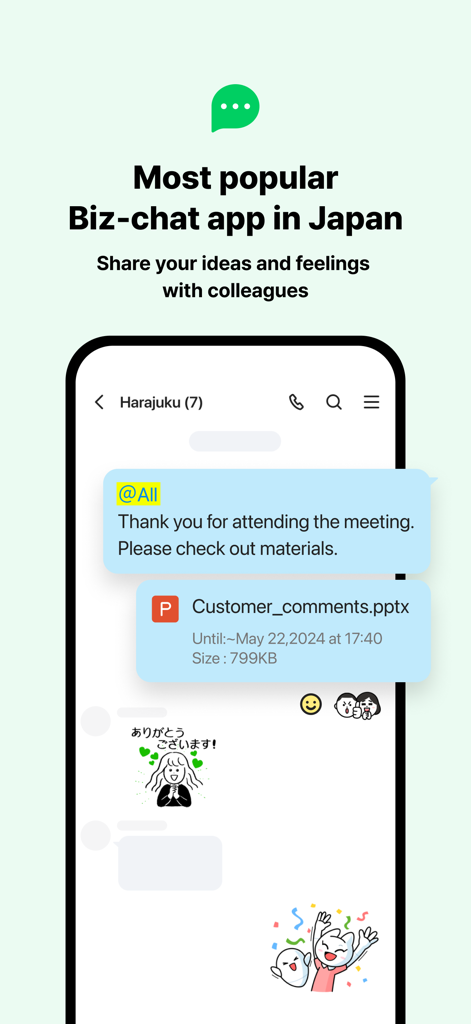
LINE WORKS mobile app interface for business chat and team communication
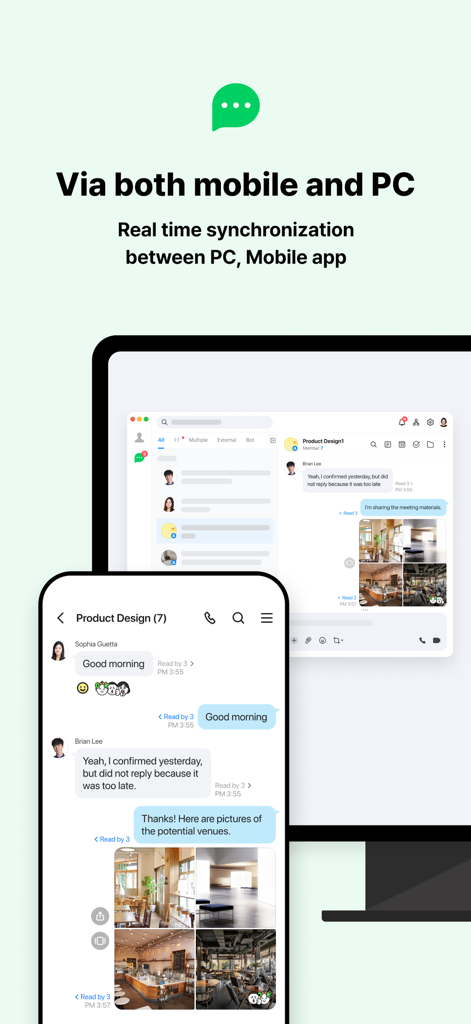
LINE WORKS team communication app showing real time synchronization between mobile and PC interfaces
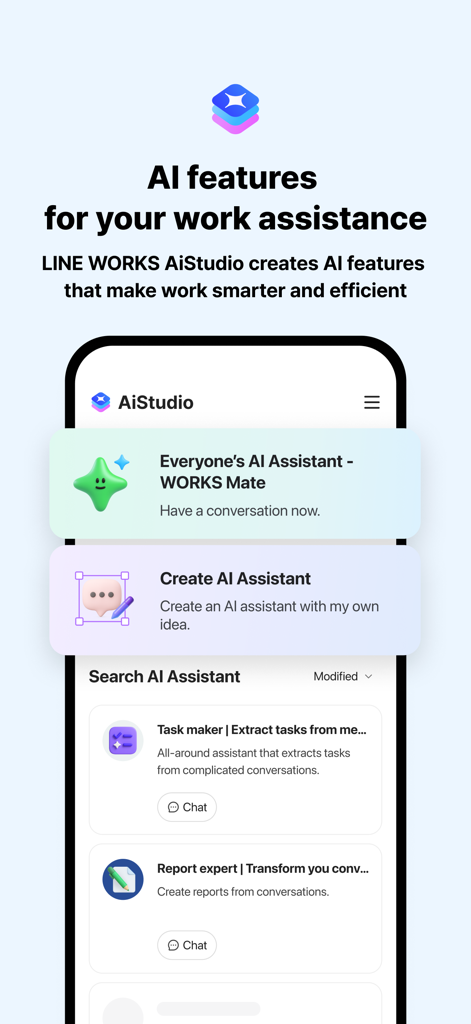
LINE WORKS AiStudio mobile interface showing AI assistants for work productivity

Line Works mobile app interface showing a group video meeting with six participants
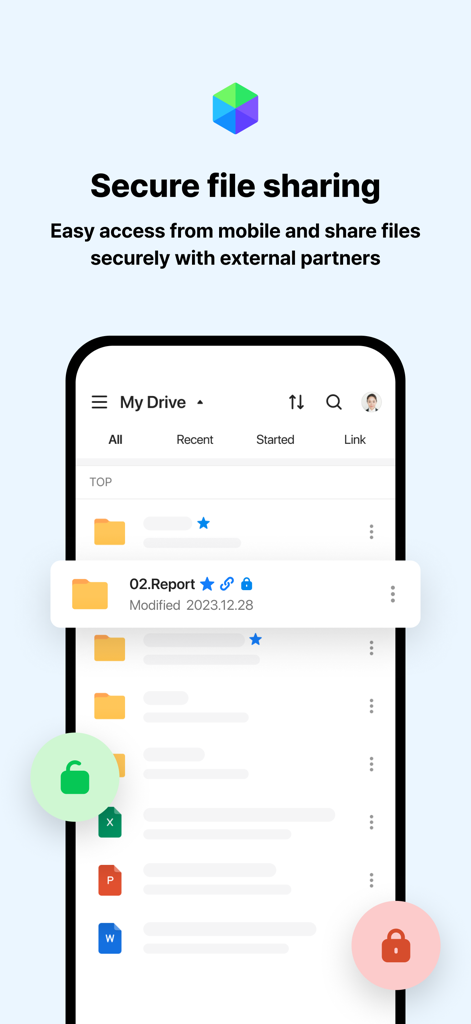
LINE WORKS mobile app interface displaying secure file sharing and drive management features
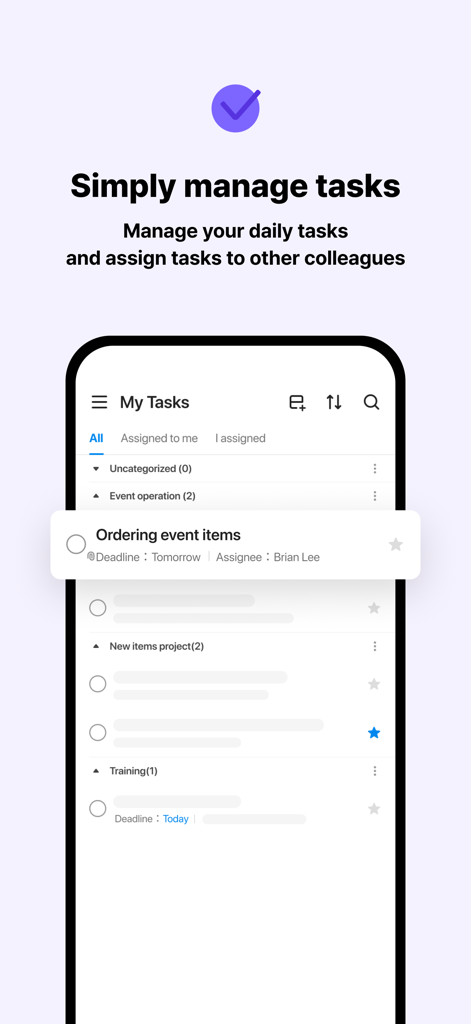
A mobile screen showing the LINE WORKS task management feature for organizing daily work and assigning tasks to colleagues
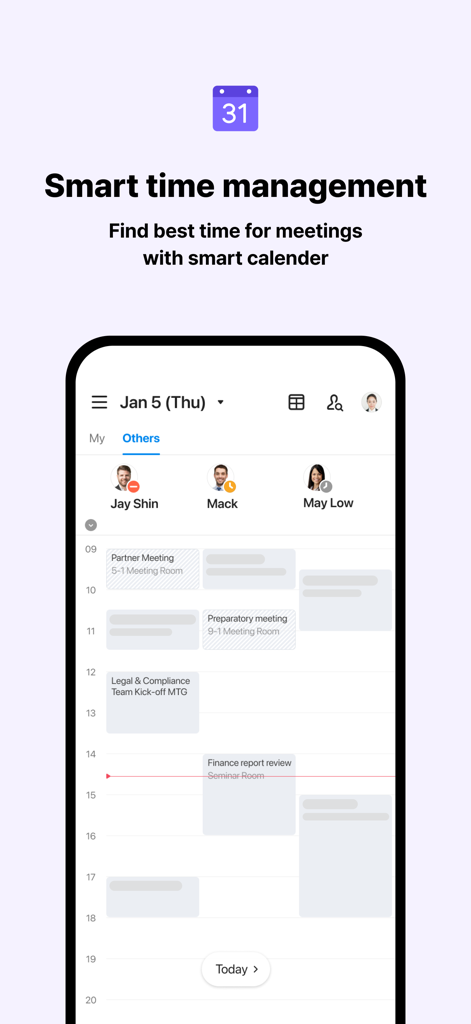
LINE WORKS mobile app screen showing smart calendar for team meeting coordination
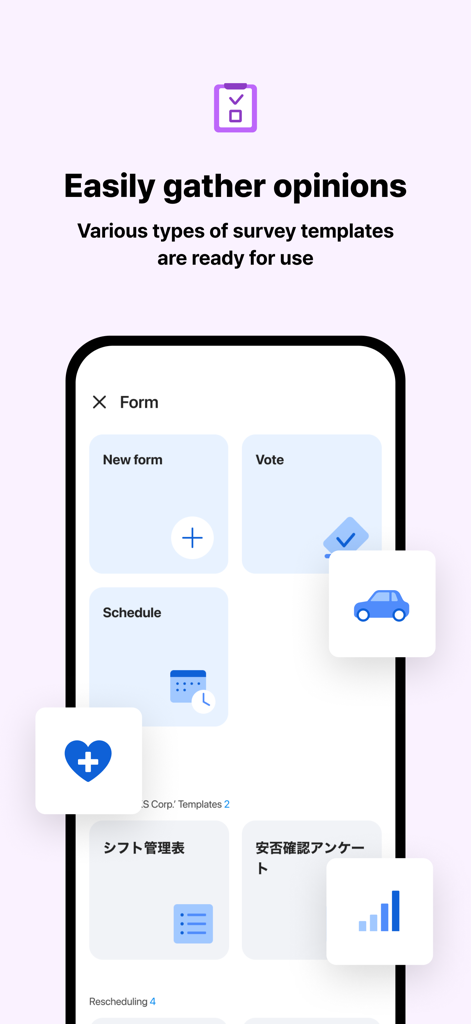
LINE WORKS mobile app screen showing various survey and form templates for team communication
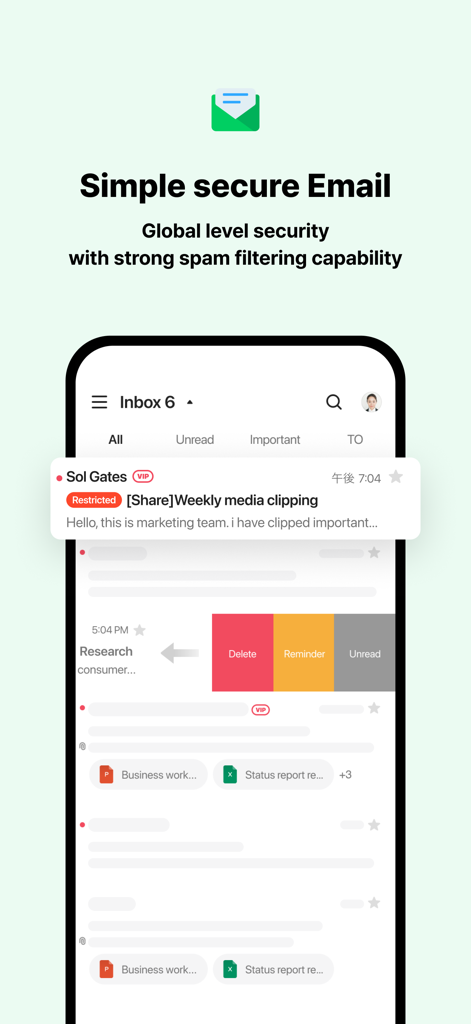
A mobile interface of the LINE WORKS email feature showing an organized inbox with swipe actions like delete and reminder
Description
Download
More Like This
Apps with similar features and user experience

GoTo
GoTo Group, Inc.

Lark - Team Collaboration
LARK TECHNOLOGIES PTE. LTD.

RingCentral
RingCentral, Inc

MTS Link
VEBINAR TEKHNOLOGII, OOO

Pronto Team Communication
Hit Labs, Inc.

Zoho Cliq - Team Communication
Zoho Corporation

Microsoft Teams
Microsoft Corporation

Zoom Workplace
Zoom Communications, Inc.

Google Meet
Google LLC
This page is not an official page of the app or its developer, but an independent editorial publication created for informational and commentary purposes. Unless expressly stated otherwise, neither the app nor its developer is affiliated with, endorsed by, sponsored by, authorized by, or otherwise officially connected with MWM, Apple, Google Play, the app publisher, or the app's developer, and nothing on this page implies that the app was developed using MWM's services. Any trademarks, logos, screenshots, and other content remain the property of their respective owners.