Lirum Device Info 2

Lirum Device Info 2

Download on App Store
Logo of Lirum Device Info 2

Lirum Device Info 2: The Ultimate System Monitor and Hardware Toolkit

Unlock your device’s potential with deep hardware forensics, real-time performance tracking, and advanced diagnostics for power users, developers, and visionOS early adopters.

Download on App Store

Publisher

Lirum Labs Technologies Inc.

Category

Utilities

Downloads

871K+

User Rating

4.5/5

Total Ratings

1K+

Locales

15

Pure Hardware Intelligence

Discover the interface used by 871K+ users.
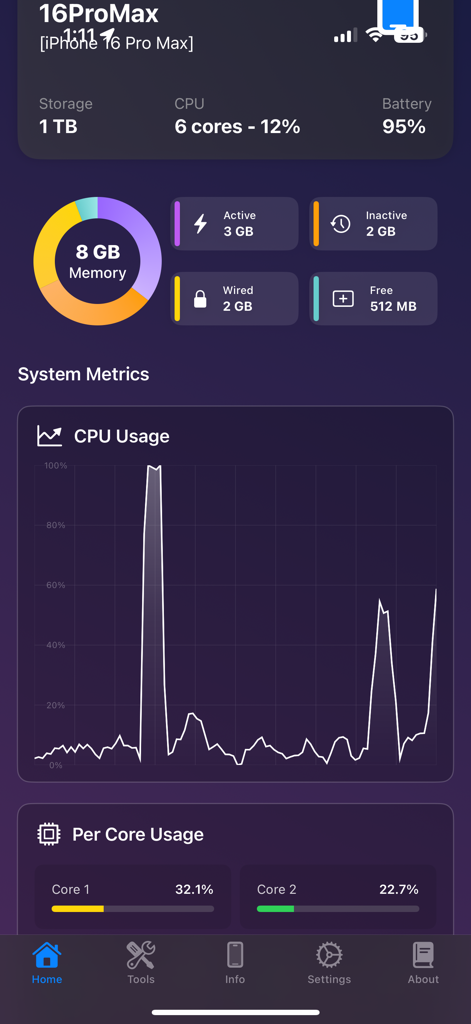
Lirum Device Info 2 app dashboard displaying real-time system metrics including memory distribution and CPU usage graph on an iPhone 16 Pro Max.

Lirum Device Info 2 app dashboard displaying real-time system metrics including memory distribution and CPU usage graph on an iPhone 16 Pro Max.

Real time microphone audio waveform and volume analysis tool in Lirum Device Info 2

Real time microphone audio waveform and volume analysis tool in Lirum Device Info 2

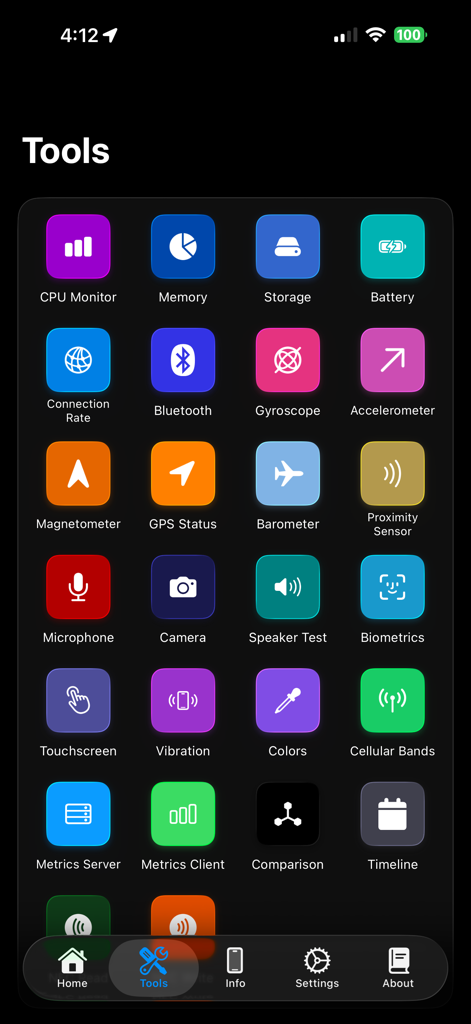
Lirum Device Info 2 tools dashboard showing various system diagnostic icons including CPU memory battery and sensors

Lirum Device Info 2 tools dashboard showing various system diagnostic icons including CPU memory battery and sensors

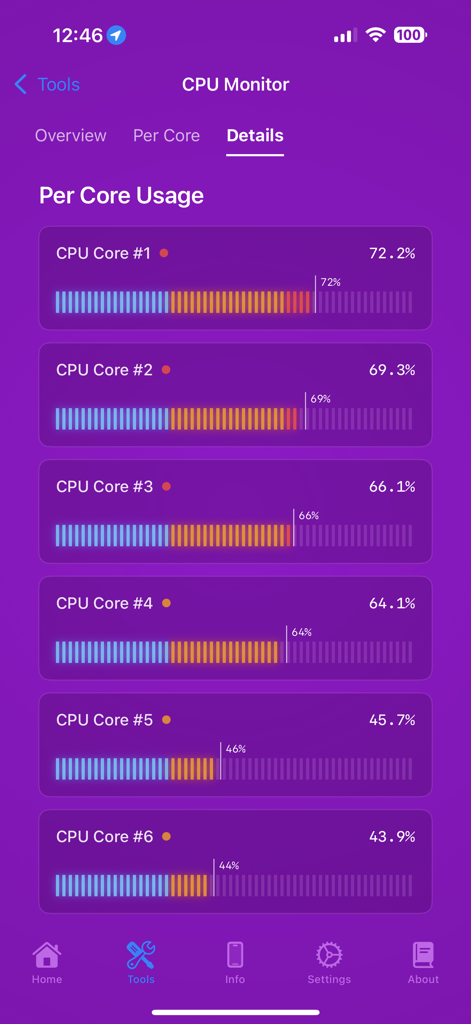
Real-time per-core CPU usage monitoring in Lirum Device Info 2 app.

Real-time per-core CPU usage monitoring in Lirum Device Info 2 app.

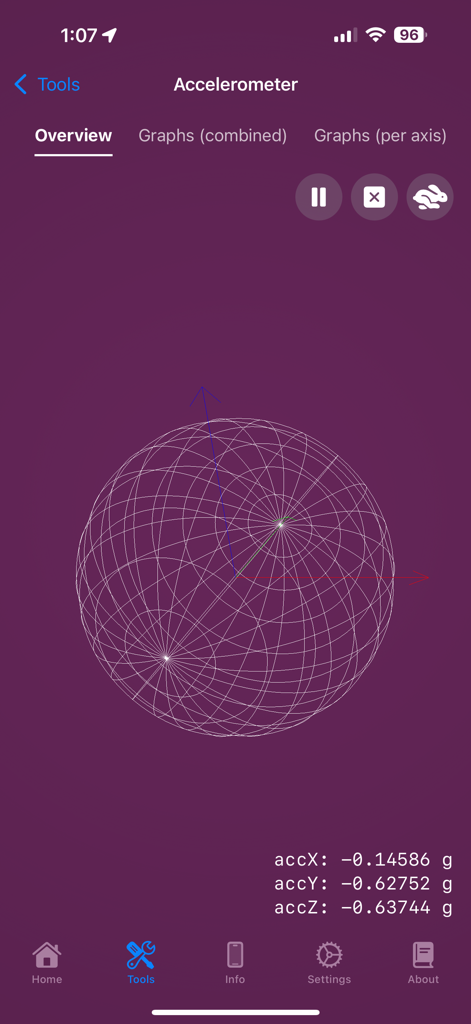
Lirum Device Info 2 app interface showing the accelerometer tool with a 3D wireframe sphere and real-time axis data

Lirum Device Info 2 app interface showing the accelerometer tool with a 3D wireframe sphere and real-time axis data

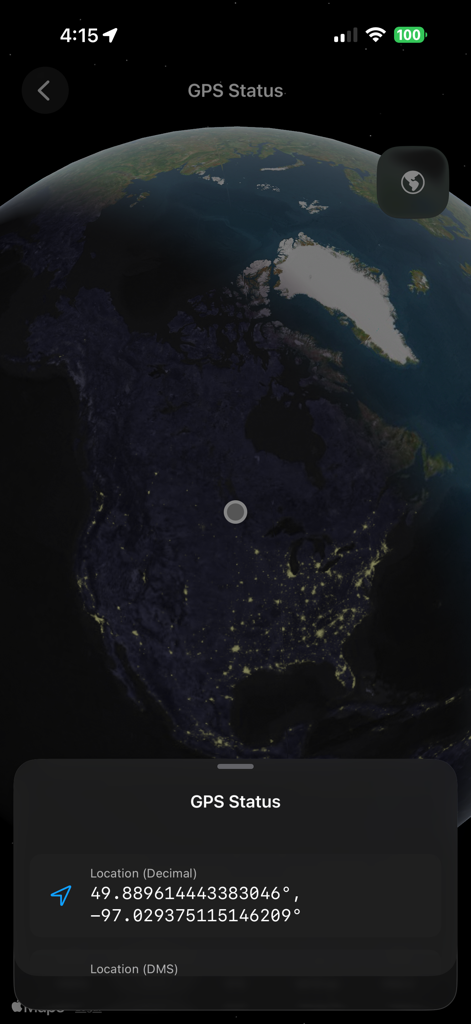
GPS Status screen of Lirum Device Info 2 app showing precise location coordinates on a night view world map.

GPS Status screen of Lirum Device Info 2 app showing precise location coordinates on a night view world map.

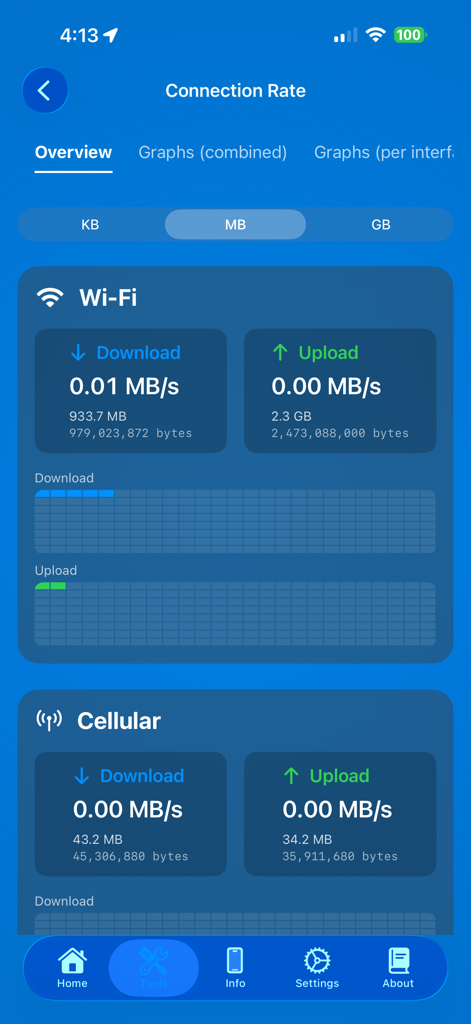
Screenshot of Lirum Device Info 2 showing real-time Wi-Fi and cellular connection rates for download and upload

Screenshot of Lirum Device Info 2 showing real-time Wi-Fi and cellular connection rates for download and upload

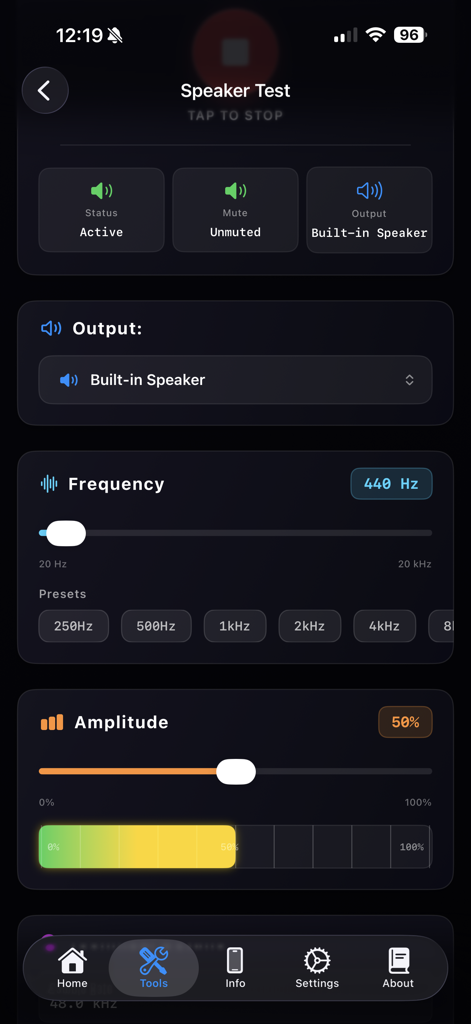
Lirum Device Info 2 app showing the speaker test interface with frequency and amplitude controls

Lirum Device Info 2 app showing the speaker test interface with frequency and amplitude controls

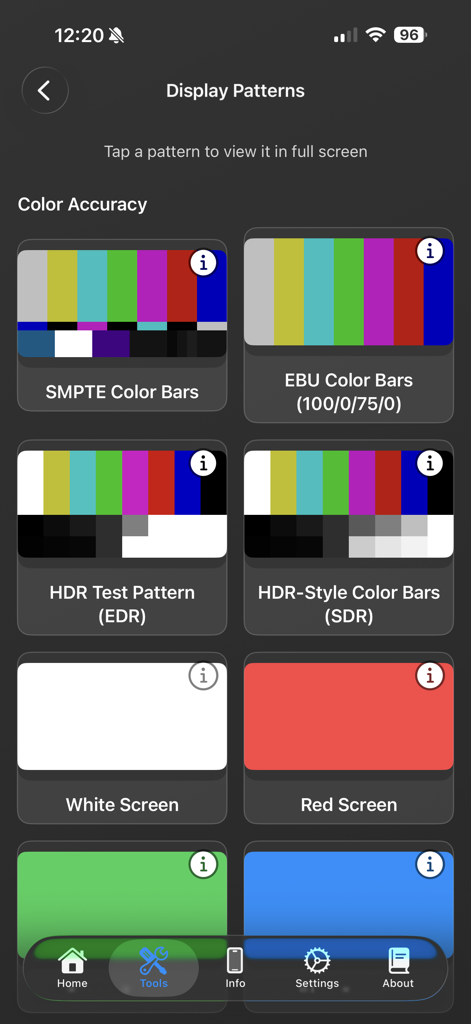
Lirum Device Info 2 display patterns screen for testing color accuracy and screen calibration.

Lirum Device Info 2 display patterns screen for testing color accuracy and screen calibration.

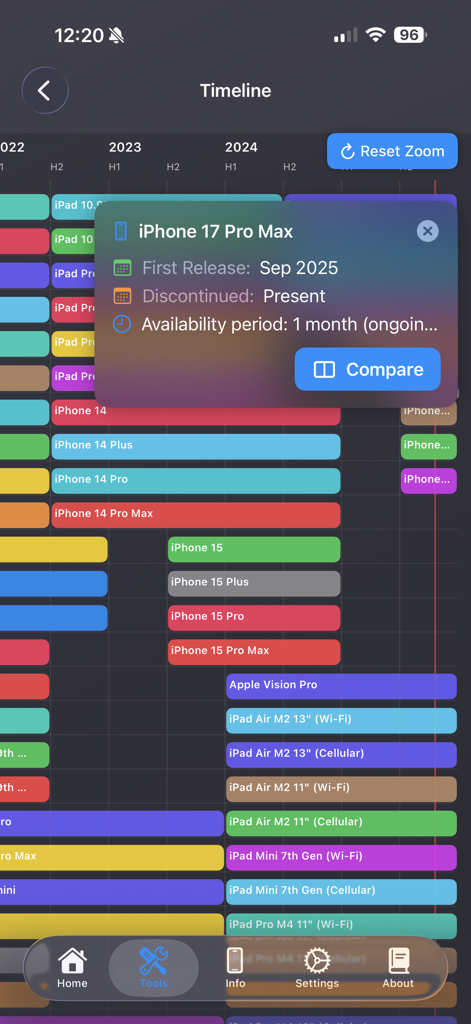
Timeline view of Apple device release history within the Lirum Device Info app

Timeline view of Apple device release history within the Lirum Device Info app

Total Transparency for Your Apple Ecosystem

The tools that make this app stand out, trusted by 871K+ users.

📊

Live System Telemetry

Monitor CPU cycles, RAM allocation, and thermal pressure in real-time to identify performance bottlenecks and optimize your device's efficiency.

🤖

Local AI & LLM Benchmarking

Analyze the impact of Apple Intelligence and local Foundation models with specialized tools to measure memory and CPU impact of GGUF models.

🛡️

Full Hardware Verification

From dead pixel detection to NDEF message parsing, use our comprehensive sensor suite and device database to verify every component of your hardware.

About the app

Everything you need to know about Lirum Device Info 2.

Description

Meet Lirum Info, the ultimate system monitoring and hardware toolkit for your iPhone and iPad. Built for developers, IT professionals, and power users, it’s also friendly for anyone who wants to know their device inside and out. Monitor your device’s performance in real time, get detailed hardware insights, and run practical tests – all in one elegant app. Whether you’re optimizing code, troubleshooting issues, or just curious about your phone, Lirum Info makes it easy to understand with clear visuals and helpful tips. Feature list: - CPU Tool - Memory Tool - Storage Tool - Storage Graphs - Per partition / storage unit details - Battery Tool - Thermals Tool - Thermal pressure alerts - Bluetooth Tool - Automatic BLE device discovery - Device list with signal strength - Connection Rate Tool - Network connection monitoring - Cellular Bands Tool - Cellular band information - Network technology details - Band frequency information - Accelerometer Tool - Gyroscope Tool - Magnetometer Tool - Barometer Tool - Proximity Sensor Tool - Camera Tool - Touchscreen Tool - Display Patterns Tool - Screen testing patterns - Dead pixel detection - Color calibration patterns - Vibration Tool - Haptic feedback testing - Different vibration patterns - Microphone Tool - Real-time audio input monitoring - Waveform visualization - Amplitude indicator - Speaker Tool - Speaker testing - Audio output verification - Volume level testing - GPS/Location Tool - AR (Augmented Reality) Tool - For both iOS and visionOS - NFC Read and Write Tools - NFC tag detection and scanning - NDEF message parsing and interpretation - Multiple tag format support (NFC-A, NFC-B, NFC-F, NFC-V) - Tag type and technology identification - Record parsing with type detection (Text, URI, Smart Poster, etc.) - Raw payload inspection and hex dump views - NDEF record structure visualization - Saved Tags Management - Persistent tag storage with metadata - Biometrics Tool (FaceID, TouchID, OpticID) - Comparison Tool - Compare current device with any iOS/visionOS device - Side-by-side specification comparison - Device selection from comprehensive database - Timeline Tool - Interactive timeline of iOS/visionOS devices - Device generations - Metrics Client/Server Tool - Start/stop a BLE metrics server - You can watch realtime metrics from another iOS device - Local AI Model Tool - Apple Foundation Models (iOS 26+ with Apple Intelligence) - LLM.swift framework with custom GGUF model support - Library of local models, measurement of memory, CPU and performance impact; - Export/Import models to Files, download them from remote URLs; Device Information Lirum Info shows several data fields for your device: General Information Hardware Specs Display Information Camera Specs Network Information Location Information iOS Widgets: - Home screen widgets with multiple family sizes - Real-time data updates via App Group shared storage - Configurable widget display options and preferences - Intelligent refresh scheduling to balance freshness and battery life - Comprehensive suite of specialized widgets for system monitoring - Apple Watch companion app - Data synchronization with Watch - Shared metrics - On-watch app toggles between streaming iPhone telemetry and on-watch sensor mode with dedicated layouts. - Mode switcher highlights the current data source and guides users to premium diagnostics available remotely. - visionOS Features - Spatial Computing - Immersive space support - 3D object interaction - Hand tracking - AR Tool visionOS Mode - Full spatial environment - Immersive AR experiences - Object manipulation in 3D space - Add any usdz model from Files to your 3D space

Latest Version

5.0.26

Size

118.8 MB

First Released

Feb 6, 2013

Take Total Control of Your Apple Hardware

Join 870,000+ power users and IT professionals who rely on the most comprehensive system monitoring toolkit. Download Lirum Device Info 2 today.

Download on App Store

App information, icons, screenshots, and descriptions displayed on this page are sourced from the Apple App Store and are the property of their respective developers. Download estimates and rankings are based on MWM's proprietary models and may not reflect actual figures. This page is provided for informational and analytical purposes only.

Believe this page infringes your intellectual property? File a dispute