Live Photo Convert
Live Photo Convert
Download on App Store

This page is not an official page of the app or its developer, but an independent editorial publication created for informational and commentary purposes. Unless expressly stated otherwise, neither the app nor its developer is affiliated with, endorsed by, sponsored by, authorized by, or otherwise officially connected with MWM, Apple, Google Play, the app publisher, or the app's developer, and nothing on this page implies that the app was developed using MWM's services. Any trademarks, logos, screenshots, and other content remain the property of their respective owners.


Logo of Live Photo Convert
Download on App Store

Live Photo Convert

Unlock your gallery’s potential. Extract high-res stills, create viral-ready GIFs, swap faces with friends, and remix your videos with AR backgrounds—all in one powerful app.

Key Figures

Downloads

20K+

User Rating

4.0/5

Total Ratings

0

Publisher

Afroza Yasmin

Category

Photo & Video

Locales

1

Latest Version

4.4

Size

34.7 MB

First Released

Sep 15, 2021
Features

Everything You Need to Create and Share

The ultimate toolbox for your iPhone media. Convert, edit, and remix your Live Photos and videos into stunning social content in seconds.

Frame-Perfect Stills

Rescue that one perfect shot. Extract high-resolution images from any video or Live Photo with professional precision.

Next-Gen Creative Effects

Go viral with built-in Face Swap, AR virtual backgrounds, and video reversing tools designed for modern creators.

The following screenshots and description are sourced directly from the app's official store listing and are the property of the app developer.

App Store

Screenshots
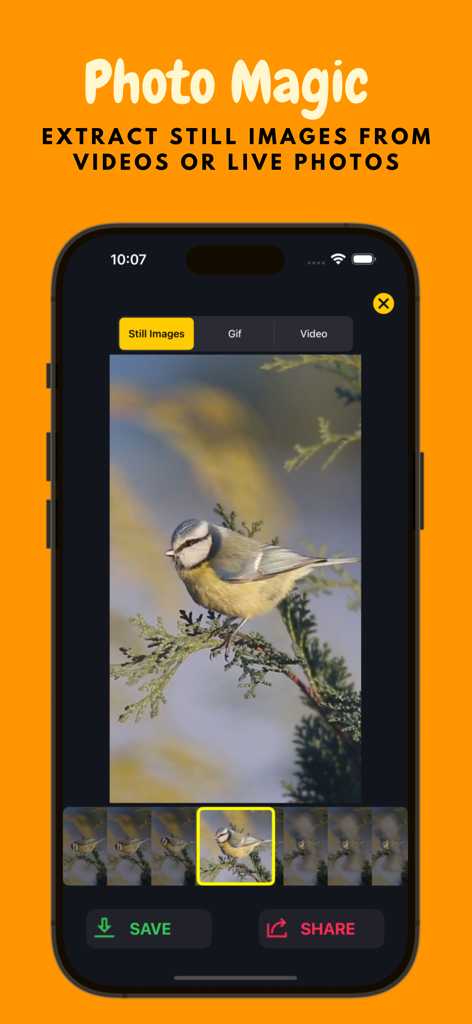
Live Photo Convert - A smartphone displaying the Live Photo Convert app interface for extracting a still image of a bird from a video or live photo.
A smartphone displaying the Live Photo Convert app interface for extracting a still image of a bird from a video or live photo.

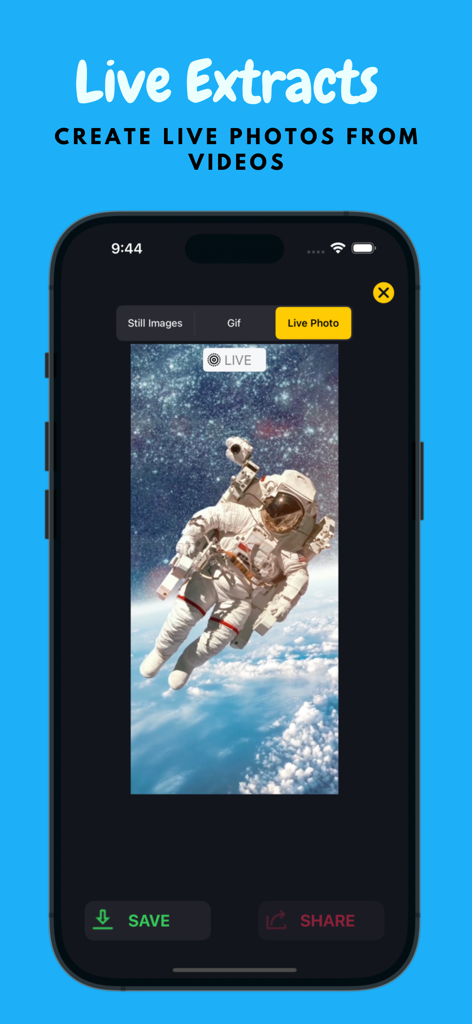
Live Photo Convert - Live Photo Convert app interface showing the process of creating a live photo from a video of an astronaut in space.
Live Photo Convert app interface showing the process of creating a live photo from a video of an astronaut in space.

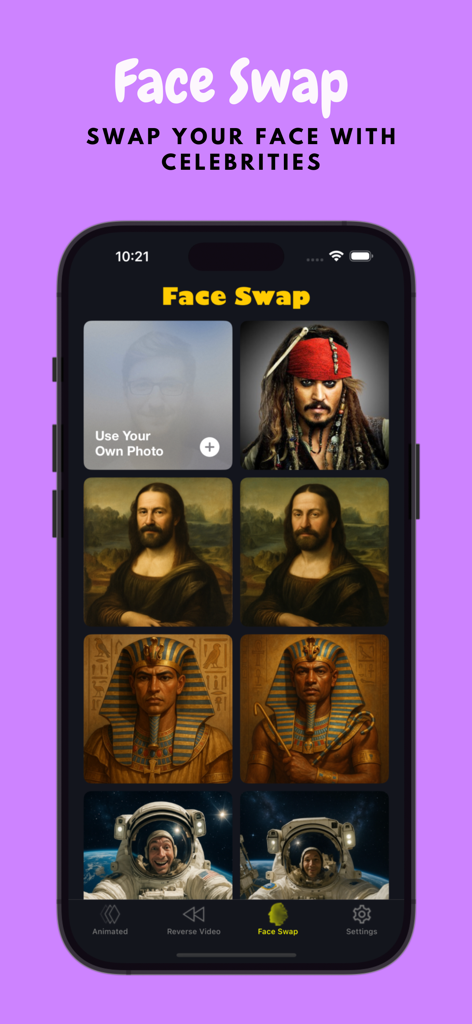
Live Photo Convert - Interface of the Live Photo Convert app face swap feature showing options to swap faces with celebrities and historical figures like the Mona Lisa
Interface of the Live Photo Convert app face swap feature showing options to swap faces with celebrities and historical figures like the Mona Lisa

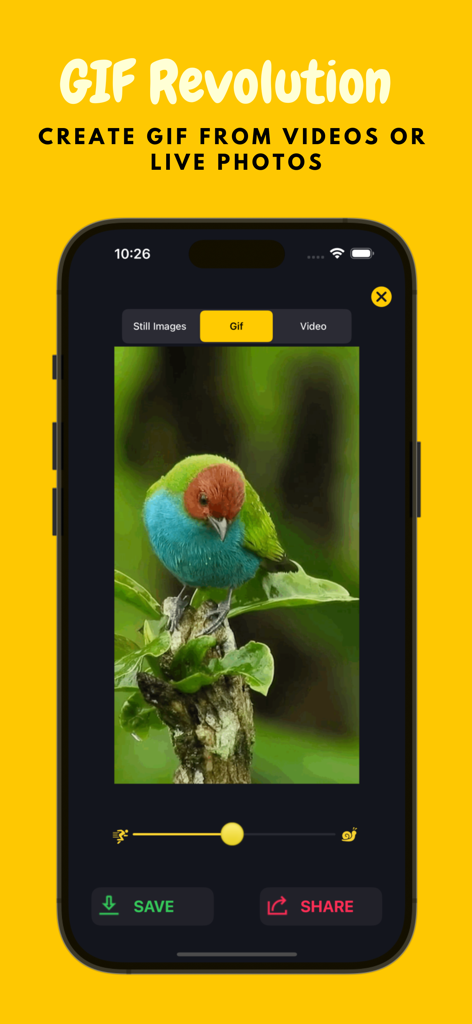
Live Photo Convert - Interface of Live Photo Convert app showing GIF creation from a video of a bird with speed adjustment options.
Interface of Live Photo Convert app showing GIF creation from a video of a bird with speed adjustment options.

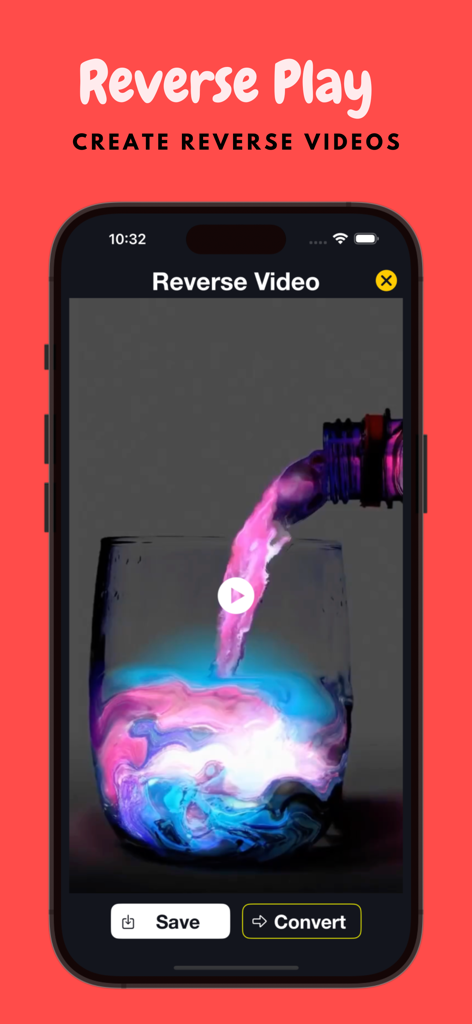
Live Photo Convert - Interface of Live Photo Convert app showing a reverse play video of colorful liquid pouring into a glass on an iPhone screen.
Interface of Live Photo Convert app showing a reverse play video of colorful liquid pouring into a glass on an iPhone screen.

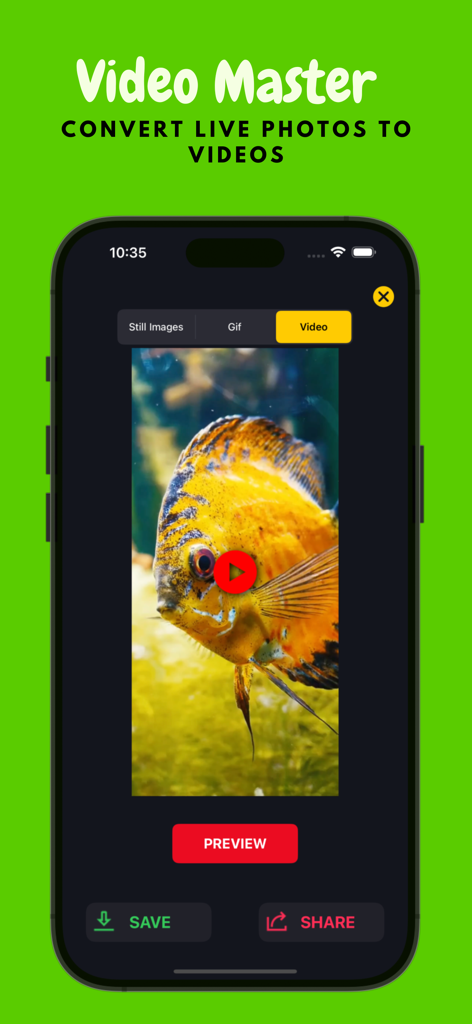
Live Photo Convert - Mobile app interface showing a live photo of a yellow fish being converted into a video with save and share options.
Mobile app interface showing a live photo of a yellow fish being converted into a video with save and share options.

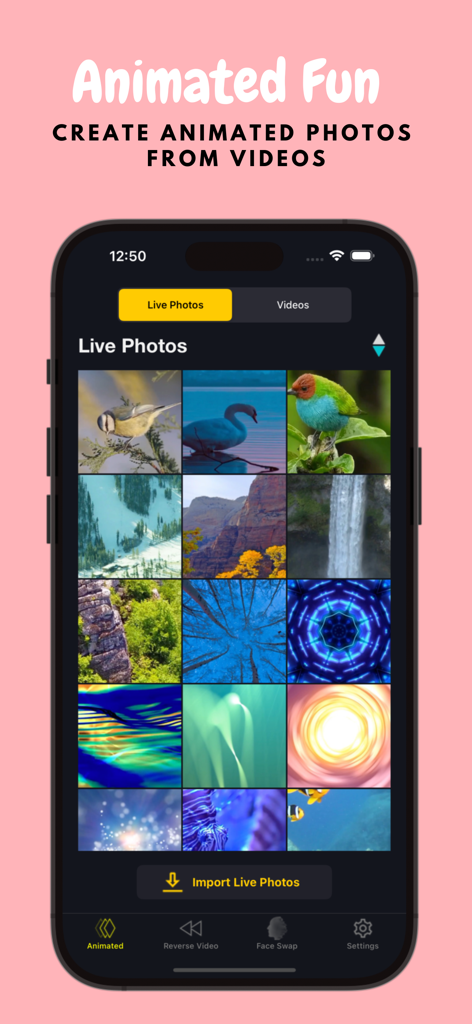
Live Photo Convert - Screenshot of the Live Photo Convert app showing the live photos gallery and navigation menu

Screenshot of the Live Photo Convert app showing the live photos gallery and navigation menu

Description

Take all still images from all of your live photos and videos. Convert video to live photo, video to gif, live photo to gif vice versa. You can also edit live photos or gif and adjust your gif speed frame by frame. Using this app you can play your videos in reverse. As you reverse your videos, the audio will also be reversed. Using this app, you can swap faces, meaning you can swap your face with someone else. With this app, you can swap your face with your friends, celebrities, and even historical figures. This app allows you to replace your background with any video or photo on your device. It uses AR (Augmented Reality) for background replacement. This app allows you to combine and arrange photos into a single image. It provides layouts and editing tools for creative photo collages. Features: - Capture single frame image from video - Extracting all still images from Live Photos - Make animated GIF from video. Supported video format such as MP4, MOV, M4V, 3GPP, 3GP. - Make animated GIF from Live Photo - Customize your GIF - Speed: adjust your gif speed frame by frame - Convert Live Photo to video - Convert Video to funny Live Photo - Download & share still image, gif or video - Reverse your videos - Swap your face with someone else's - Virtual Background Camera uses AR (Augmented Reality) to instantly replace your background with any video or photo - Photo Collage feature combines multiple photos into a single image, offering layouts, grids & providing creative options to arrange pictures, color backgrounds, and customize borders for sharing on social media Subscriptions: - 1 Week - 1 Month - 1 Year What is included: - Get all still shot from Video or Live Photo - Transform Live Photo to Video - Transform Live Photo to Gif - Transform Video to Gif - Transform Video to Live Photo - Unlimited support to convert & share - No Ads Additional Subscription Information: - Subscription options are: 1 year, 1 month, 1-week. - One subscription: 1 month with 3-day trial, payment will be automatically initiated for the next subscription period and the price of the "FREE TRIAL" package will be same. - Payment will be charged to iTunes Account at confirmation of purchase. - Your Subscription automatically renews unless auto-renew is turned off at least 24-hours before the end of the current period. - Your Account will be charged for renewal within 24-hours prior to the end of the current period with the same cost you have started your subscription. - Any unused portion of a free trial will be forfeited if you purchase a subscription. - To restore your upgrade to Live Photo Convert on a new device, go to the Settings screen, tap the “Restore” option and your subscription or previous purchases will become active free of charge. For more information : Terms of Use - https://sites.google.com/view/modernapps-terms-of-use Privacy Policy - https://sites.google.com/view/lpconvert-faceswap-privacy Install Live Photo Convert and get still images, gif and video from live photo anytime and anywhere.

Download

Download on App Store

This page is not an official page of the app or its developer, but an independent editorial publication created for informational and commentary purposes. Unless expressly stated otherwise, neither the app nor its developer is affiliated with, endorsed by, sponsored by, authorized by, or otherwise officially connected with MWM, Apple, Google Play, the app publisher, or the app's developer, and nothing on this page implies that the app was developed using MWM's services. Any trademarks, logos, screenshots, and other content remain the property of their respective owners.








