Lock App-Encryption lock

Lock App-Encryption lock

Download on App Store
Logo of Lock App-Encryption lock

Lock App-Encryption lock: Secure Your Apps and Master Your Screen Time

Total peace of mind at your fingertips. Encrypt sensitive content, prevent snooping, and set healthy digital boundaries for your family with advanced encryption and professional parental controls.

Download on App Store

Publisher

紫荣 雷

Category

Utilities

Downloads

4K+

User Rating

2.6/5

Total Ratings

0

Locales

14

Privacy at a Glance

Discover the interface used by 4K+ users.
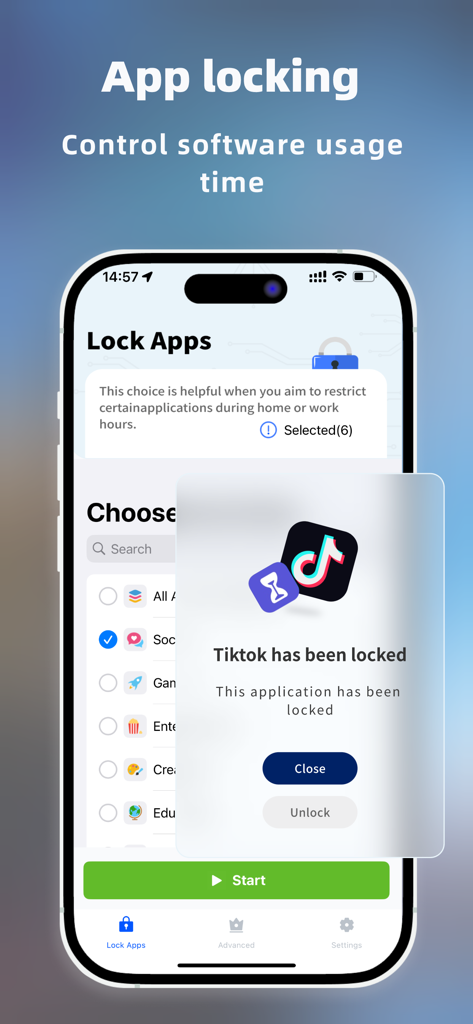
A mobile phone screen displaying a message that the TikTok app has been locked.

A mobile phone screen displaying a message that the TikTok app has been locked.

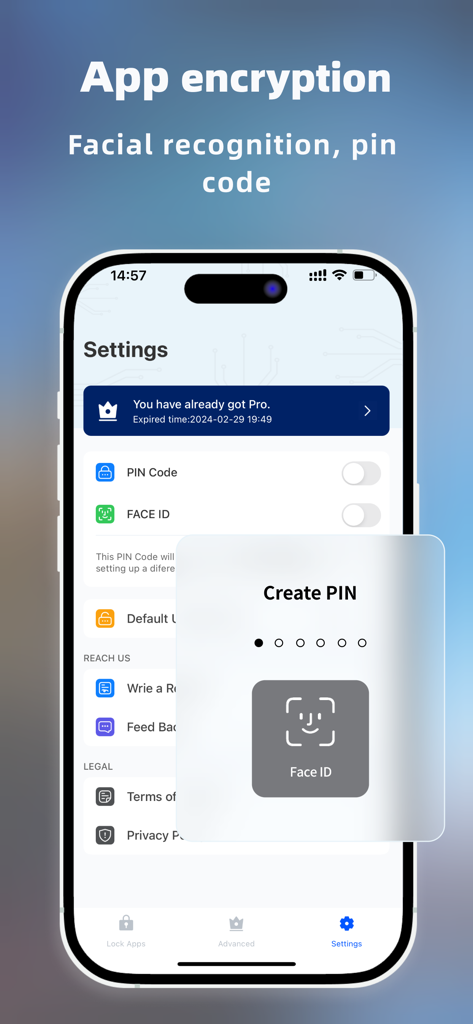
App encryption settings showing Face ID and PIN code options

App encryption settings showing Face ID and PIN code options

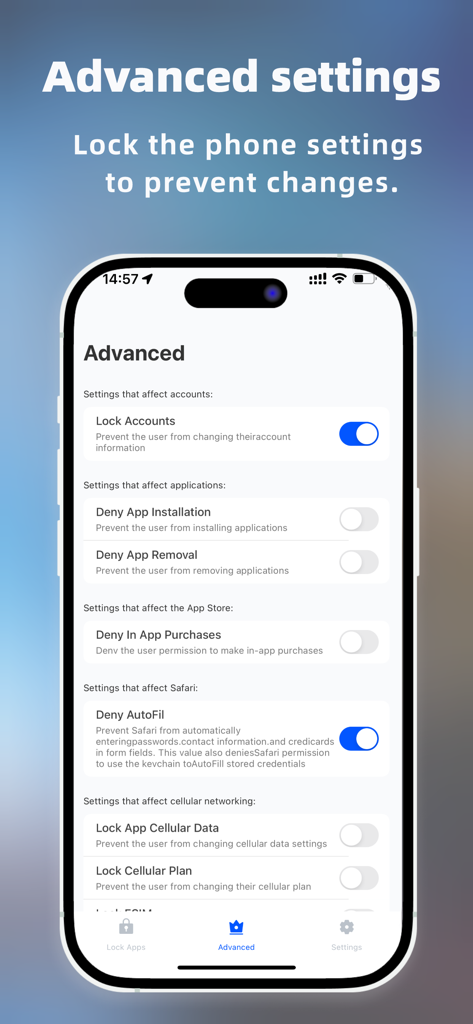
Advanced settings screen of the Lock App showing parental controls and security management toggles

Advanced settings screen of the Lock App showing parental controls and security management toggles

Unrivaled Privacy and Total Digital Control

The tools that make this app stand out, trusted by 4K+ users.

🛡️

Privacy Shield for Your Apps

Prevent snooping by adding FaceID or passcode locks to sensitive apps, messages, and your private photo gallery.

👨‍👩‍👧

Smart Parental Guard

Take charge of your household's screen time by locking distracting apps and preventing unauthorized installations or accidental deletions.

🔐

Dual-Layer Security Vault

Secure your most important contacts and files with military-grade protection that provides a secondary layer of defense for your iPhone.

About the app

Everything you need to know about Lock App-Encryption lock.

Description

protect privacy, manage time and control the duration of mobile phone use. [Application features] -Encrypt applications, games, photos, videos, contacts. -Privacy protection: restrict any application to ensure that sensitive content is not snooped. -Parental control: prohibit the installation of improper applications, control the screen time and equipment usage, and provide a healthier mobile phone environment for children. -Enhance security: provide double protection for setting digital passwords and face recognition passwords for applications. -Anti-deletion function: it is forbidden to delete important applications to ensure data integrity. -automatic renewal terms -Subscription money will be deducted from your iTunes account when you confirm your purchase and at the beginning of each renewal period. -Renewal: Apple's iTunes account will be charged within 24 hours before its expiration, and the subscription period will be extended by one subscription period after the successful deduction. -Cancel your subscription: You can cancel your subscription or trial at any time by going to your iTunes account to set up and cancel your subscription, otherwise it will be renewed automatically. This operation must be completed 24 hours before the end of the probation period or any subscription period to avoid being charged. Subscriptions that include a trial period will be automatically renewed as paid subscriptions. Privacy policy:https://m11iavy23en.feishu.cn/docx/Sc2dda9oFoqyr4x8ODicEbThnOh?from=from_copylink User agreement:https://m11iavy23en.feishu.cn/docx/Yzvudixnmo8snZxjx4rcRc0lnBw?from=from_copylink

Latest Version

1.7

Size

22.4 MB

First Released

Apr 23, 2024

Secure Your Digital Sanctuary Today

Whether you are protecting sensitive data or managing your child's screen time, get the double-layer encryption you need for total peace of mind.

Download on App Store

App information, icons, screenshots, and descriptions displayed on this page are sourced from the Apple App Store and are the property of their respective developers. Download estimates and rankings are based on MWM's proprietary models and may not reflect actual figures. This page is provided for informational and analytical purposes only.

Believe this page infringes your intellectual property? File a dispute