Lumos: Sun and Moon Tracker
Download on App Store

This page is not an official page of the app or its developer, but an independent editorial publication created for informational and commentary purposes. Unless expressly stated otherwise, neither the app nor its developer is affiliated with, endorsed by, sponsored by, authorized by, or otherwise officially connected with MWM, Apple, Google Play, the app publisher, or the app's developer, and nothing on this page implies that the app was developed using MWM's services. Any trademarks, logos, screenshots, and other content remain the property of their respective owners.

Logo of Lumos: Sun and Moon Tracker
Download on App Store

Lumos: Sun and Moon Tracker

Plan your perfect shoot, wedding, or solar installation with precision AR visualization, shadow calculations, and real-time alerts.

Key Figures

Downloads

191K+

User Rating

4.7/5

Total Ratings

3K+

Publisher

Luminous Labs LLC

Category

Photo & Video

Locales

1

Latest Version

2.4.1

Size

48.0 MB

First Released

Nov 14, 2013
Features

Precision Planning for Every Light

Whether you are a professional photographer, solar architect, or wedding planner, Lumos turns complex celestial data into actionable visual insights.

Visual AR Tracking

Project future sun and moon paths directly onto your surroundings to visualize exactly where light and shadows will fall in real-time.

Global Remote Scouting

Analyze lighting for any coordinate using integrated Map and Street View modes, allowing you to master the scene before you even arrive.

The following screenshots and description are sourced directly from the app's official store listing and are the property of the app developer.

App Store

Screenshots
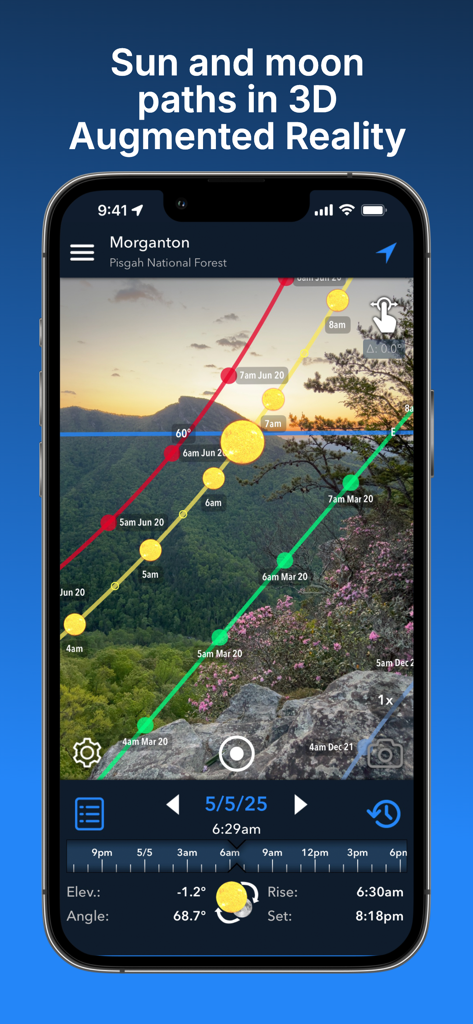
Lumos: Sun and Moon Tracker - Smartphone displaying 3D sun and moon paths over a mountain landscape using augmented reality
Smartphone displaying 3D sun and moon paths over a mountain landscape using augmented reality

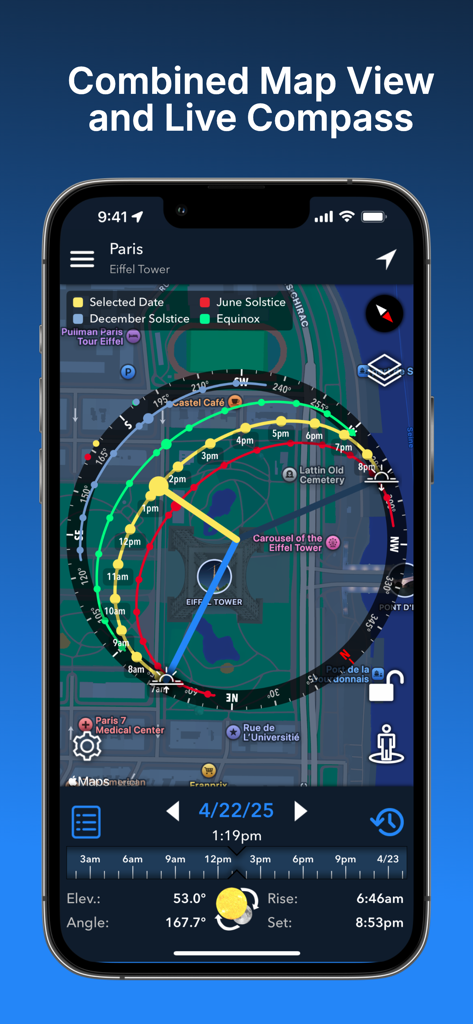
Lumos: Sun and Moon Tracker - Lumos app displaying a combined map view and live compass of the sun path over Paris
Lumos app displaying a combined map view and live compass of the sun path over Paris

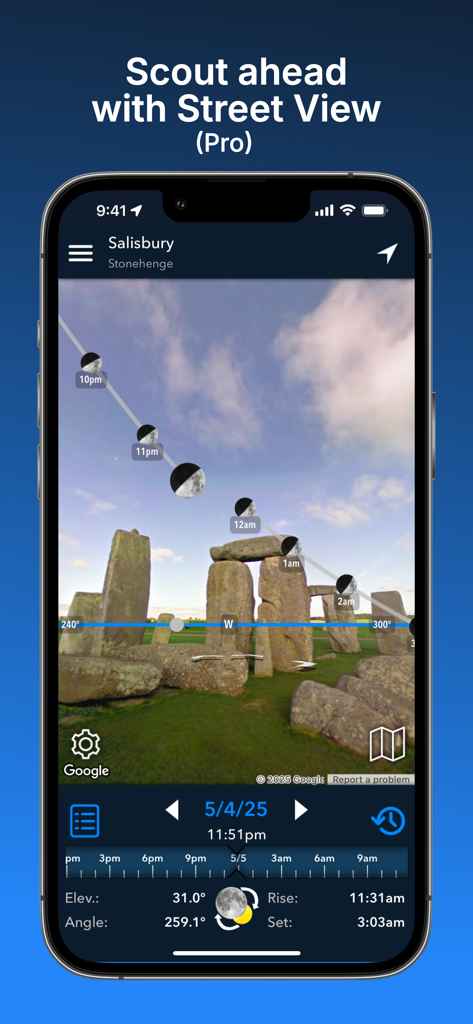
Lumos: Sun and Moon Tracker - Moon trajectory overlay on Stonehenge in the Lumos app Street View mode
Moon trajectory overlay on Stonehenge in the Lumos app Street View mode

Lumos: Sun and Moon Tracker - Lumos app widgets and notifications showing sun and moon data with golden hour alerts on iPhone
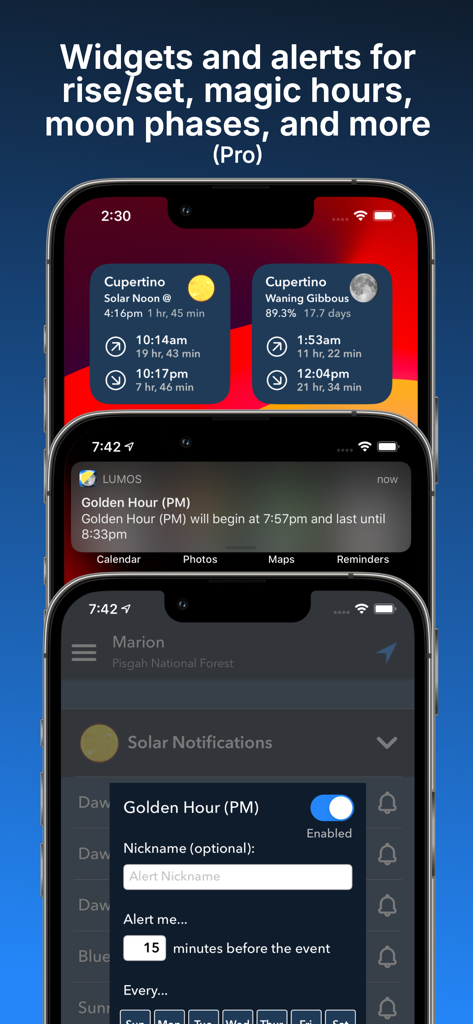
Lumos app widgets and notifications showing sun and moon data with golden hour alerts on iPhone

Lumos: Sun and Moon Tracker - A mobile screen showing a list of solar times including sunrise sunset golden hour and blue hour in the Lumos app
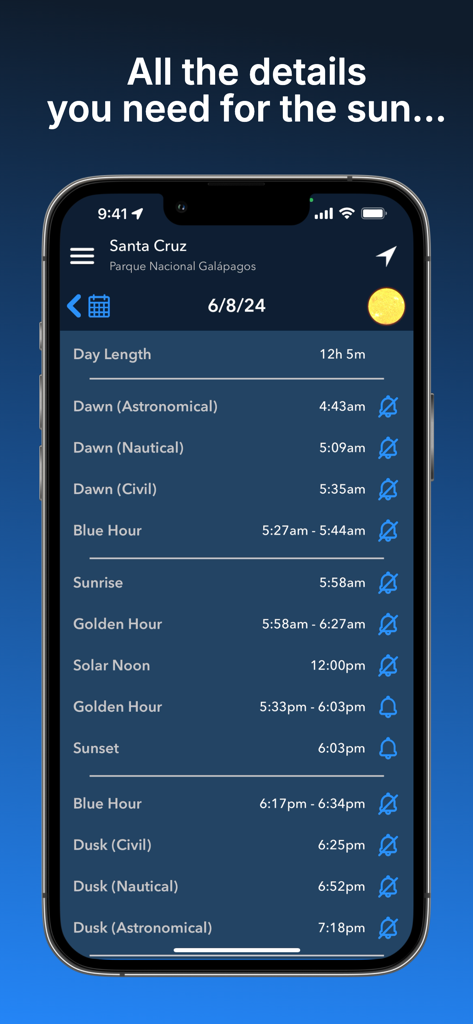
A mobile screen showing a list of solar times including sunrise sunset golden hour and blue hour in the Lumos app

Lumos: Sun and Moon Tracker - A screenshot of the Lumos app displaying detailed lunar data including moon phase, illumination, rise and set times, and upcoming lunar events.
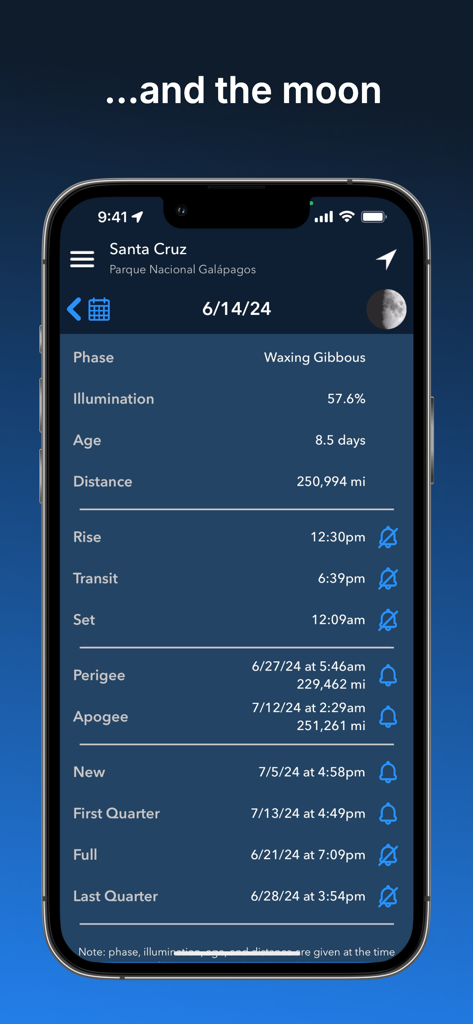
A screenshot of the Lumos app displaying detailed lunar data including moon phase, illumination, rise and set times, and upcoming lunar events.

Lumos: Sun and Moon Tracker - Lumos app interface demonstrating 3D shadow length prediction and calculation for a tree
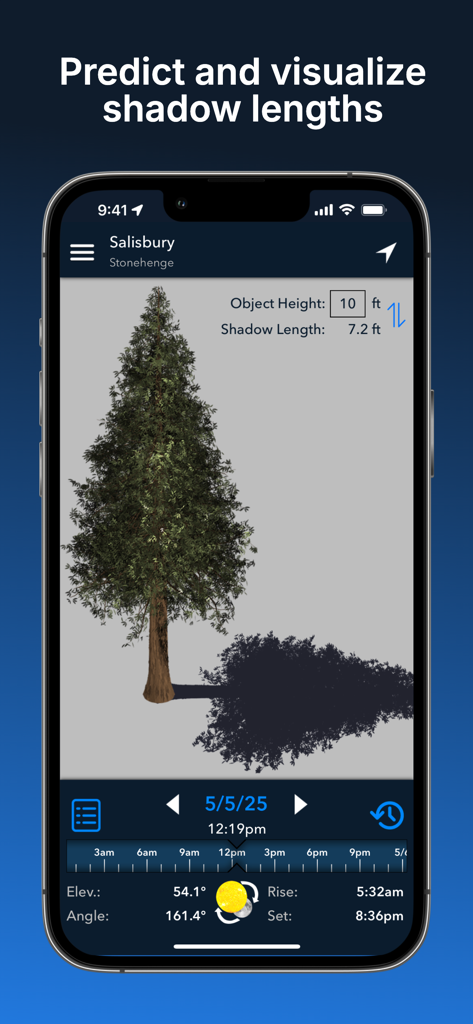
Lumos app interface demonstrating 3D shadow length prediction and calculation for a tree

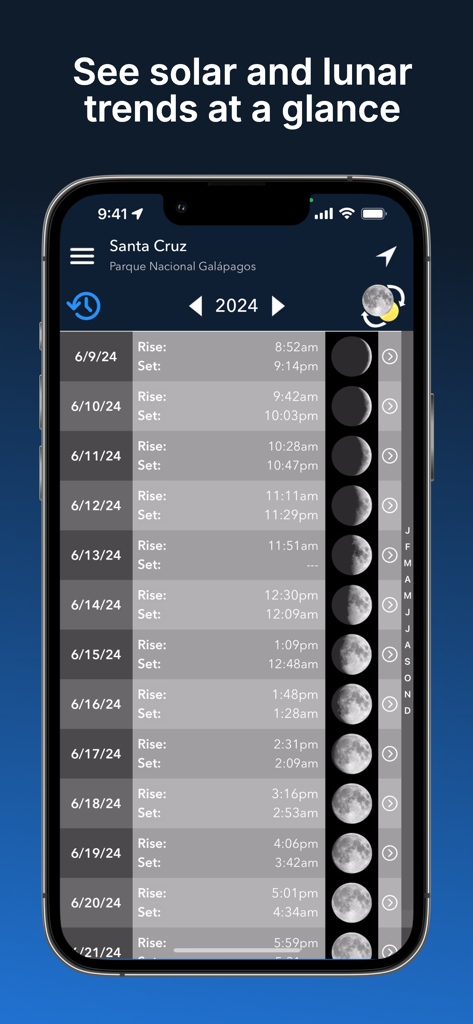
Lumos: Sun and Moon Tracker - Lumos app calendar view showing solar and lunar rise and set times with moon phases

Lumos app calendar view showing solar and lunar rise and set times with moon phases

Description

Intuitive yet powerful, Lumos accurately predicts the position of the sun and moon at any time, on any day, in any place. Whether you’re planning a photo shoot, a wedding, or a solar panel installation, tracking the sun and moon has never been easier! Lumos is divided into six main modules: • The augmented reality view harnesses the power of AR to visually project past, present, or future sun and moon positions (and moon phases!) onto your surroundings, letting you perfectly visualize your plans. • The map view overlays the sun and moon positions for a given time and location onto a map of that location, letting you make plans from afar. • The Street View mode works like the AR view, but it takes advantage of Google Street View to allow you to envision sun and moon positions for remote locations (requires Lumos Pro). • The calendar view displays a simple list of rise/set times and moon phases throughout the year, letting you see the big picture at a glance. Tap a row to see the detailed ephemeris for that day. • The notifications module lets you sign up to receive notifications for significant solar and lunar events, including: astronomical, nautical, and civil dawn/dusk, blue hour, golden hour, sunrise/set, solar noon, moon rise/set, lunar transit, and lunar perigee/apogee (requires Lumos Pro). • The shadow length view calculates the exact length of the shadow an object will cast on a given time and day, letting you see the result both visually and numerically. You can also calculate the height of an object if you know the length of its shadow. With an affordable one-time purchase of Lumos Pro, you can also: • Search for a location by name or manually enter coordinates • Save locations for later reference or offline use* • Take notes on a saved location and have them readily available the next time you view it *The map view and Street View do not currently support offline use NOTE: The sun and moon positions calculated by Lumos are accurate to within a small fraction of a degree. However, as with any augmented-reality app, the accuracy of the projection is dependent on the underlying hardware. If you are seeing inaccurate positions, please calibrate your device's compass and ensure that you are not near any sources of electromagnetic interference (e.g. microwaves, computers, car engines, high voltage lines). Phone cases containing batteries are known to cause compass interference. You can also use the visual calibration tool to align the projection with sun’s current position. Please feel free to contact us if you continue to have issues. _____________ Terms of Use: https://termsfeed.com/terms-use/c5bcd4de47ffe3020e8aebd04a91af68 Privacy Policy: https://www.iubenda.com/privacy-policy/8042948/full-legal

Download

Download on App Store

This page is not an official page of the app or its developer, but an independent editorial publication created for informational and commentary purposes. Unless expressly stated otherwise, neither the app nor its developer is affiliated with, endorsed by, sponsored by, authorized by, or otherwise officially connected with MWM, Apple, Google Play, the app publisher, or the app's developer, and nothing on this page implies that the app was developed using MWM's services. Any trademarks, logos, screenshots, and other content remain the property of their respective owners.








