
This page is not an official page of the app or its developer, but an independent editorial publication created for informational and commentary purposes. Unless expressly stated otherwise, neither the app nor its developer is affiliated with, endorsed by, sponsored by, authorized by, or otherwise officially connected with MWM, Apple, Google Play, the app publisher, or the app's developer, and nothing on this page implies that the app was developed using MWM's services. Any trademarks, logos, screenshots, and other content remain the property of their respective owners.


M2 Wear
Take charge of your health with real-time step and sleep tracking. Stay seamlessly connected with instant call and message alerts delivered straight to your wrist, making every movement count.
Downloads
2M+User Rating
Total Ratings
300Publisher
Category
SportsLocales
37Latest Version
2.4.1Size
280.3 MBFirst Released
Dec 18, 2019Smart Insights for Your Healthy Lifestyle
Transform your wearable into a powerful health and connectivity hub. M2 Wear brings professional-grade tracking and seamless mobile syncing to your wrist, helping you stay active and informed every day.
Daily Activity Tracking
Stay motivated by monitoring your steps, distance, and calorie burn in real-time. Set personal goals and watch your progress unfold with easy-to-read daily and weekly charts.
Instant Smart Notifications
Keep your phone in your pocket. Get vibration alerts for incoming calls, SMS, and your favorite social apps like WeChat, ensuring you never miss an important message from family or work.
Frequently Asked Questions
Everything you need to know about M2 Wear
What health data does M2 Wear track?
The M2 Wear app tracks exercise data, including steps, distance, and calorie consumption. It also records sleep duration, quality, deep sleep, light sleep, and awake times, and displays real-time heart rate statistics.
Does M2 Wear offer custom watch faces?
Yes, the M2 Wear app features a 'watch face gallery' and allows users to create their own custom 'DIY watch face' designs. It provides options for both pre-designed and personalized watch faces.
Can M2 Wear help locate a connected device?
Yes, M2 Wear includes a device-finding feature. When the phone searches for the bracelet, the bracelet vibrates. Users can also locate their phone via the bracelet, triggering phone vibration and ring reminders.
Does M2 Wear provide notifications?
Yes, the M2 Wear app provides important information reminders. When connected with a bracelet, it can notify users about incoming calls, SMS messages, and WeChat messages, preventing missed information.
Does M2 Wear track heart rate?
Yes, M2 Wear tracks heart rate. The app displays real-time heart rate data, such as '98BPM', providing detailed records of the user's status data.
Are there different visual themes available in M2 Wear?
Yes, the M2 Wear app offers multiple theme styles. Users can choose between light color and dark color themes to customize their app interface.
What types of exercise does M2 Wear track?
M2 Wear tracks various exercise types. It supports walking, outdoor running, indoor running, and cycling, allowing users to start and record these activities with a 'GO' button.
The following screenshots and description are sourced directly from the app's official store listing and are the property of the app developer.
App Store
Screenshots
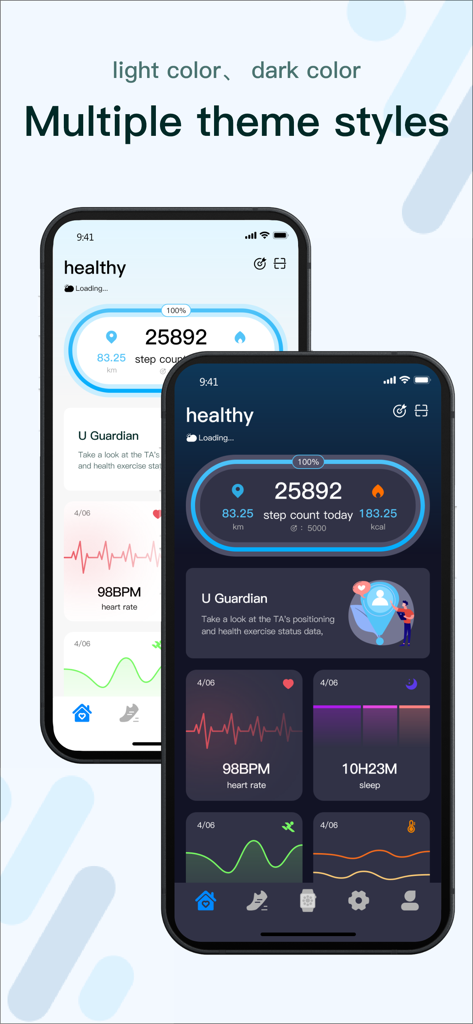
Interface of M2 Wear app showing light and dark theme styles for health tracking
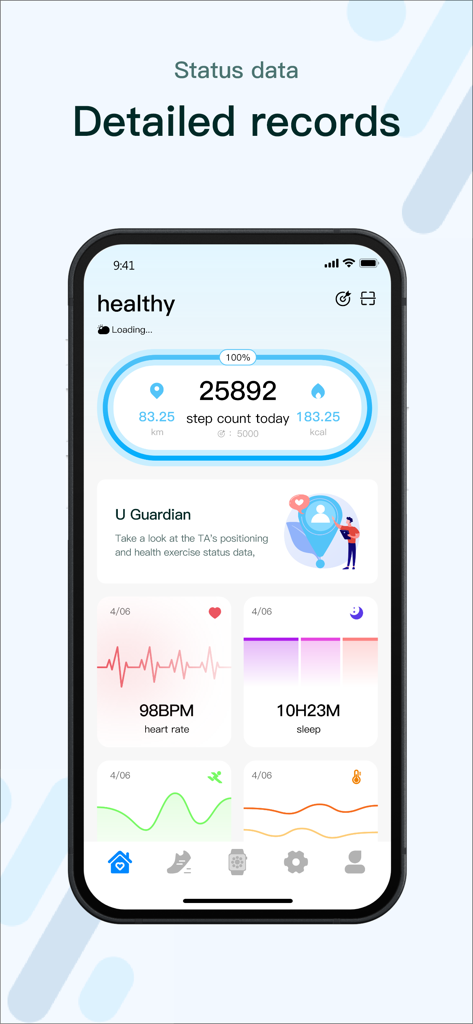
M2 Wear app health dashboard displaying daily step count heart rate and sleep duration statistics
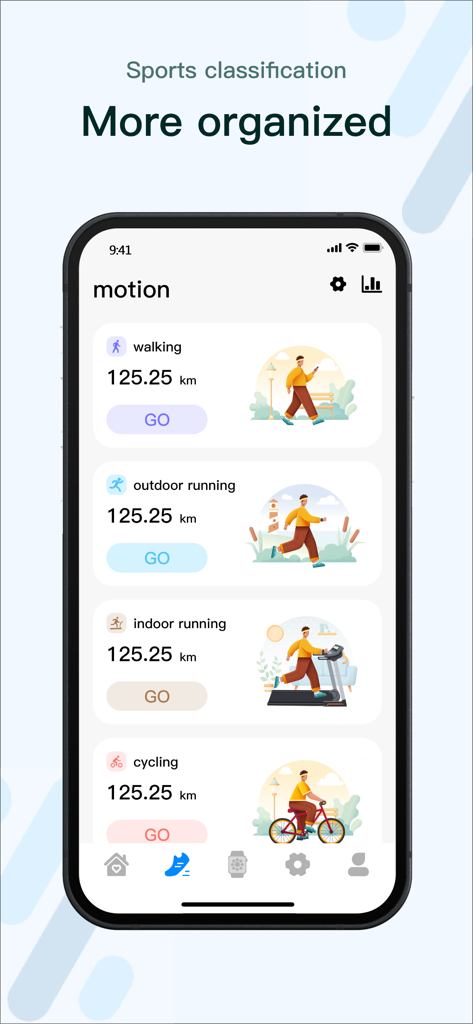
M2 Wear app interface displaying sports tracking categories for walking running and cycling
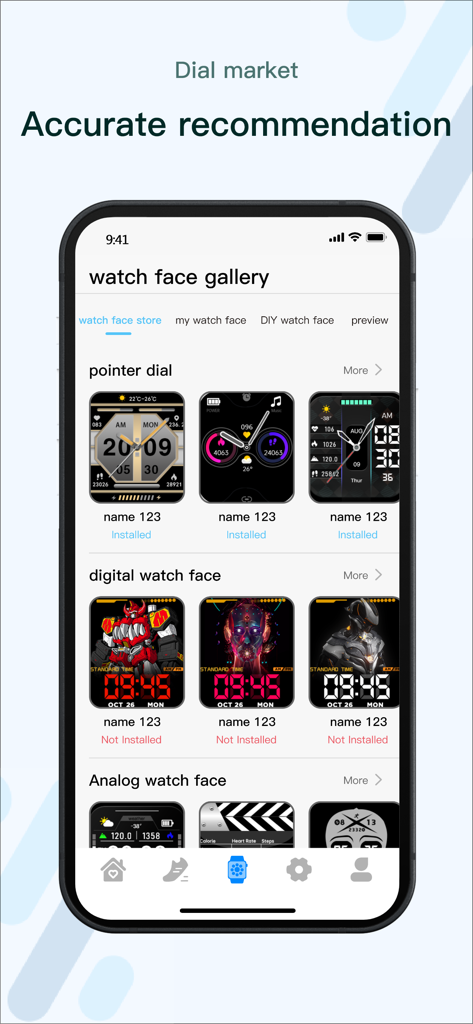
M2 Wear app interface showing a variety of customizable watch face designs in the dial market gallery
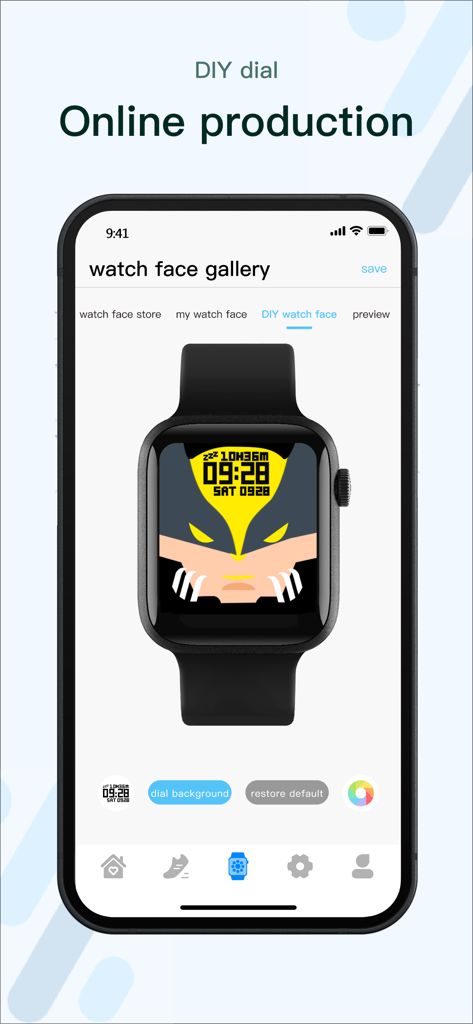
M2 Wear app screen for creating custom DIY smartwatch faces
Description
Download
More Like This
Apps with similar features and user experience

Mi Fitness (Xiaomi Wear Lite)
Beijing Xiaomi Co., Ltd

HUAWEI Health
Huawei Software Technologies Co., Ltd.

Oura
Oura Health Oy

iHealth MyVitals
iHealth Labs Inc.

Da Fit
MO YOUNG LIMITED

Zepp
Zepp Inc.
OMRON connect US/CAN/EMEA
Omron Healthcare, Inc.
CASIO WATCHES
CASIO COMPUTER CO., LTD.

NoiseFit: Health & Fitness
NEXXBASE MARKETING PRIVATE LIMITED
This page is not an official page of the app or its developer, but an independent editorial publication created for informational and commentary purposes. Unless expressly stated otherwise, neither the app nor its developer is affiliated with, endorsed by, sponsored by, authorized by, or otherwise officially connected with MWM, Apple, Google Play, the app publisher, or the app's developer, and nothing on this page implies that the app was developed using MWM's services. Any trademarks, logos, screenshots, and other content remain the property of their respective owners.