Mafoo

Mafoo

Download on App Store
Logo of Mafoo

Mafoo: Create Voice-Powered Manga & Dynamic Comics

Break the grid with irregular panel cropping and bring your stories to life with interactive AI voice bubbles. The ultimate mobile studio for the next generation of digital storytellers.

Publisher

QUOC TRUNG NGUYEN

Category

Utilities

Downloads

0

User Rating

1.0/5

Total Ratings

0

Locales

1

Inside the Creator Studio

Discover the interface used by 0 users.
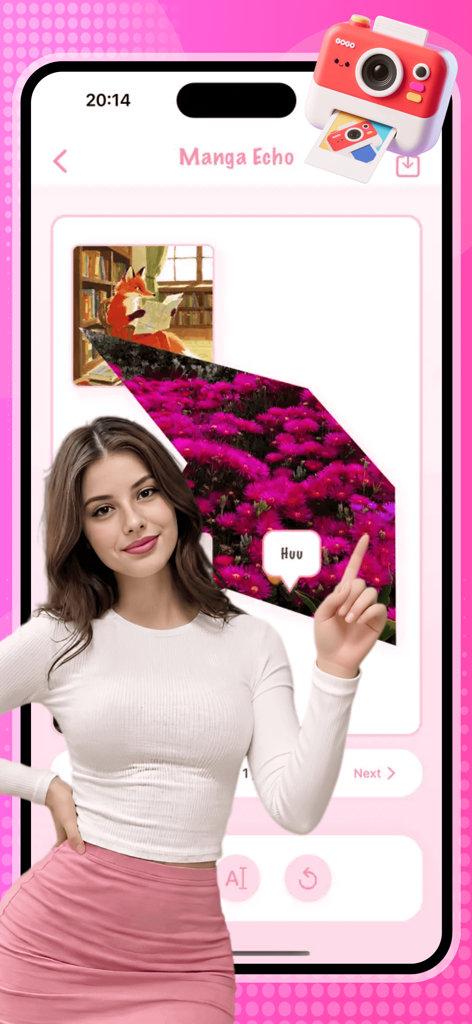
A woman using the Mafoo Manga Echo mobile app to create a digital comic with irregular shaped panels and voice-to-speech bubbles.

A woman using the Mafoo Manga Echo mobile app to create a digital comic with irregular shaped panels and voice-to-speech bubbles.

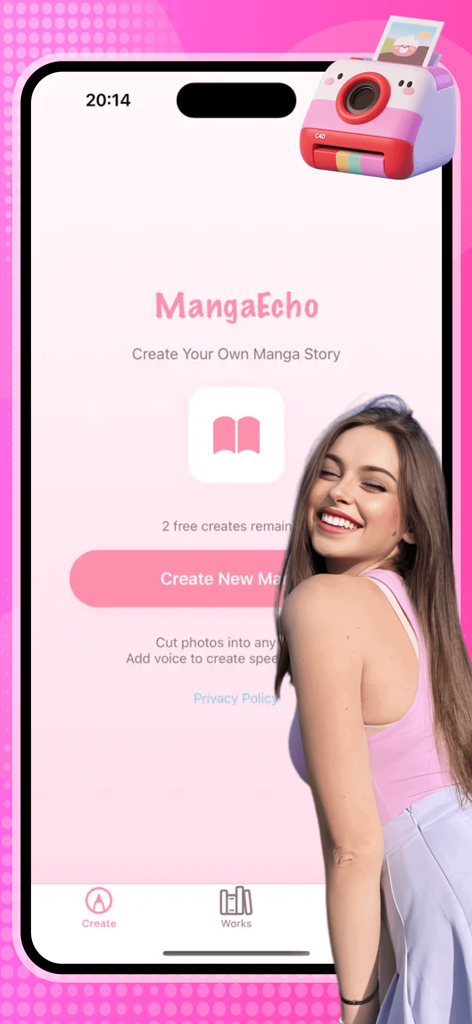
Home screen of the Mafoo app featuring the Create Your Own Manga Story interface with a pink design and a smiling girl illustration.

Home screen of the Mafoo app featuring the Create Your Own Manga Story interface with a pink design and a smiling girl illustration.

Interface of the Mafoo app showing a list of saved manga projects under the My Works section

Interface of the Mafoo app showing a list of saved manga projects under the My Works section

Screenshot of Mafoo app project list with edit and delete options for manga creations

Screenshot of Mafoo app project list with edit and delete options for manga creations

The Ultimate Toolkit for Digital Storytellers

The tools that make this app stand out, trusted by 0 users.

📐

Dynamic Panel Layouts

Forget boring squares. Use precision cropping to create custom trapezoids and polygons that give your story a professional, high-end graphic novel feel.

🔊

Interactive Voice Bubbles

Bring your characters to life. Record your dialogue and let our AI generate text bubbles automatically, turning your comic into a viral audio-visual experience.

📱

Mobile-First Epic Stories

Build full storylines with a multi-page editor supporting up to 30 pages. Perfect for serializing webtoons or crafting snackable content for social media.

About the app

Everything you need to know about Mafoo.

Description

Mafoo – Creative Panel & Voice Comic Maker Unleash your imagination with Manga Echo, the ultimate tool for creating interactive, voice-powered comics! Whether you are a professional storyboard artist or a creative storyteller, Manga Echo allows you to break the traditional grid. Cut, shape, and voice your panels like never before. Key Features: Irregular Panel Cropping: Forget boring squares! Import photos from your Camera or Gallery and customize their shape by adjusting corner points. Create trapezoids, triangles, or complex polygons. Precision-crop details like "Mona Lisa’s eyes" to give your manga a unique visual impact. Voice-to-Speech Bubbles: Bring your characters to life. Use the microphone to record dialogues. Our AI automatically generates text bubbles, and you can play back the audio by tapping the panel. It’s an interactive audio-visual experience! Multi-Page Editor: Tell a complete story with up to 30 pages per project. Manage your workflow with ease using our intuitive page-turning system. Project Management: Save your work and return anytime. Edit titles, update old content, or delete finished projects. Your progress is always synced for future refinement. Simple Monetization: Enjoy your first 3 projects for free! Need more? Use the in-app Store to acquire Gold Coins and continue your creative journey.

Latest Version

4.6.9

Size

39.1 MB

First Released

Jan 20, 2026

Ready to Give Your Manga a Voice?

Join the next generation of digital storytellers. Download Mafoo today to craft interactive panels, record custom dialogue, and start your first three projects for free.

Download on App Store

App information, icons, screenshots, and descriptions displayed on this page are sourced from the Apple App Store and are the property of their respective developers. Download estimates and rankings are based on MWM's proprietary models and may not reflect actual figures. This page is provided for informational and analytical purposes only.

Believe this page infringes your intellectual property? File a dispute