
This page is not an official page of the app or its developer, but an independent editorial publication created for informational and commentary purposes. Unless expressly stated otherwise, neither the app nor its developer is affiliated with, endorsed by, sponsored by, authorized by, or otherwise officially connected with MWM, Apple, Google Play, the app publisher, or the app's developer, and nothing on this page implies that the app was developed using MWM's services. Any trademarks, logos, screenshots, and other content remain the property of their respective owners.


Magic Dialer Pro - T9 Dialer
Master your contacts with lightning-fast T9 search, one-handed efficiency, and smart home-screen widgets designed to make every call instant.
Downloads
70K+User Rating
Total Ratings
200Publisher
Category
ProductivityLocales
16Latest Version
3.4.6Size
34.3 MBFirst Released
Apr 18, 2017Dial Smarter, Not Harder
Magic Dialer Pro is engineered for professionals and power users who need a faster, more intuitive calling experience than the standard iOS interface.
Lightning-Fast T9 Search
Find any contact in seconds by typing names or numbers on a classic keypad—the high-speed search feature the native iPhone app is missing.
Optimized One-Handed Mode
Effortlessly reach every button on large screens with specialized left and right-handed layouts designed for busy professionals on the move.
Frequently Asked Questions
Everything you need to know about Magic Dialer Pro - T9 Dialer
How can I quickly call contacts using Magic Dialer Pro?
Magic Dialer Pro enables instant calls through its Widget Speed Dial and Favorites Widget, allowing one-tap access from your home screen. Users can also assign favorite contacts to the keypad for quick dialing.
Does Magic Dialer Pro support one-handed use?
Yes, Magic Dialer Pro includes a One-Handed Mode. This feature supports both left-handed and right-handed users, ensuring comfortable dialing from either side of the screen.
Can I customize the appearance of Magic Dialer Pro?
Yes, Magic Dialer Pro offers full customization. Users can choose from multiple theme colors, dark and light widgets, and various other options to personalize the app's appearance.
What search capabilities does Magic Dialer Pro offer?
Magic Dialer Pro features Smart T9 Search, allowing users to find contacts by entering a name or number. It intelligently prioritizes frequently used numbers, short names, and contacts with photos.
Does Magic Dialer Pro support the Chinese language?
Yes, Magic Dialer Pro provides full support for both Traditional and Simplified Chinese. This ensures a localized and accessible experience for Chinese-speaking users.
How does Magic Dialer Pro prioritize contact search results?
Magic Dialer Pro intelligently prioritizes search results. It displays most used contacts first, followed by contacts with shorter names, and then contacts associated with photos.
Can users customize the T9 keypad in Magic Dialer Pro?
Yes, users can fully customize the T9 keypad in Magic Dialer Pro. This feature allows modification of the characters assigned to each key, enhancing personalized dialing functionality.
The following screenshots and description are sourced directly from the app's official store listing and are the property of the app developer.
App Store
Screenshots
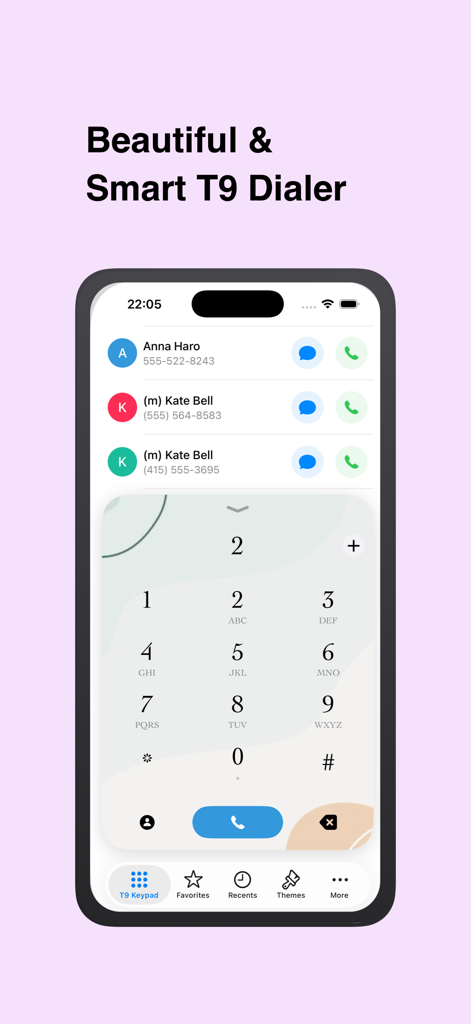
Magic Dialer Pro interface with a T9 keypad and contact search results.
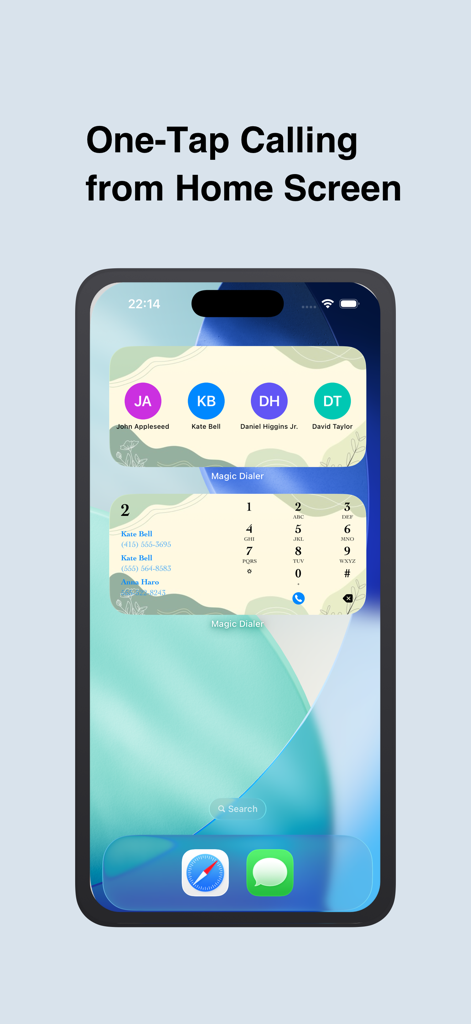
Magic Dialer Pro home screen widgets showing one-tap calling and a T9 keypad on an iPhone
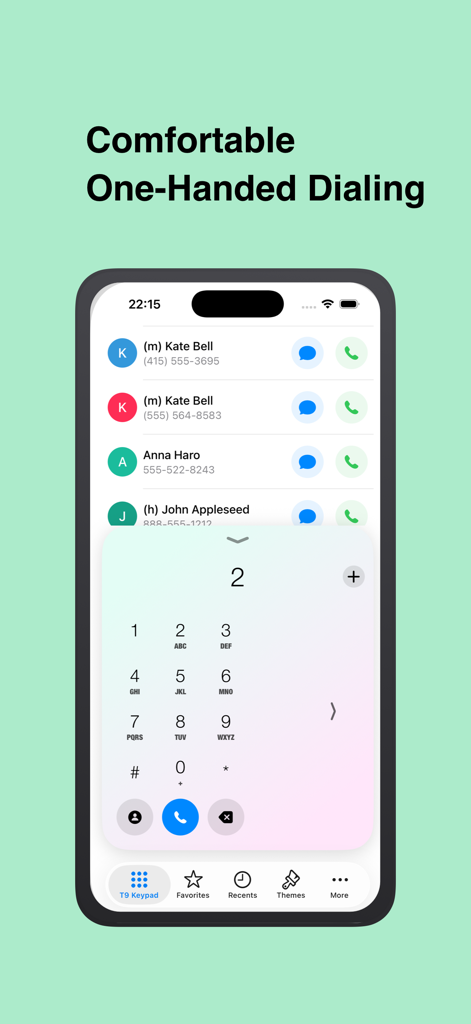
Magic Dialer Pro interface showing comfortable one handed dialing with a T9 keypad on iPhone
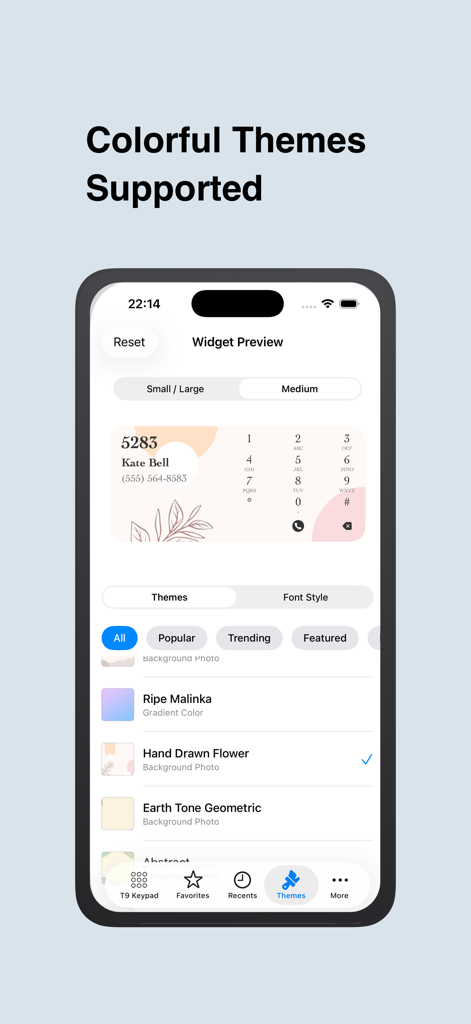
Magic Dialer Pro app interface showing colorful theme options for the speed dial widget
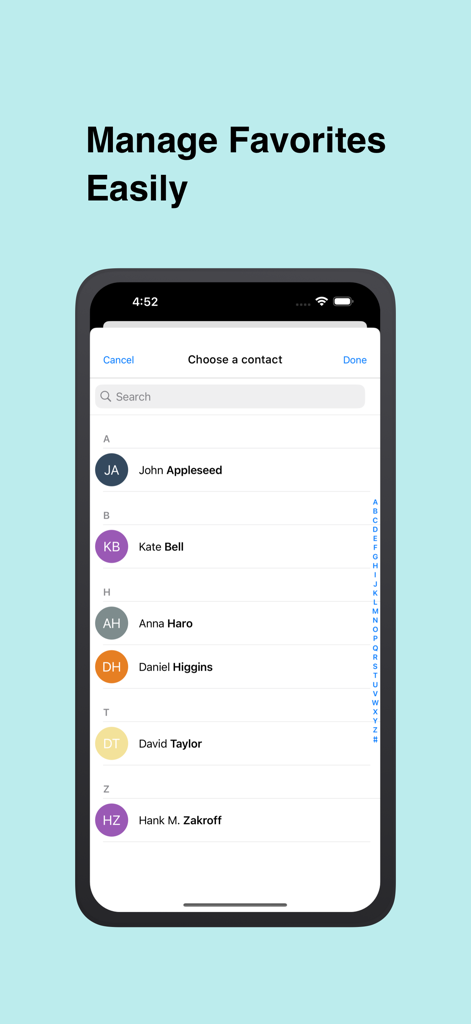
Managing favorites and selecting contacts in Magic Dialer Pro
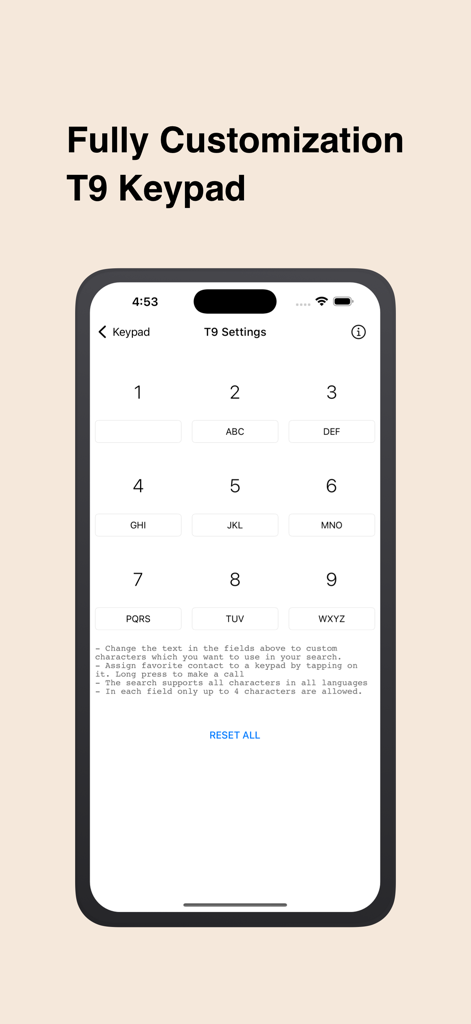
T9 settings screen in Magic Dialer Pro app showing options for keypad customization and contact assignment.
Description
Download
More Like This
Top-ranked apps in the same category

ChatGPT
OpenAI OpCo, LLC

Google Gemini
Google LLC

Grok
X.AI Corporation

Gmail - Email by Google
Google LLC

千问 - 阿里最强大模型官方AI助手
Shanghai Zhixin Puhui Technology Co., Ltd.

Google Drive
Google LLC

Microsoft Authenticator
Microsoft Corporation

Google Sheets
Google LLC

Google Docs
Google LLC
This page is not an official page of the app or its developer, but an independent editorial publication created for informational and commentary purposes. Unless expressly stated otherwise, neither the app nor its developer is affiliated with, endorsed by, sponsored by, authorized by, or otherwise officially connected with MWM, Apple, Google Play, the app publisher, or the app's developer, and nothing on this page implies that the app was developed using MWM's services. Any trademarks, logos, screenshots, and other content remain the property of their respective owners.