Magic Switch Display Sharing

Magic Switch Display Sharing


Download on App Store
Logo of Magic Switch Display Sharing

Magic Switch Display Sharing: Turn Your iPad into a High-Performance Windows Touch Monitor

Bridge the gap between your PC and iOS devices with zero-lag screen mirroring, professional stylus support with pen pressure, and seamless AirDrop-style file sharing.

Download on App Store

Publisher

Magic Control Technology Corporation

Category

Utilities

Downloads

300

User Rating

1.0/5

Total Ratings

0

Locales

16

Seamless Continuity in Action

Discover the interface used by 300 users.
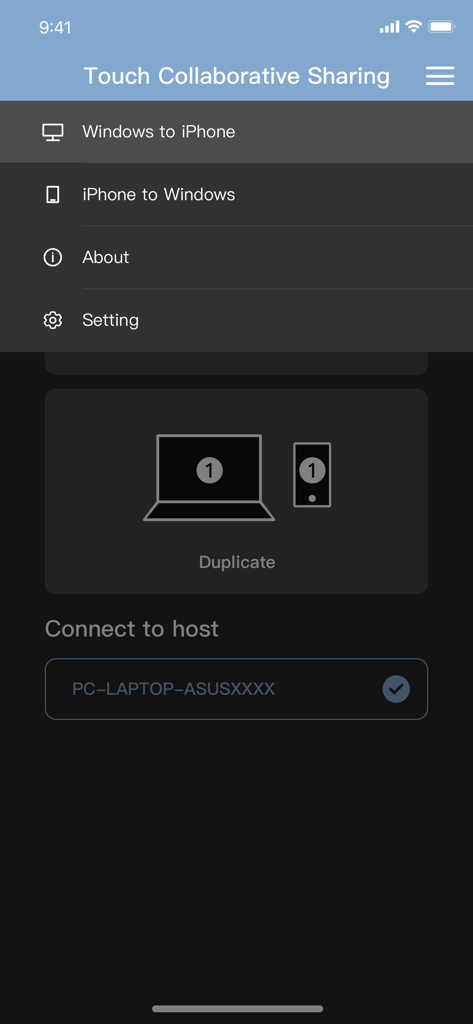
Magic Switch Display Sharing app menu showing options for Windows to iPhone and iPhone to Windows screen mirroring.

Magic Switch Display Sharing app menu showing options for Windows to iPhone and iPhone to Windows screen mirroring.

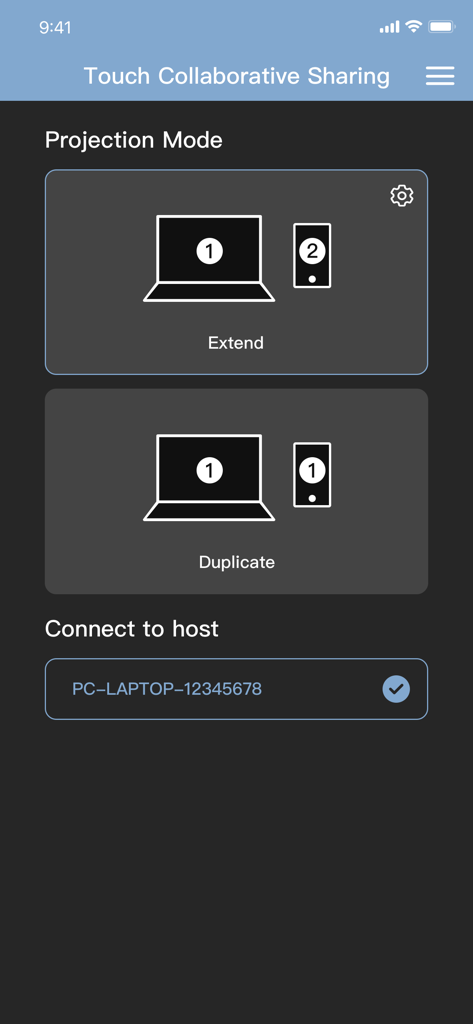
Interface of the Magic Switch app showing options to extend or duplicate a Windows PC screen to a mobile device.

Interface of the Magic Switch app showing options to extend or duplicate a Windows PC screen to a mobile device.

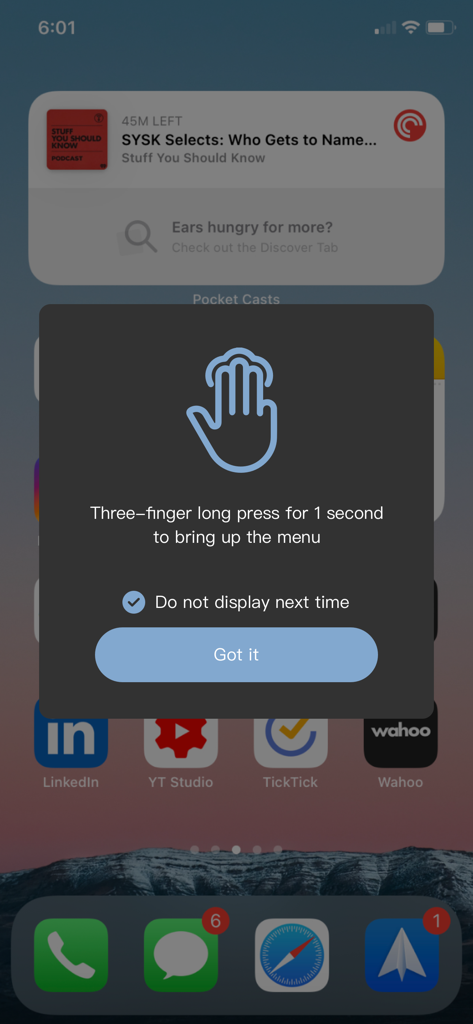
Instructional pop-up on an iPhone explaining how to use a three-finger long press to open the Magic Switch menu.

Instructional pop-up on an iPhone explaining how to use a three-finger long press to open the Magic Switch menu.

Screenshot of the Magic Switch app interface showing the Projection Mode screen with an icon representing the extension of a mobile screen to a laptop.

Screenshot of the Magic Switch app interface showing the Projection Mode screen with an icon representing the extension of a mobile screen to a laptop.

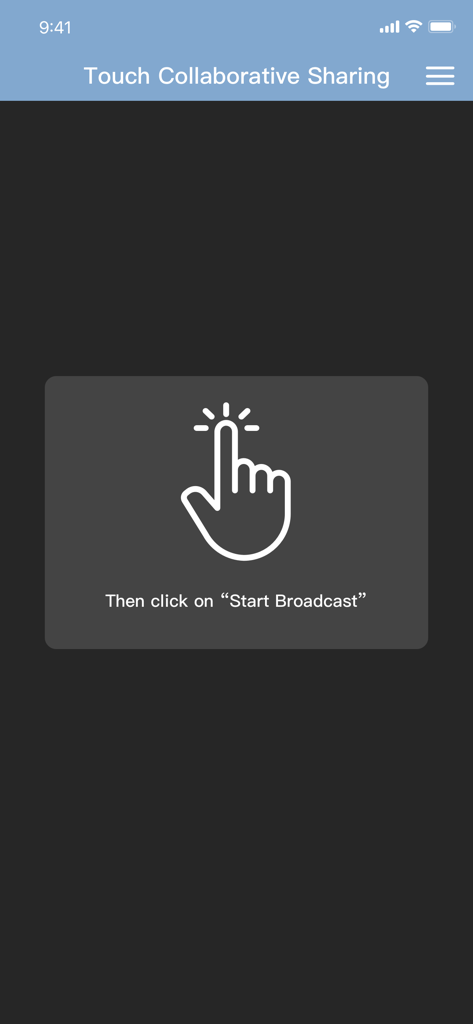
Magic Switch app screen showing a hand icon and the instruction to click Start Broadcast for touch collaborative sharing.

Magic Switch app screen showing a hand icon and the instruction to click Start Broadcast for touch collaborative sharing.

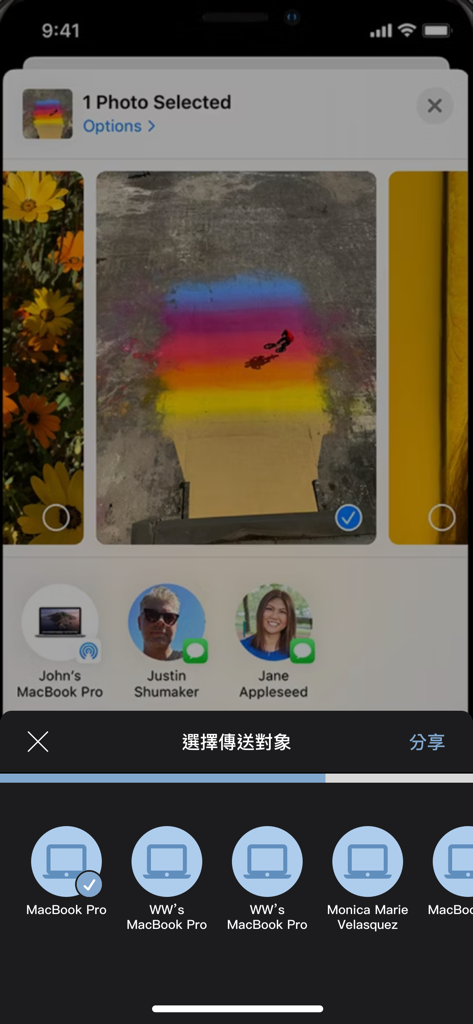
iPhone screen showing the selection of a photo to share with connected devices using Magic Switch

iPhone screen showing the selection of a photo to share with connected devices using Magic Switch

The Ultimate Bridge Between Windows and iOS

The tools that make this app stand out, trusted by 300 users.

✍️

Pro Graphics Tablet Integration

Turn your iPad into a high-end input device for Windows. Use your Apple Pencil with full pen pressure and touch support for Photoshop, Illustrator, and CAD software.

🖥️

Zero-Lag Dual Display

Extend your workspace anywhere. Use your iPad as a crystal-clear second monitor or virtual display with the stability of a wired connection for a lag-free experience.

AirDrop-Style File Transfers

End the ecosystem frustration. Move 4K videos, high-res photos, and large project files between your iPhone and PC instantly without relying on slow cloud syncs.

About the app

Everything you need to know about Magic Switch Display Sharing.

Description

This companion application can be used with Magic Switch Display Sharing Hub Cable. Magic Switch Display Sharing Hub Cable is a USB hub with host to host connection cable function, besides the hub function, this link cable can also be used to connect Windows PC and iPad/iPhone, once the connection is completed, users can easily duplicate the screen to iPad/iPhone , whereas in an iPad/iPhone you can see the contents of the Windows screen there, you can control or draw something in Windows with your finger or a stylus, and touch events or stylus traces and pen pressure are reflected to Windows, just like directly in operate the touch screen with a finger or a pen on a Windows PC. In addition to mapping the main screen of the Windows PC and directly viewing and operating on the iPad/iPhone, the APP also provides the function of generating a virtual second screen, and at the same time project this virtual second screen to the iPad/iPhone, and directly operate on the iPad/iPhone. Conversely, we can also project the content of the iPad/iPhone to the Windows PC through this cable connection, this function is like AirPlay, you can directly see the screen content and operation of the iPad/iPhone on the screen of the Windows PC. In addition to video screen projection and copying, the app also supports AirDrop-like functionality, allowing you to easily share media content such as videos, photos or files to a "Download" location on your Windows PC. You can also share files to your iPad/iPhone just like you can with AirDrop on a Mac by right-clicking on the file in Windows File Explorer and selecting the share menu function.

Latest Version

1.0.16

Size

39.2 MB

First Released

Nov 7, 2023

Power Up Your Cross-Platform Workflow

Download the companion app for your Magic Switch Hub Cable to turn your iPad into a lag-free Windows display and seamless file-sharing station.

Download on App Store

App information, icons, screenshots, and descriptions displayed on this page are sourced from the Apple App Store and are the property of their respective developers. Download estimates and rankings are based on MWM's proprietary models and may not reflect actual figures. This page is provided for informational and analytical purposes only.

Believe this page infringes your intellectual property? File a dispute