
This page is not an official page of the app or its developer, but an independent editorial publication created for informational and commentary purposes. Unless expressly stated otherwise, neither the app nor its developer is affiliated with, endorsed by, sponsored by, authorized by, or otherwise officially connected with MWM, Apple, Google Play, the app publisher, or the app's developer, and nothing on this page implies that the app was developed using MWM's services. Any trademarks, logos, screenshots, and other content remain the property of their respective owners.

MagiConnect T-Cast TCL Remote
Elevate your home entertainment. Effortlessly control your TV, cast web videos, and share your favorite memories from your iPhone to the big screen.
Downloads
6M+User Rating
Total Ratings
18K+Publisher
Category
UtilitiesLocales
47Latest Version
2.4.699Size
56.9 MBFirst Released
Jan 29, 2018Revolutionize Your Living Room Experience
Ditch the clunky physical remote. MagiConnect T-Cast turns your iPhone into a high-powered hub for casting, browsing, and controlling everything on your big screen with ease.
Smart Remote & Precision Typing
Stop struggling with slow TV D-pads. Use your iPhone keyboard and fluid touch gestures to search and navigate through your favorite apps in seconds.
Seamless 4K All-In-One Casting
Instantly 'throw' local photos, videos, or trending streams from YouTube and Twitch directly to your TV. Share your world on the big screen with one tap.
Frequently Asked Questions
Everything you need to know about MagiConnect T-Cast TCL Remote
What is MagiConnect T-Cast TCL Remote?
MagiConnect T-Cast TCL Remote functions as a universal remote control and home entertainment hub. It casts online and local videos, music, and images from a phone to various TVs and DLNA devices.
Can MagiConnect T-Cast cast videos and photos to a TV?
Yes, MagiConnect T-Cast supports casting local files such as photos, GIF pictures, and videos from your phone to a TV. It also casts online videos and dramas.
What navigation modes does MagiConnect T-Cast provide?
MagiConnect T-Cast offers multiple navigation modes. These include Button Remote with Direction, Touch Remote, and Mouse Remote, with Mouse Remote supporting specific models only.
Does MagiConnect T-Cast support screen mirroring?
Yes, MagiConnect T-Cast supports screen mirroring. It allows users to send their real-time phone screen directly to a TV.
Which devices are compatible with MagiConnect T-Cast?
MagiConnect T-Cast is compatible with Smart TVs (TCL, Sony, Hisense, Xiaomi, Panasonic, Thomson), Chromecast, Amazon Fire Stick, Xbox, Fire TV, and other DLNA devices.
How much does a MagiConnect T-Cast subscription cost?
The subscription price for MagiConnect T-Cast is $1.99 per month. Payment is charged to the iTunes account after purchase confirmation.
How do I connect MagiConnect T-Cast to my TV?
To connect MagiConnect T-Cast, ensure T-Cast is open on your TCL Smart TV (T-Channel or APPLICATIONS). Both the TV and phone must connect to the same Wi-Fi Network. Disable the AP isolation option on the router if applicable.
The following screenshots and description are sourced directly from the app's official store listing and are the property of the app developer.
App Store
Screenshots
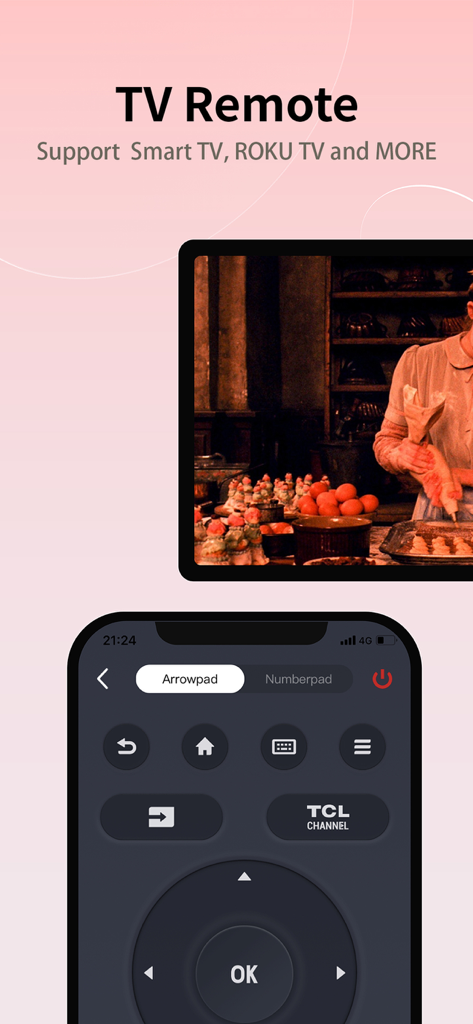
MagiConnect T-Cast mobile app interface for TCL Smart TV remote control
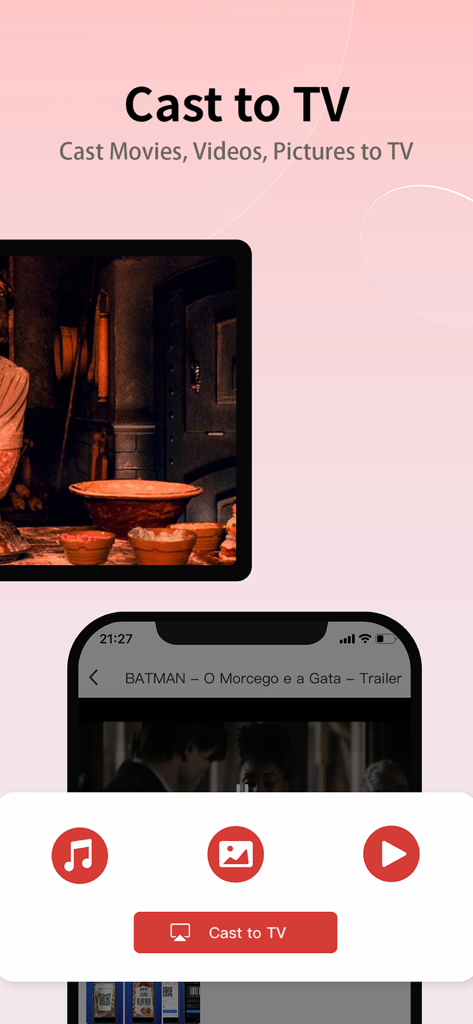
MagiConnect T-Cast app interface showing options to cast movies videos and pictures from an iPhone to a TV
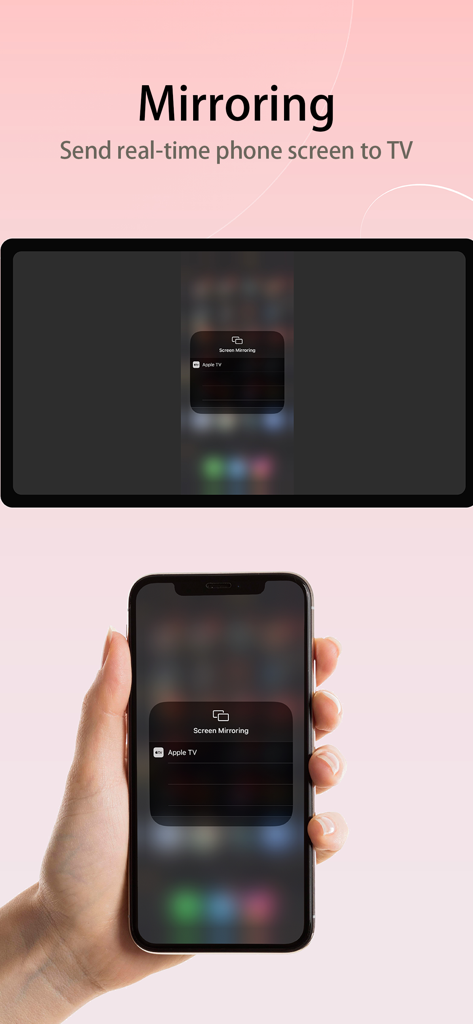
iPhone screen mirroring to a smart TV using the MagiConnect T-Cast app
Description
Download
More Like This
Apps with similar features and user experience

The Roku App (Official)
ROKU INC

TV Remote & Smart TV Control
To Ngoc Mai

Universal TV Remote Control .
Apps Venture Inc.

TV Remote, Universal Remote
Hangzhou Yingshitong Technology Co., Ltd.

TV Remote Control “Universo”
Nemo Apps LLC

TV Remote・Universal Control #1
Mihai Turlea

Remote Smart Tv Universal
clement gasner

Remote TV Control TCL Onn App
CEMAL CAGLAR KIRICI

TV Remote Control Universal AI
Anh Ngo
This page is not an official page of the app or its developer, but an independent editorial publication created for informational and commentary purposes. Unless expressly stated otherwise, neither the app nor its developer is affiliated with, endorsed by, sponsored by, authorized by, or otherwise officially connected with MWM, Apple, Google Play, the app publisher, or the app's developer, and nothing on this page implies that the app was developed using MWM's services. Any trademarks, logos, screenshots, and other content remain the property of their respective owners.