Mapview Sales Route Planner
Download on App Store

This page is not an official page of the app or its developer, but an independent editorial publication created for informational and commentary purposes. Unless expressly stated otherwise, neither the app nor its developer is affiliated with, endorsed by, sponsored by, authorized by, or otherwise officially connected with MWM, Apple, Google Play, the app publisher, or the app's developer, and nothing on this page implies that the app was developed using MWM's services. Any trademarks, logos, screenshots, and other content remain the property of their respective owners.


Logo of Mapview Sales Route Planner
Download on App Store

Mapview Sales Route Planner

The ultimate field productivity tool for high-performance sales and service reps. Visualize your contacts on an interactive map, automate route planning, and turn your driving time into selling time.

Key Figures

Downloads

0

User Rating

4.6/5

Total Ratings

0

Publisher

The Casey Group

Category

Productivity

Locales

17

Latest Version

8.4.17

Size

98.2 MB

First Released

Mar 25, 2011
Features

Drive Less, Sell More

Mapview transforms your contact list into a high-performance visual roadmap. Stop guessing where to go and start maximizing your territory potential with tools built for the professional road warrior.

Intelligent Route Optimization

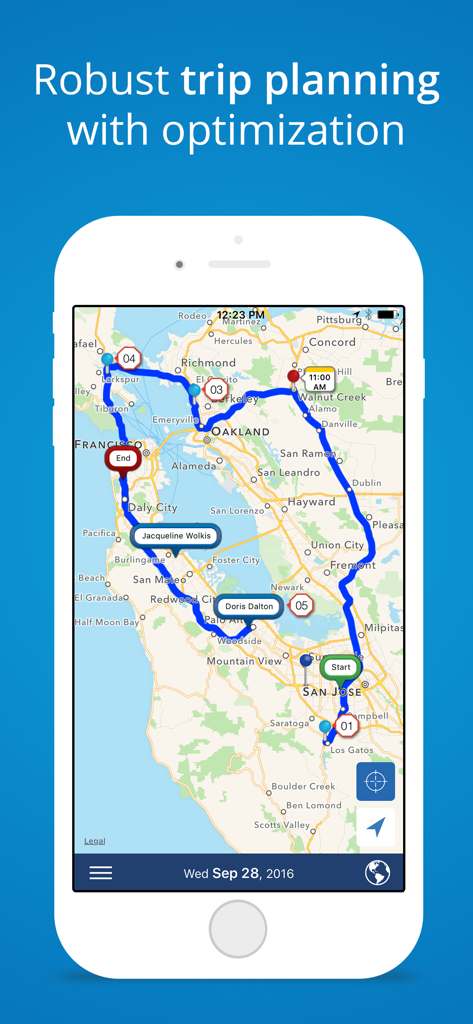
Stop wasting hours on logistics. Automatically sequence your daily stops by time or distance to eliminate backtracking and squeeze extra meetings into every trip.

Visual Lead Management

See your business on the ground. Import Excel data to visualize your territory with custom pins, allowing you to identify high-priority clusters and nearby 'drop-in' opportunities at a glance.

The following screenshots and description are sourced directly from the app's official store listing and are the property of the app developer.

App Store

Screenshots
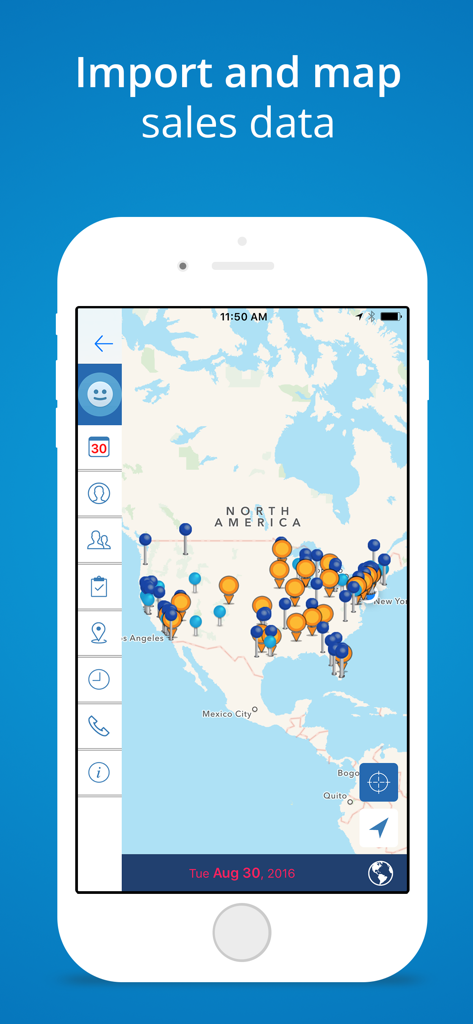
Mapview Sales Route Planner - Mapview app interface showing imported sales data as colored pins across a map of North America
Mapview app interface showing imported sales data as colored pins across a map of North America

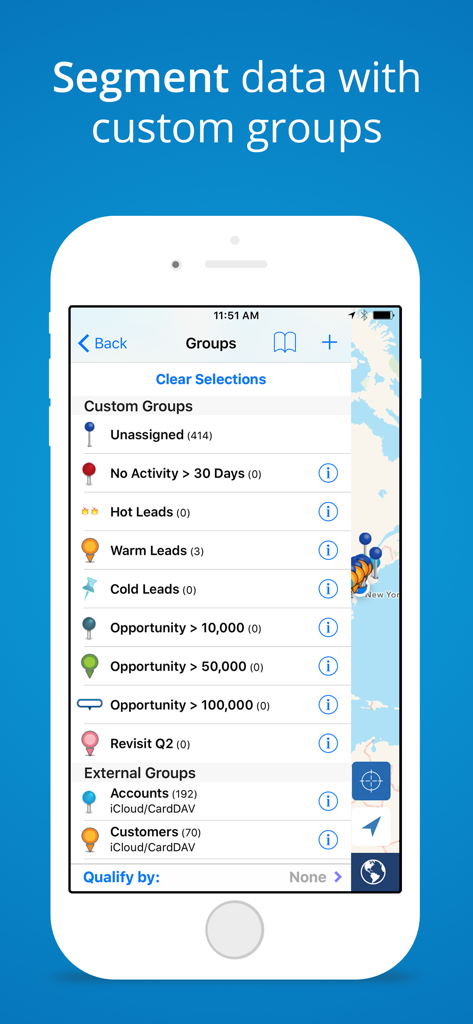
Mapview Sales Route Planner - Mobile app screen showing the custom groups feature in Mapview to segment sales leads and business opportunities on a map.
Mobile app screen showing the custom groups feature in Mapview to segment sales leads and business opportunities on a map.

Mapview Sales Route Planner - Mapview app interface showing an optimized sales route with multiple stops in the San Francisco Bay Area
Mapview app interface showing an optimized sales route with multiple stops in the San Francisco Bay Area

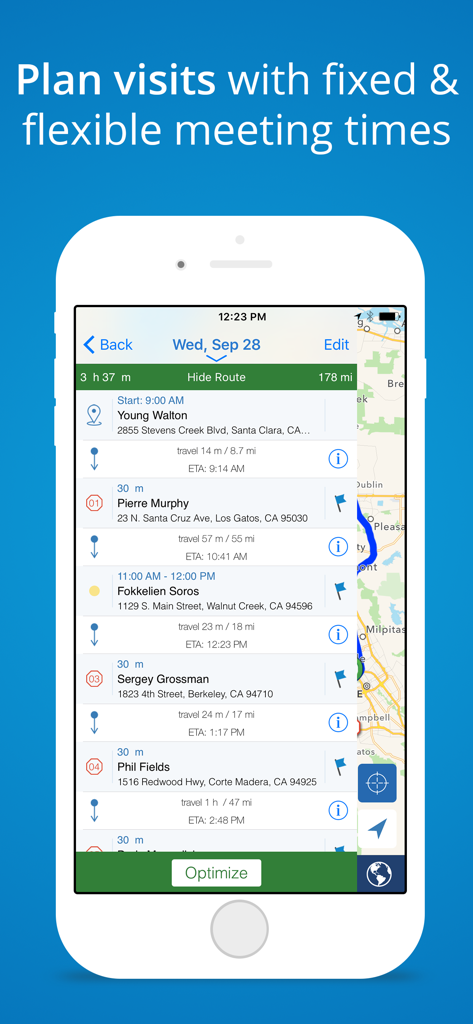
Mapview Sales Route Planner - Interface of Mapview app showing a daily route schedule with meeting times and travel details
Interface of Mapview app showing a daily route schedule with meeting times and travel details

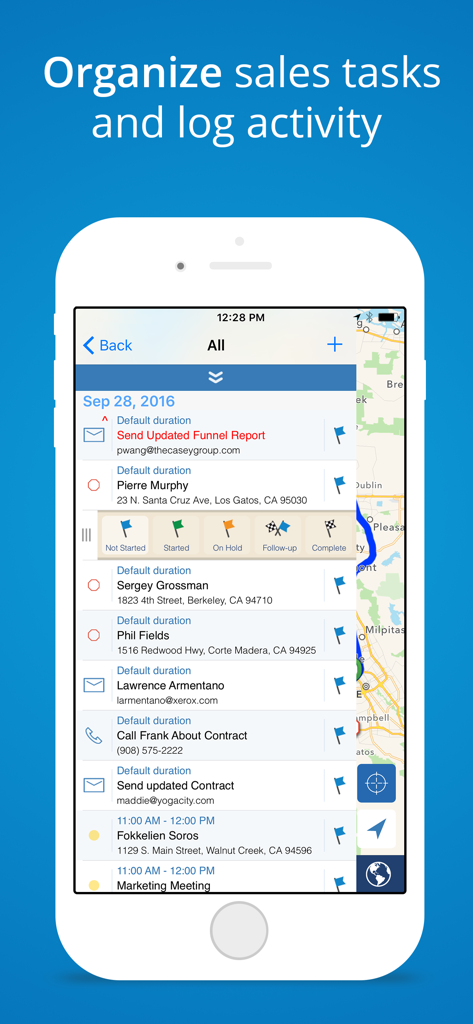
Mapview Sales Route Planner - Screenshot of Mapview app displaying sales task list and activity log over a map.

Screenshot of Mapview app displaying sales task list and activity log over a map.

Description

Field sales and service reps use Mapview to visualize their data geographically and to plan the best route for their customer visits. Mapview enables you to efficiently manage your territory with easy-to-use mapping and planning tools. Improve trip planning by viewing your appointments and drop-in visits as a route, while easily visualizing other contacts along the way. Once downloaded, enjoy a free 30 day trial. Our individual use Pro Plan includes unlimited contact mapping and your choice of payment frequency: Monthly ($11.99/mo), Quarterly ($29.99/quarter), or Annually ($95.99/year). Mapview’s contact mapping software helps outside sales and service reps perfect their scheduling, route planning, and sales call process. - Seamlessly integrates with Contacts, Calendar & Map apps - Easily import spreadsheets of data creating automatic groups from custom field columns. - Plan daily routes with drop-in visits and calendar appointments. Easily respond to schedule changes on the go. - Use route optimization to organize trips by time or distance. - Visualize your territory and travel routes to help locate opportunities along the way. - Use different pin styles to prioritize and organize accounts into groups. Target specific customers and prospects by filtering groups on the map. - Manage sales or service territory by sending emails, taking notes and setting up meetings in Mapview. - Log activities such as contact notes, phone calls, emails, and events - most logged automatically for you so you can spend more time selling or servicing. - Utilize Mapview offline by accessing saved info, routes, directions & target map area. - Individual users can export contact data, groups, and activities to a CSV file for easy reporting. Features: - Excel spreadsheet import easily adds contacts or any location-specific data (CSV file) - Selectively import external contact groups (Exchange, iCloud, etc.) from your device's address book - Tap and hold on map to create a contact, appointment, or task - Pick from over 100 unique pins or create your own - Create custom groups to organize/prioritize data - Use multi-criteria group filtering to include or exclude data from the map - Utilize Advanced Search to select records based on a field value - Set follow up tasks with priority and status - Schedule appointments - View multiple calendars and up to 3 months of appointments at a time on the map. - Appointments sync to external calendars (ex. iCloud, Gmail, Exchange) linked to your device - Use addresses or lat/long coordinates for mapping - View ETA, distance, travel time & directions en-route - Color-coded routes show on-time or late status - Use radial search to filter contacts by proximity to a location and sort contacts by distance - Log notes using speech to text capabilities Manage your territory’s funnel and exceed your quota with this easy to use sales mapping and productivity tool. Automatic Renewal Feature: Your payment will be charged to your iTunes Account at confirmation of purchase. Your subscription automatically renews unless you turn off auto-renew at least 24 hours before the end of the current period. Your account will be charged for renewal within 24 hours prior to the end of the current period with the cost listed. You can manage your subscription and you may turn your auto-renewal off by logging into your iTunes Account Settings after purchase. No cancellation of the current subscription is allowed during the active subscription period. Privacy Policy: www.mapview.com/privacy-policy/ Terms of Use: www.mapview.com/terms-conditions/

Download

Download on App Store

This page is not an official page of the app or its developer, but an independent editorial publication created for informational and commentary purposes. Unless expressly stated otherwise, neither the app nor its developer is affiliated with, endorsed by, sponsored by, authorized by, or otherwise officially connected with MWM, Apple, Google Play, the app publisher, or the app's developer, and nothing on this page implies that the app was developed using MWM's services. Any trademarks, logos, screenshots, and other content remain the property of their respective owners.








