
This page is not an official page of the app or its developer, but an independent editorial publication created for informational and commentary purposes. Unless expressly stated otherwise, neither the app nor its developer is affiliated with, endorsed by, sponsored by, authorized by, or otherwise officially connected with MWM, Apple, Google Play, the app publisher, or the app's developer, and nothing on this page implies that the app was developed using MWM's services. Any trademarks, logos, screenshots, and other content remain the property of their respective owners.


Mark II Artist's Viewfinder
Master your composition and scout locations with the industry's most accurate visualization tool. Simulate over 800 cameras and professional lenses to find the perfect frame before you even unpack your gear.
Downloads
93K+User Rating
Total Ratings
300Publisher
Category
Photo & VideoLocales
3Latest Version
8.0Size
5.1 MBFirst Released
Dec 14, 2013Master Your Pre-Production Workflow
Eliminate guesswork and save hours on set. Simulate professional gear, manage technical location data, and refine your artistic vision with the industry's most trusted viewfinder app.
800+ Camera Simulations
Access an expansive database of real-world lens and sensor data for Arri, RED, Leica, and more to visualize your exact frame before hauling a single case of gear.
Smart Technical Scouting
Automatically capture location metadata and GPX tracks to share precise technical shot packages and GPS coordinates directly with your director or rental house.
Frequently Asked Questions
Everything you need to know about Mark II Artist's Viewfinder
What is the primary function of Mark II Artist's Viewfinder?
Mark II Artist's Viewfinder assists photographers and filmmakers by simulating camera and lens combinations to visualize compositions without setting up physical equipment. It helps explore different places and angles for optimal camera placement.
Does Mark II Artist's Viewfinder save high-resolution photos?
Yes, Mark II Artist's Viewfinder saves high-resolution photos. This feature allows users to utilize the app as a regular camera.
Can the Mark II app simulate wide-angle lenses?
Yes, paired with a 0.5x-class super-wide converter lens, Mark II Artist's Viewfinder simulates super-wide lenses up to 16mm on a full-frame 35mm format. It also corrects distortion in real-time.
Does Mark II Artist's Viewfinder include a black and white mode?
Yes, Mark II Artist's Viewfinder features a black & white mode. This mode displays only the luminance information, assisting users in exploring tonal structures for black and white photography.
What camera and lens data does Mark II Artist's Viewfinder support?
Mark II Artist's Viewfinder supports over 800 still/motion cameras, 180 medium/large format backs, and numerous lenses from brands like ALPA, Hartblei, Hasselblad, Leica, Rodenstock, Schneider, and Zeiss. Users can also define custom equipment.
Can users define their own cameras and lenses in Mark II Artist's Viewfinder?
Yes, Mark II Artist's Viewfinder allows users to define their own cameras and lenses. This feature provides flexibility for specific job requirements.
How does Mark II Artist's Viewfinder assist with location scouting?
Mark II Artist's Viewfinder stores location and simulation metadata with pictures. This allows users to evaluate location scout results on a computer or share information with crew or rental houses directly from the app.
Does Mark II Artist's Viewfinder record GPS data?
Yes, Mark II Artist's Viewfinder records a standard GPX format track log. This eliminates the need for a separate logging device during location scouting.
What customization options are available for frame display in Mark II Artist's Viewfinder?
Mark II Artist's Viewfinder allows customization of frame display, including hiding inactive frames, zooming to the active frame, adjusting frame lines, and frame size adjustment.
Can Mark II Artist's Viewfinder export images automatically?
Yes, Mark II Artist's Viewfinder supports automatic image export. Users can configure the app for auto-exporting to Hi-Res JPG and specify the album for saving.
The following screenshots and description are sourced directly from the app's official store listing and are the property of the app developer.
App Store
Screenshots
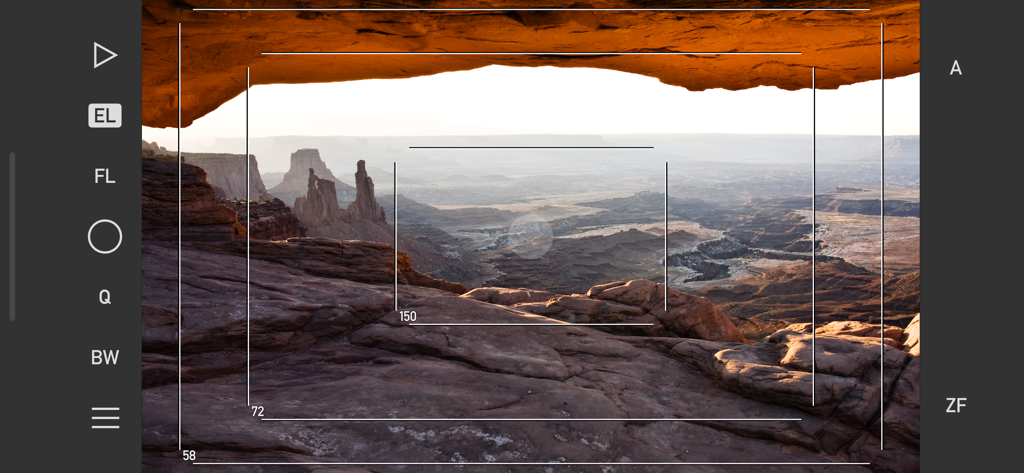
Mark II Artist's Viewfinder app interface showing technical frame lines and focal length simulations over a desert canyon landscape.
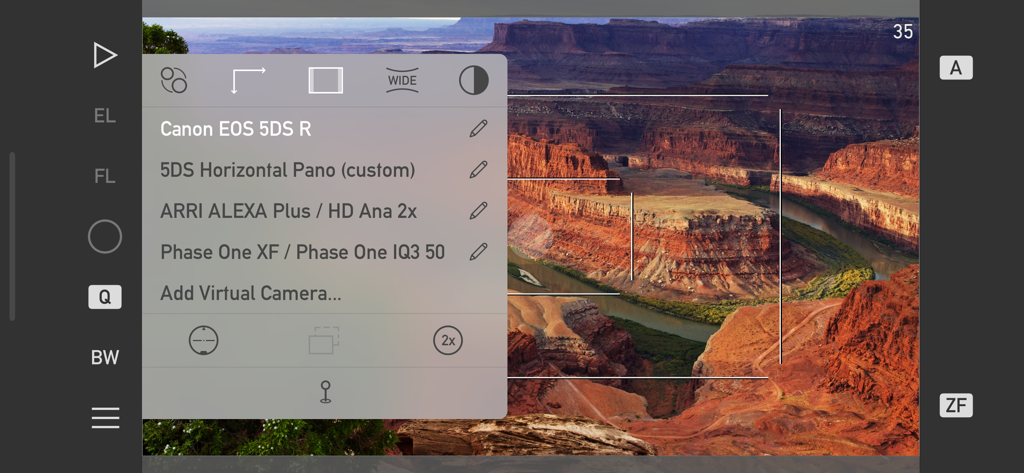
Mark II Artist's Viewfinder app interface showing a list of professional camera simulations like Canon EOS 5DS R and ARRI ALEXA over a canyon landscape.
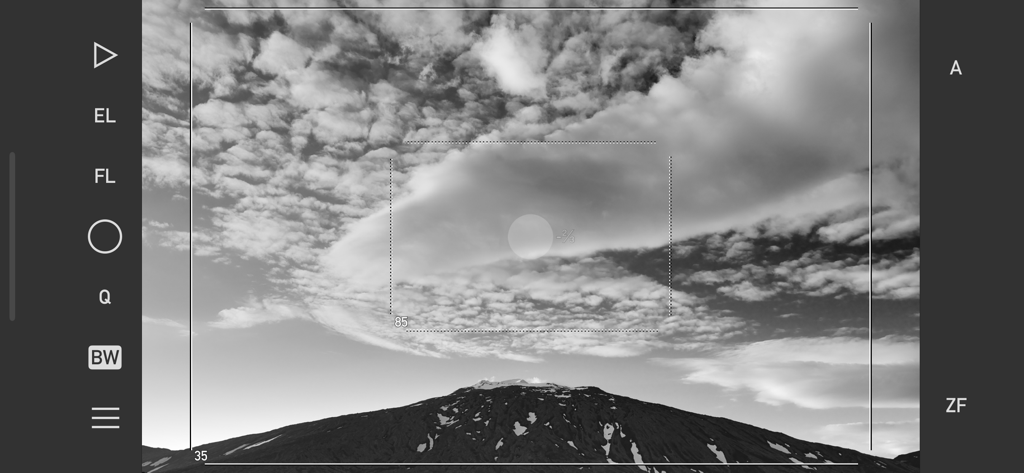
Black and white view of a mountain landscape through the Mark II Artist's Viewfinder app interface showing framing lines and camera controls
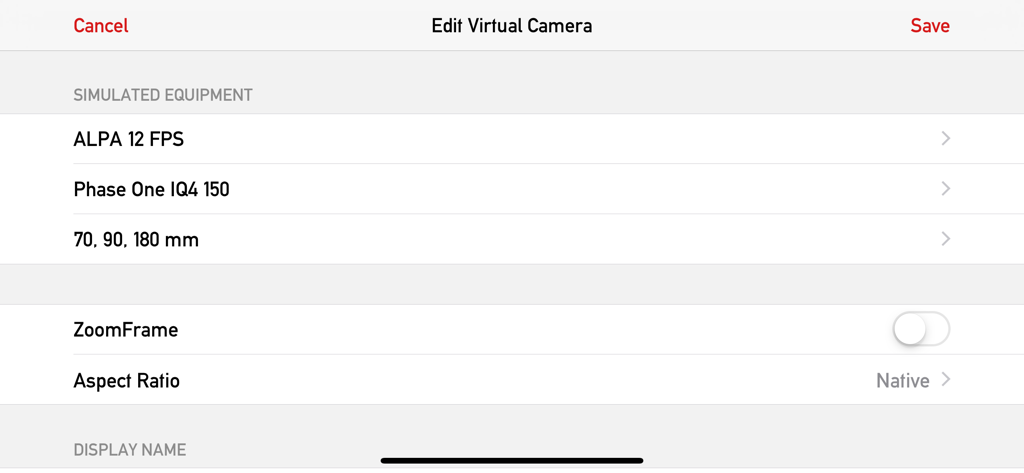
Interface of the Mark II Artist Viewfinder app showing the edit virtual camera screen with simulated equipment settings for ALPA and Phase One
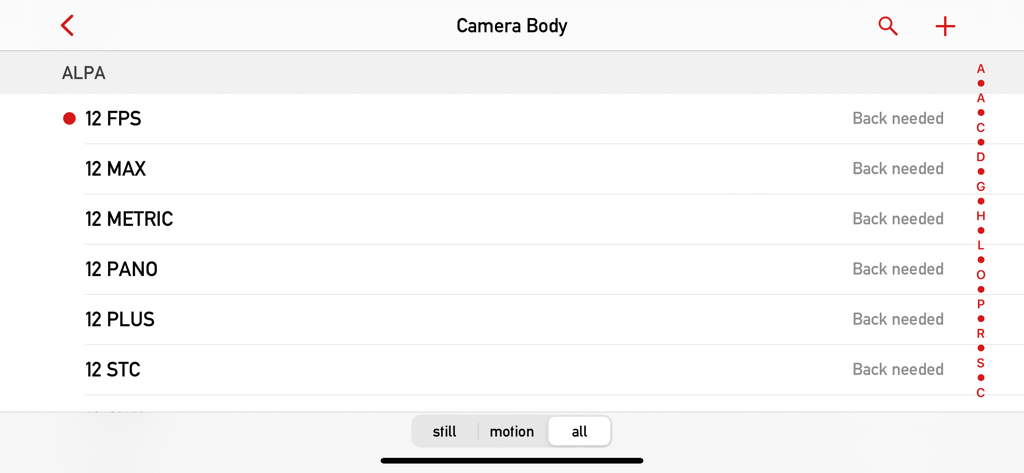
Selection screen for ALPA camera bodies in the Mark II Artist Viewfinder app database
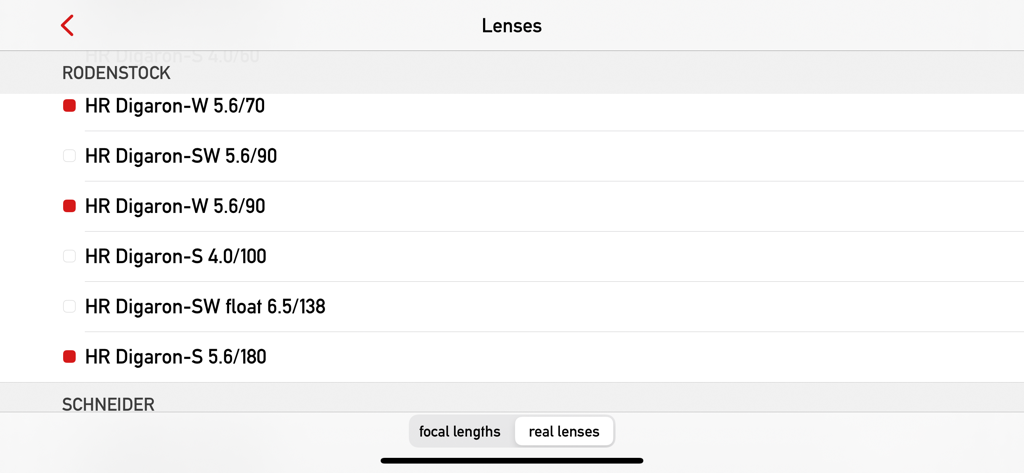
A list of Rodenstock lenses in the Mark II Artist's Viewfinder app database
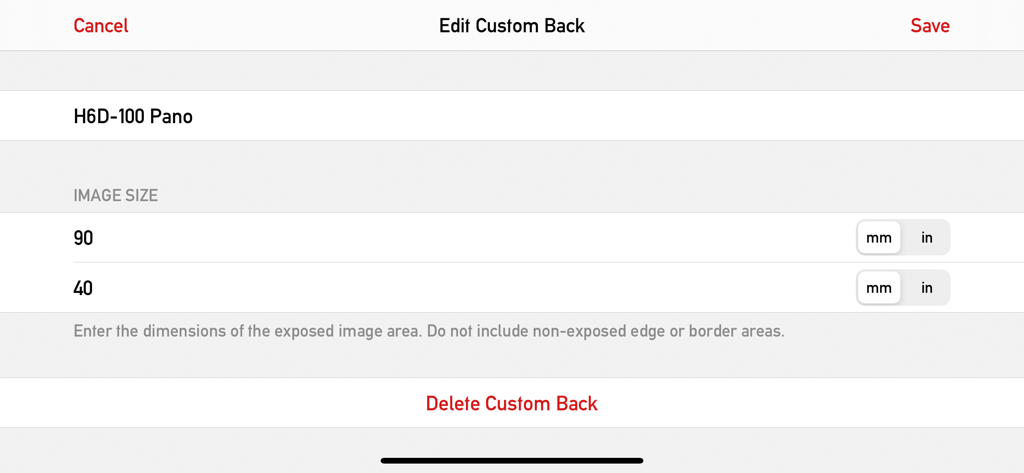
Interface for editing custom camera back and sensor dimensions in the Mark II Artists Viewfinder app
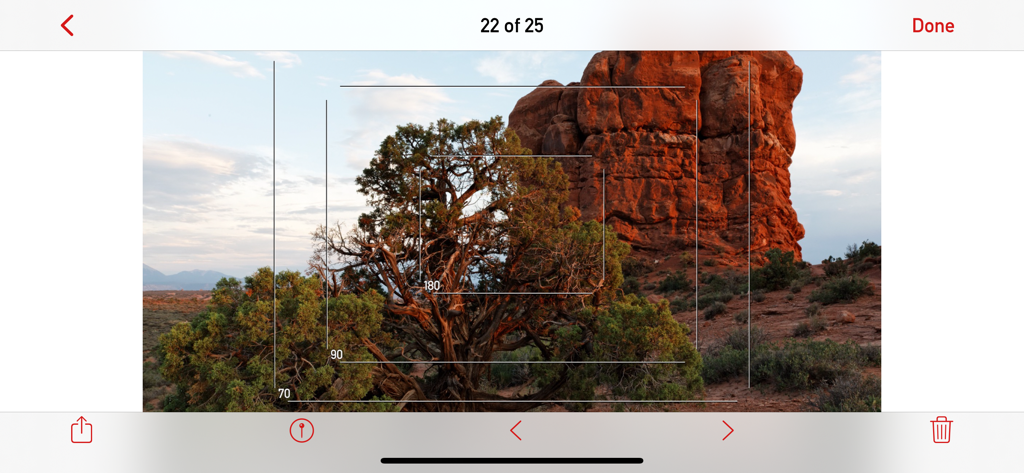
Mark II Artist's Viewfinder app interface showing multiple camera frame lines over a desert landscape
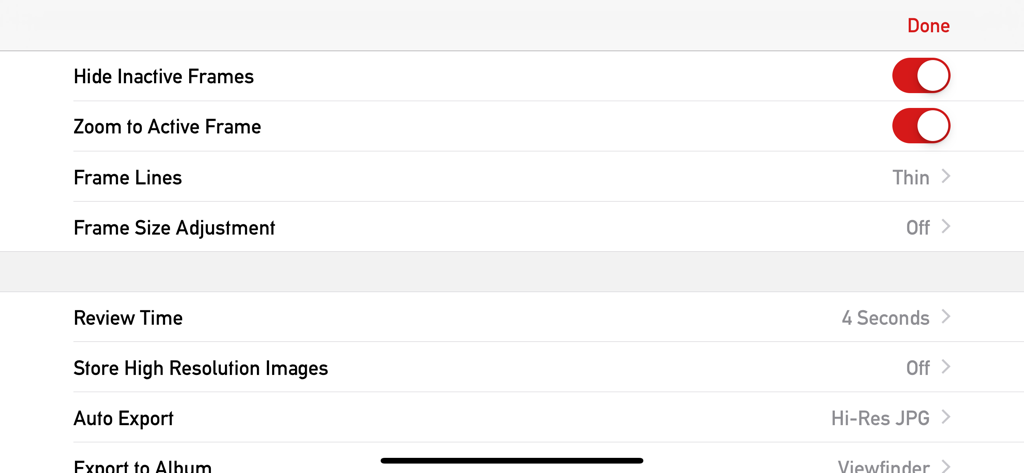
Settings menu for the Mark II Artist's Viewfinder app showing frame customization and export options
Description
Download
More Like This
Top-ranked apps in the same category

CapCut: Photo & Video Editor
BYTEDANCE PTE. LTD.

Instagram, Inc.

YouTube
Google LLC

Canva: AI Photo & Video Editor
Canva Pty Ltd

Snapchat
Snap, Inc.

快手
Beijing Kwai Technology Co., Ltd.

Edits: Video Editor
Instagram, Inc.

Meitu- AI Photo & Video Editor
Xiamen Meitu Technology Co., Ltd.

Google Photos: Backup & Edit
Google LLC
This page is not an official page of the app or its developer, but an independent editorial publication created for informational and commentary purposes. Unless expressly stated otherwise, neither the app nor its developer is affiliated with, endorsed by, sponsored by, authorized by, or otherwise officially connected with MWM, Apple, Google Play, the app publisher, or the app's developer, and nothing on this page implies that the app was developed using MWM's services. Any trademarks, logos, screenshots, and other content remain the property of their respective owners.