
This page is not an official page of the app or its developer, but an independent editorial publication created for informational and commentary purposes. Unless expressly stated otherwise, neither the app nor its developer is affiliated with, endorsed by, sponsored by, authorized by, or otherwise officially connected with MWM, Apple, Google Play, the app publisher, or the app's developer, and nothing on this page implies that the app was developed using MWM's services. Any trademarks, logos, screenshots, and other content remain the property of their respective owners.

Markdown Converter - .docx/PDF
Instantly transform AI-generated text, technical notes, and Mermaid diagrams into high-fidelity Word or PDF files with a single tap. Secure, private, and ready for work.
Downloads
200User Rating
Total Ratings
0Publisher
Category
ProductivityLocales
8Latest Version
1.0.6Size
14.4 MBFirst Released
Dec 7, 2025Professional Documents from Simple Text
The most efficient way to convert your Markdown drafts and AI-generated content into polished, high-fidelity PDFs and Word documents.
Format AI Output Instantly
Seamlessly transform Markdown from ChatGPT or Claude into client-ready documents with perfect styling and no manual reformatting.
Visual Technical Documentation
Bring your reports to life with native rendering for Mermaid flowcharts, sequence diagrams, and high-fidelity technical code blocks.
Frequently Asked Questions
Everything you need to know about Markdown Converter - .docx/PDF
What is the Markdown Converter - .docx/PDF app?
The Markdown Converter - .docx/PDF app instantly formats and converts Markdown text into Word (.docx), PDF, or clean text documents. It supports high-fidelity rendering of various elements.
What conversion formats does Markdown Converter - .docx/PDF support?
The Markdown Converter - .docx/PDF app supports conversion to Word (.docx), PDF, and clean text formats. It offers one-tap conversion for these options.
Does the Markdown Converter - .docx/PDF app support Mermaid diagrams?
Yes, Markdown Converter - .docx/PDF supports rendering Mermaid flowcharts, sequence diagrams, and Gantt charts. It provides high-fidelity rendering for these elements.
How can I convert Markdown to Word using Markdown Converter - .docx/PDF?
Yes, the Markdown Converter - .docx/PDF app converts Markdown to Word (.docx) with one tap. It features high-fidelity rendering for tables and code highlighting.
Does Markdown Converter - .docx/PDF offer PDF outline navigation?
Yes, Markdown Converter - .docx/PDF auto-generates PDF outline navigation. This feature accurately locates document sections within the converted PDF file.
Is user privacy protected when using the Markdown Converter - .docx/PDF app?
Yes, Markdown Converter - .docx/PDF ensures privacy protection. It uses HTTPS and encrypted transmission, performs core processing locally, and minimizes logging.
Can Markdown Converter - .docx/PDF remove Markdown syntax for plain text output?
Yes, Markdown Converter - .docx/PDF converts Markdown to clean text by removing Markdown syntax. This provides a plain text version of the content.
What content does Markdown Converter - .docx/PDF render with high fidelity?
Markdown Converter - .docx/PDF renders tables, code blocks, formulas, Mermaid flowcharts, sequence diagrams, and Gantt charts with high fidelity in converted documents.
The following screenshots and description are sourced directly from the app's official store listing and are the property of the app developer.
App Store
Screenshots
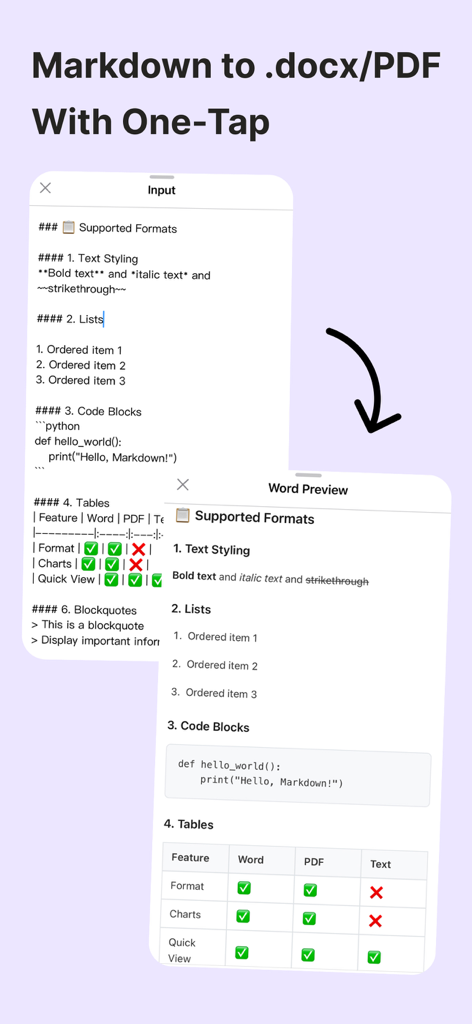
A comparison between raw Markdown input and a formatted Word document preview in a mobile app.
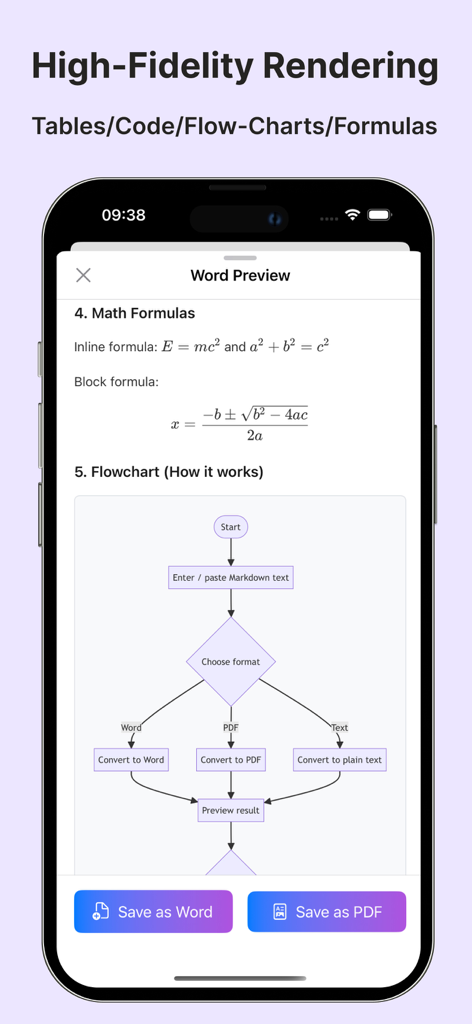
Markdown Converter app preview showing high-fidelity rendering of math formulas and flowcharts
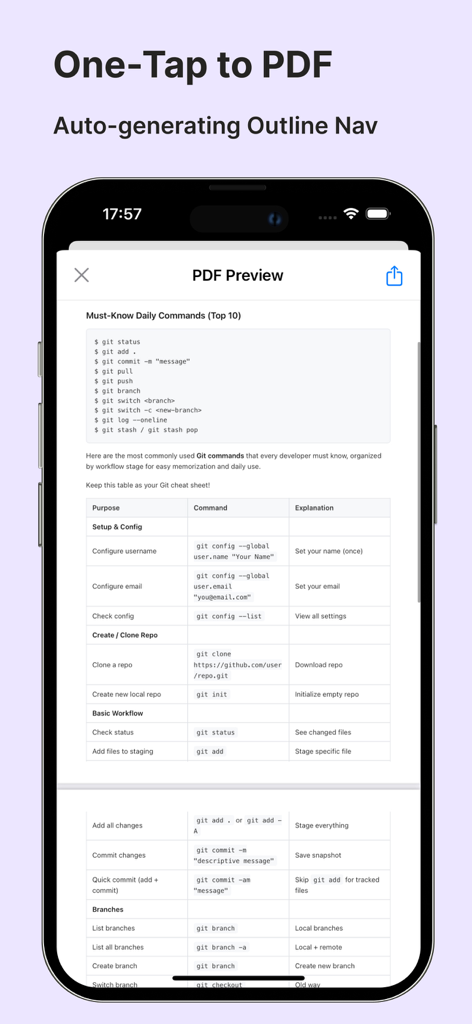
Interface showing a PDF preview of a Git cheat sheet with formatted tables and code blocks.
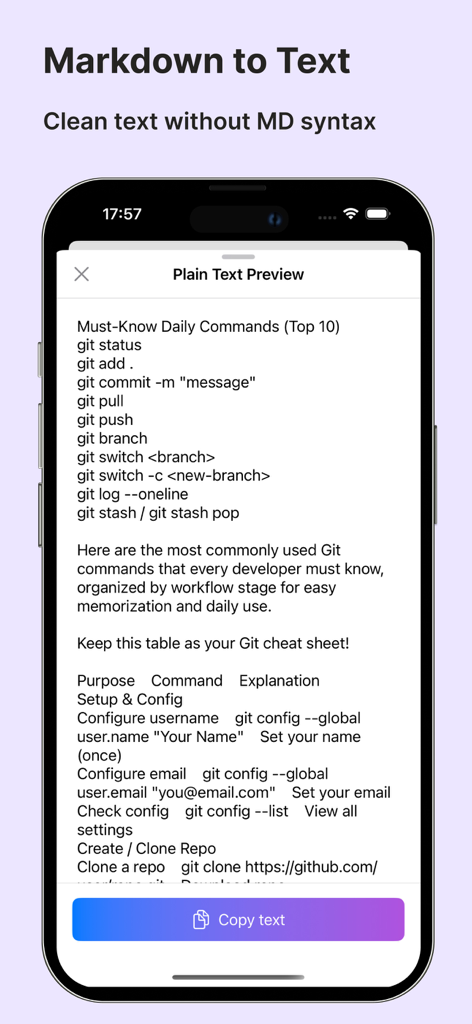
Markdown to clean text conversion preview showing a list of Git commands on a mobile screen
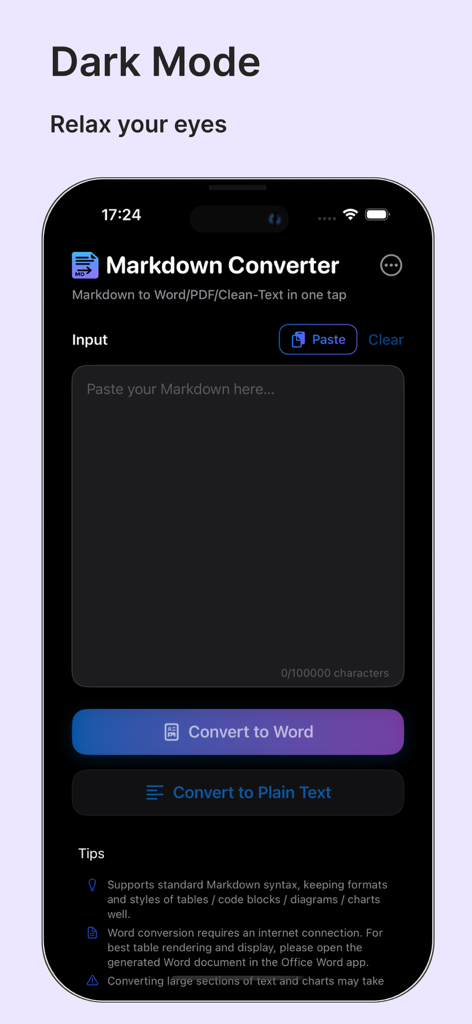
Markdown Converter app interface in dark mode featuring a text input area and buttons to convert Markdown to Word or plain text
Description
Download
More Like This
Top-ranked apps in the same category

ChatGPT
OpenAI OpCo, LLC

Google Gemini
Google LLC

Grok
X.AI Corporation

Gmail - Email by Google
Google LLC

千问 - 阿里最强大模型官方AI助手
Shanghai Zhixin Puhui Technology Co., Ltd.

Google Drive
Google LLC

Microsoft Authenticator
Microsoft Corporation

Google Sheets
Google LLC

Google Docs
Google LLC
This page is not an official page of the app or its developer, but an independent editorial publication created for informational and commentary purposes. Unless expressly stated otherwise, neither the app nor its developer is affiliated with, endorsed by, sponsored by, authorized by, or otherwise officially connected with MWM, Apple, Google Play, the app publisher, or the app's developer, and nothing on this page implies that the app was developed using MWM's services. Any trademarks, logos, screenshots, and other content remain the property of their respective owners.