Master It

Master It

Download on App Store
Logo of Master It

Master It: Instant Master Key Systems Without the Math

The essential digital toolbox for professional locksmiths. Generate MACS-compliant systems on-the-fly, eliminate cross-keying risks, and AirPrint your bitting charts directly from your iPhone.

Download on App Store

Publisher

Farren Domenici

Category

Utilities

Downloads

0

User Rating

3.9/5

Total Ratings

0

Locales

1

Precision at a Glance

Discover the interface used by 0 users.
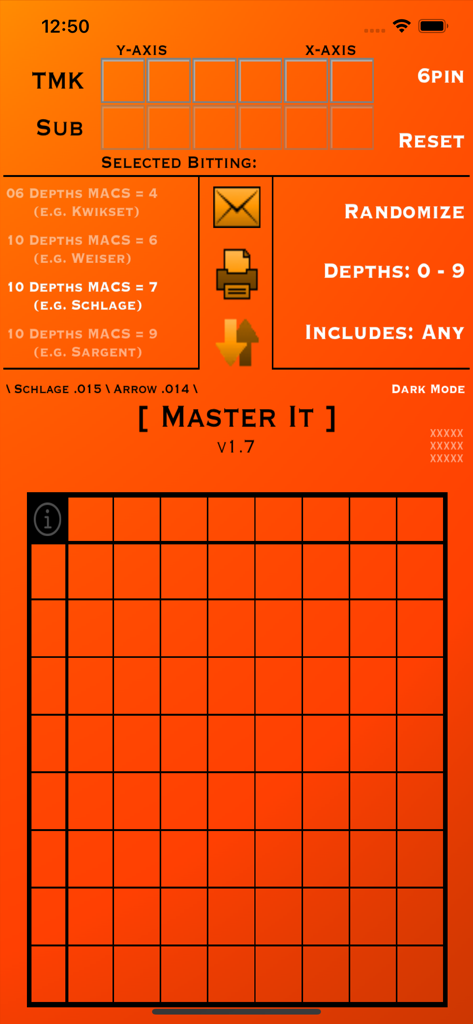
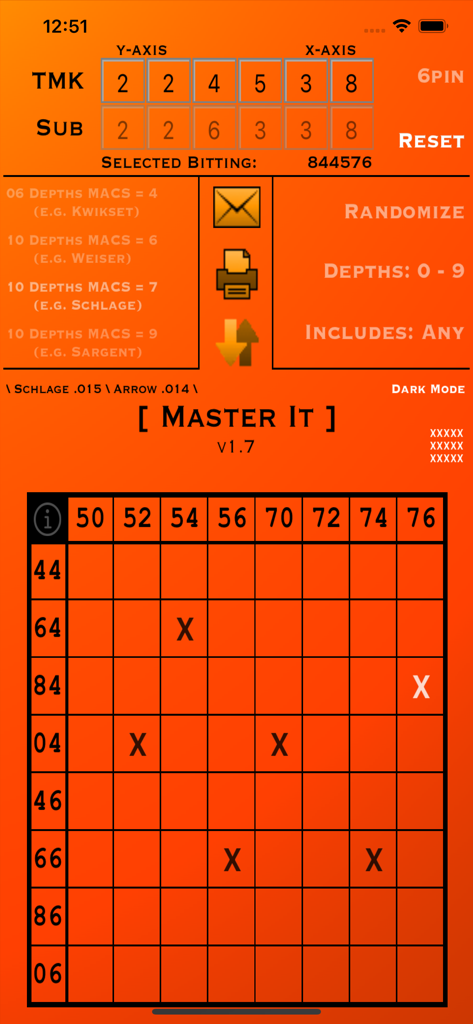
Interface of Master It app for generating locksmith master key systems

Interface of Master It app for generating locksmith master key systems

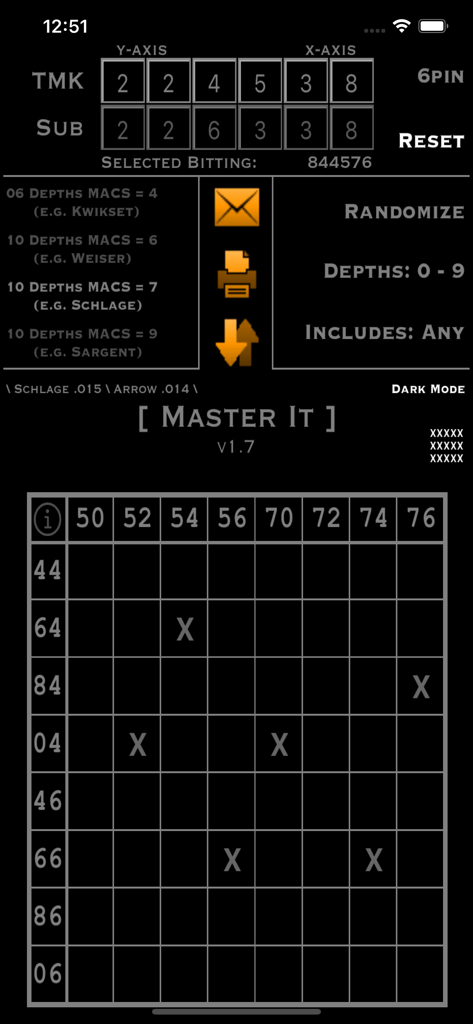
Interface of the Master It app showing a master key bitting matrix and system generation tools

Interface of the Master It app showing a master key bitting matrix and system generation tools

Master It app interface showing master key bitting matrix and system settings

Master It app interface showing master key bitting matrix and system settings

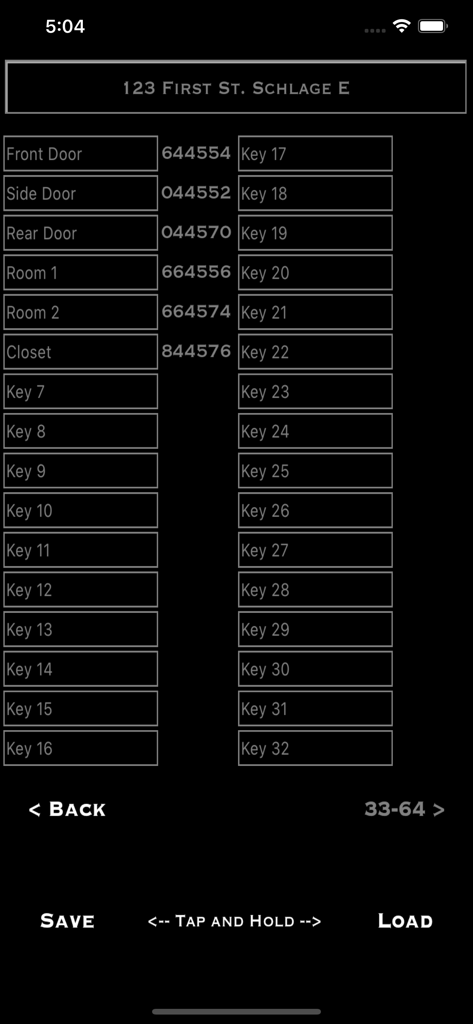
Master key system bitting list showing door locations and corresponding numeric codes for locksmiths

Master key system bitting list showing door locations and corresponding numeric codes for locksmiths

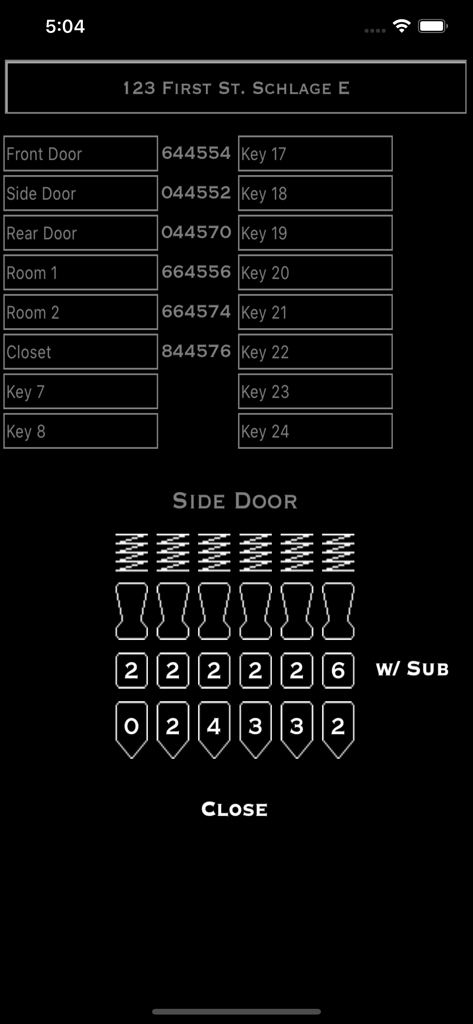
The Master It app interface displaying a master key bitting list and a visual pinning diagram for a door lock.

The Master It app interface displaying a master key bitting list and a visual pinning diagram for a door lock.

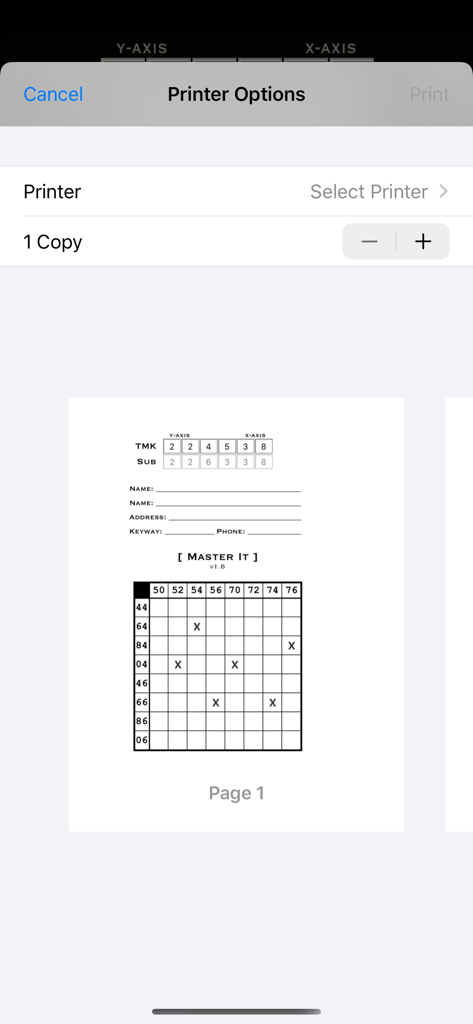
A mobile interface showing printer options and a preview of a generated master key matrix from the Master It app

A mobile interface showing printer options and a preview of a generated master key matrix from the Master It app

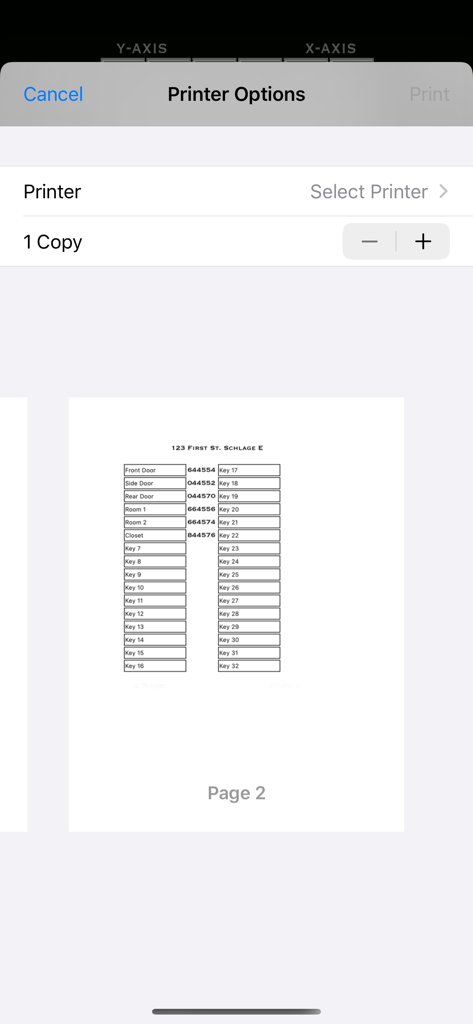
Master It app printer options showing a generated key bitting list preview

Master It app printer options showing a generated key bitting list preview

Engineered for Precision, Built for the Field

The tools that make this app stand out, trusted by 0 users.

Zero-Math Matrix Generation

Instantly create master key systems with up to 64 change keys. Eliminate manual progression and the risk of cross-keying in seconds.

🛠️

Built-In MACS Compliance

Automatic safety rules for Schlage, Kwikset, and Corbin Russwin ensure every bitting is valid and functional before you even touch a key blank.

🖨️

Professional Field Reporting

AirPrint or email organized charts directly to your shop or client. Move from calculation to cutting with professional documentation ready to file.

About the app

Everything you need to know about Master It.

Description

***FEATURED IN KEYNOTES MAGAZINE*** Create and print master key systems in an instant with Master It. Master It is perfect for small or on-the-fly systems. Create a master key matrix immediately with zero math and zero worries of cross-keying. Either enter in your own TMK or tap Randomize to create a complete master key system containing a single TMK, a single sub master, and up to 64 change keys. Each output delivers a fixed sub master and set of change keys. Master It is built to create a system immediately to print and keep in your records at your shop. It is capable of saving and reloading one project at a time. The goal with Master It is to create and AirPrint a system in an instant. If on the road when printing isn't available, email and save features are secondary backups prior to printing. Email is also ideal when a printer is not AirPrint compatible. Currently supports: Kwikset .023" Corbin Russwin .028" Weiser / Falcon .018" Ilco-Unican .018" Schlage .015" Arrow .014" Sargent .0125" & .020" Corbin .014" Obeys MACS rules for each selected system. AirPrint, Email, or Save any system created. Create 5 or 6 pin systems. Randomize feature to always generate a completely random TMK every time. Use the two filters to restrict the TMK to only shallow depths, or to always include the shallowest and deepest cuts. Tap anywhere on the matrix to select or deselect a bitting for the key chart. Shake your iDevice to lock the primary functions on the main screen. This is to prevent unwanted changes (i.e. accidentally tapping Reset). To unlock, just shake again. All change keys can be individually identified. Use the Project Name / Keyway box for temporary saving information. The actual printout will allow you to write in the business name, personal name, address, keyway, and phone number conveniently. After printing, the system can be continued manually on paper. Additionally, you can tap on each change key to display the pinning. Compatibility: All iPhone, iPad, iPod Touch types and generations with a minimum iOS version of 12.0 Found a bug? Something not working? Have a suggestion? Feel free to contact me via email: farren@phoxlocks.com

Latest Version

1.7.1

Size

6.2 MB

First Released

May 24, 2013

Master Your Next System in Seconds

Stop the manual math and eliminate cross-keying errors. Get the field-tested tool that turns your iPhone into a professional locksmithing powerhouse.

Download on App Store

App information, icons, screenshots, and descriptions displayed on this page are sourced from the Apple App Store and are the property of their respective developers. Download estimates and rankings are based on MWM's proprietary models and may not reflect actual figures. This page is provided for informational and analytical purposes only.

Believe this page infringes your intellectual property? File a dispute