
Stop searching and copy-pasting symbols. Effortlessly enter Greek letters, superscripts, and scientific notation directly in any app—built for STEM students and professionals.
Publisher
Category
UtilitiesDownloads
0User Rating
Total Ratings
0Locales
2Discover the interface used by 0 users.
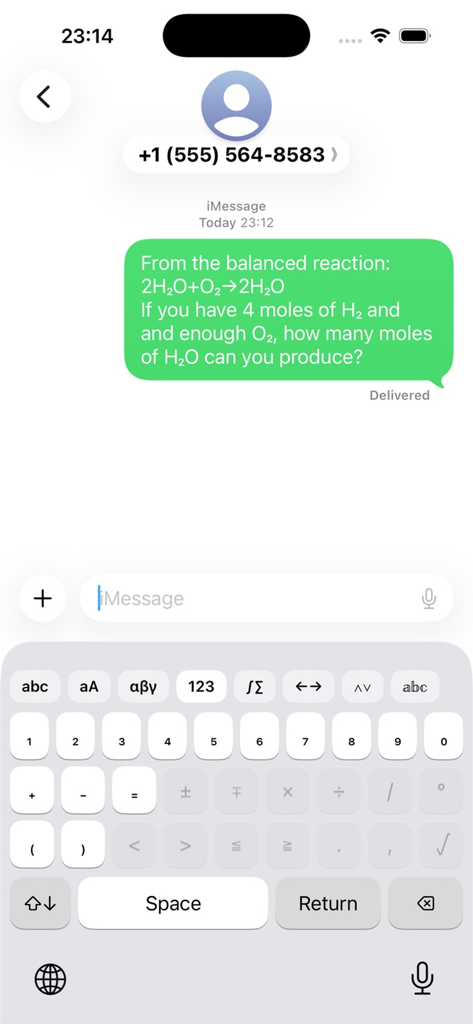
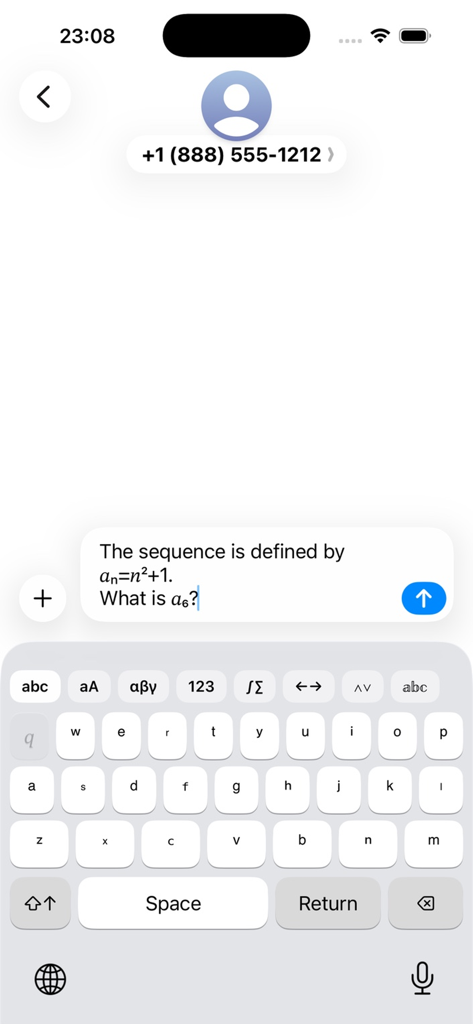
The tools that make this app stand out, trusted by 0 users.
Access the complete Greek alphabet and scientific symbols instantly. No more searching for characters—just fluid communication in Slack, Discord, or Notion.
Toggle between superscripts and subscripts using a familiar Shift-key interface. Perfect for chemical formulas, exponents, and mathematical proofing on the go.
Eliminate academic friction. Designed for high-speed technical writing on iPad and iPhone, ensuring your mobile device is as productive as your desktop.
Everything you need to know about Math Keyboard - Formula Input.
Description
Latest Version
3.0
Size
0.9 MB
First Released
Jan 9, 2026
Join thousands of STEM students and professionals using Math Keyboard to type complex formulas and Greek letters instantly in any app. Your professional workflow deserves a better keyboard.
Top-ranked apps in the same category

Google LLC

Google LLC

China Mobile Online Services Co., Ltd.

Google LLC

Servicos e Informacoes do Brasil

DEEP FLOW SOFTWARE SERVICES - FZCO

Servicos e Informacoes do Brasil

Microsoft Corporation

Frederic Hennes Sprl
App information, icons, screenshots, and descriptions displayed on this page are sourced from the Apple App Store and are the property of their respective developers. Download estimates and rankings are based on MWM's proprietary models and may not reflect actual figures. This page is provided for informational and analytical purposes only.
Believe this page infringes your intellectual property? File a dispute