Mavis - Camera
Mavis - Camera
Download on App Store

This page is not an official page of the app or its developer, but an independent editorial publication created for informational and commentary purposes. Unless expressly stated otherwise, neither the app nor its developer is affiliated with, endorsed by, sponsored by, authorized by, or otherwise officially connected with MWM, Apple, Google Play, the app publisher, or the app's developer, and nothing on this page implies that the app was developed using MWM's services. Any trademarks, logos, screenshots, and other content remain the property of their respective owners.

Logo of Mavis - Camera
Download on App Store

Mavis - Camera

Unlock full manual control, ProRes recording, and NDI® streaming. From indie films to live broadcasts, equip your iPhone with the industry's most advanced cinematography tools.

Key Figures

Downloads

363K+

User Rating

4.3/5

Total Ratings

2K+

Publisher

Mavis Broadcast Ltd

Category

Photo & Video

Locales

7

Latest Version

7.4.3

Size

231.4 MB

First Released

Apr 16, 2015
Features

A Professional Cinema Studio in Your Pocket

Unleash the full potential of your iPhone hardware with industry-standard manual controls, real-time monitoring, and seamless cloud-first workflows.

Cinema-Grade Recording

Master your craft with ProRes and 10-bit HEVC support, utilizing Open Gate and custom LUTs to achieve the perfect filmic look in-camera.

Connected Cloud Workflows

Bridge the gap between set and post-production with direct Adobe Frame.io integration and NDI® HX3 certified broadcasting capabilities.

The following screenshots and description are sourced directly from the app's official store listing and are the property of the app developer.

App Store

Screenshots
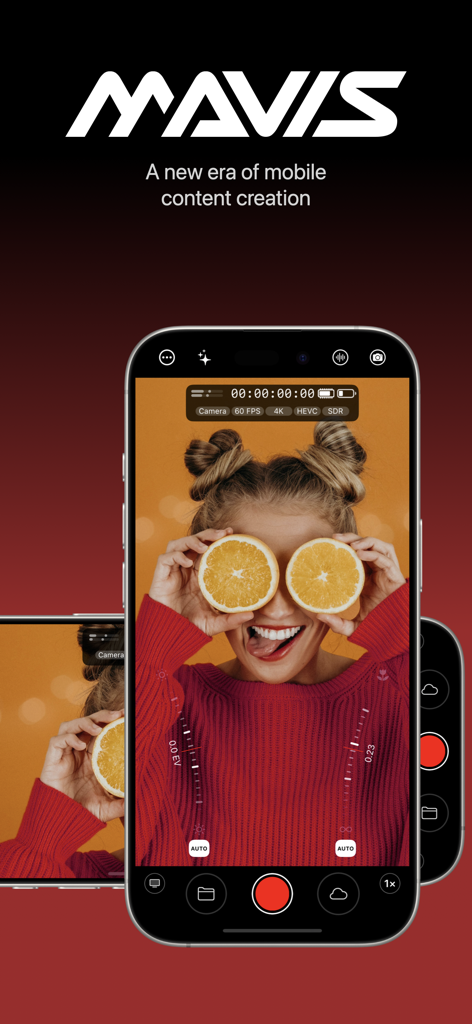
Mavis - Camera - Mavis camera app professional interface on iPhone for cinematic content creation
Mavis camera app professional interface on iPhone for cinematic content creation

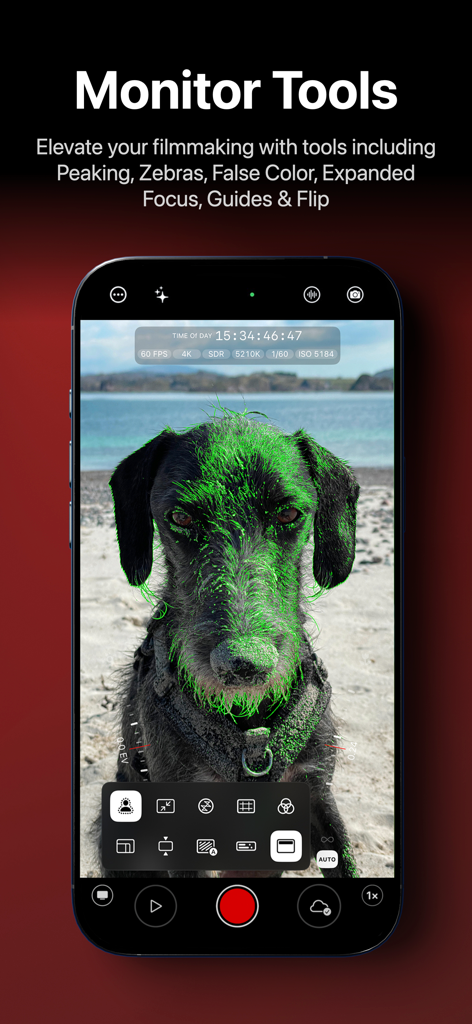
Mavis - Camera - Smartphone screen displaying Mavis Camera monitor tools with green focus peaking on a dog
Smartphone screen displaying Mavis Camera monitor tools with green focus peaking on a dog

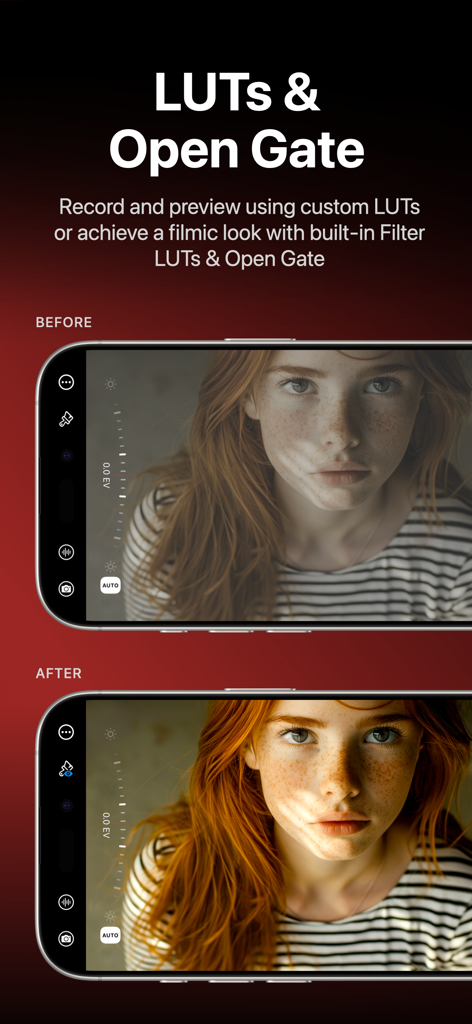
Mavis - Camera - Before and after comparison of filmic LUTs in the Mavis Camera app interface
Before and after comparison of filmic LUTs in the Mavis Camera app interface

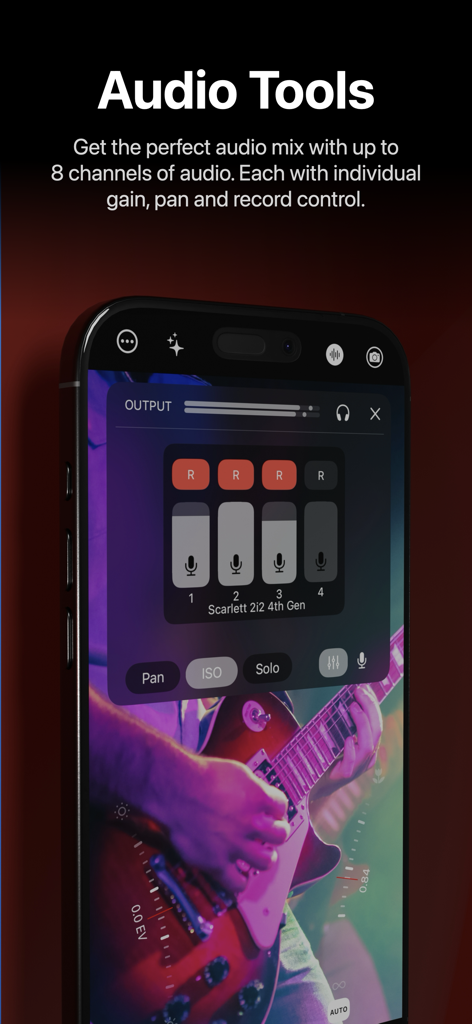
Mavis - Camera - Mavis Camera professional audio mixer showing multichannel gain and record controls
Mavis Camera professional audio mixer showing multichannel gain and record controls

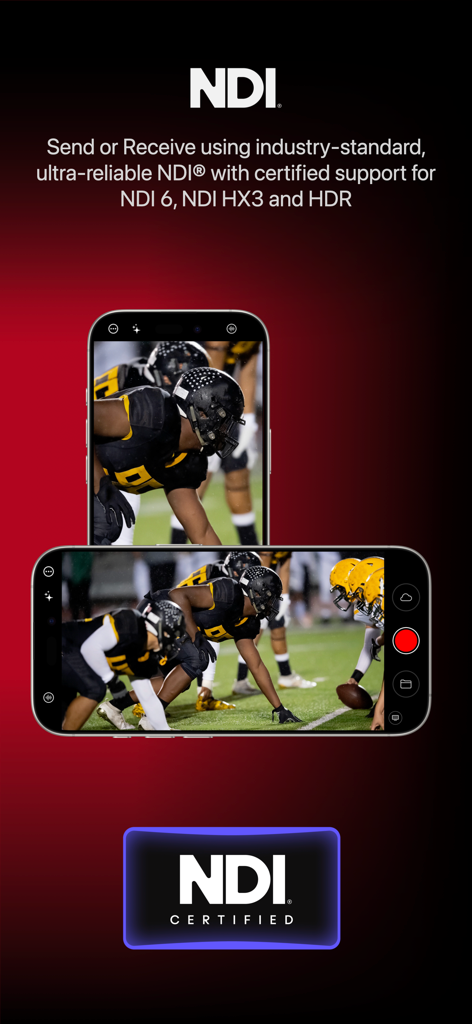
Mavis - Camera - Mavis Camera app featuring NDI certified support for professional video broadcasting and streaming

Mavis Camera app featuring NDI certified support for professional video broadcasting and streaming
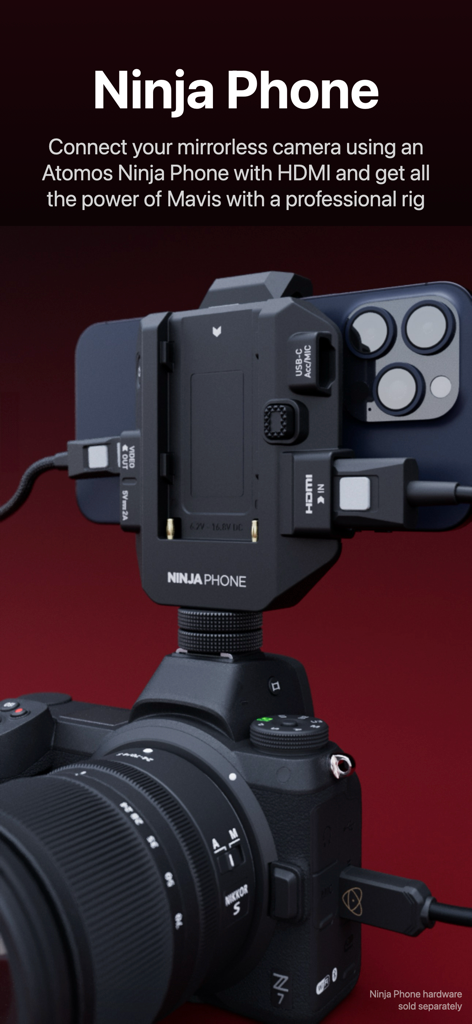
Mavis - Camera - An iPhone mounted on a mirrorless camera using Atomos Ninja Phone hardware for professional cinematography.
An iPhone mounted on a mirrorless camera using Atomos Ninja Phone hardware for professional cinematography.

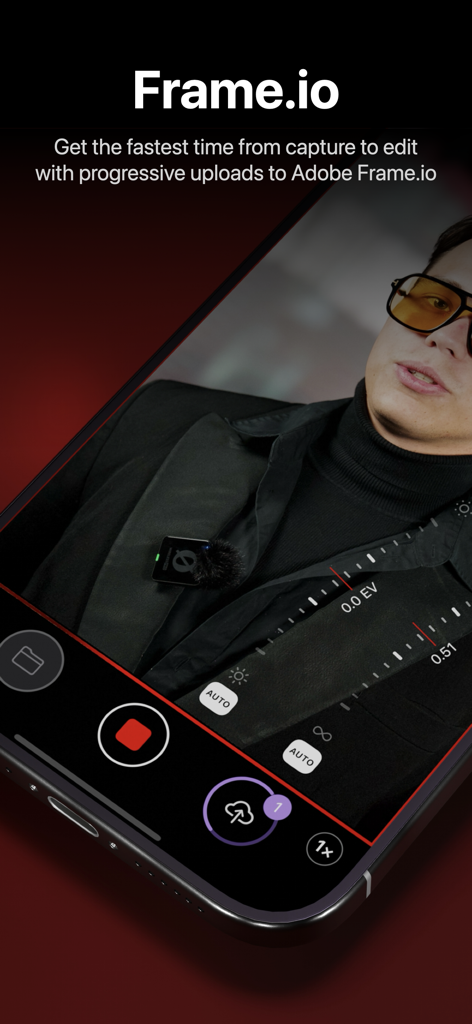
Mavis - Camera - Mavis Camera app displaying its integration with Adobe Frame.io for fast cloud uploads from capture to edit
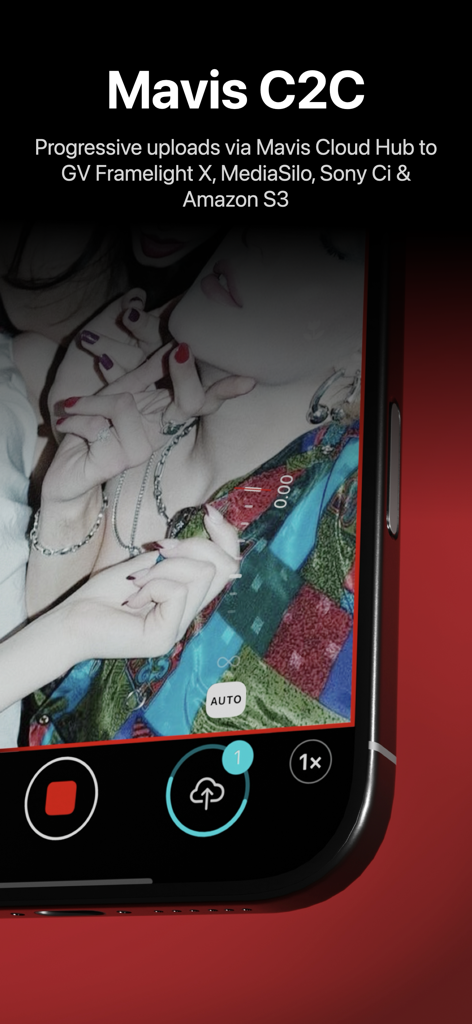
Mavis Camera app displaying its integration with Adobe Frame.io for fast cloud uploads from capture to edit

Mavis - Camera - Interface of Mavis Camera app demonstrating progressive cloud uploads during video recording
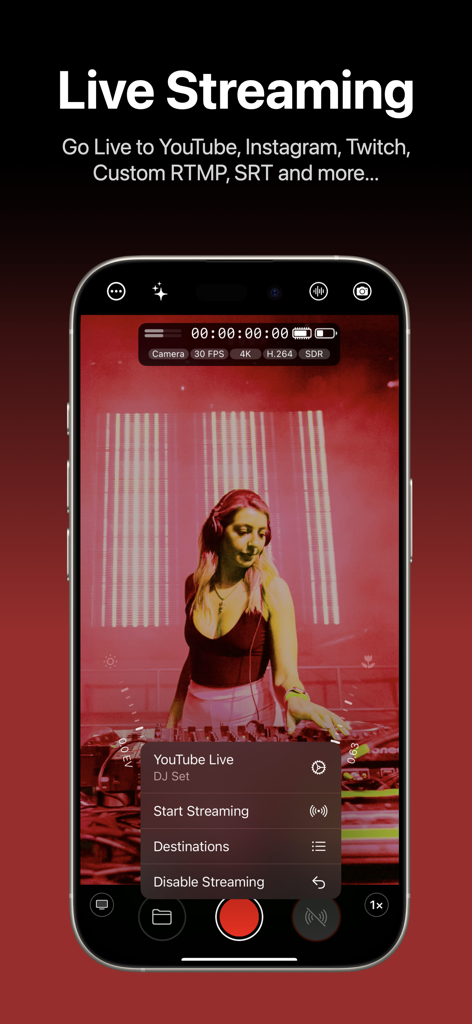
Interface of Mavis Camera app demonstrating progressive cloud uploads during video recording

Mavis - Camera - Mavis Camera app interface on iPhone showing live streaming settings for a YouTube broadcast
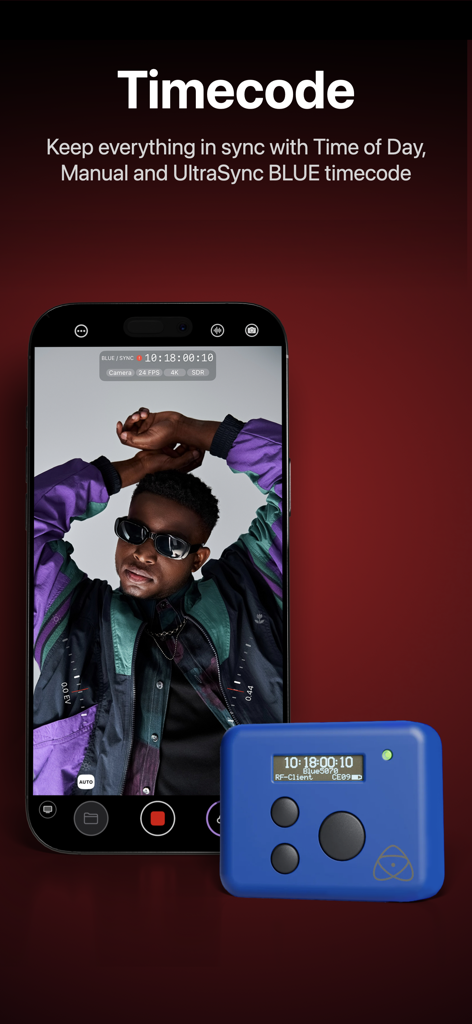
Mavis Camera app interface on iPhone showing live streaming settings for a YouTube broadcast

Mavis - Camera - iPhone running Mavis Camera app showing timecode synchronization with a blue UltraSync BLUE device

iPhone running Mavis Camera app showing timecode synchronization with a blue UltraSync BLUE device

Description

Mavis Camera has been built from the ground up to equip you with the tools you'll need for the next era of content creation. Whether you're a streamer building a channel, an industry veteran looking for new ways of working or a creator with a passion for filmmaking, Mavis Camera has something for you. -- MAIN FEATURES -- • Record in a range of resolutions, frame rates, and codecs including Open Gate, HEVC 10-bit and ProRes • Record and preview using custom LUTs, and achieve a filmic look with built-in Filter LUTs • Monitor tools including focus peaking, zebras, false color, expanded focus, guides, flip • Manual camera controls including focus, exposure, shutter and color • NDI® HX3 Certified • Atomos Ninja Phone input support • Adobe Frame.io Camera to Cloud • Streaming including YouTube, Twitch, Instagram and Facebook • Custom audio inputs • Audio mixer including gain, pan and solo controls for individual channels • Real-time audio passthrough for monitoring in headphones • HDR video pipeline • Custom RTMP destination & SRT (TX Caller) streaming • Mavis C2C including Framelight X, MediaSilo, Sony Ci & Amazon S3 • Mavis Cloud Hub remote configuration for Mavis C2C and streaming settings • Timecode including Time-of-Day, Offset and UltraSync BLUE • Vertical and landscape recording and streaming -- AUDIO TOOLS -- • Integrated audio mixer with stereo output • Gain & pan control per input channel • External mic inputs • Internal mic selection • Multi-track ISO recording • Bluetooth monitoring -- CONNECTED WORKFLOWS -- NDI • Send or Receive with NDI • NDI HX3 Certified • Automatically find all NDI sources on local network • Set NDI Groups, Discovery Server, UDP/TCP Mode Camera to Cloud • Mavis C2C integrations with Framelight X, MediaSilo, Sony Ci & Amazon S3 • Direct integration with Adobe Frame.io • Direct integration with Atomos ATOMOSphere • Progressive uploads while you record • Manage Mavis C2C devices from hub.mavis.cloud Live Streaming • Vertical and landscape streaming • Simultaneously record and stream • Custom RTMP and SRT Caller destinations • Manage Streaming devices from hub.mavis.cloud -- CAMERA CONTROLS -- Manual controls including • Focus • Exposure • ISO • Shutter • Color temperature • Shutter lock • Custom frame rates • Range of resolutions • Range of bitrates • Codecs including ProRes -- MONITOR TOOLS -- What they do • Mavis LUTs let you record or preview your footage with a filmic grade, helping you visualise the final look while you shoot • Focus peaking and expanded focus features help you achieve consistently sharp and precise shots • Zebras help ensure your shots are never overexposed • Guides help you frame your shot • Aspect Ratio overlay lets you preview your image in a different width/height • Waveform monitor helps you shoot with the optimal dynamic range • Vectorscope helps maintain consistent colors and ensures accurate white balance Notable settings • Record and preview LUTs • Focus peaking color and sensitivity • Guides including thirds, portrait safe and square • Zebras, color and sensitivity range • Aspect Ratio overlay cross hairs, safe area and transparency -- USER INTERFACE -- • Vertical and landscape layouts • Designed with DSLR familiarity • Monitor toolbar • Internal Camera Control Wheel • Shutter displayed in angle or speed • Custom Function (FN) button • Support for Camera Control Device restrictions apply. Some features require In-App Purchase or App Subscription. Check out the support pages for full details - support.mavis.cloud EULA - https://www.apple.com/legal/internet-services/itunes/dev/stdeula/ Mavis Camera was developed by people who love what they do. We hope you enjoy it as much as we do! :-)

Download

Download on App Store

This page is not an official page of the app or its developer, but an independent editorial publication created for informational and commentary purposes. Unless expressly stated otherwise, neither the app nor its developer is affiliated with, endorsed by, sponsored by, authorized by, or otherwise officially connected with MWM, Apple, Google Play, the app publisher, or the app's developer, and nothing on this page implies that the app was developed using MWM's services. Any trademarks, logos, screenshots, and other content remain the property of their respective owners.








