
This page is not an official page of the app or its developer, but an independent editorial publication created for informational and commentary purposes. Unless expressly stated otherwise, neither the app nor its developer is affiliated with, endorsed by, sponsored by, authorized by, or otherwise officially connected with MWM, Apple, Google Play, the app publisher, or the app's developer, and nothing on this page implies that the app was developed using MWM's services. Any trademarks, logos, screenshots, and other content remain the property of their respective owners.

McClockface – Flip Clock
Transform your Home Screen and StandBy mode with over 32 exclusive widget designs, from retro flip clocks to neon signs, crafted for the ultimate desk setup and personal expression.
Downloads
17K+User Rating
Total Ratings
400Publisher
Category
LifestyleLocales
9Latest Version
5.5.1Size
61.7 MBFirst Released
May 27, 2021Style Your Time
Transform your iPhone into a designer timepiece with over 32 handcrafted widget styles for your Home Screen, Lock Screen, and StandBy mode.
Aesthetic Personalization
Express your unique vibe with exclusive designs ranging from retro VHS tapes and neon signs to chic stitched leather and blueprints.
Elevate Your Desk Setup
Turn your charging iPhone into a premium desk accessory with silky-smooth flip clocks and elegant widgets optimized for StandBy mode.
Frequently Asked Questions
Everything you need to know about McClockface – Flip Clock
What is McClockface?
McClockface is an app that adds beautiful timepiece widgets to your Home Screen, Lock Screen, and StandBy mode. It provides various designs for displaying date, time, and chronographic info.
Does McClockface offer Home Screen widgets?
Yes, McClockface provides numerous vibrant and colorful designs for Home Screen widgets, including stitched leather, neon signs, and VHS cassette tapes.
Can I use McClockface widgets on my Lock Screen?
Yes, McClockface offers simplified versions of widgets for the Lock Screen on both iPhone and iPad, including the default clock and progress gauges.
Are there McClockface widgets available for StandBy mode?
Yes, McClockface offers 20 elegant and customizable widget designs specifically for StandBy mode on iPhone while charging your device.
Does McClockface include interactive widgets?
Yes, McClockface features interactive stopwatch widgets for Home Screen, Lock Screen, and StandBy mode. These allow timing events without opening the app or unlocking the device.
How many widget designs are available in McClockface?
McClockface currently offers 32 exclusive widget designs for Home Screen, Lock Screen, and StandBy mode, with different sizes available.
Does McClockface offer alternate app icons?
Yes, McClockface provides over 15 colorful alternate app icons to customize your Home Screen appearance.
Is McClockface a free app?
Yes, the free version of McClockface is free forever and contains no ads. It provides unlimited access to the in-app flip clock.
What features require an in-app purchase in McClockface?
All widgets, alternate app icons, custom fonts, and sound effects in McClockface require an in-app purchase, available via McClockface Plus.
How can I get full access to McClockface features?
Full access to additional content like widgets and alternate app icons in McClockface requires McClockface Plus, accessed through an auto-renewing subscription or a one-time in-app purchase.
How do I cancel a McClockface subscription?
You can manage and cancel your McClockface subscriptions by accessing your App Store account settings after purchase. Cancellation of the current active subscription period is not allowed.
Does McClockface support sounds and haptic feedback?
Yes, McClockface incorporates funny animal sounds and subtle haptic effects to enhance the app experience.
Can McClockface widgets display custom time zones?
Yes, McClockface widgets offer options to customize time zones widget-by-widget.
Does McClockface include a retro flip clock display?
Yes, the in-app timepiece in McClockface displays a silky-smooth retro flip clock, ideal for a nightstand or charging device.
The following screenshots and description are sourced directly from the app's official store listing and are the property of the app developer.
App Store
Screenshots
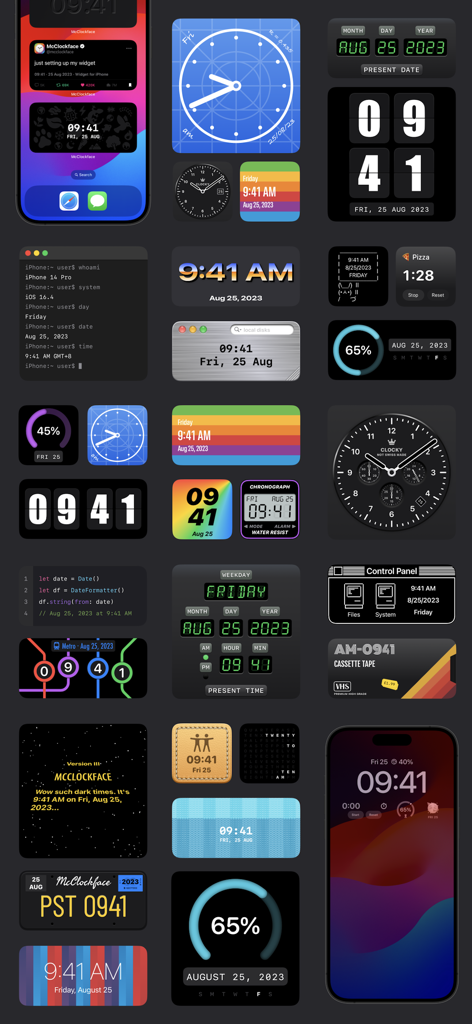
A collection of diverse clock and date widgets for iPhone featuring styles like retro flip clock VHS tape blueprint and metro map
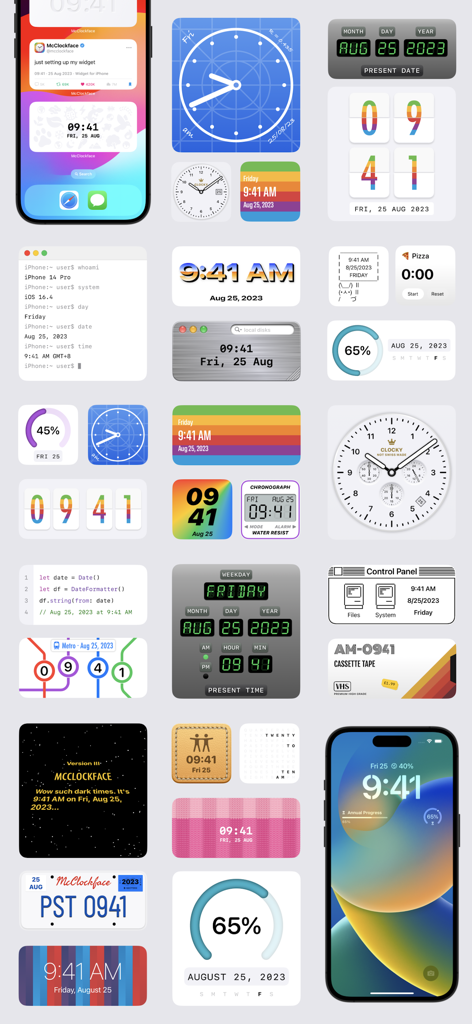
A collection of diverse and aesthetic iOS clock and date widget designs from McClockface
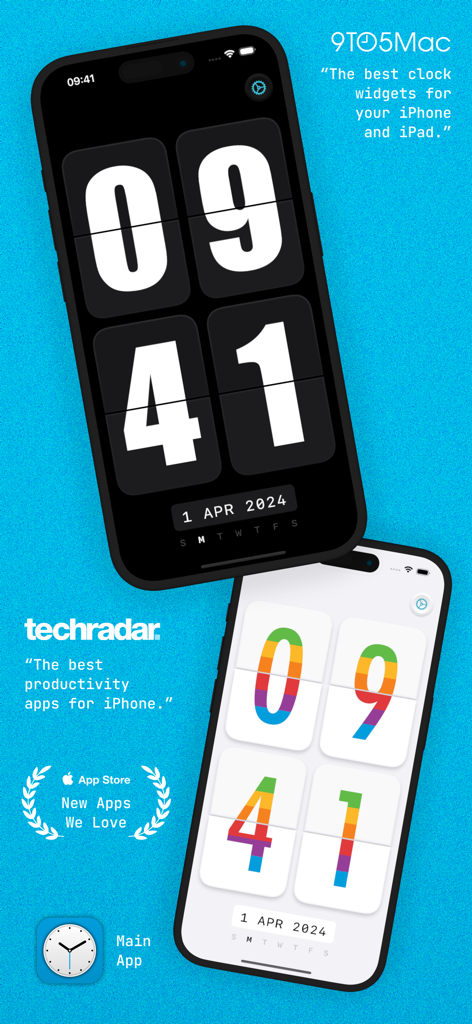
Two iPhones showcasing classic black and rainbow colored flip clock widgets from the McClockface app.
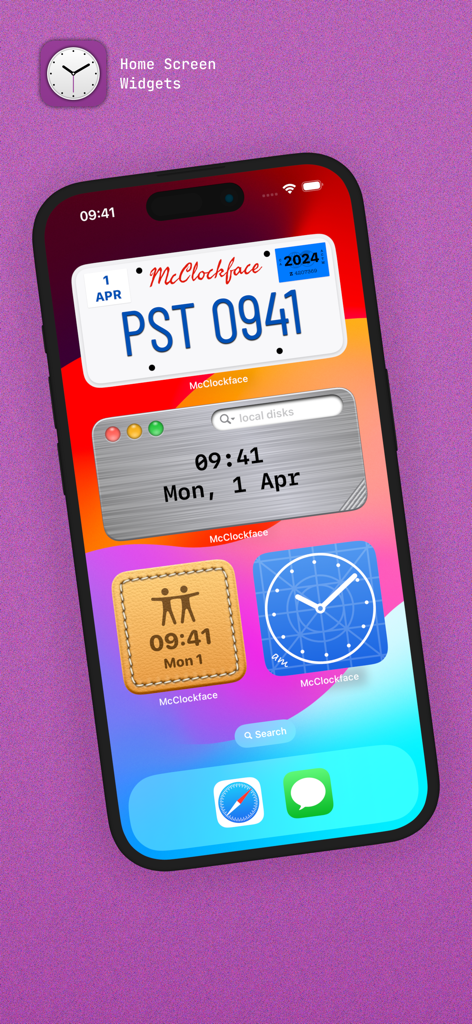
iPhone home screen with custom McClockface widgets in license plate and leather styles
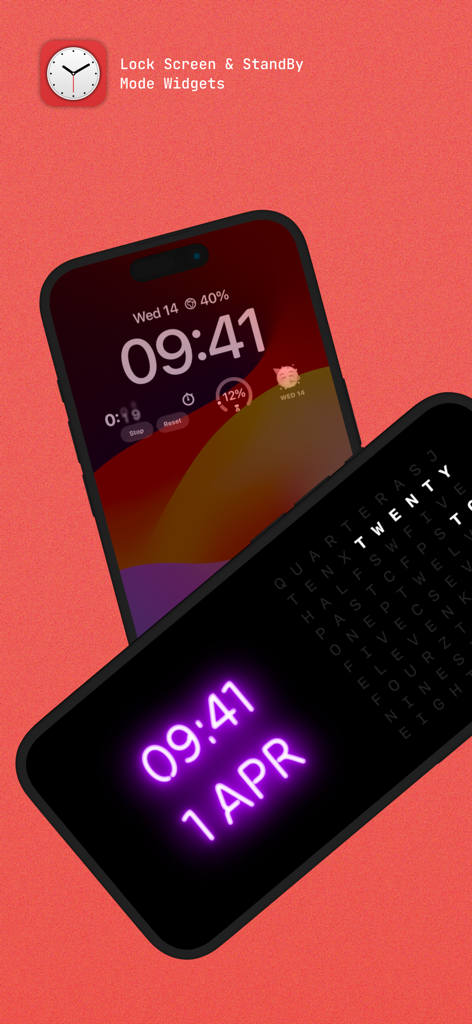
iPhone Lock Screen and StandBy mode featuring neon and word clock widgets
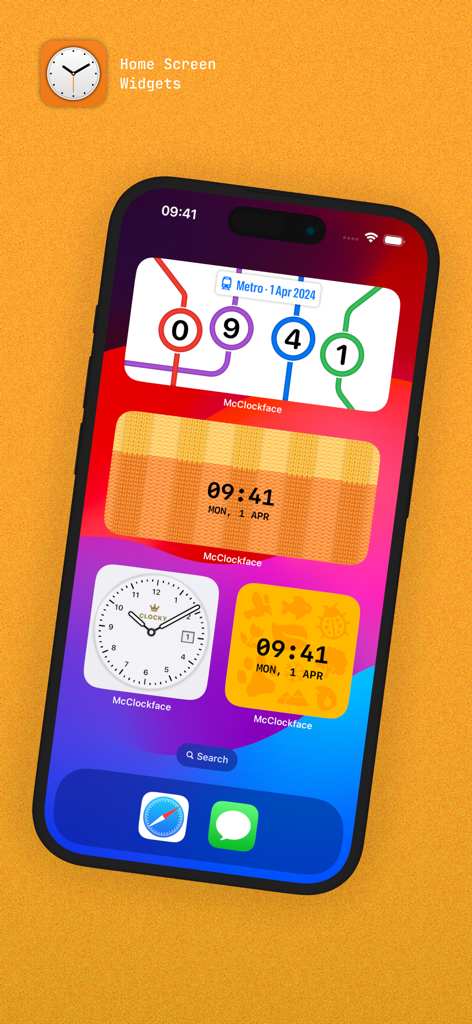
A variety of colorful and creative clock widgets on an iPhone home screen, including metro map and knitted texture designs.
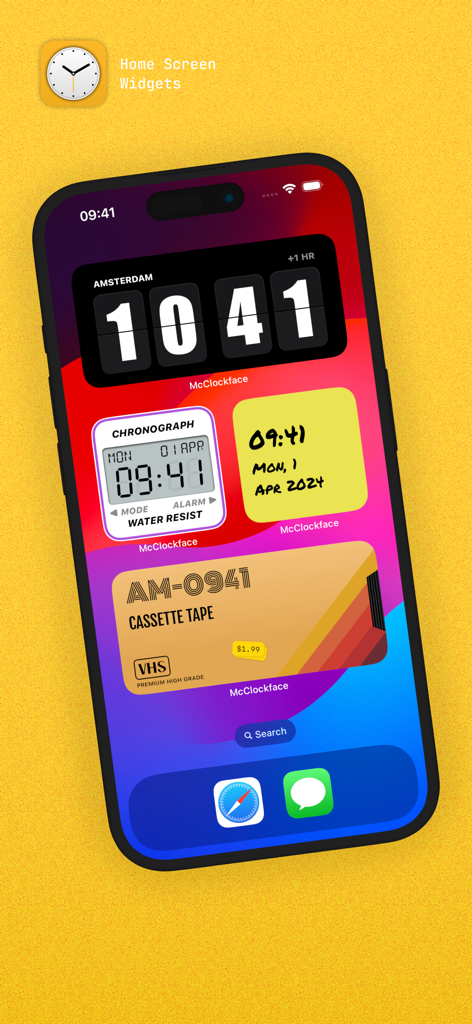
iPhone home screen displaying various McClockface widgets including a flip clock and VHS tape design
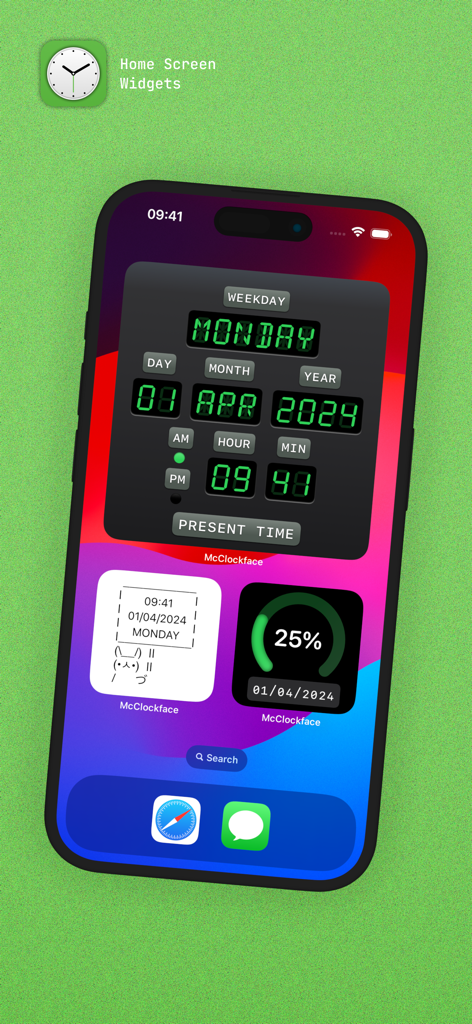
iPhone home screen displaying three McClockface widgets including a digital date and time display, a progress ring, and a bunny meme widget.
Description
Download
More Like This
Top-ranked apps in the same category

Pinterest, Inc.

Alipay - Simplify Your Life
Alipay (Hangzhou) Technology Co., Ltd.

Dianping: Discover Good Places
Hanhai Information Technology (Shanghai) Co.Ltd

美团-美好生活小帮手
Sankuai Technology Co., Ltd.

Lemon8 - Lifestyle Community
TIKTOK PTE. LTD.

Xiaomi Home
Beijing Xiaomi Co., Ltd

Tinder Dating App: Date & Chat
Tinder LLC

SmartThings
Samsung Electronics Co., Ltd.

VNeTraffic
GLOBAL TECHNOLOGY - TELECOMMUNICATIONS CORPORATION
This page is not an official page of the app or its developer, but an independent editorial publication created for informational and commentary purposes. Unless expressly stated otherwise, neither the app nor its developer is affiliated with, endorsed by, sponsored by, authorized by, or otherwise officially connected with MWM, Apple, Google Play, the app publisher, or the app's developer, and nothing on this page implies that the app was developed using MWM's services. Any trademarks, logos, screenshots, and other content remain the property of their respective owners.