Mean HVAC BS Tools

Mean HVAC BS Tools

Download on App Store
Logo of Mean HVAC BS Tools

Mean HVAC BS Tools: Precision Building Science for HVAC Professionals

Streamline your field workflow with professional-grade ductulators, psychrometric calculators, and advanced zoning tools designed for engineers and technicians who demand accuracy.

Download on App Store

Publisher

Mean HVAC Consulting & Design LLC

Category

Utilities

Downloads

0

User Rating

1.0/5

Total Ratings

0

Locales

1

Precision in Your Pocket

Discover the interface used by 0 users.
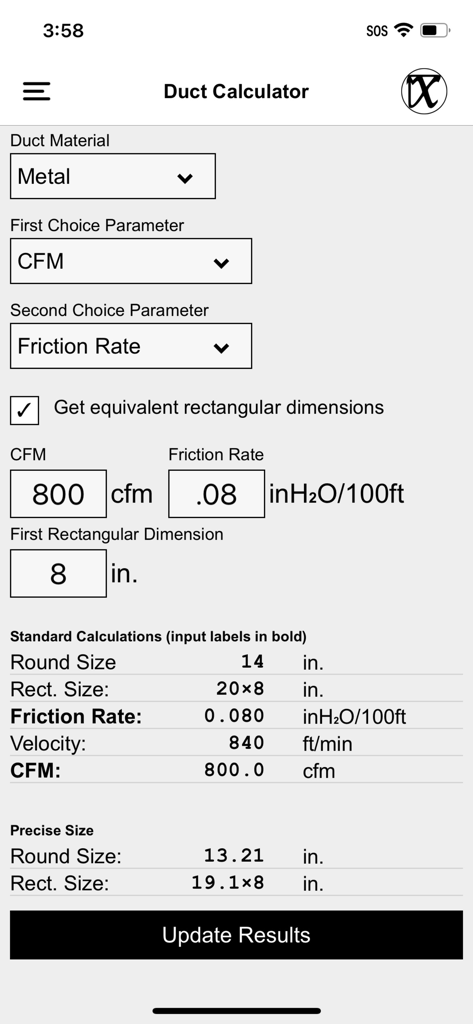
Screenshot of the Duct Calculator interface in the Mean HVAC BS Tools app showing metal duct sizing calculations.

Screenshot of the Duct Calculator interface in the Mean HVAC BS Tools app showing metal duct sizing calculations.

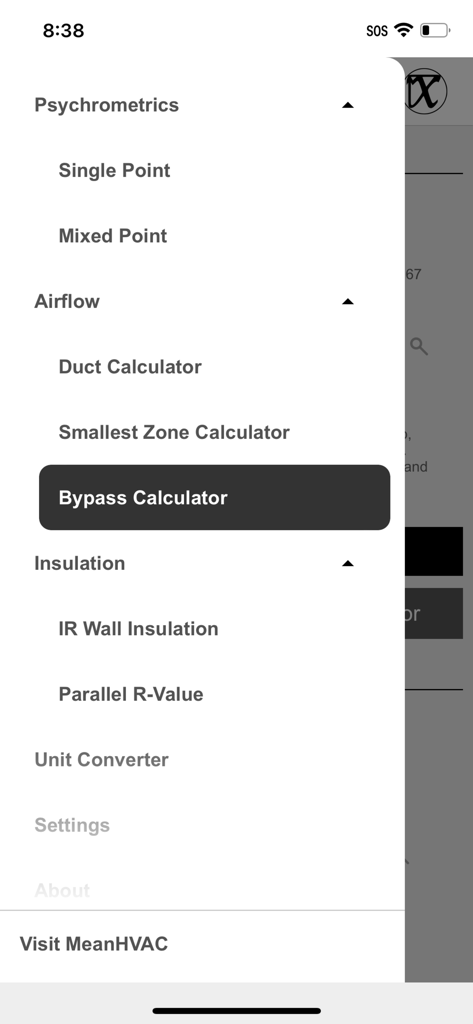
Side navigation menu of the Mean HVAC BS Tools mobile app showing various HVAC calculators including airflow and insulation tools

Side navigation menu of the Mean HVAC BS Tools mobile app showing various HVAC calculators including airflow and insulation tools

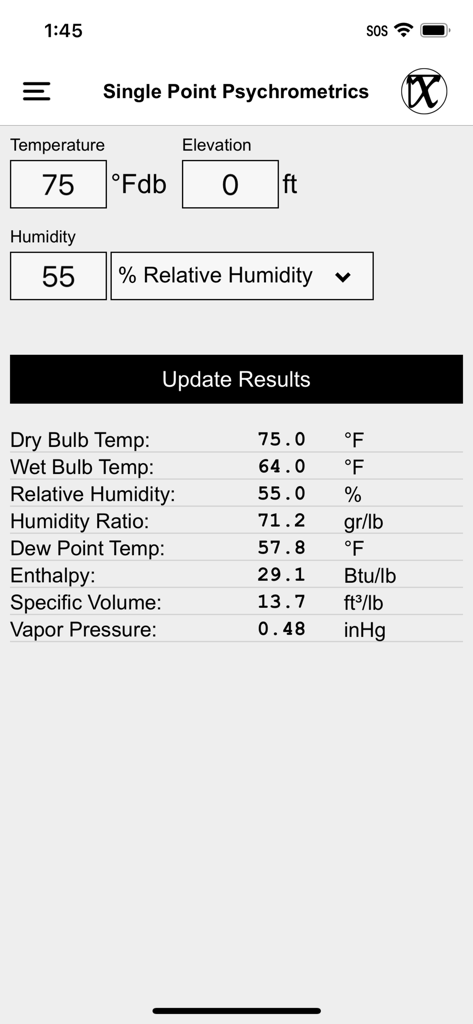
Interface of the Single Point Psychrometrics tool in the Mean HVAC BS Tools app showing air property calculations

Interface of the Single Point Psychrometrics tool in the Mean HVAC BS Tools app showing air property calculations

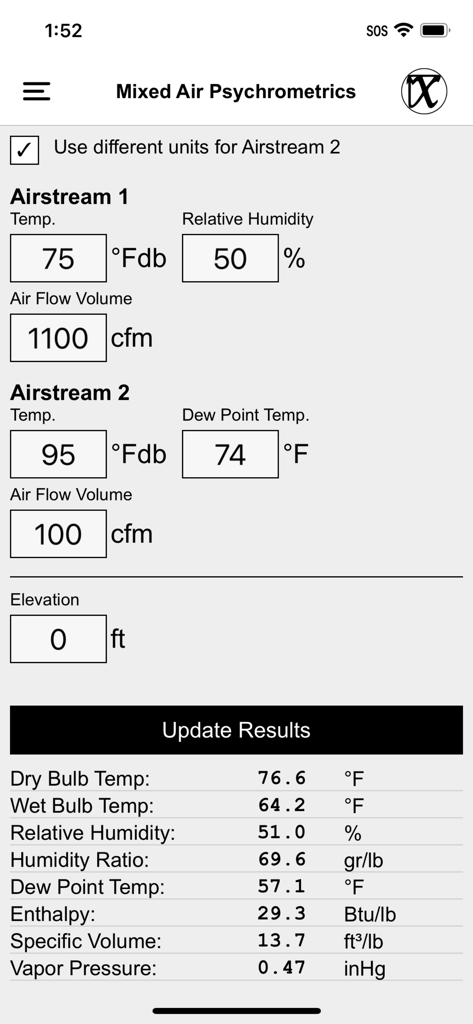
Mixed Air Psychrometrics calculator interface with temperature and humidity inputs for two air streams and technical results table

Mixed Air Psychrometrics calculator interface with temperature and humidity inputs for two air streams and technical results table

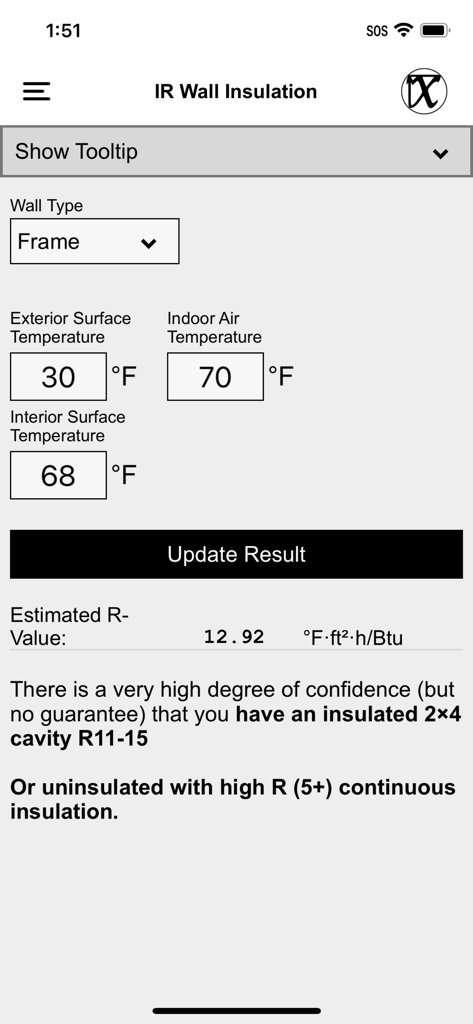
IR Wall Insulation calculator interface in the Mean HVAC BS Tools app showing estimated R-value based on surface temperatures

IR Wall Insulation calculator interface in the Mean HVAC BS Tools app showing estimated R-value based on surface temperatures

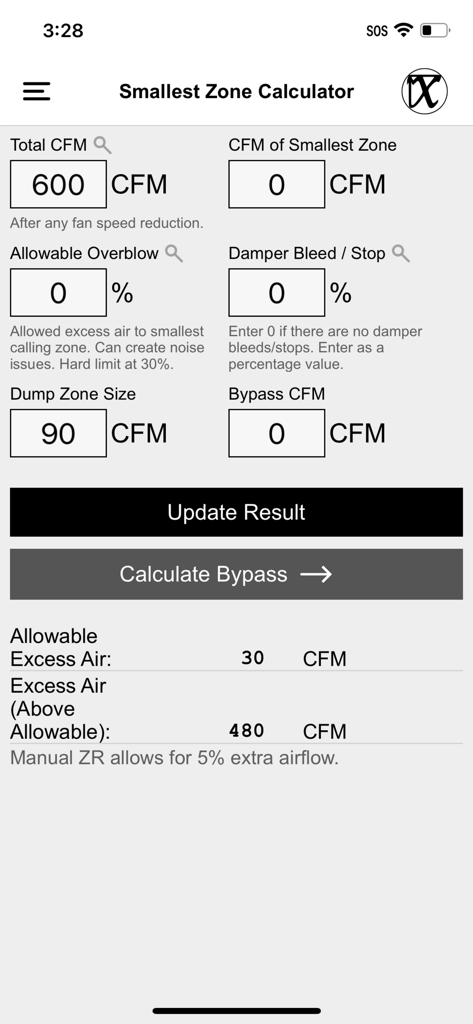
Smallest Zone Calculator interface in the Mean HVAC BS Tools app showing air flow and CFM calculations

Smallest Zone Calculator interface in the Mean HVAC BS Tools app showing air flow and CFM calculations

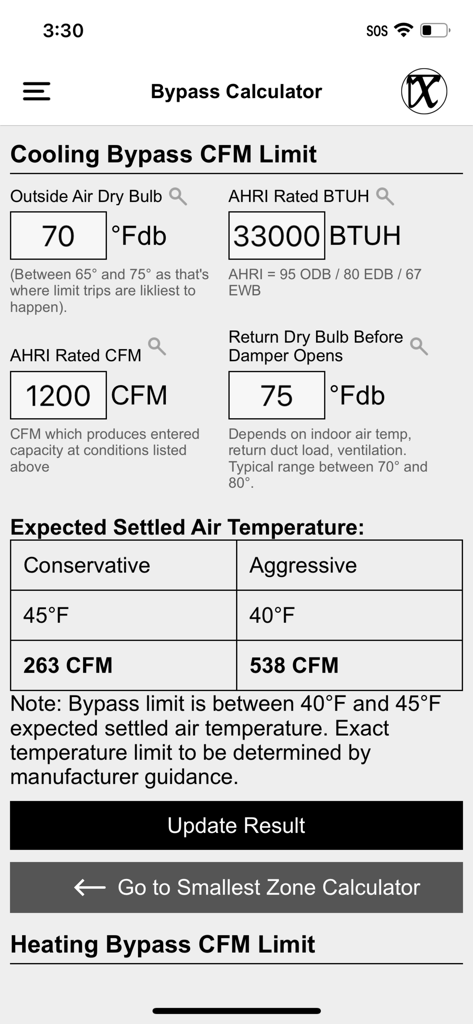
Bypass Calculator screen in Mean HVAC BS Tools showing cooling bypass CFM limit and air temperature calculations.

Bypass Calculator screen in Mean HVAC BS Tools showing cooling bypass CFM limit and air temperature calculations.

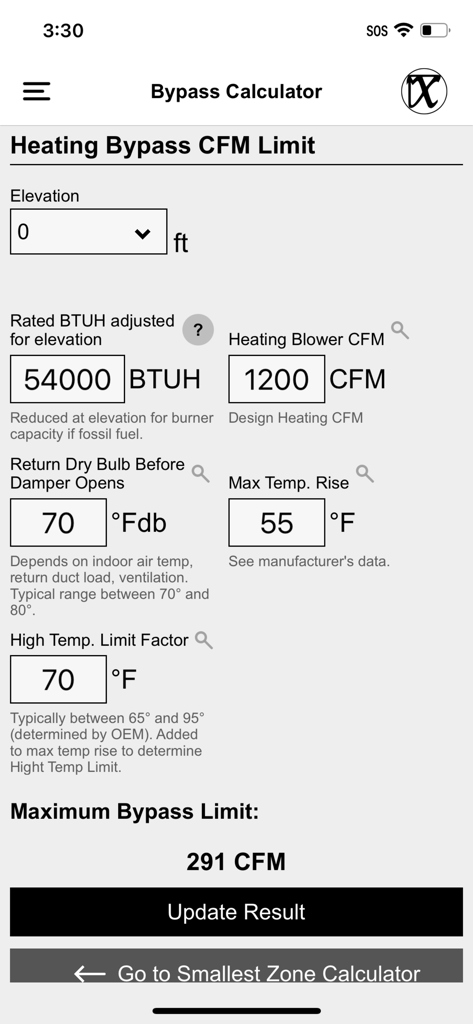
Interface of the Heating Bypass CFM Limit calculator showing professional HVAC inputs and results

Interface of the Heating Bypass CFM Limit calculator showing professional HVAC inputs and results

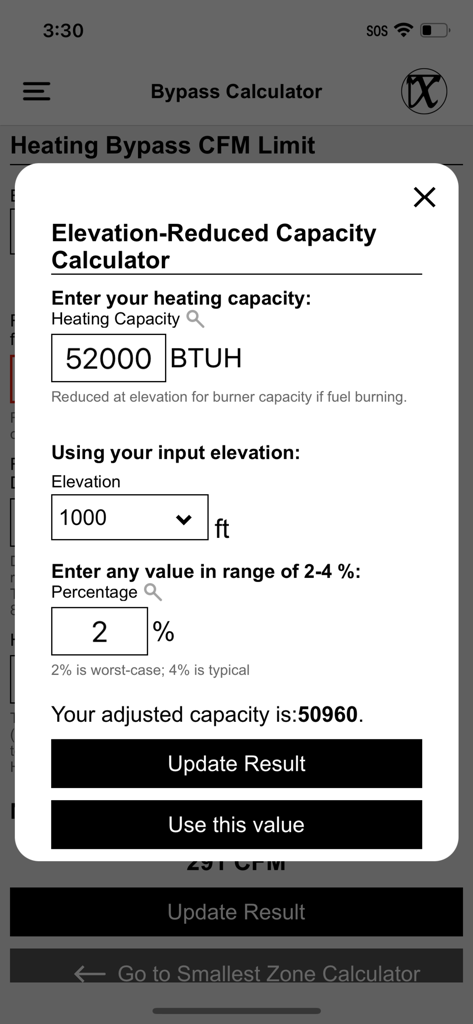
Elevation-reduced heating capacity calculator interface in the Mean HVAC BS Tools app

Elevation-reduced heating capacity calculator interface in the Mean HVAC BS Tools app

Engineer Better Systems with Precision Tools

The tools that make this app stand out, trusted by 0 users.

📏

Advanced Digital Ductulator

Calculate CFM, duct diameter, friction rate, and velocity instantly. Toggle between round and rectangular dimensions to streamline your system layout on the fly.

⚙️

Smart Zoning & Bypass Logic

Prevent equipment failure with specialized tools that gauge excess air and bypass limits, featuring built-in BTUH adjustments for high-altitude installations.

🌡️

Building Science Insights

Estimate R-values using IR surface temperatures or calculate parallel R-values for wood-frame assemblies to provide clients with data-backed energy audit reports.

About the app

Everything you need to know about Mean HVAC BS Tools.

Description

UTILITIES Single Point Psychrometrics: This calculator provides psychrometric properties of air at a glance. It's great for changing humidity units. Mixed Air Psychrometrics: This calculator provides instant psychrometric properties of the resulting air of two mixed air streams, e.g. ventilation air mixed with return air. Duct Calculator: In a word, it's a classic 'ductulator'. This tool accepts any two choice inputs among CFM (Air Flow Volume), Duct Diameter, Friction Rate (Head Loss), and Air Velocity. This utility will then provide the other two parameters for you. You can enter either a round diameter, or two rectangular dimensions. This tool will optionally display both round and rectangular dimensions, if given a first rectangular dimension, or by inputting a rectangular duct size. Smallest Zone Calculator: This calculator can be used to gauge how much excess air is acceptable in a heating or cooling system. Bypass Calculator: Paired with the Smallest Zone Calculator, this can tell you how much air you can bypass, which uses different parameters dependent on whether you are cooling or heating. This includes a couple notable features: The Cooling Bypass CFM Limit section gives both conservative and aggressive values, based on the expected settled air temperature. Also, the Heating Bypass CFM Limit section features a mini calculator to help you adjust your rated BTUH for elevation. IR Wall Insulation: This calculator can help you estimate the R-Value of a wall, with Infrared (IR) exterior and interior surface, and interior ambient temperatures. The key feature of this tool is providing a common wall material that best matches your readings with a general degree of confidence in that match. We also include tips on measuring for best results. Parallel R-Value: This calculator provides an overall R-Value (and U-Value) for a wood frame building assembly* (typically a wall), given the R-Values of different materials and their areas or proportions present in the assembly. *Not for use with metal framing. Note: The above calculators use IP (inch / pound) units. Unit Converter: Converts units.

Latest Version

1.3.1

Size

17.3 MB

First Released

Aug 19, 2024

Precision Engineering, Field-Ready Performance

Stop carrying paper charts and manual ductulators. Download Mean HVAC BS Tools today and bring professional-grade building science to every job site.

Download on App Store

App information, icons, screenshots, and descriptions displayed on this page are sourced from the Apple App Store and are the property of their respective developers. Download estimates and rankings are based on MWM's proprietary models and may not reflect actual figures. This page is provided for informational and analytical purposes only.

Believe this page infringes your intellectual property? File a dispute