
This page is not an official page of the app or its developer, but an independent editorial publication created for informational and commentary purposes. Unless expressly stated otherwise, neither the app nor its developer is affiliated with, endorsed by, sponsored by, authorized by, or otherwise officially connected with MWM, Apple, Google Play, the app publisher, or the app's developer, and nothing on this page implies that the app was developed using MWM's services. Any trademarks, logos, screenshots, and other content remain the property of their respective owners.


MEGA
Zero-knowledge isn't a marketing term; it's a guarantee. The app ensures only devices touch encryption keys, granting users unmatched personal data command.
Downloads
50M+User Rating
Total Ratings
378.8KPublisher
Category
ProductivityLocales
19Latest Version
18.2Size
354.5 MBFirst Released
Nov 26, 2013MEGA's Core Value Proposition for Data Security
An analysis of key features highlighting the application's commitment to user privacy and encrypted data management.
User-Controlled End-to-End Encrypted Cloud Storage
The app provides advanced encryption where data is encrypted and decrypted exclusively by the user's devices, ensuring MEGA has no access.
Zero-Knowledge Account Security
This tool features a zero-knowledge architecture, meaning MEGA cannot access or reset user passwords, necessitating an account recovery key for ultimate data control.
Encrypted Communication Suite
It allows users to engage in private one-on-one and group chats, audio, and video calls, all secured with zero-knowledge end-to-end encryption.
Secure Real-time Collaboration
The app enables secure sharing of files and folders with contacts, facilitating real-time updates and seamless collaboration within the encrypted environment.
Open-Source Client for Transparency
This tool features public availability of its client-side application code on GitHub, offering transparency and allowing for independent security audits.
Cross-Platform File Accessibility
It allows users to upload, search, store, download, stream, and manage files from any device, anywhere, ensuring flexible access to their encrypted data.
Frequently Asked Questions
Everything you need to know about MEGA
What is MEGA?
MEGA is a user-controlled encrypted cloud storage service that provides end-to-end encrypted solutions for files, chats, and meetings. Your data is encrypted and decrypted only by your devices.
Is MEGA cloud storage secure?
Yes, MEGA provides strong and secure end-to-end encryption. Your data is encrypted and decrypted solely by your devices, ensuring privacy as MEGA never accesses your files.
Can MEGA access my files or password?
No, MEGA cannot access your files or reset your password. The zero-knowledge, end-to-end encryption means only your devices handle encryption and decryption, ensuring your data remains private.
Does MEGA offer free cloud storage?
Yes, MEGA offers generous free storage for all registered users. You can also earn additional storage in 5 GB increments through the MEGA Achievements programme.
What happens if I lose my MEGA password?
If you lose your MEGA password and your account recovery key, you will lose access to your files. MEGA cannot reset your password due to its end-to-end encryption.
Can I securely chat and hold meetings with MEGA?
Yes, MEGA provides secure, private one-on-one and group chats and meetings with zero-knowledge encryption. Your messages, audio, and video calls are fully protected.
How do MEGA subscription renewals work?
MEGA subscriptions renew automatically for successive periods of the same duration and price. You can cancel automatic renewal via your Apple account settings page at least 24 hours before the next payment.
Is MEGA's app code publicly available?
Yes, all MEGA client-side application code, including the iOS mobile app code, is published on GitHub for transparency. This allows for public inspection.
What file operations can I perform with MEGA?
With MEGA, you can upload, search, store, download, stream, view, share, rename, or delete files from any device, anywhere. You can also share folders and see real-time updates.
Does MEGA support photo and video synchronization?
Yes, MEGA allows you to upload and sync your photos and videos. It accesses your photo library to facilitate uploads and manage your media.
The following screenshots and description are sourced directly from the app's official store listing and are the property of the app developer.
App Store
Screenshots
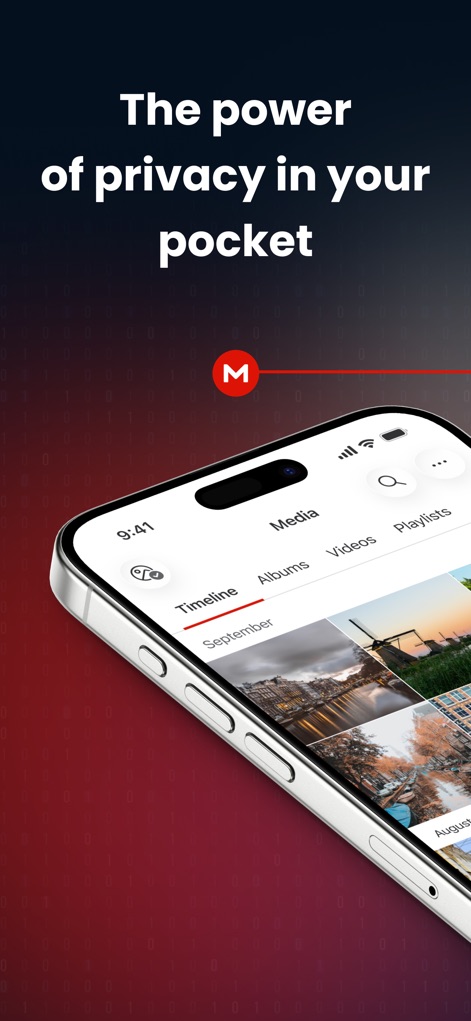
Secure Media Hub
Discover how MEGA centralizes media with detailed timeline views and organized album categories.
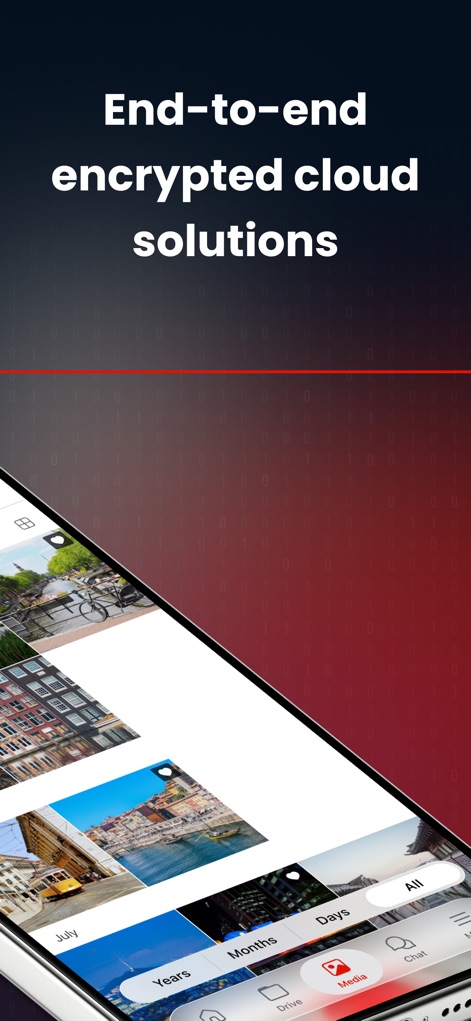
Encrypted Photo Library
Users can effortlessly navigate their media with time-based filters and vivid thumbnail previews.
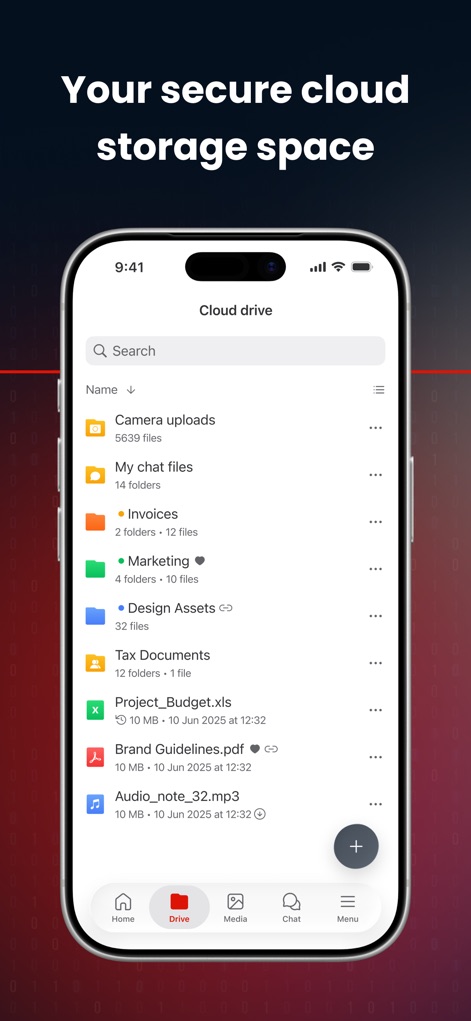
Organized Cloud Drive
Explore the app's intuitive cloud drive, showcasing categorized folders and clear file type indicators.

Private Team Chat
Experience secure group communication with the chat interface, featuring both text and voice message capabilities.
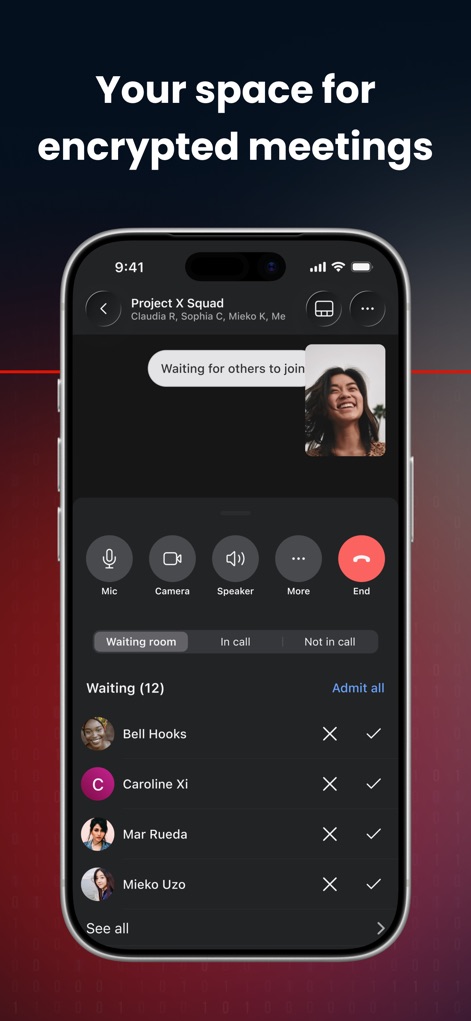
Secure Video Meetings
This tool provides a robust encrypted meeting environment, complete with participant waiting rooms and essential call controls.
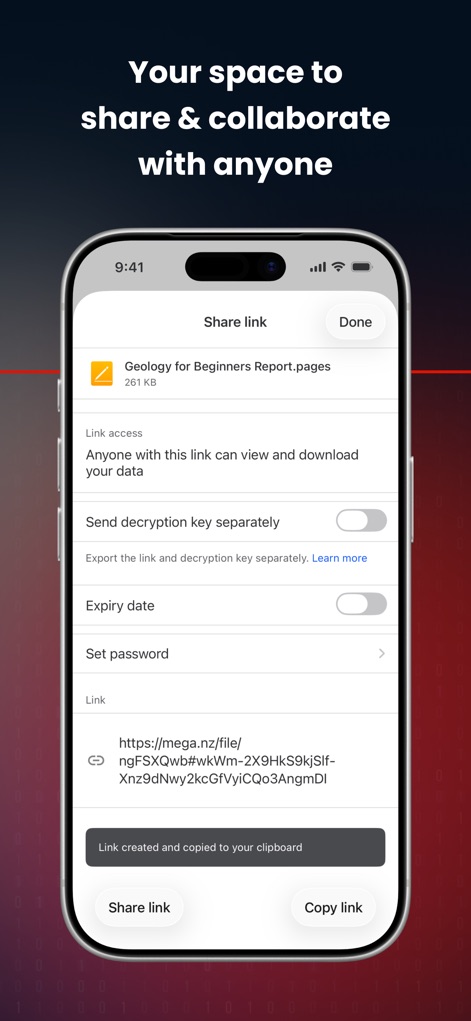
Advanced Sharing Options
Users can control file access with options for setting passwords and managing decryption keys for shared links.

Unified Media Management
The app offers a seamless media experience with timeline organization and a user-friendly navigation bar for quick access.

Join the Movement
Discover the extensive user community and the app's commitment to protecting data for millions of individuals and businesses.
Description
Download
More Like This
Apps with similar features and user experience
Microsoft SharePoint
Microsoft Corporation

Box: The power of Content + AI
Box, Inc.

Zoho WorkDrive
Zoho Corporation

阿里邮箱
Alibaba Cloud Computing Ltd.

Dropbox EMM
Dropbox, Inc.

Syncer
ARCTERA AM, LLC

SeaTalk
SEATALK PRIVATE LIMITED

Signet
SIGNET TECHNOLOGY PLATFORM COMPANY LIMITED

WPS会议
Zhuhai Kingsoft Office Software Co.,Ltd
This page is not an official page of the app or its developer, but an independent editorial publication created for informational and commentary purposes. Unless expressly stated otherwise, neither the app nor its developer is affiliated with, endorsed by, sponsored by, authorized by, or otherwise officially connected with MWM, Apple, Google Play, the app publisher, or the app's developer, and nothing on this page implies that the app was developed using MWM's services. Any trademarks, logos, screenshots, and other content remain the property of their respective owners.