Zoho WorkDrive
Zoho WorkDrive
Download on App Store

This page is not an official page of the app or its developer, but an independent editorial publication created for informational and commentary purposes. Unless expressly stated otherwise, neither the app nor its developer is affiliated with, endorsed by, sponsored by, authorized by, or otherwise officially connected with MWM, Apple, Google Play, the app publisher, or the app's developer, and nothing on this page implies that the app was developed using MWM's services. Any trademarks, logos, screenshots, and other content remain the property of their respective owners.

Logo of Zoho WorkDrive
Download on App Store

Zoho WorkDrive

Empower your business with secure cloud storage, smart team folders, and seamless collaboration. Streamline your workflow and keep your entire team synchronized from any device, anywhere.

Key Figures

Downloads

106K+

User Rating

4.2/5

Total Ratings

200

Publisher

Zoho Corporation

Category

Business

Locales

64

Latest Version

2.42

Size

156.6 MB

First Released

Aug 6, 2018
Features

Empower Your Team’s Content Lifecycle

Transform the way your team works with a central source of truth. Zoho WorkDrive combines secure file management with real-time collaboration for the agile professional.

Unified Team Folders

Break down silos with shared workspaces. Any file added is instantly available to the right team members with role-based access control.

Mobile Office Scanner

Turn your smartphone into a productivity powerhouse. Scan receipts, contracts, and whiteboard sessions directly to the cloud in seconds.

The following screenshots and description are sourced directly from the app's official store listing and are the property of the app developer.

App Store

Screenshots
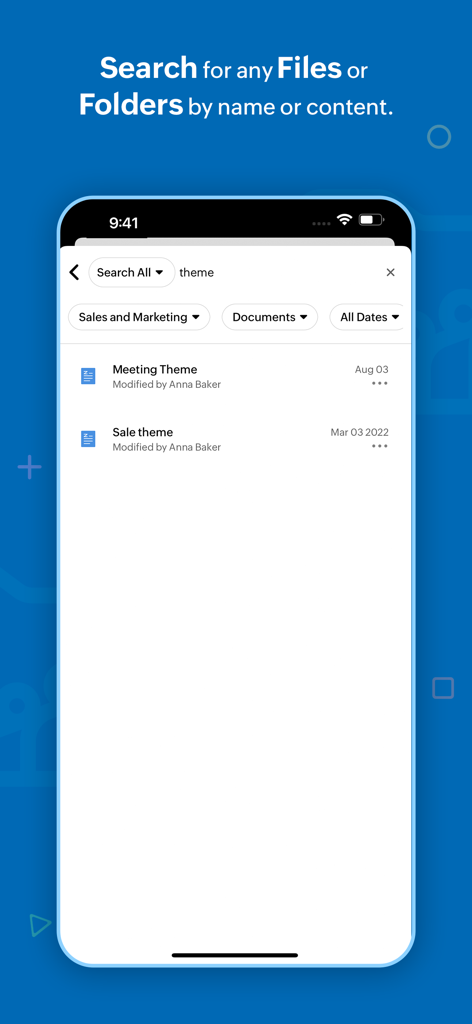
Zoho WorkDrive - Mobile app screen of Zoho WorkDrive showing search results for files with professional filters.
Mobile app screen of Zoho WorkDrive showing search results for files with professional filters.

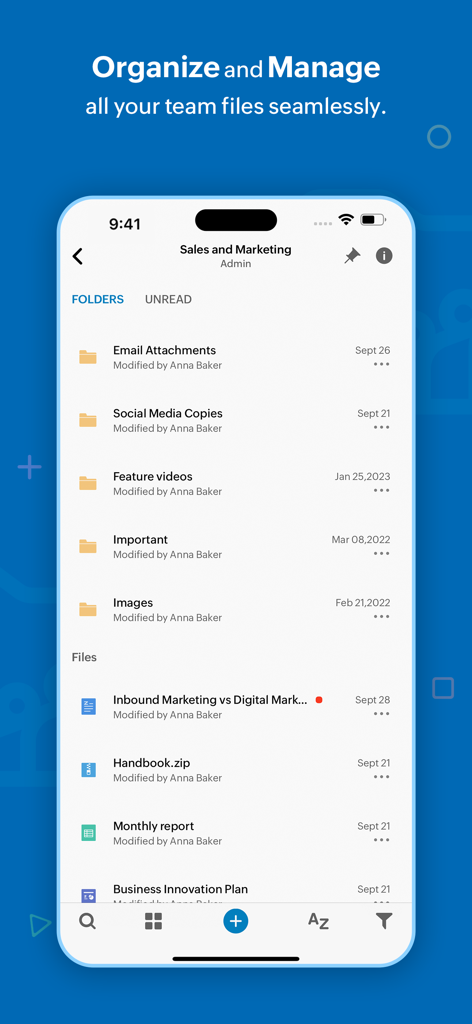
Zoho WorkDrive - Zoho WorkDrive mobile app screen showing team folders and file management for sales and marketing.

Zoho WorkDrive mobile app screen showing team folders and file management for sales and marketing.
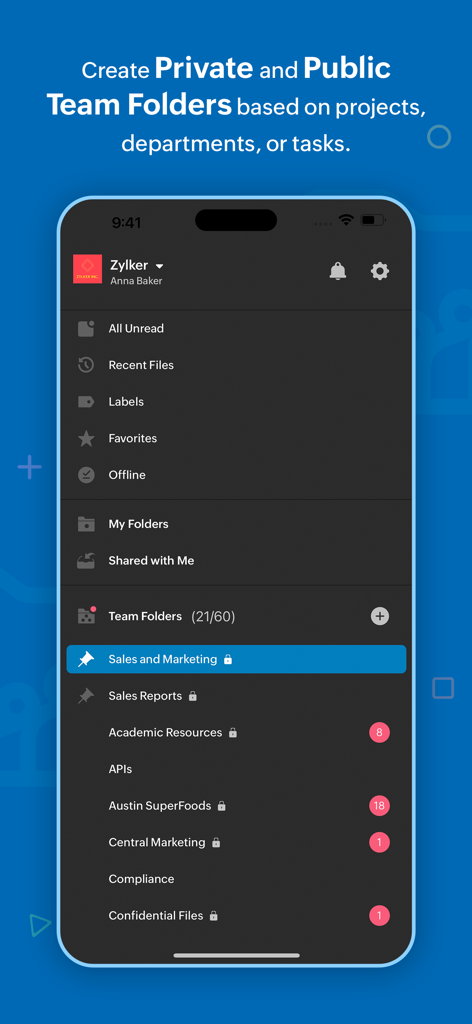
Zoho WorkDrive - Zoho WorkDrive app interface displaying organized team folders for business collaboration

Zoho WorkDrive app interface displaying organized team folders for business collaboration

Zoho WorkDrive - Zoho WorkDrive app interface showing options to create folders and upload documents or spreadsheets.
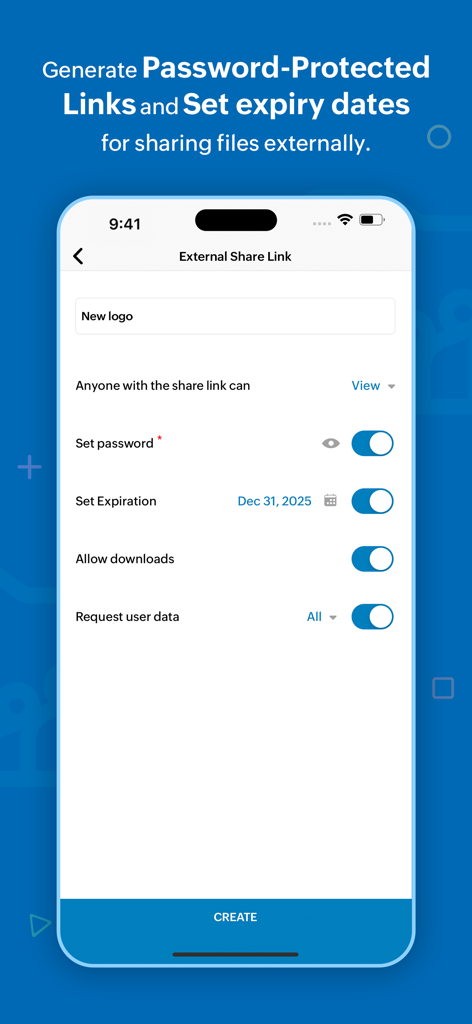
Zoho WorkDrive app interface showing options to create folders and upload documents or spreadsheets.

Zoho WorkDrive - Zoho WorkDrive mobile app interface showing options to set passwords and expiration dates for secure external file sharing

Zoho WorkDrive mobile app interface showing options to set passwords and expiration dates for secure external file sharing

Zoho WorkDrive - Zoho WorkDrive mobile app interface showing team folder information and member roles

Zoho WorkDrive mobile app interface showing team folder information and member roles

Description

Zoho WorkDrive is an online file storage and content collaboration platform built for both individuals and teams. You can store, organize, and manage all your files in a single place and access them from any device. Here's what you can do with the WorkDrive mobile app, Upload files faster: Upload photos from your mobile camera or audio recordings and save files from other apps to WorkDrive to manage everything in a single place. You can also scan documents to the cloud using your camera, and to digitalize your bills, whiteboard discussions, and notes. Seamless file sharing: Sharing large files is quick and simple with WorkDrive. Share files via email and assign required permission based on what you want them to do. Locate files quickly: Search and filter files based on location, file types, and time, to locate them faster. Rename, trash, and organize files right from your smartphones. You can also set files as favourite to access them quickly. Preview files and add comments to them to discuss around documents. Categorize your files: Create labels to organize your files right from your mobile. You can tag files and folders to labels and manage existing labels from a single place. Access files anytime: Set files offline to access them even without an internet connection. The following features are exclusively available for WorkDrive's Starter, Team, and Business plans. WorkDrive offers Team Folders—a shared and secure space for teams to work together. You can create Team Folders for a particular project or a department, and add all the relevant members to it. Any file added to the Team Folder will then be automatically available to each team member. Work as a team: Create Team Folders, add members, and assign role-based access to them. You can modify settings, monitor trash, and restore deleted files with a tap. Roles with responsibility: Share files and folders with anyone within your organization. Assign role-based access based on what you want members to do. You can also share WorkDrive files as email attachments. Collaborate with external stakeholders: Create external share links to work with people outside your organization. And you can set a password and an expiry date to the link to ensure secure file access. Always stay updated: Keep track of changes at the Team Folder level using the Unread section, and at the team level using global notifications. Monitor document changes closely: Enable notifications to see when changes are made to a specific file or a folder stored within WorkDrive. You can either choose to see the bell notification within the product, receive an update through email, or enable both. WorkDrive supports 40 plus languages including Hindi, Tamil, Arabic, Japanese, Italian, German, Vietnamese, French, and Portuguese. Join our WorkDrive community (https://help.zoho.com/portal/en/community/zoho-workdrive) and get complete access to product updates and the latest features. If you have any questions, please write to us at support@zohoworkdrive.com.

Download

Download on App Store

This page is not an official page of the app or its developer, but an independent editorial publication created for informational and commentary purposes. Unless expressly stated otherwise, neither the app nor its developer is affiliated with, endorsed by, sponsored by, authorized by, or otherwise officially connected with MWM, Apple, Google Play, the app publisher, or the app's developer, and nothing on this page implies that the app was developed using MWM's services. Any trademarks, logos, screenshots, and other content remain the property of their respective owners.