
This page is not an official page of the app or its developer, but an independent editorial publication created for informational and commentary purposes. Unless expressly stated otherwise, neither the app nor its developer is affiliated with, endorsed by, sponsored by, authorized by, or otherwise officially connected with MWM, Apple, Google Play, the app publisher, or the app's developer, and nothing on this page implies that the app was developed using MWM's services. Any trademarks, logos, screenshots, and other content remain the property of their respective owners.

Microsoft SharePoint
Your desk cannot constrain impact. Microsoft's creation delivers sharp, AI-powered access to your organization's vital information and people, enabling immediate influence, anywhere.
Downloads
12.5M+User Rating
Total Ratings
426.2KPublisher
Category
ProductivityLocales
31Latest Version
5.0.0Size
76.0 MBFirst Released
Jun 20, 2016Microsoft SharePoint: Mobile Productivity Analysis
Evaluating core features for remote professionals and team collaboration.
Universal Search & Discovery
It allows users to quickly locate critical documents, sites, and colleagues within the organization, enhancing productivity and information retrieval.
AI-Powered Personalization
The app provides an intelligent, personalized feed of relevant files, news, and sites, ensuring users remain productive by surfacing what matters most to them.
Mobile News & Content Creation
It allows teams to stay connected and informed by enabling users to easily publish updates, reports, and news posts directly from their mobile device.
Personalized Site & News Access
This tool features tailored views of team sites, communication sites, and company news, ensuring quick access to relevant organizational updates and resources.
Quick Access to Recent Work
The app provides immediate access to recently viewed sites, files, and contacts, enabling users to effortlessly resume tasks and maintain workflow continuity.
Colleague Contact & Insight
It allows users to view detailed contact cards for colleagues, offering insights into their work connections and current projects, thereby streamlining collaboration.
Flexible Deployment Support
The tool provides versatile connectivity, supporting both cloud-based SharePoint Online and on-premises SharePoint Server versions (2013+), catering to diverse organizational infrastructures.
Multi-Account Management
It enables users to manage and seamlessly switch between multiple SharePoint accounts, enhancing efficiency for those working with various organizational instances or clients.
Frequently Asked Questions
Everything you need to know about Microsoft SharePoint
What is the Microsoft SharePoint mobile app?
The Microsoft SharePoint mobile app personalizes finding files, news, sites, and people across your organization. It uses AI to keep you productive by understanding your work and colleagues' connections.
Can I search for content within the Microsoft SharePoint app?
Yes, the Microsoft SharePoint app includes a search function to find and discover important content. You can search across sites, files, people, and news.
Does the Microsoft SharePoint app support on-premises servers?
Yes, the Microsoft SharePoint app works with both SharePoint Online (cloud) and on-premises SharePoint Server versions 2013 and higher. Users sign in to their respective SharePoint sites.
Can I create news posts using the Microsoft SharePoint app?
Yes, you can create news posts on the go using the Microsoft SharePoint app. This allows you to share updates, reports, status, and experiences with your team.
What are the requirements to sign in to the Microsoft SharePoint app?
To sign in to the Microsoft SharePoint app, your organization requires an Office 365 subscription that includes SharePoint Online or an on-premises SharePoint Server.
Can I manage multiple SharePoint accounts in the app?
Yes, the Microsoft SharePoint app allows you to add multiple accounts and easily switch between them. This feature supports various organizational needs.
How does the Microsoft SharePoint app personalize content?
The Microsoft SharePoint app infuses AI into the mobile experience. It builds an understanding of your work, how you work, and how colleagues' work relates to you to personalize content.
Can I view my recent and saved content in the Microsoft SharePoint app?
Yes, the Microsoft SharePoint app provides a personalized view of your content. You can access sections for "Recent" and "Saved" items within the app.
Does the Microsoft SharePoint app allow me to view colleagues' contact information?
Yes, you can tap on a user within the Microsoft SharePoint app to access their contact card. This also shows who they work with and what they are working on.
Is data processed outside the United States by the Microsoft SharePoint app?
Yes, data provided through the use of the Microsoft SharePoint app may be accessible to Microsoft and transferred, stored, and processed in the United States or any other country where Microsoft or its affiliates maintain facilities.
The following screenshots and description are sourced directly from the app's official store listing and are the property of the app developer.
App Store
Screenshots
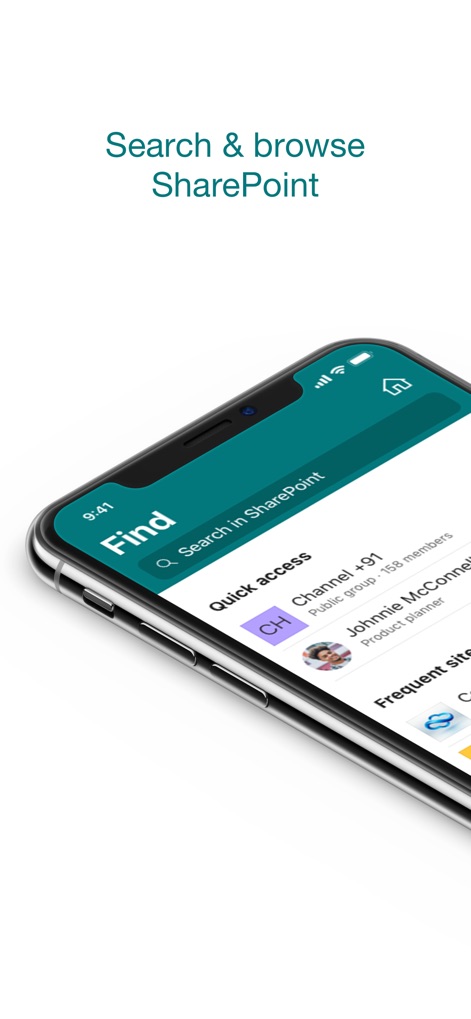
Efficient Mobile Search
Users can quickly locate information using the prominent search bar, with frequent sites and quick access options streamlining their workflow.
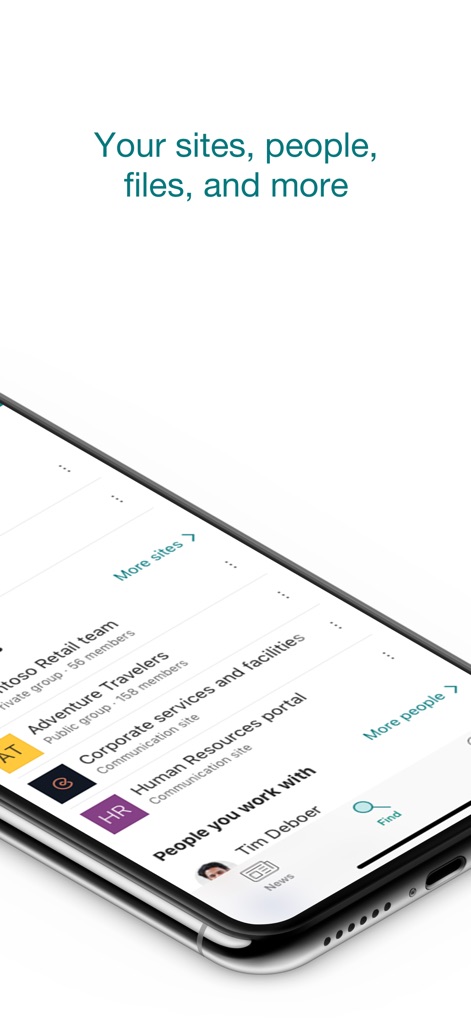
Comprehensive Content Access
The app provides a centralized view for accessing team sites and a dedicated section for connecting with colleagues users work with.
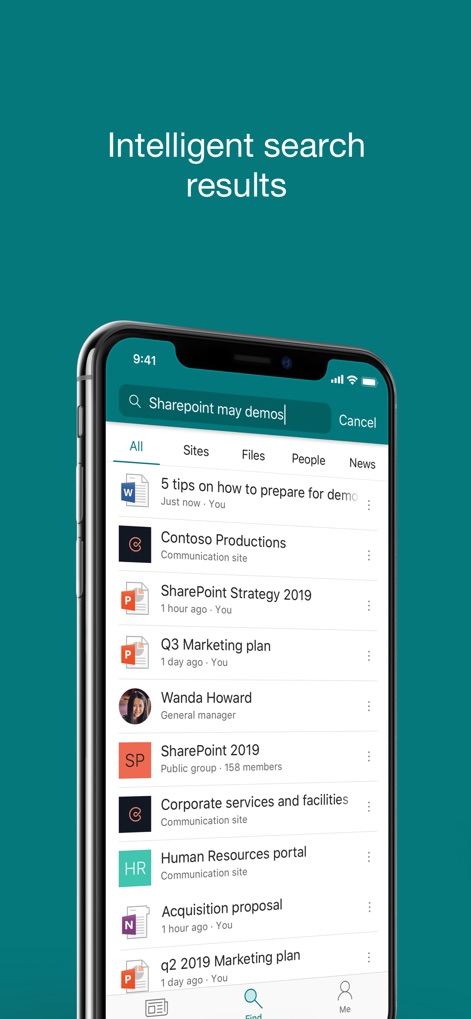
Precise Search Filtering
This tool delivers intelligent search results, allowing users to filter content by categories like 'Sites' and 'Files' for targeted discovery.
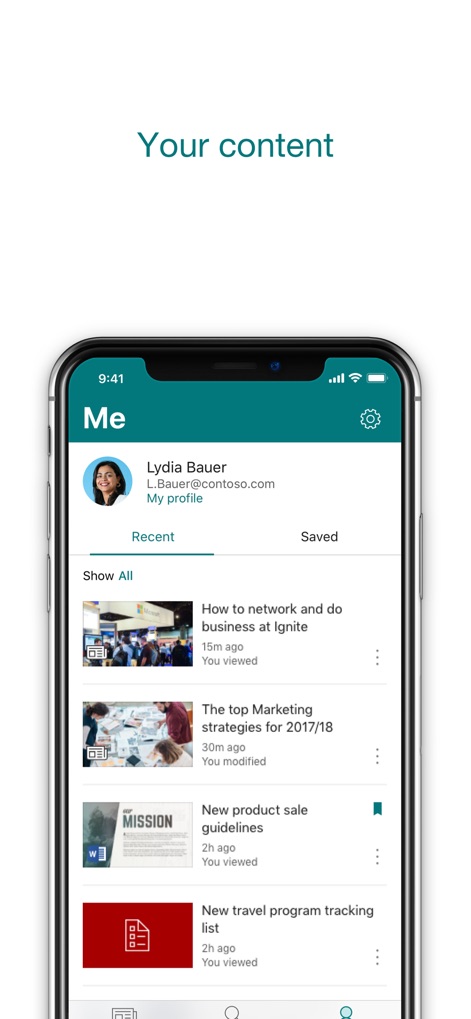
Personalized Activity Hub
The 'Me' section offers a personalized overview of recent activity and saved documents, keeping individual content organized and accessible.
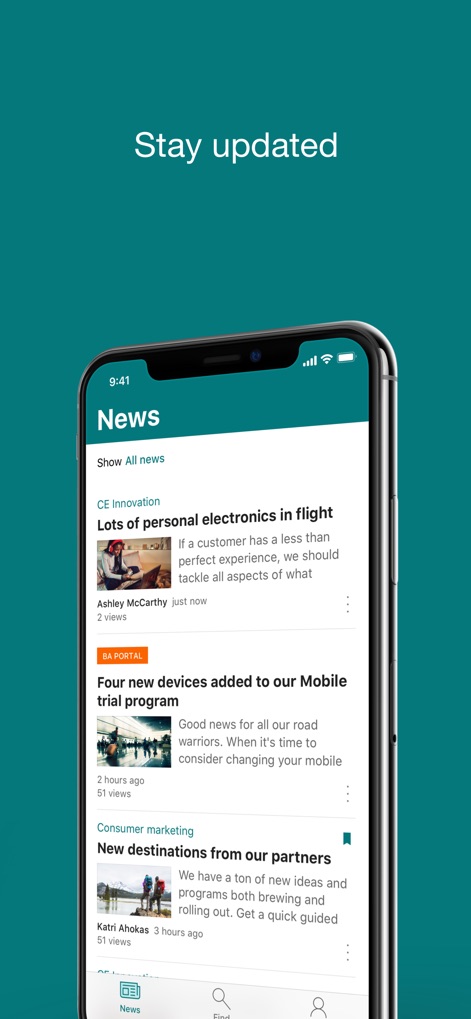
Real-time News Updates
Stay informed with a dynamic news feed, showcasing relevant organizational announcements and detailed article previews.
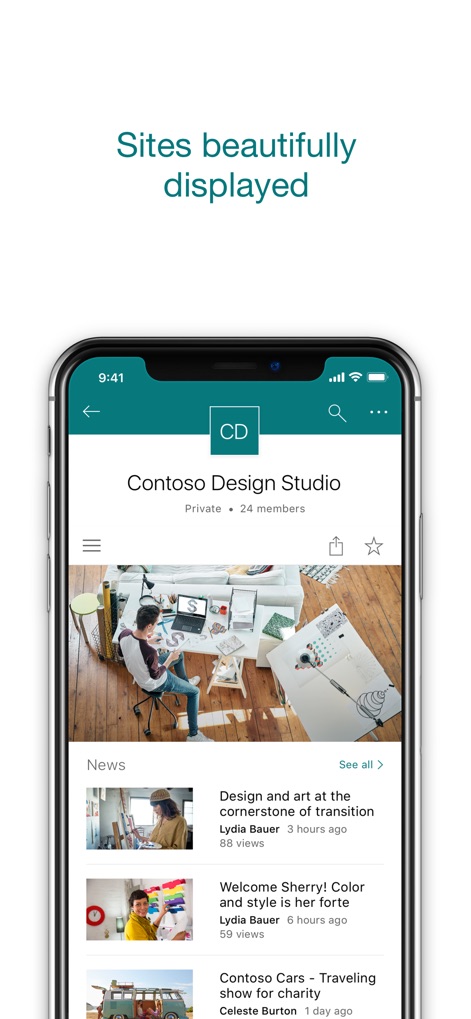
Engaging Site Presentations
Experience team sites with visually appealing layouts and integrated news sections, making corporate information digestible and engaging.
Description
Download
More Like This
Apps with similar features and user experience

MEGA
Mega Limited

Box: The power of Content + AI
Box, Inc.
Zoho WorkDrive
Zoho Corporation

阿里邮箱
Alibaba Cloud Computing Ltd.

Dropbox EMM
Dropbox, Inc.

Syncer
ARCTERA AM, LLC

SeaTalk
SEATALK PRIVATE LIMITED

Signet
SIGNET TECHNOLOGY PLATFORM COMPANY LIMITED

WPS会议
Zhuhai Kingsoft Office Software Co.,Ltd
This page is not an official page of the app or its developer, but an independent editorial publication created for informational and commentary purposes. Unless expressly stated otherwise, neither the app nor its developer is affiliated with, endorsed by, sponsored by, authorized by, or otherwise officially connected with MWM, Apple, Google Play, the app publisher, or the app's developer, and nothing on this page implies that the app was developed using MWM's services. Any trademarks, logos, screenshots, and other content remain the property of their respective owners.