Mental Note for iPad ๛

Mental Note for iPad ๛

Download on App Store
Logo of Mental Note for iPad ๛

Mental Note for iPad: The Ultimate Digital Canvas for Your Ideas

Break free from linear note-taking. Seamlessly combine sketches, voice memos, photos, and text on a single page for a truly organic brainstorming experience.

Publisher

Zymbiotic Technologies

Category

Productivity

Downloads

158K+

User Rating

3.1/5

Total Ratings

500

Locales

1

A Glimpse of Genius

Discover the interface used by 158K+ users.
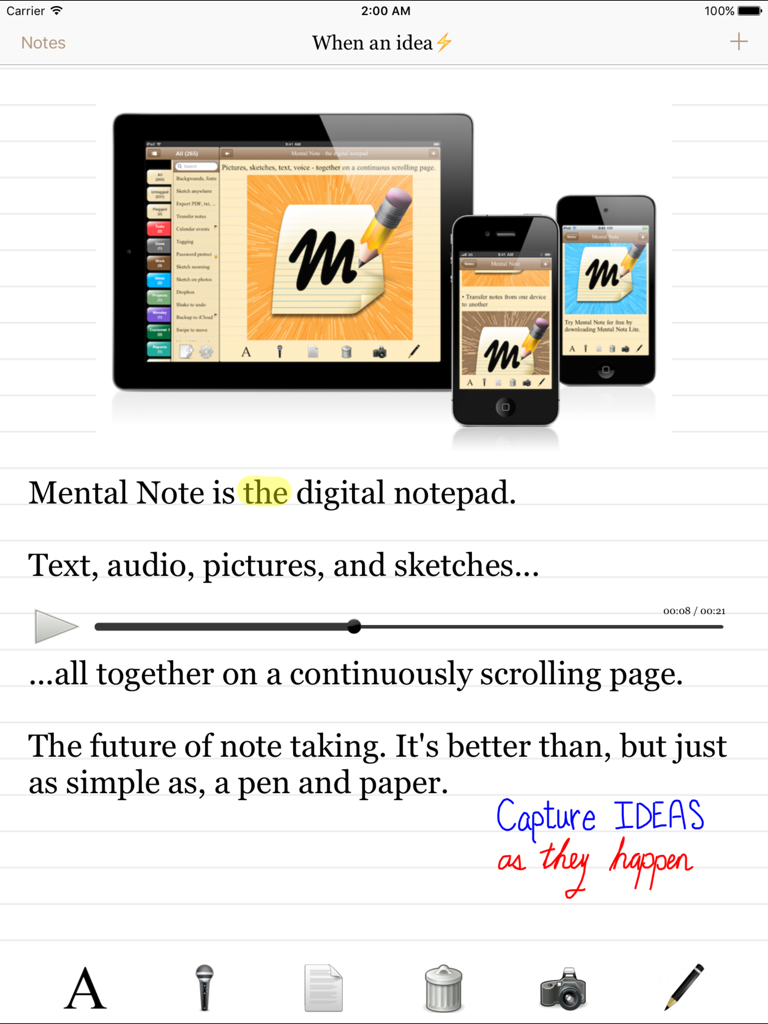
Mental Note for iPad app interface featuring text, audio recordings, and hand-drawn sketches on a digital notepad.

Mental Note for iPad app interface featuring text, audio recordings, and hand-drawn sketches on a digital notepad.

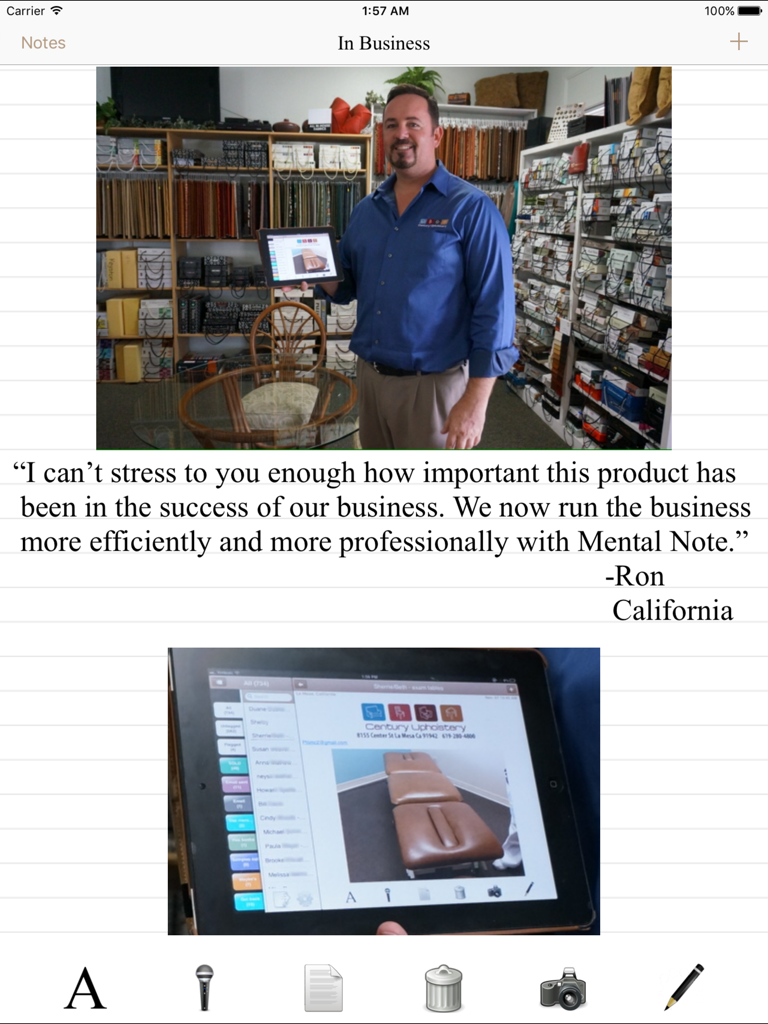
A testimonial from a business owner named Ron showing how he uses Mental Note for iPad to manage his upholstery business efficiently.

A testimonial from a business owner named Ron showing how he uses Mental Note for iPad to manage his upholstery business efficiently.

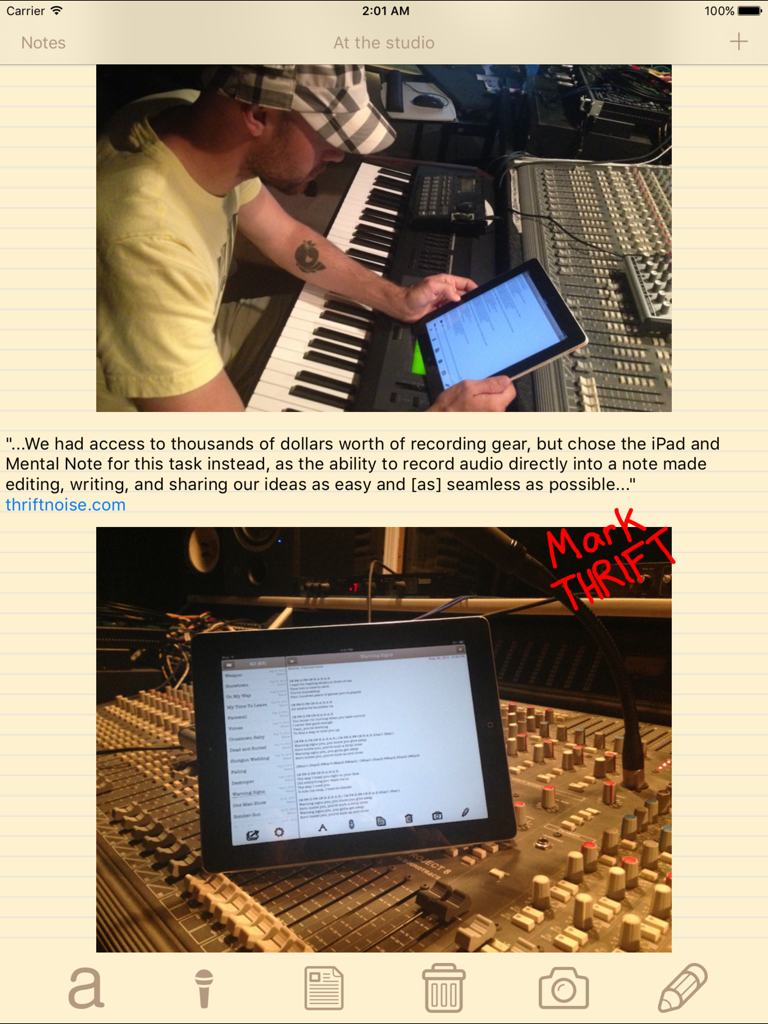
A musician using the Mental Note app on an iPad in a recording studio to organize song lyrics and audio notes

A musician using the Mental Note app on an iPad in a recording studio to organize song lyrics and audio notes

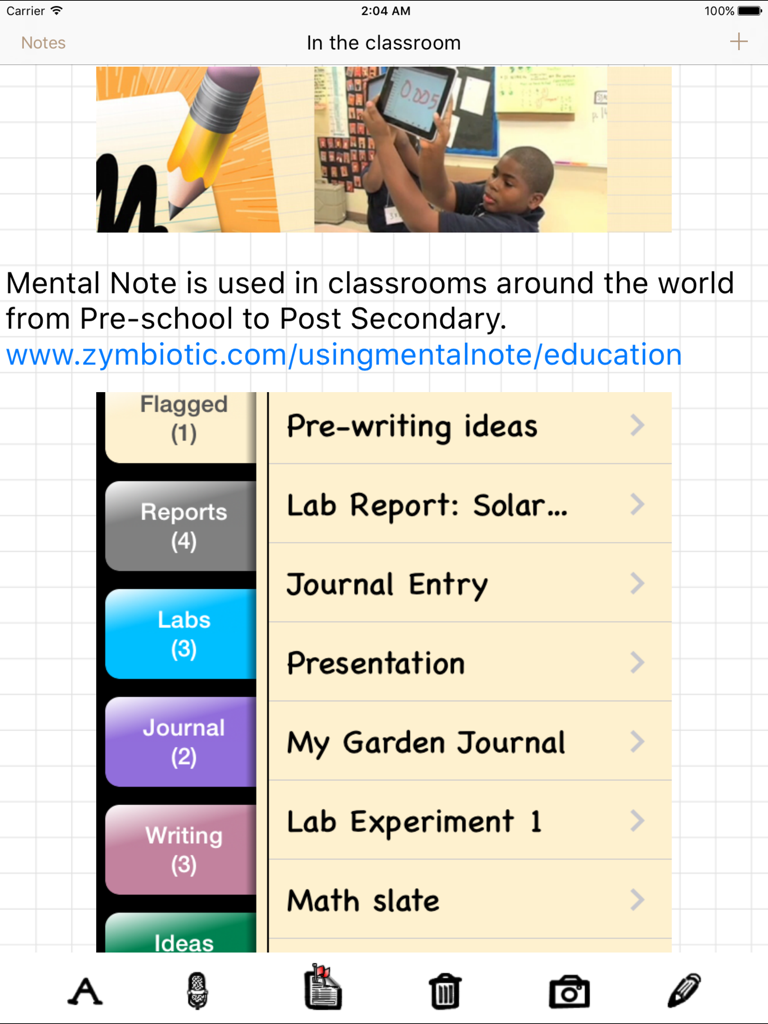
Mental Note for iPad interface showing note organization with colorful tabs for classroom use including lab reports and journals

Mental Note for iPad interface showing note organization with colorful tabs for classroom use including lab reports and journals

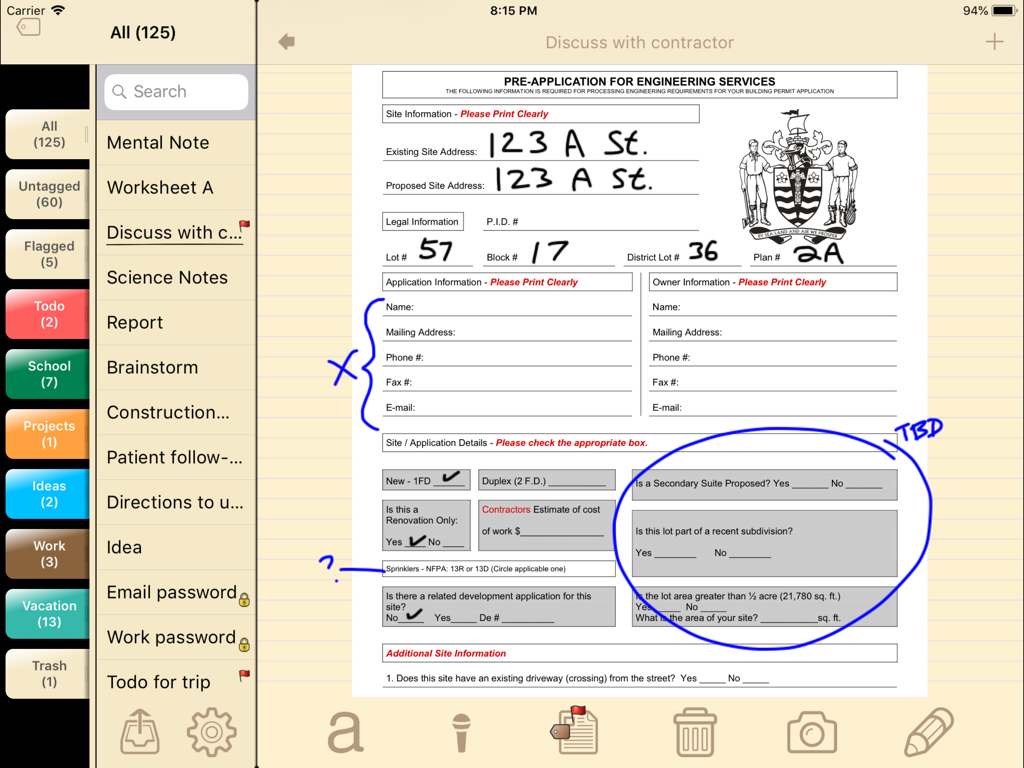
A screenshot of the Mental Note for iPad app showing a digital engineering form with blue handwritten annotations and sketches.

A screenshot of the Mental Note for iPad app showing a digital engineering form with blue handwritten annotations and sketches.

The Ultimate Canvas for Your Brightest Ideas

The tools that make this app stand out, trusted by 158K+ users.

💡

Complete Sensory Capture

Don't just write—show and tell. Blend audio notes, hand-drawn sketches, and photos on a single page to preserve the full context of every idea.

✏️

Tactile Digital Sketching

Annotate pictures or sketch fine details with precision. It’s the intuitive, fluid experience of paper, optimized for your iPad and Apple Pencil.

📂

Professional Organization

Keep your flashes of genius structured with tags and calendar integration, then export to PDF or Dropbox for a seamless professional workflow.

About the app

Everything you need to know about Mental Note for iPad ๛.

Description

"...a true notepad experience that may help you make a clean break from the pencil-and-paper era." -New York Times. Users describe Mental Note as "the only notepad app... that's actually better than, and as simple as, a pen and paper." It's "the future of note taking", and "a big sketchpad... [to] free-associate and put stuff down in any format". Mental Note for iPad brings the future closer with an even bigger sketchpad for you to capture your ideas on. Turn your iPad into a digital notepad.  Combine pictures, voice recordings, drawings and text - all on the same page, in any order you choose. An idea... a flash - a moment of genius.  When a thought hits, and you have to remember it, why limit how you record it?  The more context and sensory details you can capture, the clearer the idea can be put down. Use pictures, audio, sketching and text together on the same page... a digital page that can be shared with anyone. Mental Note allows you to capture ideas as they happen: use pictures, dictate, add text, sketch on anything.  Ideas clarified. Creativity captured. FEATURES - Draw with your finger using multiple colours and widths on top of pictures, text, or anywhere else on the page. Zoom in to sketch fine details. - Choose a picture from your album and add it to the page. - Add audio to the page by recording with the built-in microphone. Continue to edit your note while recording. - Organize your notes using tags. - Password protect your private notes and flag your important ones. - Attach Calendar events to your notes. - Undo, redo anything in the note by shaking the device. - Delete note sections using the toolbar button or by swiping any note section. - Move a note section by swiping and then dragging it to its new location. - Length of a note is limited only by device memory. - Export in a variety of formats including PDF, text, Mental Note format, and more. Send using email, iCloud, Dropbox, and more. * Send a note in Mental Note format so the note may be imported into another person's Mental Note app. * Using email, export a complete note directly from Mental Note as either a PDF document or a picture (each audio recording is attached to the email as a separate file). You can also email just the text from your note. - Export your notes and backups to your iCloud and/or Dropbox account. - Share a note with your friends using most installed apps. - Map the location a note was created at (if location services are enabled). - Change the size and font of the text in your notes. - Change the color and background of your notes. - Numerous other configuration options. THIS VERSION IS OPTIMIZED FOR iPad. FOR iPhone, PLEASE SEE Mental Note - the digital notepad. Read more: www.zymbiotic.com X @zymbiotic facebook.com/zymbiotic

Latest Version

3.17.2

Size

17.0 MB

First Released

Apr 1, 2010

Capture Your Next Moment of Genius

Join over 158,000 visual thinkers and professionals who have traded their paper notebooks for the ultimate digital sketchpad. Download Mental Note for iPad today.

Download on App Store
FAQ

Frequently Asked Questions

Everything you need to know about Mental Note for iPad ๛

What is Mental Note for iPad?

Mental Note for iPad is a digital notepad application that allows users to combine text, pictures, voice recordings, and drawings on the same page. It optimizes the note-taking experience for iPad devices.

Can Mental Note for iPad combine different media types in one note?

Yes, Mental Note for iPad allows users to combine pictures, voice recordings, drawings, and text all on the same digital page. This provides a comprehensive way to capture ideas.

What export options does Mental Note for iPad offer?

Mental Note for iPad offers various export formats including PDF, text, and its own Mental Note format. Users can send notes via email, iCloud, Dropbox, and other installed sharing apps.

Can I password protect my notes in Mental Note for iPad?

Yes, Mental Note for iPad includes a feature to password protect private notes. Users can also flag important notes for easy identification.

How can users organize notes within the Mental Note for iPad app?

Users can organize notes in Mental Note for iPad by using tags. This feature helps categorize and manage various notes efficiently within the application.

Is Mental Note specifically optimized for iPad devices?

Yes, this version of Mental Note is specifically optimized for the iPad. For iPhone users, a separate "Mental Note - the digital notepad" app is available.

Can I share notes created with Mental Note for iPad?

Yes, Mental Note for iPad allows sharing notes with friends using most installed apps. Users can also export notes via email, iCloud, and Dropbox.

Does Mental Note for iPad support drawing and sketching?

Yes, Mental Note for iPad supports drawing with a finger using multiple colors and widths. Users can sketch on pictures, text, or any part of the page, even zooming in for fine details.

Can Mental Note for iPad attach calendar events to notes?

Yes, Mental Note for iPad provides the functionality to attach Calendar events directly to notes. This helps in linking specific notes to scheduled activities.

What is the note length limit in Mental Note for iPad?

The length of a note in Mental Note for iPad is limited only by the device's memory. This allows for extensive and detailed note-taking.

App information, icons, screenshots, and descriptions displayed on this page are sourced from the Apple App Store and are the property of their respective developers. Download estimates and rankings are based on MWM's proprietary models and may not reflect actual figures. This page is provided for informational and analytical purposes only.

Believe this page infringes your intellectual property? File a dispute