Merge PDF Files-Split PDF Docs
Download on App Store

This page is not an official page of the app or its developer, but an independent editorial publication created for informational and commentary purposes. Unless expressly stated otherwise, neither the app nor its developer is affiliated with, endorsed by, sponsored by, authorized by, or otherwise officially connected with MWM, Apple, Google Play, the app publisher, or the app's developer, and nothing on this page implies that the app was developed using MWM's services. Any trademarks, logos, screenshots, and other content remain the property of their respective owners.

Logo of Merge PDF Files-Split PDF Docs
Download on App Store

Merge PDF Files-Split PDF Docs

Seamlessly combine, split, and secure your documents in seconds. Experience fast, offline, and unlimited PDF management tailored for the mobile-first professional.

Key Figures

Downloads

13K+

User Rating

4.8/5

Total Ratings

300

Publisher

Asad Ahsan

Category

Productivity

Locales

68

Latest Version

1.0.13

Size

62.7 MB

First Released

Dec 18, 2024
Features

Master Your Document Workflow

Professional-grade tools designed for the mobile-first professional. Streamline your paperwork with speed, precision, and total security.

Seamless PDF Merging

Combine multiple documents, contracts, or gallery images into a single, high-quality file in seconds. Perfect for creating polished portfolios and reports on the go.

Advanced Document Security

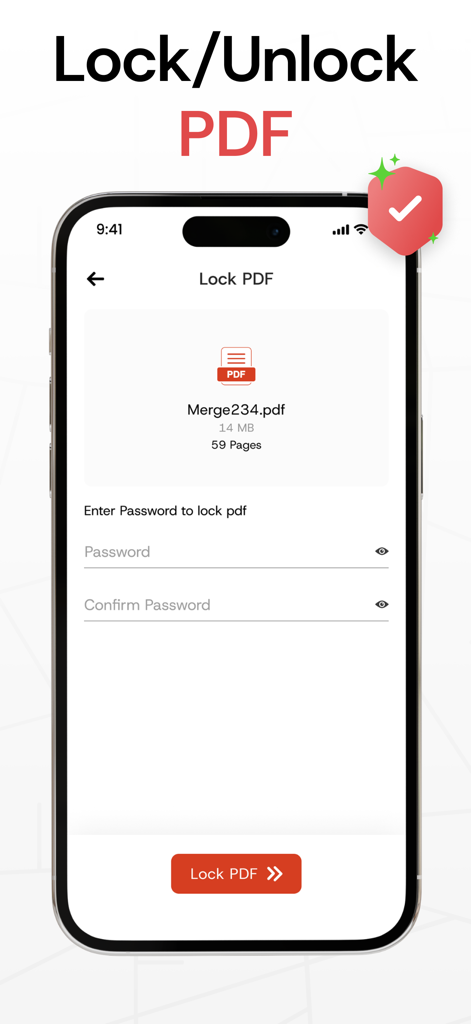
Protect sensitive client data and personal records by locking PDFs with encrypted passwords. Manage access and safeguard your privacy with just a few taps.

The following screenshots and description are sourced directly from the app's official store listing and are the property of the app developer.

App Store

Screenshots
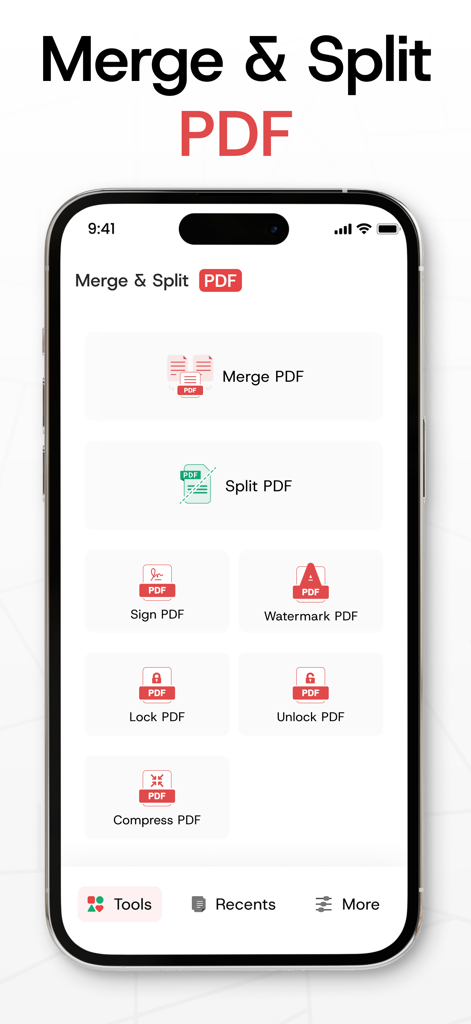
Merge PDF Files-Split PDF Docs - Main dashboard of the PDF management app featuring tools to merge, split, sign, and lock PDF documents.
Main dashboard of the PDF management app featuring tools to merge, split, sign, and lock PDF documents.

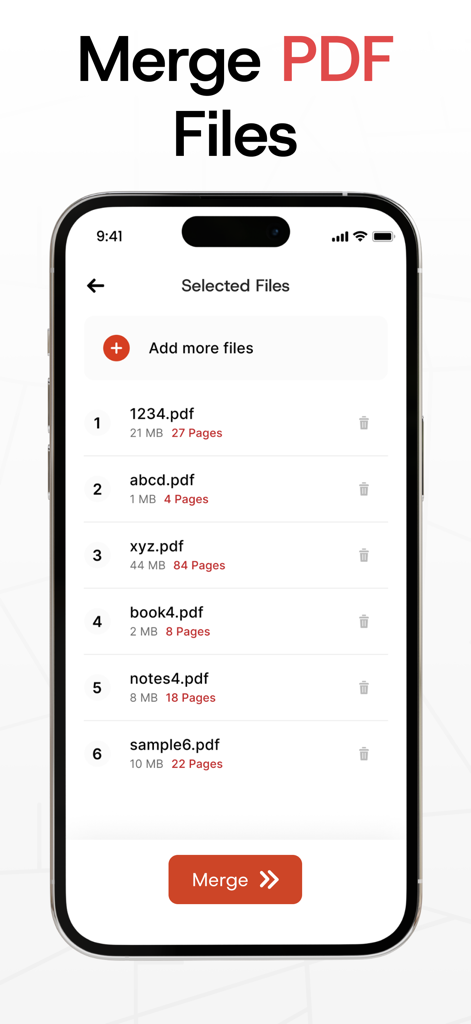
Merge PDF Files-Split PDF Docs - A mobile app interface showing a list of selected PDF documents ready to be combined into one file

A mobile app interface showing a list of selected PDF documents ready to be combined into one file
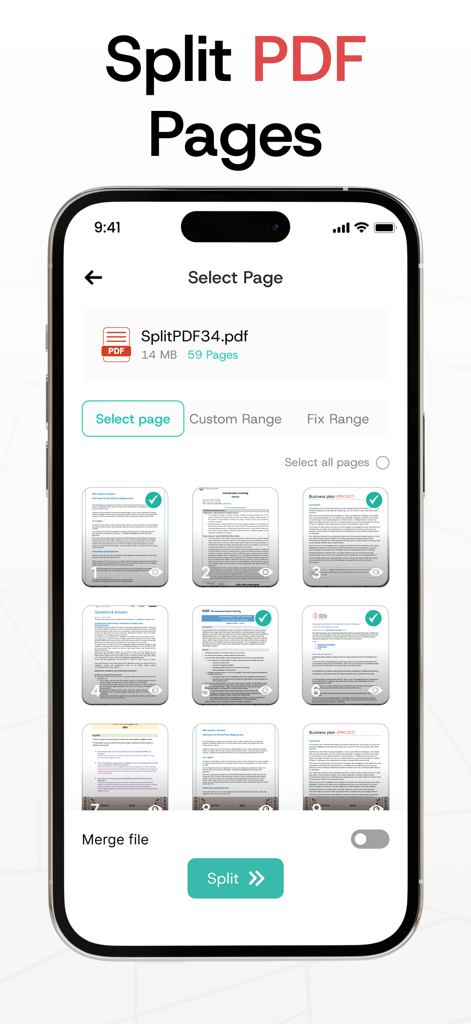
Merge PDF Files-Split PDF Docs - iPhone screen displaying a selection of individual pages from a PDF document to be split or extracted
iPhone screen displaying a selection of individual pages from a PDF document to be split or extracted

Merge PDF Files-Split PDF Docs - Mobile app interface showing the Lock PDF feature with password entry fields for securing documents
Mobile app interface showing the Lock PDF feature with password entry fields for securing documents

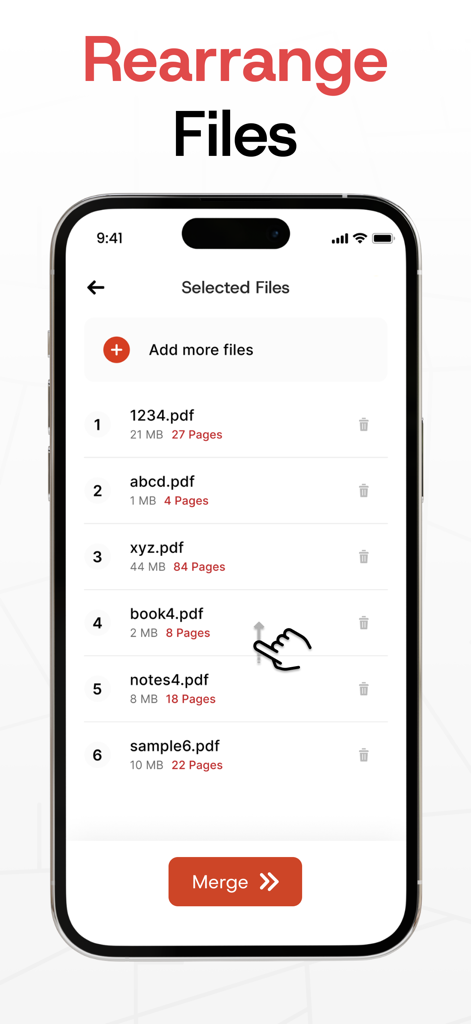
Merge PDF Files-Split PDF Docs - Interface showing a user rearranging a list of PDF documents before merging them into one file.
Interface showing a user rearranging a list of PDF documents before merging them into one file.

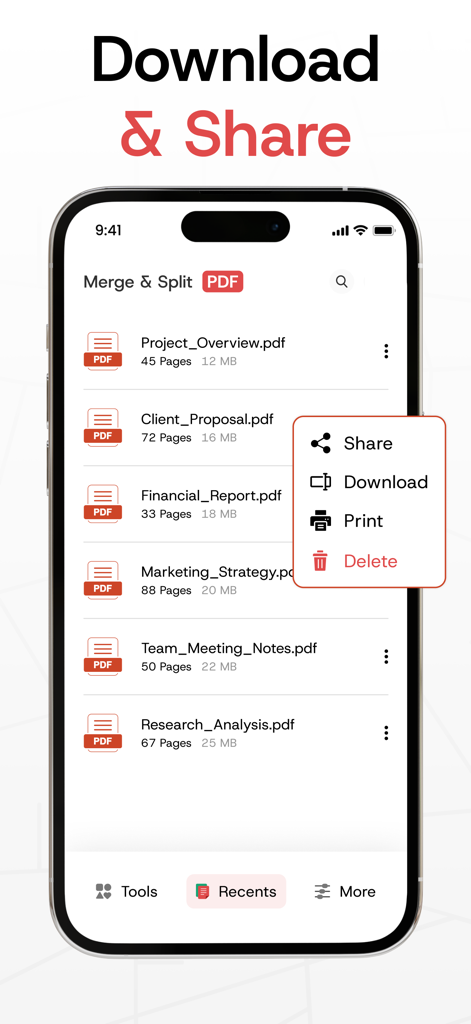
Merge PDF Files-Split PDF Docs - iPhone screen showing a list of PDF files with a menu for share download and print options in the Merge PDF app
iPhone screen showing a list of PDF files with a menu for share download and print options in the Merge PDF app

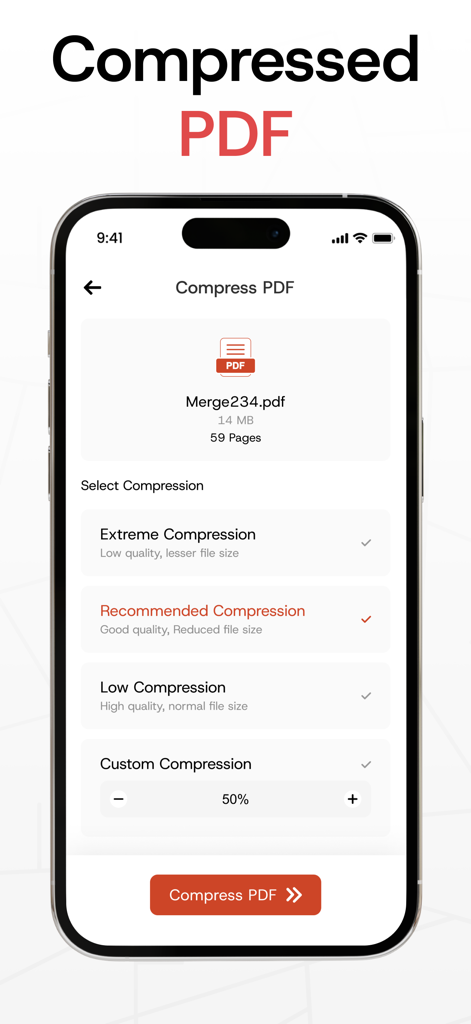
Merge PDF Files-Split PDF Docs - Mobile app interface for compressing PDF files with multiple quality settings
Mobile app interface for compressing PDF files with multiple quality settings

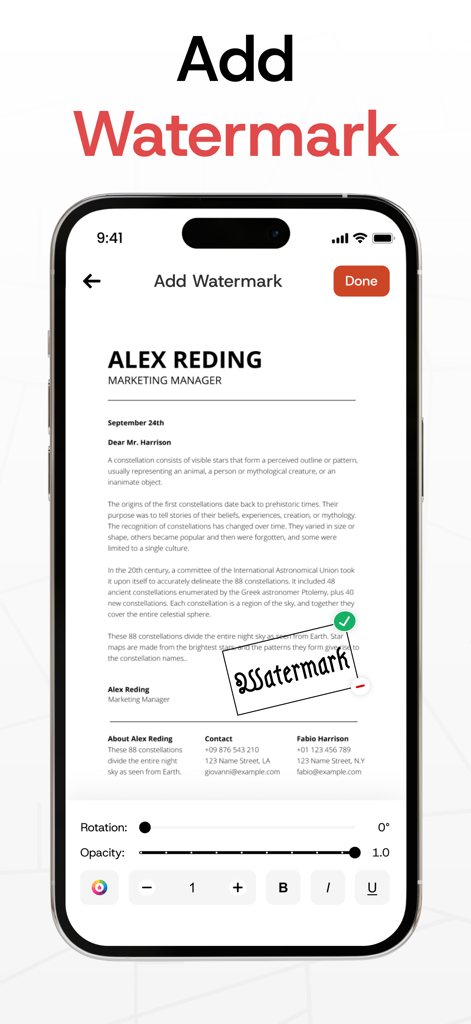
Merge PDF Files-Split PDF Docs - An iPhone screen showing the interface for adding and editing a watermark on a PDF document with rotation and opacity controls
An iPhone screen showing the interface for adding and editing a watermark on a PDF document with rotation and opacity controls

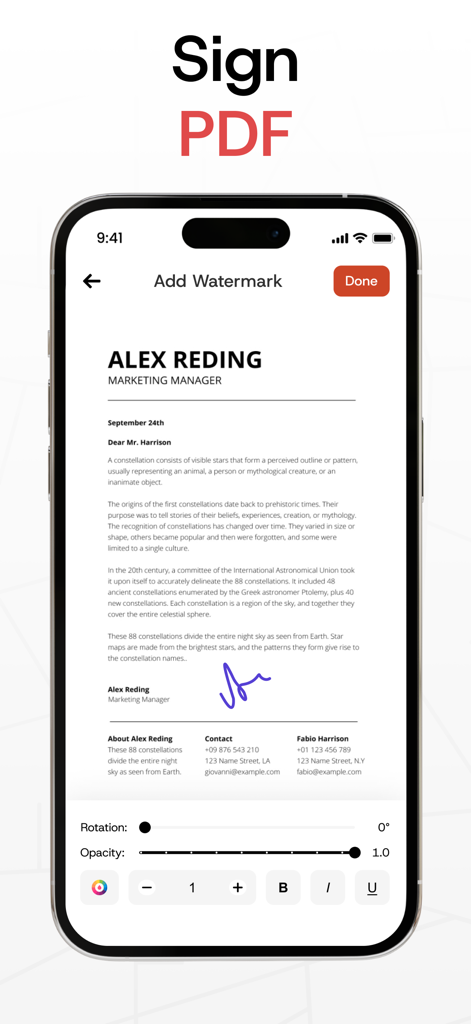
Merge PDF Files-Split PDF Docs - Adding a digital signature and watermark to a PDF document on mobile
Adding a digital signature and watermark to a PDF document on mobile

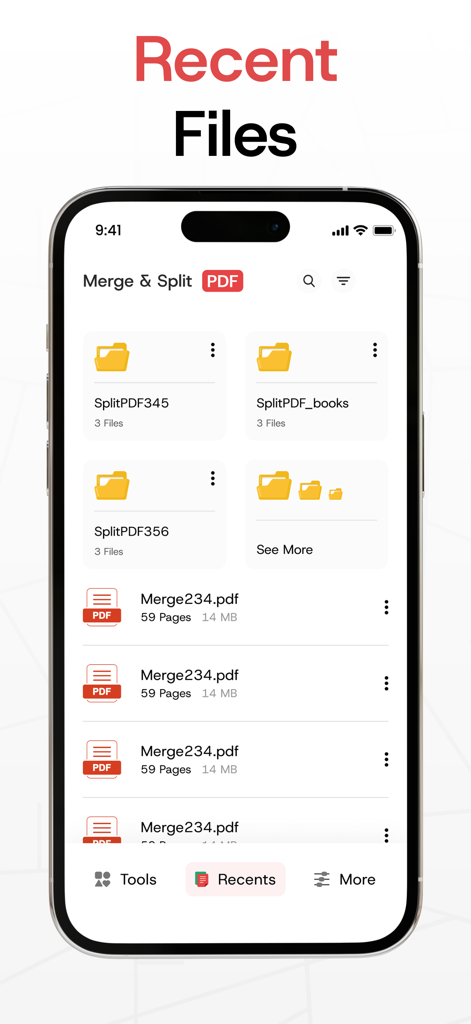
Merge PDF Files-Split PDF Docs - Recent files interface in the Merge PDF app showing folders and documents

Recent files interface in the Merge PDF app showing folders and documents

Description

Our PDF Merger app makes it effortless to merge PDF files or combine two or more PDFs into a single, neatly organized document. With its fast merging speed, you can confidently combine PDF files into one file, knowing that all your PDFs will be seamlessly merged without losing any content or quality. Plus, it’s secure, allowing you to keep your merged PDFs safe and private. In addition, This Merge PDF app offers a complete suite of tools for managing your documents. You can split PDF files into smaller, manageable sections or extract specific pages with ease. The app also lets you lock and unlock PDFs, giving you full control over document access while protecting sensitive information. How to Use? Choose PDF files directly from your gallery or create a new text-based PDF. Use the PDF Merger & PDF Combiner to effortlessly join PDF files with just a few taps. - Key Features of the PDF Merger App: * Combine PDF Files into One Easily combine multiple PDF files into one. Import PDFs from your gallery or create a new text-based PDF to merge PDF files seamlessly into a single document. * Split PDF Files Need to divide a large document? Use the PDF Splitter feature to break your PDF into smaller sections or extract specific pages to suit your needs. * Lock and Unlock PDFs Secure your files by locking them with a password, or remove restrictions to unlock PDFs when needed. Safeguard your sensitive information with ease. * Delete Pages from PDFs Remove unnecessary pages from your document effortlessly to streamline your PDF. * Share Across Platforms Quickly share your merged PDFs using the PDF Joiner via email, messaging apps, or cloud services. * Unlimited Merging Merge as many files as you want, whenever you want, with no limitations. - Why Choose Us? The Merge PDF app is built for simplicity and efficiency, making it easy to combine PDF files, manage documents, and save time. Whether you're organizing work files, creating presentations, or consolidating class notes, this app is the perfect tool. Our PDF combiner is ideal for professionals, students, and anyone dealing with multiple PDFs. Plus, it works seamlessly offline or online. - Who Can Use It? * Teachers & Educators Merge lesson plans and materials into a single document with the PDF Merger. * Business Professionals Use the app to combine PDF files like reports and presentations into polished documents. * Legal Professionals Consolidate contracts and legal filings using the PDF Joiner for secure submissions. * Real Estate Agents Create a comprehensive property profile by merging listings and contracts. * Healthcare Professionals Organize and share patient records securely with the PDF Combiner app. * Freelancers Send invoices, contracts, and project deliverables as organized, professional PDFs using the Join PDF feature. Take control of your documents today! Download Merge PDF - Combine PDF Files now and simplify your PDF management tasks for free. With its intuitive tools, including PDF Splitter, PDF Joiner, and security features, this app is your all-in-one solution for managing PDFs efficiently. Disclaimer: Our app is independently developed and fully original. We take your privacy seriously and never share your personal data with any third parties. Privacy Policy: https://www.itspdf.com/policy Terms of Service https://www.itspdf.com/termsandconditions Support Email: eclix.suport@gmail.com

Download

Download on App Store

This page is not an official page of the app or its developer, but an independent editorial publication created for informational and commentary purposes. Unless expressly stated otherwise, neither the app nor its developer is affiliated with, endorsed by, sponsored by, authorized by, or otherwise officially connected with MWM, Apple, Google Play, the app publisher, or the app's developer, and nothing on this page implies that the app was developed using MWM's services. Any trademarks, logos, screenshots, and other content remain the property of their respective owners.








