
This page is not an official page of the app or its developer, but an independent editorial publication created for informational and commentary purposes. Unless expressly stated otherwise, neither the app nor its developer is affiliated with, endorsed by, sponsored by, authorized by, or otherwise officially connected with MWM, Apple, Google Play, the app publisher, or the app's developer, and nothing on this page implies that the app was developed using MWM's services. Any trademarks, logos, screenshots, and other content remain the property of their respective owners.

Metronome: Tempo Lite
Experience the most accurate timing engine trusted by millions of musicians. Elevate your practice with the built-in tracker module and professional-grade stability that stays in sync, even when your device is locked.
Downloads
4M+User Rating
Total Ratings
37K+Publisher
Category
MusicLocales
10Latest Version
5.0.8Size
20.1 MBFirst Released
Mar 6, 2013Master Your Timing with Professional Precision
Join over 4 million musicians who rely on Tempo Lite for a stable, high-accuracy metronome that adapts to your practice routine and professional performance needs.
Rock-Solid Accuracy
Built with a high-performance engine that maintains perfect timing even in lock mode or while running in the background behind your music charts.
Data-Driven Practice
Track your progress with the integrated Tracker Module, logging total practice time and bars played to help you reach your musical milestones faster.
Frequently Asked Questions
Everything you need to know about Metronome: Tempo Lite
What is Metronome: Tempo Lite?
Metronome: Tempo Lite is a free iOS metronome app offering high accuracy and stability. It includes core features like time signatures, rhythm patterns, a Tracker Module, and visual feedback for musicians.
Does Metronome: Tempo Lite work in device lock mode?
Yes, Metronome: Tempo Lite functions reliably in device lock mode. Its engine is designed for stability and continues operation even when the device is locked.
What is the primary purpose of Tempo Lite's Tracker Module?
The Tracker Module in Metronome: Tempo Lite helps users track practice sessions. It records the number of bars or the time played, aiding in structured musical practice.
Does Tempo Lite offer a Coach Mode for practice?
Yes, Metronome: Tempo Lite includes a Coach Mode. This feature alternates between unmuted and muted bars, providing a dynamic practice experience for musicians.
Can Tempo Lite automatically adjust the tempo during practice?
Yes, Metronome: Tempo Lite can automatically adjust the tempo. It supports automatic tempo changes every 'n' number of bars or 'n' amount of time.
What is the tempo range supported by Metronome: Tempo Lite?
Metronome: Tempo Lite supports a wide tempo range. Users can set the tempo from a minimum of 10 BPM up to a maximum of 800 BPM.
What visual feedback options are available in Metronome: Tempo Lite?
Metronome: Tempo Lite provides visual feedback through pulsating LEDs and two pendulum types with two animation types. It can also flash the whole screen on the first beat.
How many different time signatures does Metronome: Tempo Lite provide?
Metronome: Tempo Lite offers eight different time signatures. These include common signatures like 1-4/4, 3/8, 6/8, 9/8, and 12/8.
What interface themes does Metronome: Tempo Lite offer?
Metronome: Tempo Lite includes two interface themes: Light and Dark. Upgrading the app provides access to an additional dark color scheme for flipside views.
Can Tempo Lite operate in the background while other apps play audio?
Yes, Metronome: Tempo Lite supports multi-tasking. It plays in the background, allowing concurrent audio playback from other applications.
The following screenshots and description are sourced directly from the app's official store listing and are the property of the app developer.
App Store
Screenshots
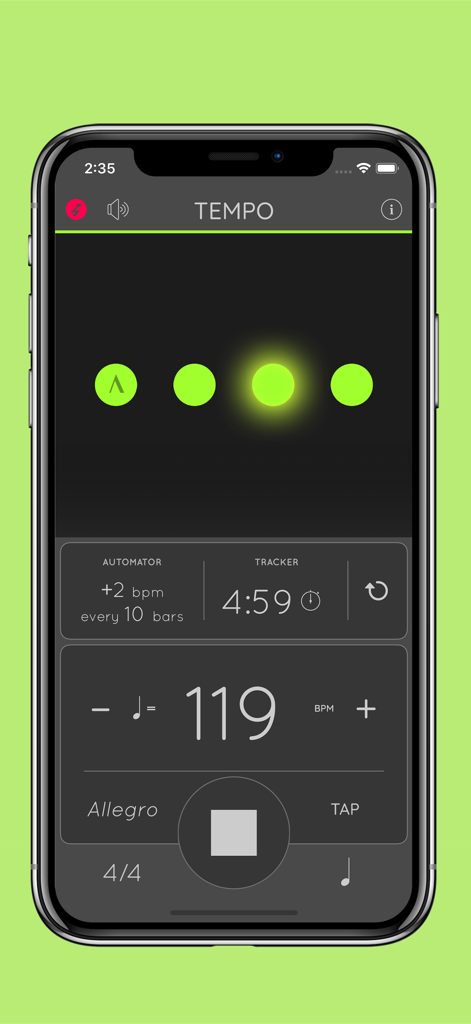
Metronome Tempo Lite app interface displaying 119 BPM and practice duration on a smartphone screen.
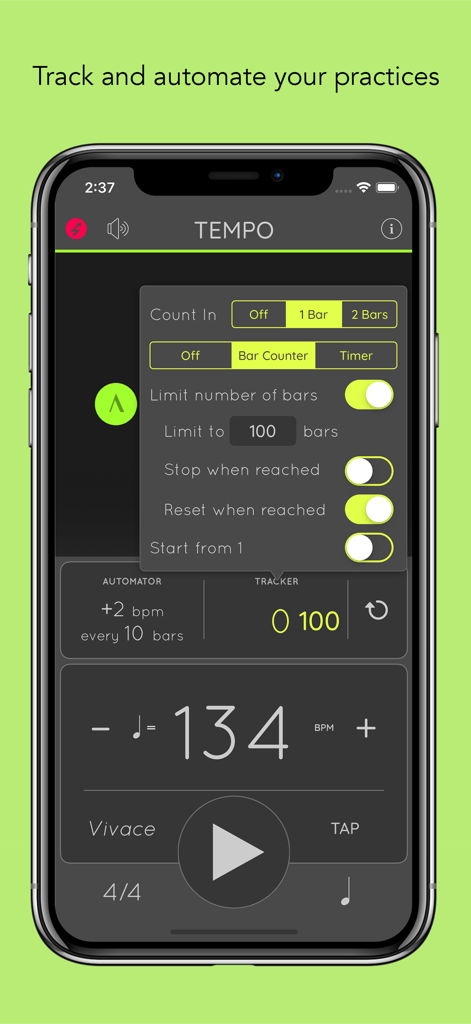
Metronome Tempo Lite practice tracker and automator settings screen
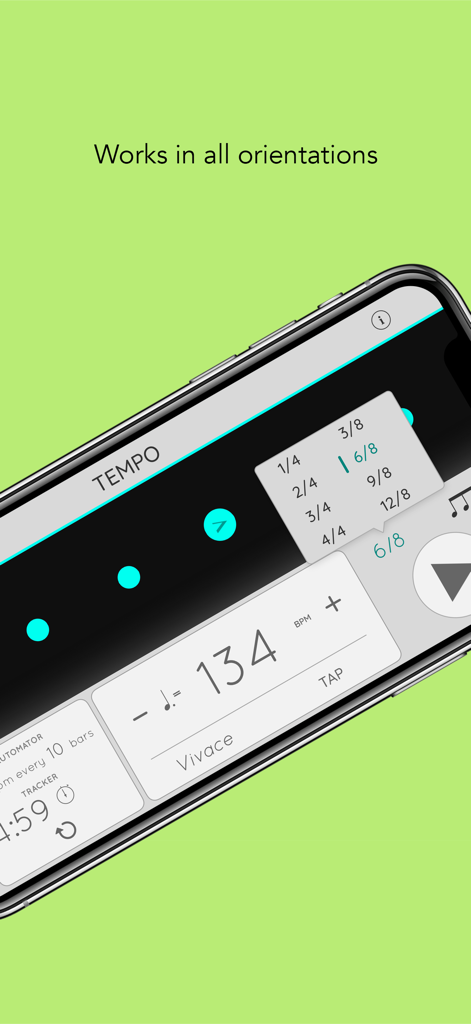
Metronome Tempo Lite app showing time signature settings in landscape mode
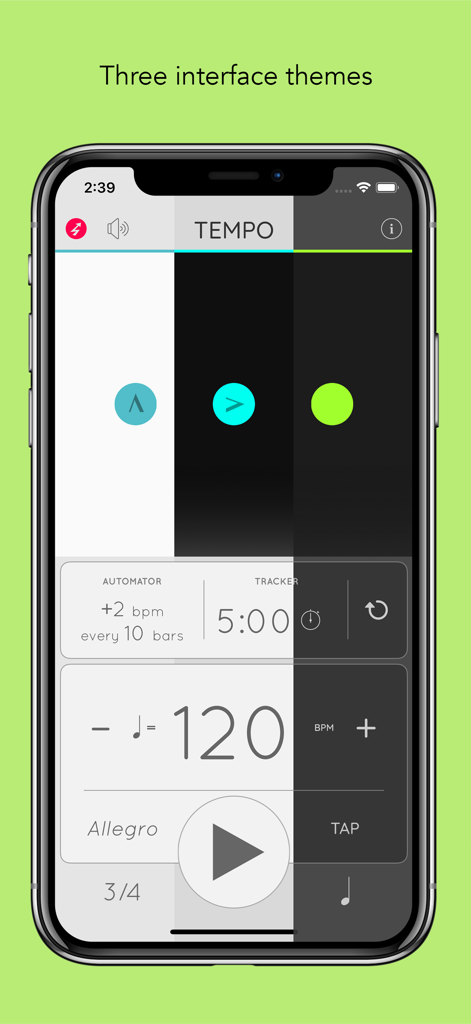
Metronome Tempo Lite app showing three interface themes and practice tracker on a smartphone.
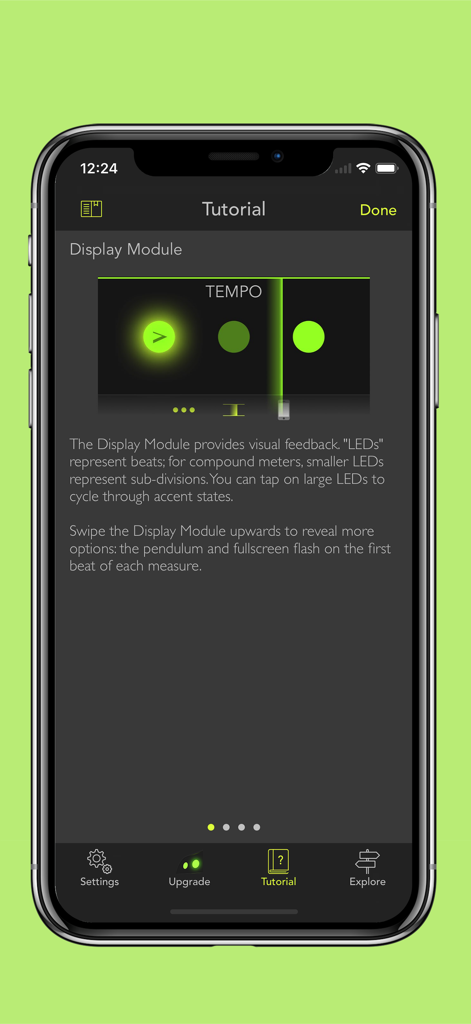
Metronome Tempo Lite app tutorial screen explaining the visual LED display module for tracking beats.
Description
Download
More Like This
Apps with similar features and user experience

Metronome Beats Pro
Stonekick Limited

Metronome-Tempo,Beat,BPM
梦莹 张

Metronome Ϟ
ONYX 3
Metronome-music beat rhythm
Wuhan Net Power Technology Co., Ltd

Metronome ∞
Panoramic Software Inc.
Tempo - Metronome with Setlist
Frozen Ape Pte. Ltd.

Pulse - Metronome & Tap Tempo
MuseScore
PolyNome: THE Metronome
Polynome Ltd
Metronome – Beats & Tempo
TINY BOOM LIMITED
This page is not an official page of the app or its developer, but an independent editorial publication created for informational and commentary purposes. Unless expressly stated otherwise, neither the app nor its developer is affiliated with, endorsed by, sponsored by, authorized by, or otherwise officially connected with MWM, Apple, Google Play, the app publisher, or the app's developer, and nothing on this page implies that the app was developed using MWM's services. Any trademarks, logos, screenshots, and other content remain the property of their respective owners.