Tempo - Metronome with Setlist
Download on App Store

This page is not an official page of the app or its developer, but an independent editorial publication created for informational and commentary purposes. Unless expressly stated otherwise, neither the app nor its developer is affiliated with, endorsed by, sponsored by, authorized by, or otherwise officially connected with MWM, Apple, Google Play, the app publisher, or the app's developer, and nothing on this page implies that the app was developed using MWM's services. Any trademarks, logos, screenshots, and other content remain the property of their respective owners.


Logo of Tempo - Metronome with Setlist
Download on App Store

Tempo - Metronome with Setlist

Experience unrivaled accuracy with the metronome trusted by gigging musicians and educators worldwide. Build complex setlists, automate your practice, and stay in perfect time on any stage.

Key Figures

Downloads

478K+

User Rating

4.7/5

Total Ratings

19K+

Publisher

Frozen Ape Pte. Ltd.

Category

Music

Locales

10

Latest Version

5.0.8

Size

16.7 MB

First Released

Feb 13, 2009
Features

Built for the Stage and the Studio

Trusted by professional musicians worldwide, Tempo delivers unmatched precision and advanced setlist management for your most demanding performances.

Unrivaled Timing Accuracy

Rely on a high-stability engine designed to stay perfectly in sync, even in background mode or during heavy multitasking.

Gig-Ready Setlists

Organize your show with custom presets and switch songs hands-free using AirTurn or Bluetooth pedal integration.

The following screenshots and description are sourced directly from the app's official store listing and are the property of the app developer.

App Store

Screenshots
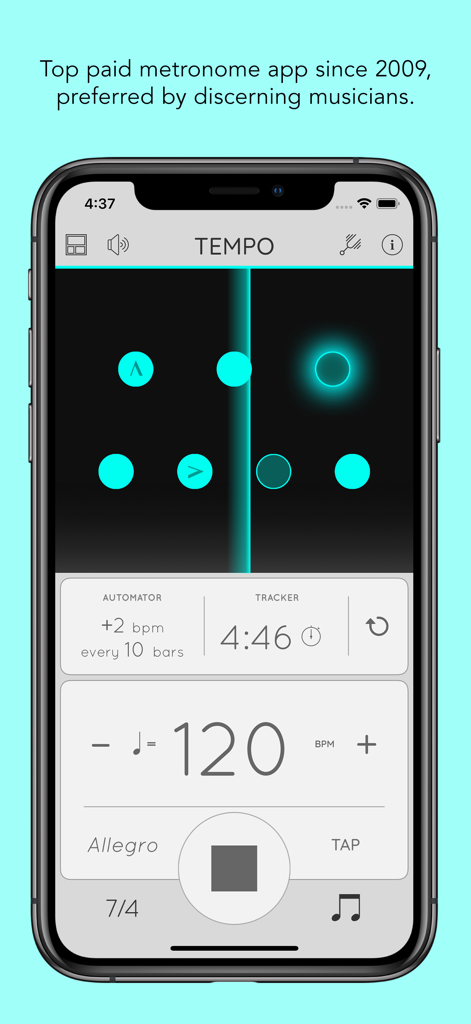
Tempo - Metronome with Setlist - Interface of the Tempo metronome app on iPhone featuring BPM controls, automator, and visual beat indicators
Interface of the Tempo metronome app on iPhone featuring BPM controls, automator, and visual beat indicators

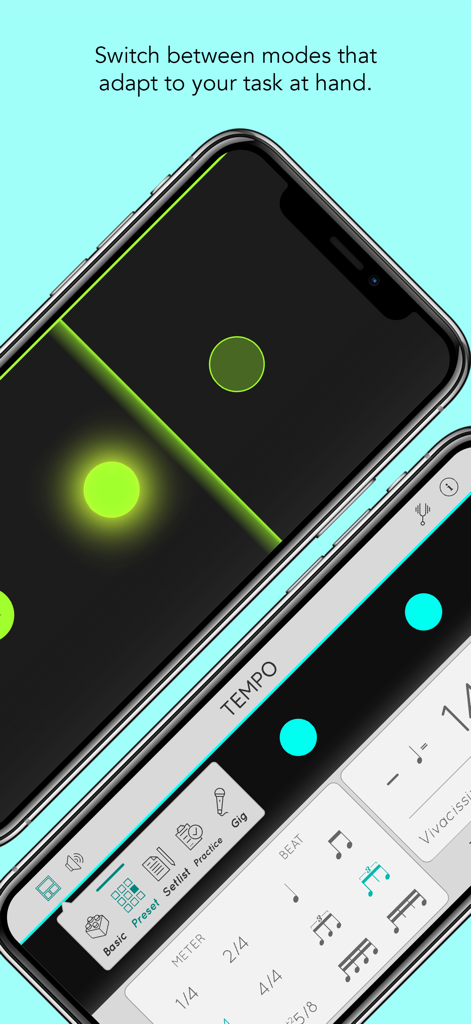
Tempo - Metronome with Setlist - Tempo metronome app interface on iPhone showing various performance modes and visual rhythm LEDs

Tempo metronome app interface on iPhone showing various performance modes and visual rhythm LEDs
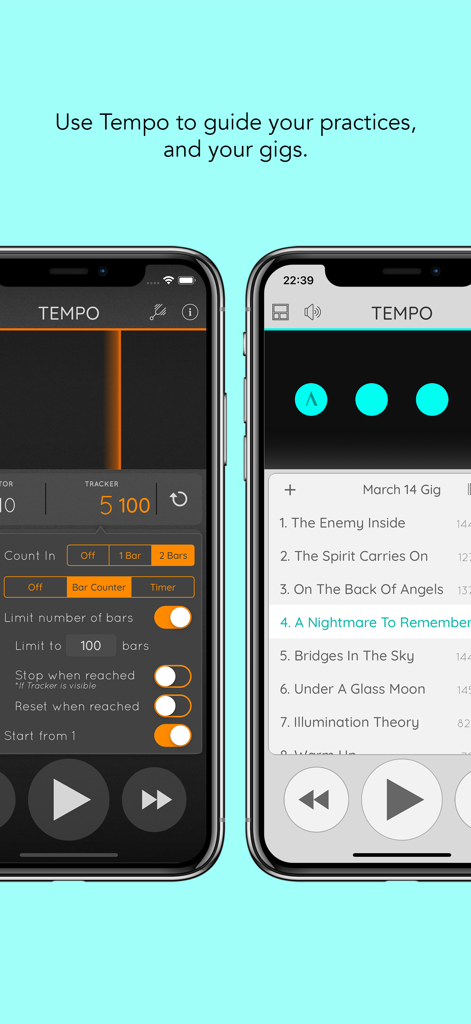
Tempo - Metronome with Setlist - Two iPhones showing the Tempo app with practice tracker settings and a live performance setlist.
Two iPhones showing the Tempo app with practice tracker settings and a live performance setlist.

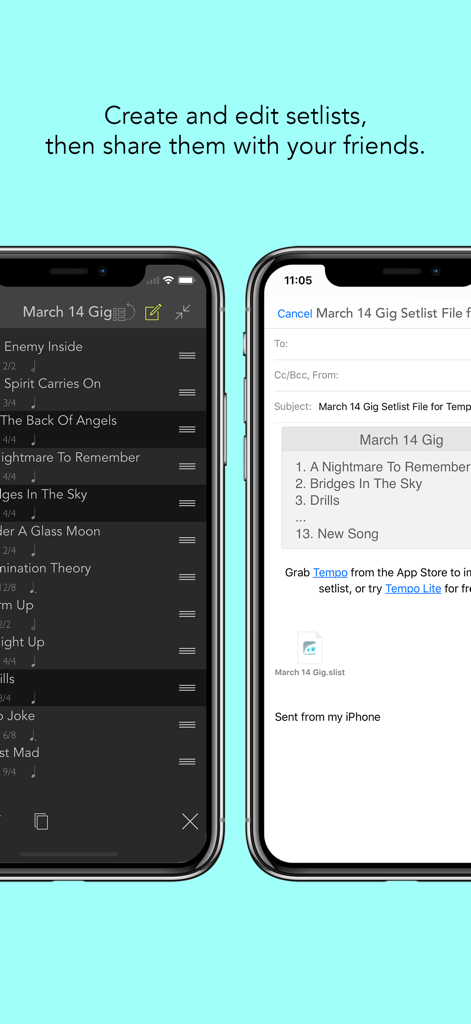
Tempo - Metronome with Setlist - Screenshots of Tempo app showing setlist organization and sharing features.
Screenshots of Tempo app showing setlist organization and sharing features.

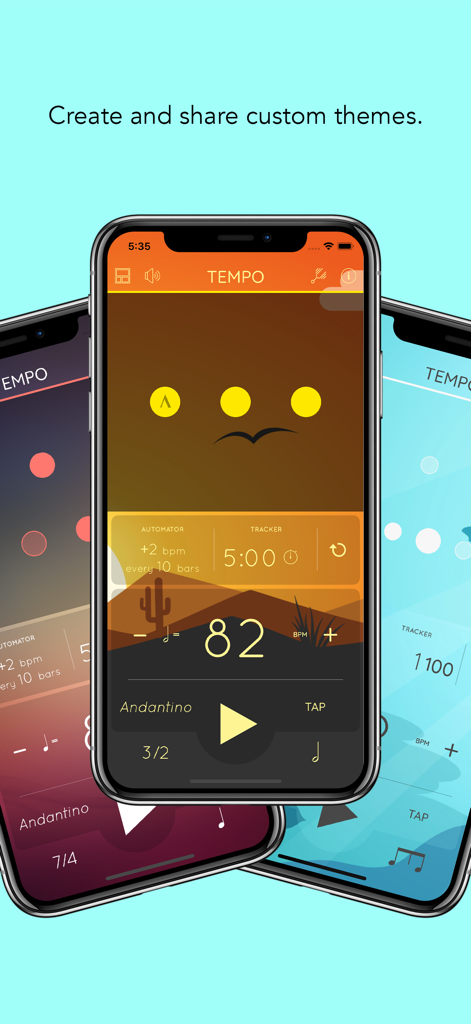
Tempo - Metronome with Setlist - Three iPhones displaying different custom color themes and the interface of the Tempo metronome app.

Three iPhones displaying different custom color themes and the interface of the Tempo metronome app.

Description

Tempo is the bestselling and most accurate metronome on the App Store. Featured as "New and Noteworthy" and "Staff Favorite" by Apple on the main iTunes landing page. If you'll like to try Tempo out before purchasing, download Tempo Lite for free now. Ever since its release, Tempo has been consistently in the top 100 of the Music category in over 30 countries, and the top paid metronome app in most countries. Tempo's engine is written from the ground up for high accuracy and stability. It keeps going even in device lock mode, making it a useful aid for live drumming. Tempo features an innovative interface that morphs between modes that each presents a different combination of functionalities optimized for the task at hand. Five modes are available on the iPhone: Basic, Preset, Setlist, Practice and Gig. On the iPad, Preset, Gig and Complete modes are available, the last providing access to all controls. Visit www.frozenape.com for demo videos. Features Summary Configuration • 35 different time signatures, including compound and complex meters: 1-13/2, 1-13/4, 3/8, 5/8(2 variations), 6/8, 7/8(3 variations), 9/8, 12/8  • 6 rhythm patterns for simple meters and 3 for compound meters  • Customize accents or turn beats off to create more complex rhythms • Tap tempo function  • Tempo ranges from 10 to 800 Display • Visual feedback in the form of pulsating LEDs • Two pendulum types, each with two animation types • Flash whole screen • Fullscreen display mode with gesture controls Setlists • Store presets in multiple setlists  • Advanced setlist management including search, overwriting, copying between setlists and multi-deletion • Quick editing • Share setlists via email • Backup via iTunes File Sharing  Tracker and Automator • Track number of bars played or time your practice • Stop playback automatically when limit reached • Up to 2 bars of voice count in • Automatic adjustment of tempo every n number of bars or n amount of time • Loop and auto advance through setlists • Coach Mode alternates between unmuted and muted bars Sound • Choose from 14 sound sets, including one optimized for live drumming click tracks  • Voice counting  • Vibration mode • Pan audio left, right or centered • Volume control and mute button Control • Control setlists, tempo and playback with AirTurn, iRig BlueBoard, PageFlip Cicada, headphones remote and other accessories • Assign action to proximity sensor trigger Miscellaneous • Classical metronome and Italian tempo markings  • Pitch pipe for playback of all 12 chromatic pitches (calibration from A = 414 to 466 Hz) • Multi-tasking support: plays in background, with audio from other apps • Four color themes • Theme Editor to create unlimited custom themes

Download

Download on App Store

This page is not an official page of the app or its developer, but an independent editorial publication created for informational and commentary purposes. Unless expressly stated otherwise, neither the app nor its developer is affiliated with, endorsed by, sponsored by, authorized by, or otherwise officially connected with MWM, Apple, Google Play, the app publisher, or the app's developer, and nothing on this page implies that the app was developed using MWM's services. Any trademarks, logos, screenshots, and other content remain the property of their respective owners.