MicroServer

MicroServer

Logo of MicroServer

MicroServer: The Ultimate Local HTTP Web Server for Your iPhone and iPad

Host static sites, test responsive designs on real hardware, and share files across any device on your local network instantly—with zero cloud friction and total privacy.

Publisher

Madras Automation Concepts Private Limited

Category

Utilities

Downloads

0

User Rating

1.0/5

Total Ratings

0

Locales

1

Server Power, On Screen

Discover the interface used by 0 users.
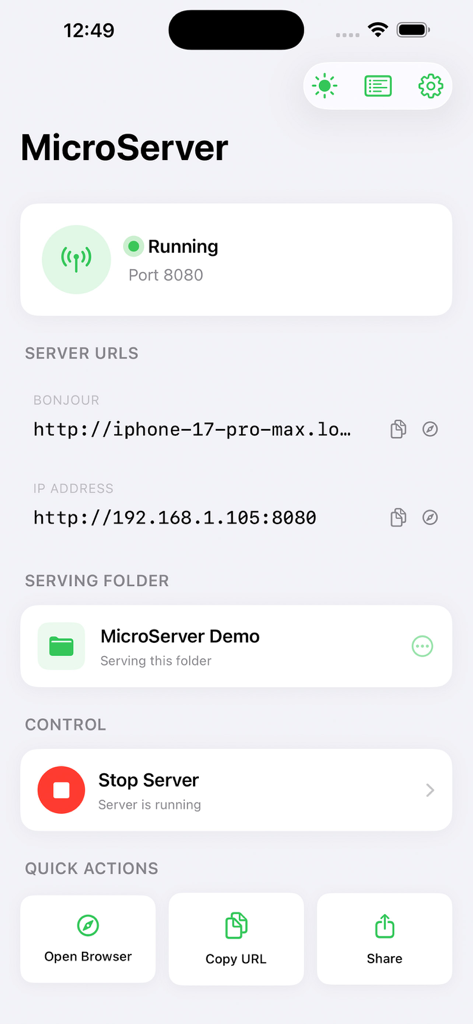
MicroServer app interface showing an active local web server with connection URLs and folder status

MicroServer app interface showing an active local web server with connection URLs and folder status

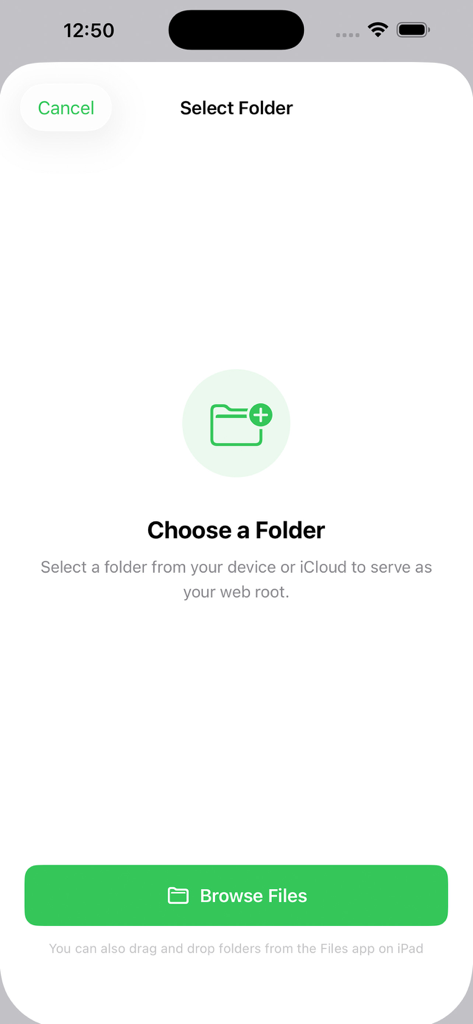
Interface of the MicroServer app showing the option to select a folder from the device or iCloud to serve as a web root

Interface of the MicroServer app showing the option to select a folder from the device or iCloud to serve as a web root

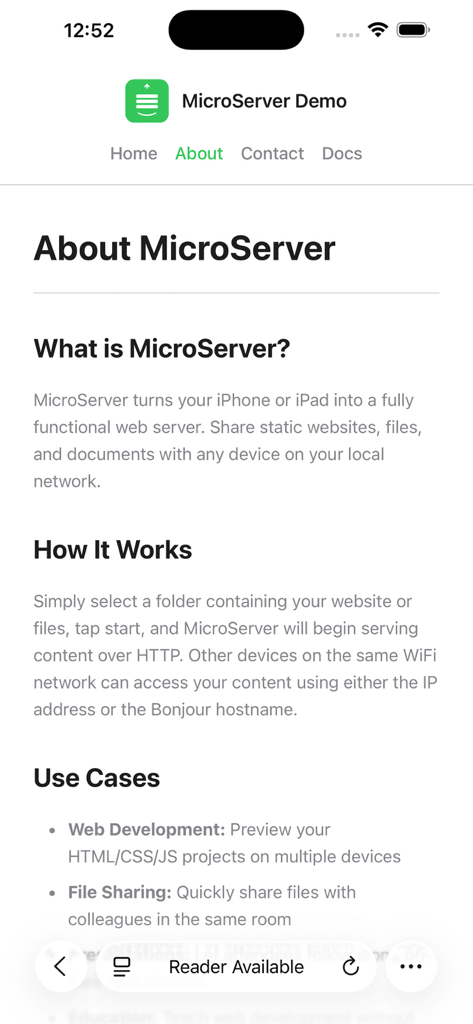
MicroServer app about page explaining web server features and use cases

MicroServer app about page explaining web server features and use cases

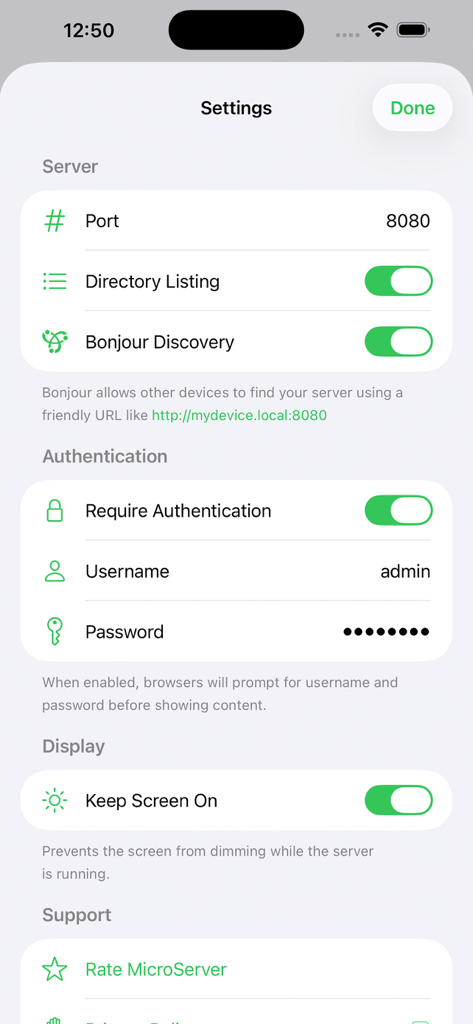
Settings screen of MicroServer app showing server port bonjour discovery and authentication configuration

Settings screen of MicroServer app showing server port bonjour discovery and authentication configuration

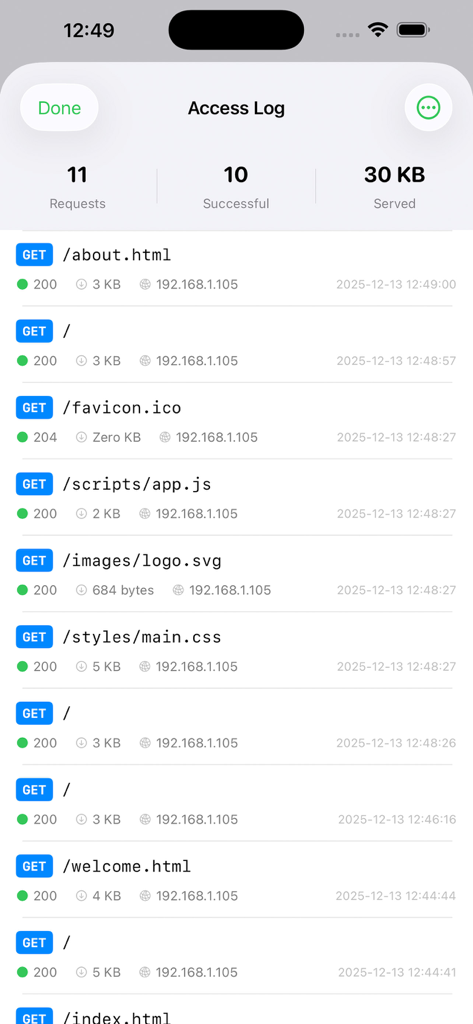
MicroServer app Access Log interface showing a list of HTTP GET requests with status codes, file sizes, and client IP addresses.

MicroServer app Access Log interface showing a list of HTTP GET requests with status codes, file sizes, and client IP addresses.

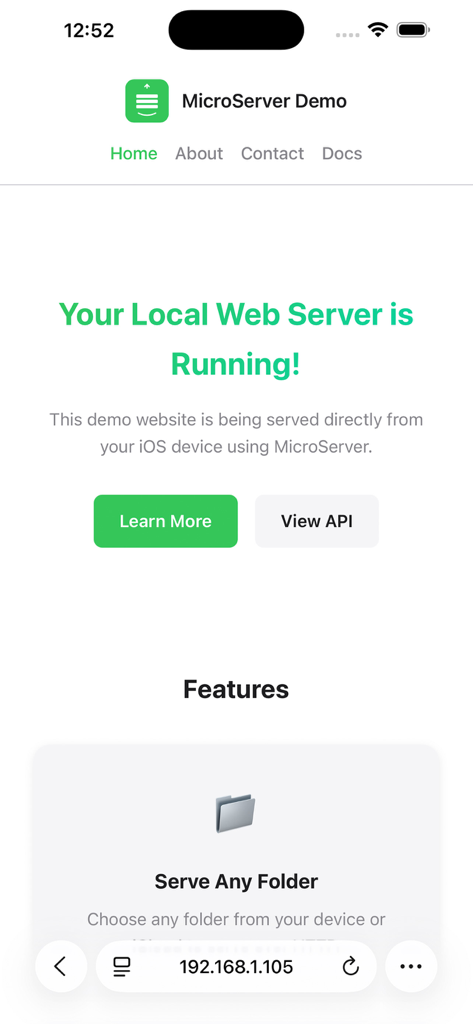
A demo website hosted on an iPhone using MicroServer showing the local web server is running

A demo website hosted on an iPhone using MicroServer showing the local web server is running

Professional-Grade Local Hosting

The tools that make this app stand out, trusted by 0 users.

🚀

Instant Web Development

Test responsive designs and static sites live on real hardware. Host HTML, CSS, and JS directly from your device to see your changes exactly as your users will.

🔒

Privacy-First File Sharing

Eliminate cloud fatigue. Share sensitive prototypes and files over your local Wi-Fi without ever uploading to external servers or third-party platforms.

🛠️

Granular Server Control

Built for power users with detailed access logging, Basic Auth protection, and Bonjour discovery for a seamless, IP-free connection experience.

About the app

Everything you need to know about MicroServer.

Description

MicroServer transforms your iPhone or iPad into a fully functional HTTP web server. Share static websites, HTML files, and folders with any device on your local network instantly. PERFECT FOR DEVELOPERS Test your responsive web designs on real mobile devices without deploying to a remote server. Simply point your browser to the local URL and see your changes live. View detailed access logs to debug requests and monitor traffic. SIMPLE FILE SHARING Share folders from your device or iCloud Drive with colleagues and clients. No cloud uploads required. Everything stays on your local network, fast and private. KEY FEATURES Local HTTP Server Host static websites and files directly from your device. Supports HTML, CSS, JavaScript, images, and 60 plus file types with automatic MIME type detection. Bonjour Discovery Access your server using a friendly URL like yourdevice.local instead of memorizing IP addresses. Works automatically with Safari and other browsers. Directory Listing Browse shared folders with a clean, responsive interface. Supports dark mode and works on any screen size. Access Logging Monitor all HTTP requests with detailed logs showing method, path, status code, response size, client IP, and user agent. Export logs for analysis. Basic Authentication Protect your shared content with username and password. Uses standard HTTP Basic Auth compatible with all browsers. Customizable Port Run on port 8080 by default or choose any port between 1024 and 65535. Keep Screen On Prevent your device from sleeping while serving files with a single tap. IDEAL USE CASES Web Development Preview static sites, test responsive layouts, and debug CSS on actual devices connected to your local network. Design Reviews Share HTML prototypes and mockups with clients during meetings without uploading to external servers. Classroom Teaching Demonstrate web technologies by serving example files that students can access from their own devices. Local File Access Access documents, images, and media files from your iOS device on your laptop or desktop. Quick Presentations Host presentation files or documentation for immediate access during demos and workshops. TECHNICAL SPECIFICATIONS Supports iOS 17.0 and later on iPhone and iPad. Uses native Network framework for optimal performance and battery efficiency. No third party dependencies or external servers required. The server runs only while the app is in the foreground due to iOS platform limitations. Keep the app visible or enable Keep Screen On for continuous serving. Works exclusively over WiFi. Cellular connections are not supported for security and privacy. PRIVACY FOCUSED All data remains on your local network. No files are uploaded to external servers. No accounts required. No tracking or analytics. Download MicroServer today and start serving files in seconds. Terms of Service: https://www.apple.com/legal/internet-services/itunes/dev/stdeula/

Latest Version

1.0.0

Size

3.0 MB

First Released

Dec 15, 2025

Transform Your iOS Device Into a Pro-Grade Web Server

Join the developers and designers optimizing their workflow with frictionless local hosting. No cloud, no tracking—just pure productivity in your pocket.

App information, icons, screenshots, and descriptions displayed on this page are sourced from the Apple App Store and are the property of their respective developers. Download estimates and rankings are based on MWM's proprietary models and may not reflect actual figures. This page is provided for informational and analytical purposes only.

Believe this page infringes your intellectual property? File a dispute