
This page is not an official page of the app or its developer, but an independent editorial publication created for informational and commentary purposes. Unless expressly stated otherwise, neither the app nor its developer is affiliated with, endorsed by, sponsored by, authorized by, or otherwise officially connected with MWM, Apple, Google Play, the app publisher, or the app's developer, and nothing on this page implies that the app was developed using MWM's services. Any trademarks, logos, screenshots, and other content remain the property of their respective owners.


Minimal Tabbed ToDo List
The app banishes clutter, empowering users to dissect and conquer any project with surgical precision.
Downloads
2.5M+User Rating
Total Ratings
40.1KPublisher
Category
ProductivityLocales
2Latest Version
10.14.18Size
88.1 MBFirst Released
Jun 3, 2020An in-depth look at its core functionalities and their value proposition for the modern iOS user.
Key Features Analysis: Minimal Tabbed ToDo List
Robust Reminder System
It allows users to set due dates and receive timely notifications, ensuring no deadlines are missed.
Seamless iCloud Synchronization
The app ensures data consistency across all Apple devices (iPhone, iPad), providing an up-to-date experience.
Tabbed Task Organization
This tool features unlimited tabs, enabling users to clearly separate and manage diverse areas of their lives, from work projects to personal lists.
Dynamic Home & Lock Screen Widgets
It provides widgets for both Home and Lock Screens, allowing users to view tasks at a glance without opening the application.
Flexible Recurring Reminders
The app supports daily, weekly, or monthly repeating reminders, catering to routine tasks and long-term planning needs.
Color-coded Task Categorization
This tool enables users to color-code tasks with eight distinct options, enhancing visual organization and quick identification.
Extensive Theme Customization
The app offers a choice of 30 theme colors, allowing users to personalize its aesthetic to match their style.
Customizable Tab Names
It allows users to freely name tabs (e.g., Work, Shopping), providing flexible categorization tailored to individual needs.
Efficient Bulk Task Management
The app provides a one-tap bulk delete function for all completed tasks, streamlining list maintenance and decluttering.
Integrated Dark Mode Support
This tool fully supports Dark Mode, offering a comfortable viewing experience, especially in low-light conditions.
Frequently Asked Questions
Everything you need to know about Minimal Tabbed ToDo List
How does Minimal Tabbed ToDo List help organize tasks?
Minimal Tabbed ToDo List organizes tasks using unlimited, customizable tabs. Users can separate work projects, shopping lists, and personal plans, ensuring clear categorization. This feature keeps tasks well-structured and easy to manage.
Can I color-code tasks in Minimal Tabbed ToDo List?
Yes, Minimal Tabbed ToDo List allows users to color-code tasks. You can choose from eight distinct colors to visually categorize and differentiate your tasks for quick identification at a glance.
Does Minimal Tabbed ToDo List offer reminders for tasks?
Yes, Minimal Tabbed ToDo List provides powerful reminders to ensure users never miss a deadline. Reminders can be set for specific due dates and can repeat daily, on selected weekdays, or on a specific day each month.
Does Minimal Tabbed ToDo List sync across Apple devices?
Yes, Minimal Tabbed ToDo List supports iCloud sync. This feature keeps your iPhone and iPad perfectly in step, ensuring data consistency across all your Apple devices and during upgrades.
Are widgets available for Minimal Tabbed ToDo List?
Yes, Minimal Tabbed ToDo List provides widgets for both the Home Screen and Lock Screen. These widgets allow users to view tasks at a glance and perform quick actions directly from their device's home interface.
Does Minimal Tabbed ToDo List support Dark Mode?
Yes, Minimal Tabbed ToDo List fully supports Dark Mode. Users can switch to a darker interface theme for improved viewing comfort, especially in low-light environments, aligning with system preferences.
Where can I find the privacy policy for Minimal Tabbed ToDo List?
The privacy policy for Minimal Tabbed ToDo List is available on the official website. You can access it directly at https://www.apppalette.co.jp/privacypolicy_en for detailed information.
Can I protect the Minimal Tabbed ToDo List app with a password?
Yes, Minimal Tabbed ToDo List includes an optional password lock feature. Users can set a password to protect the app, adding an extra layer of security for their personal task lists and data.
How do I delete completed tasks in Minimal Tabbed ToDo List?
Minimal Tabbed ToDo List features one-tap bulk delete functionality for all completed tasks. This allows users to quickly clear their lists of finished items, keeping their task management clean and efficient.
Can I rename tabs in Minimal Tabbed ToDo List?
Yes, users can freely name tabs in Minimal Tabbed ToDo List. This customization allows for personal organization, enabling users to create tabs like Work, Shopping, or Wish List to suit their specific needs.
How many theme colors does Minimal Tabbed ToDo List offer?
Minimal Tabbed ToDo List offers 30 theme colors. Users can pick from this wide selection to personalize the app's appearance, suiting their individual style and enhancing the visual experience.
Can I view my tasks on a calendar in Minimal Tabbed ToDo List?
Yes, Minimal Tabbed ToDo List allows users to view tasks on a calendar. This feature helps visualize upcoming deadlines and schedules, improving overall task planning and time management.
Does Minimal Tabbed ToDo List support notes with clickable links?
Yes, Minimal Tabbed ToDo List supports notes with clickable links. This allows users to include web addresses or other URLs directly within their task notes for quick access to relevant external resources.
The following screenshots and description are sourced directly from the app's official store listing and are the property of the app developer.
App Store
Screenshots
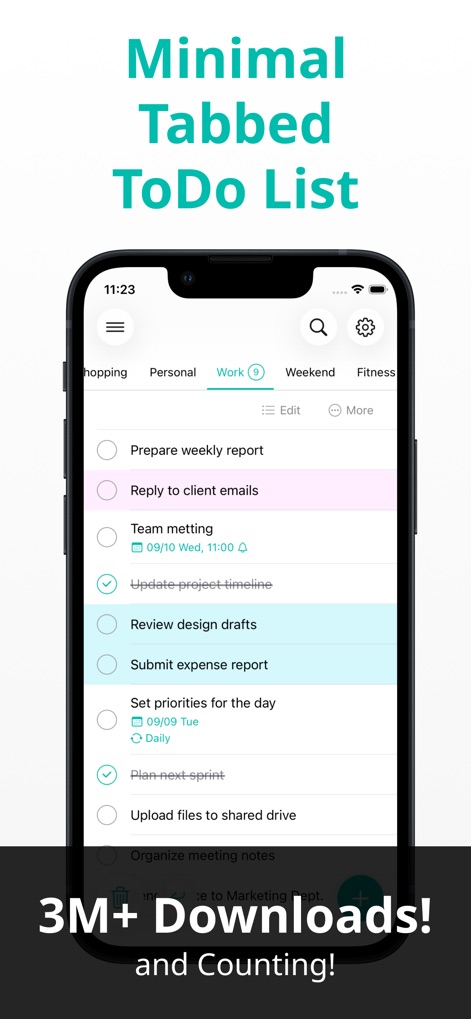
See how the app's intuitive tabbed interface, exemplified by the 'Work' tab, visually segregates tasks and utilizes color-coding for effortless identification of task statuses.
Tabbed Organization Master
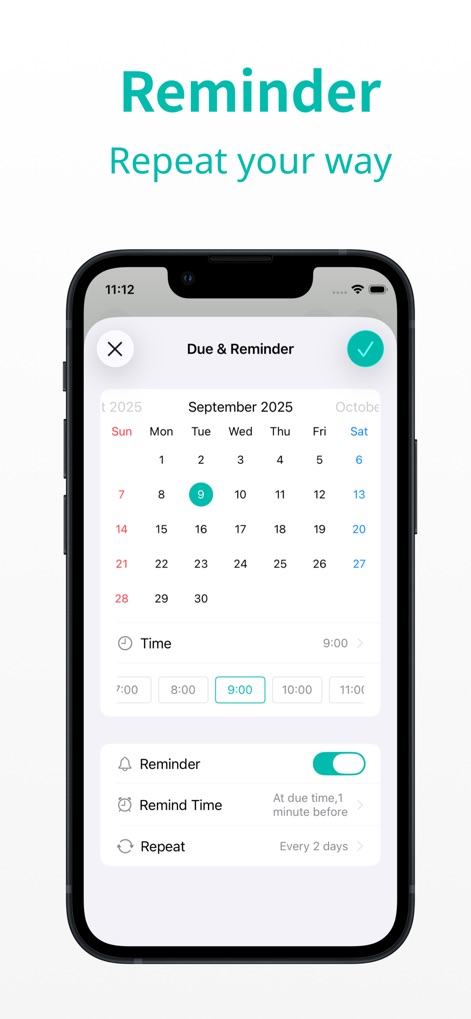
This tool allows users to precisely set due dates using an interactive calendar and customize reminder frequencies with various repeat options.
Flexible Reminders Set
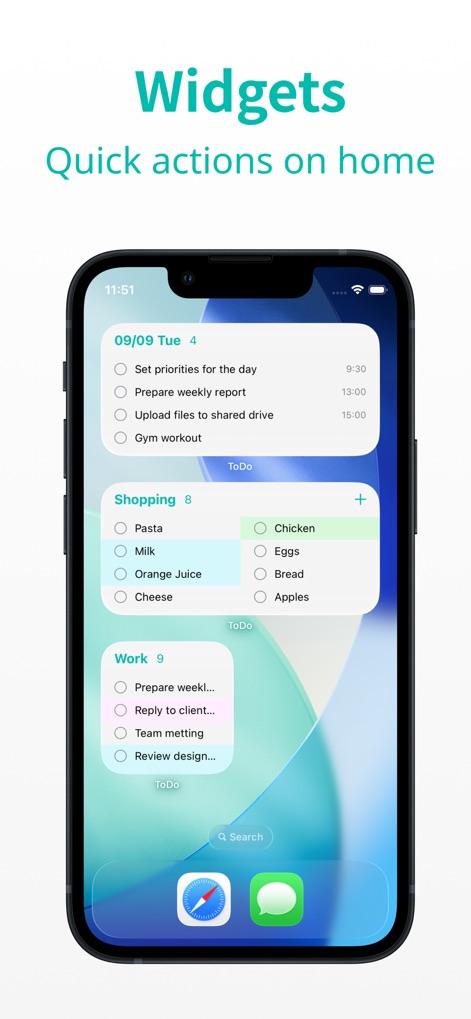
Observe how users can instantly view and manage multiple task lists, such as 'Shopping' and 'Work', directly from their Home Screen via dynamic widgets.
Dynamic Home Widgets
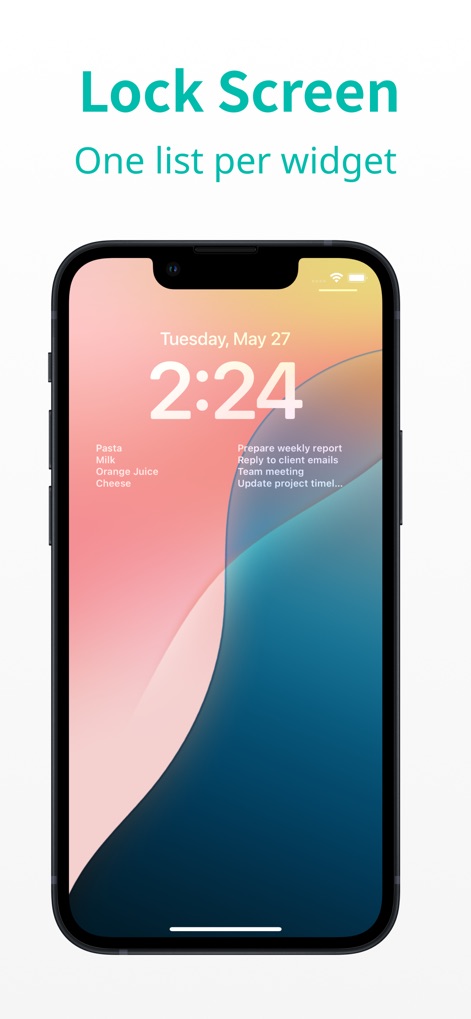
The app enables quick task access directly from the Lock Screen, displaying important tasks like 'Prepare weekly report' for immediate awareness without unlocking the device.
Lock Screen Glance
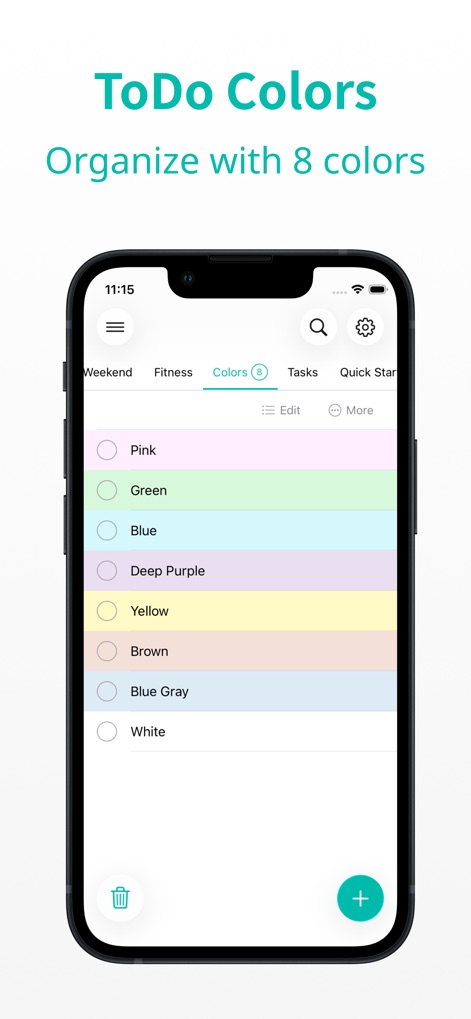
Explore the app's eight distinct color options for tasks, allowing users to visually categorize and quickly identify different types of to-dos within a dedicated 'Colors' tab.
Vibrant Task Categorization
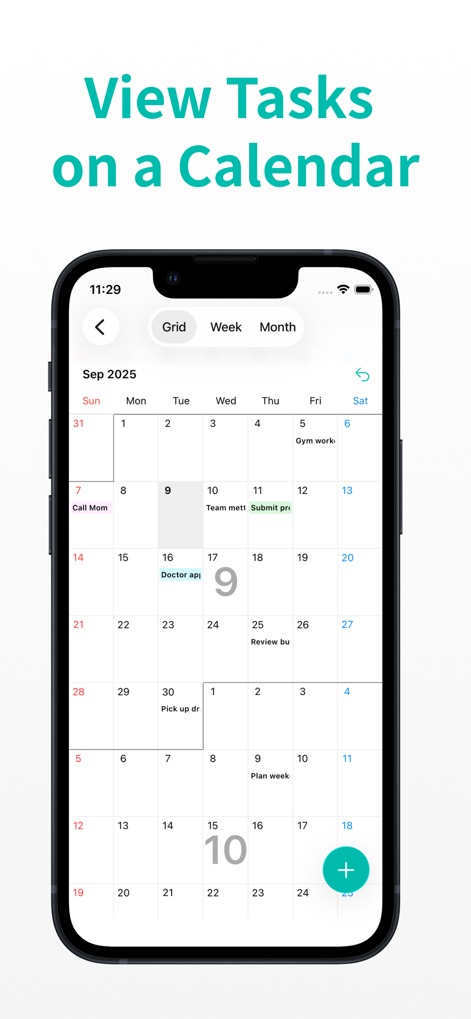
This feature provides a comprehensive calendar view, allowing users to see tasks across different timeframes like 'Week' and 'Month' and pinpoint tasks scheduled for specific dates.
Calendar Task Overview
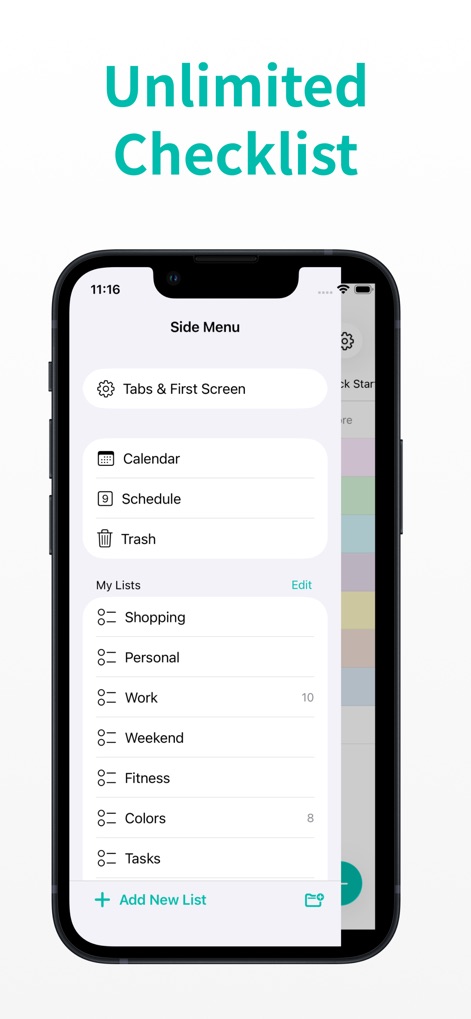
The app offers robust list management through its side menu, enabling users to create and organize an unlimited number of customizable lists such as 'Shopping' and 'Work'.
Comprehensive List Management
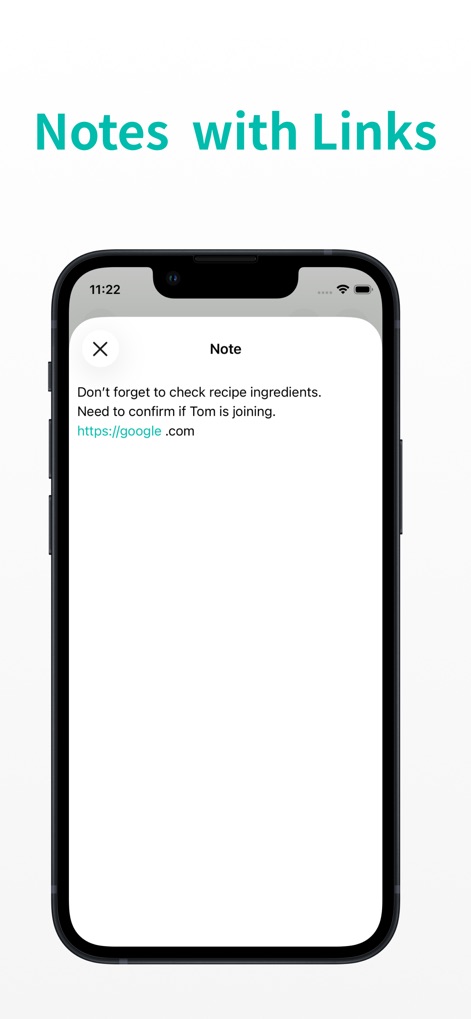
Users can enhance their tasks with detailed notes, and the app intelligently supports clickable links like 'https://google.com' for quick reference within these notes.
Integrated Note Links
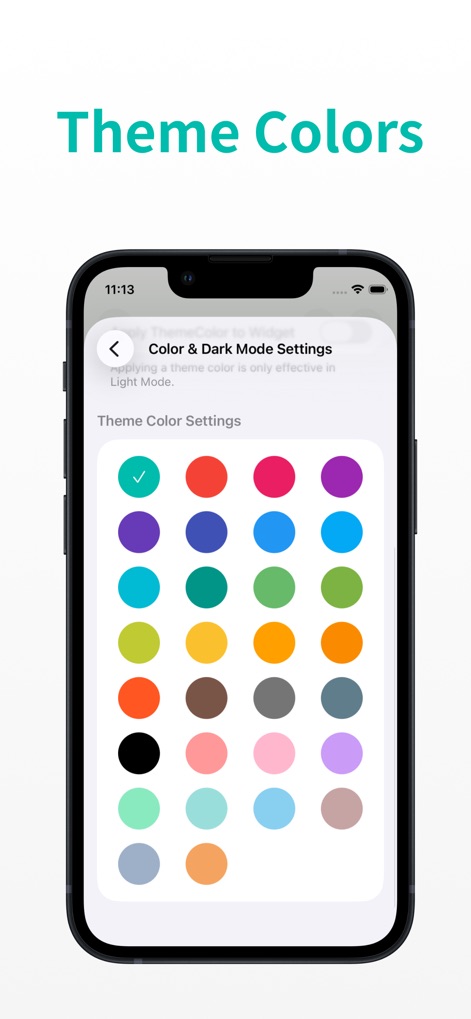
Customize the app's aesthetic with a choice from 30 vibrant theme colors, accessible through the 'Theme Color Settings,' to match personal style preferences.
Personalized App Themes
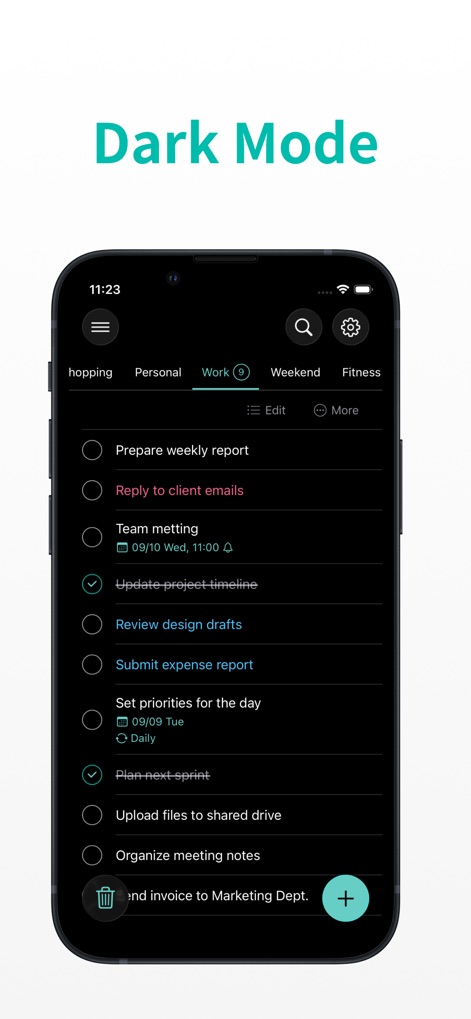
The app fully supports Dark Mode, providing a visually comfortable experience with a dark background and easily readable white text, as seen in the 'Work' tab.
Sleek Dark Mode
Description
Download
More Like This
Apps with similar features and user experience

Planit - To-Do List & Calendar
BeomJoon Kim

Smile Todo - Time Management
EMMO Corp.

That Shopping List
Markus Liebschner

Lists To do
Thomas Tsopanakis

To Do List Widget
TAPUNIVERSE LLC

Daily Planner & Task Manager
Konstantin Bolgar

DailyTodo - To-Do List & Tasks
SEOLHEE LEE
Table Notes Spreadsheet maker
WEBDIA INC.

Do! - Simple To Do List
SIMPLERION Co., Ltd
This page is not an official page of the app or its developer, but an independent editorial publication created for informational and commentary purposes. Unless expressly stated otherwise, neither the app nor its developer is affiliated with, endorsed by, sponsored by, authorized by, or otherwise officially connected with MWM, Apple, Google Play, the app publisher, or the app's developer, and nothing on this page implies that the app was developed using MWM's services. Any trademarks, logos, screenshots, and other content remain the property of their respective owners.