
This page is not an official page of the app or its developer, but an independent editorial publication created for informational and commentary purposes. Unless expressly stated otherwise, neither the app nor its developer is affiliated with, endorsed by, sponsored by, authorized by, or otherwise officially connected with MWM, Apple, Google Play, the app publisher, or the app's developer, and nothing on this page implies that the app was developed using MWM's services. Any trademarks, logos, screenshots, and other content remain the property of their respective owners.

Planit - To-Do List & Calendar
Stop the overwhelm of traditional lists. Experience the aesthetic, all-in-one calendar and to-do app designed for visual thinkers and Apple power-users.
Downloads
909K+User Rating
Total Ratings
36K+Publisher
Category
ProductivityLocales
1Latest Version
9.2.7Size
173.1 MBFirst Released
Feb 18, 2022Productivity Made Visual
Experience a cleaner, more intuitive way to manage your time. Planit combines your calendar and tasks into elegant cards designed for the modern visual thinker.
Card-Based Focus
Ditch the overwhelming lists. Organize your day into modular cards that reduce cognitive load and help you focus on what actually matters.
Deep Apple Integration
Built for your ecosystem. Seamlessly sync your schedule across iPhone, iPad, and Mac, or check your next task with a glance at your Apple Watch.
Frequently Asked Questions
Everything you need to know about Planit - To-Do List & Calendar
What is Planit?
Planit is a mobile application designed to help users plan their day efficiently through an integrated to-do list and calendar system, enabling detailed task organization and event scheduling.
Does Planit include a calendar feature?
Yes, Planit features a comprehensive calendar view where users can see their scheduled tasks and events, facilitating clear organization of daily, weekly, and monthly commitments.
How does Planit organize tasks?
Planit allows users to organize tasks into distinct categories like 'Today' and 'Someday.' Users can add tasks with specific dates, reminders, and assign them to custom groups like 'Family' or 'Important.'
Can Planit sync tasks across multiple devices?
Yes, Planit supports synchronization across multiple devices. This feature allows users to access and manage their to-do lists and calendar events seamlessly on different platforms.
Does Planit offer widgets for the home and lock screen?
Yes, Planit offers both Lock Screen Widgets and Home Widgets. These widgets provide quick access to view upcoming tasks and calendar events directly from the device's main screens.
How do I add a new to-do item in Planit?
To add a new to-do item in Planit, users navigate to the main task view and select the '+ Add a Task' button. They then input the task details, including date, reminders, and categories.
Where can I find the privacy policy for Planit?
The privacy policy for the Planit app is accessible at the provided URL: https://www.notion.so/Privacy-Policy-44e805eaaa4b428fae5a2a3256dcdb28?pvs=4.
Where can I find the terms of use for Planit?
The terms of use for the Planit application are available at the following URL: https://www.apple.com/legal/internet-services/itunes/dev/stdeula/.
The following screenshots and description are sourced directly from the app's official store listing and are the property of the app developer.
App Store
Screenshots
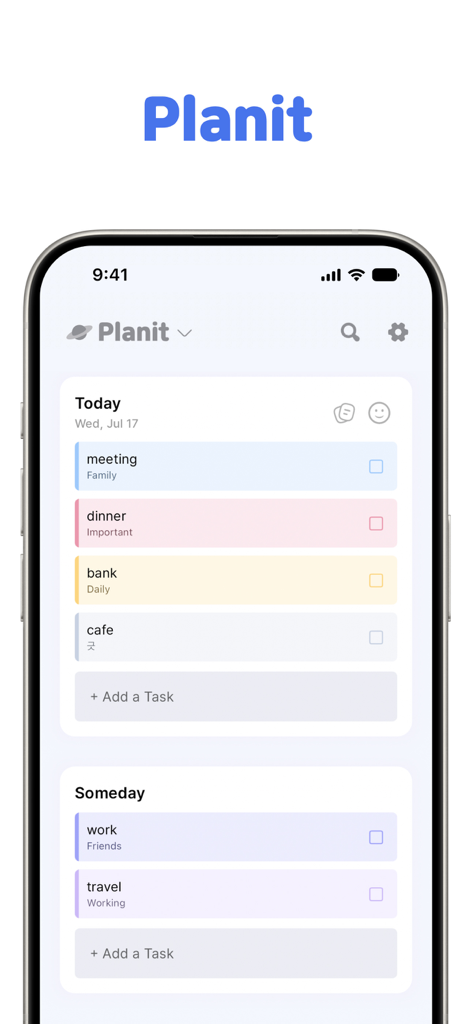
Planit productivity app showing a minimalist card based todo list on an iPhone
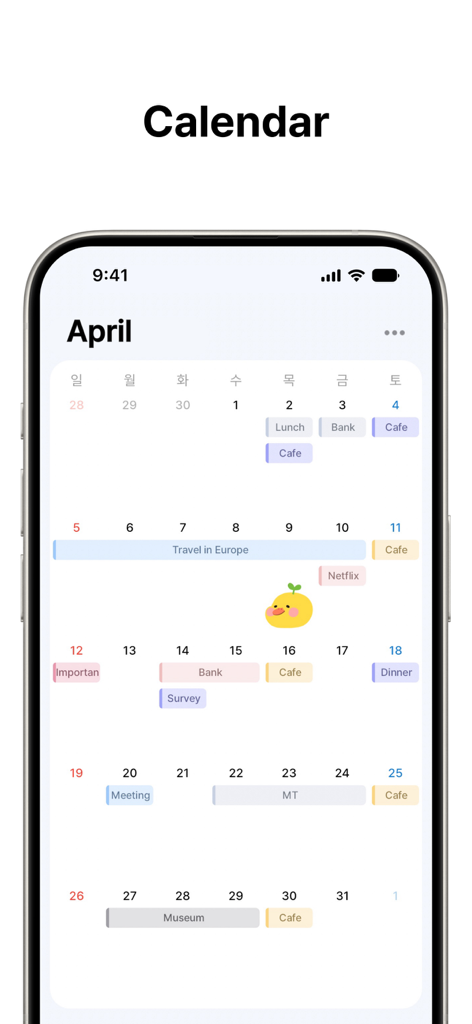
Minimalist monthly calendar interface with colorful task cards in the Planit app
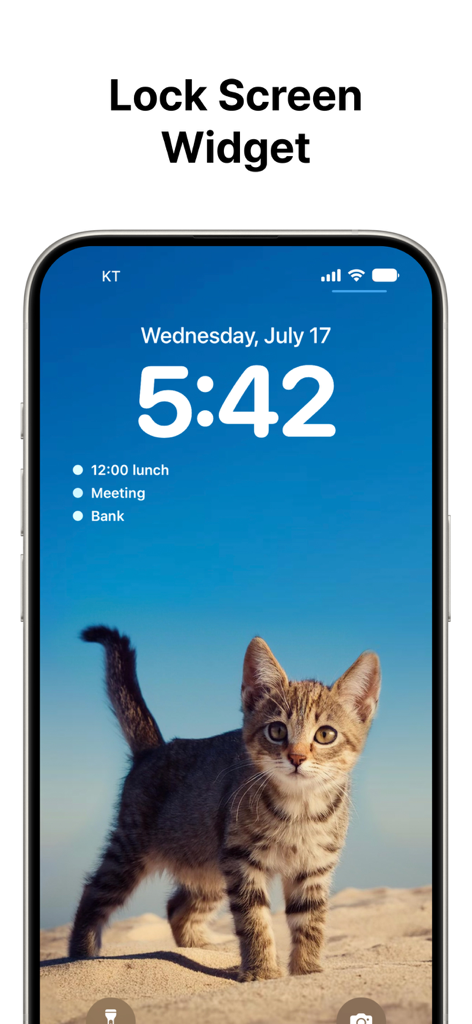
Planit app lock screen widget showing a list of tasks on an iPhone
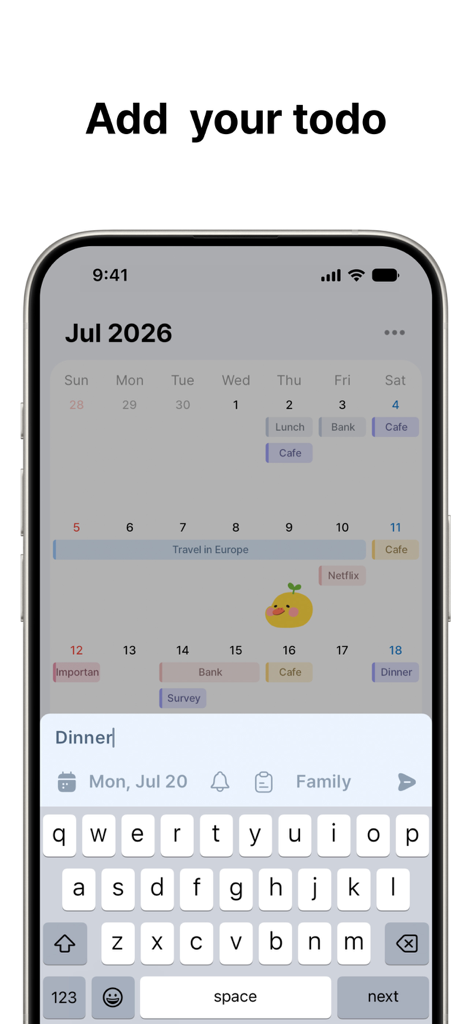
A screenshot of the Planit app interface showing a calendar view and the keyboard open to add a new task titled Dinner.
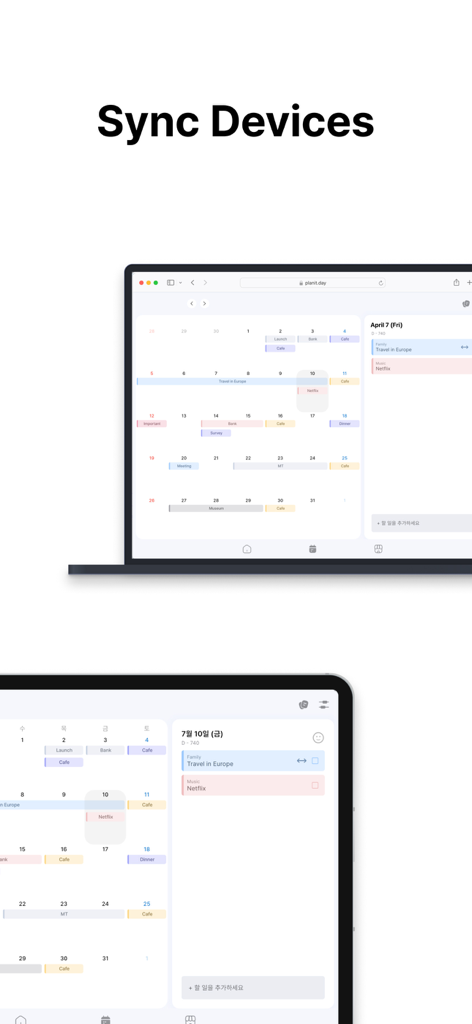
Planit app interface showing device synchronization on a laptop and a tablet
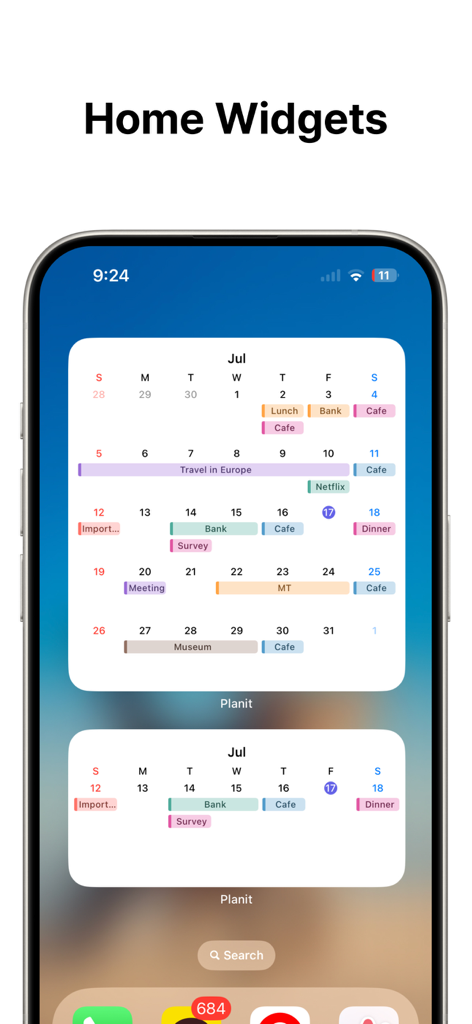
iPhone home screen displaying Planit app widgets with a colorful monthly calendar and weekly schedule.
Description
Download
More Like This
Apps with similar features and user experience

Smile Todo - Time Management
EMMO Corp.

That Shopping List
Markus Liebschner

Lists To do
Thomas Tsopanakis

To Do List Widget
TAPUNIVERSE LLC

Daily Planner & Task Manager
Konstantin Bolgar

DailyTodo - To-Do List & Tasks
SEOLHEE LEE
Table Notes Spreadsheet maker
WEBDIA INC.

Minimal Tabbed ToDo List
App Palette LLC

Do! - Simple To Do List
SIMPLERION Co., Ltd
This page is not an official page of the app or its developer, but an independent editorial publication created for informational and commentary purposes. Unless expressly stated otherwise, neither the app nor its developer is affiliated with, endorsed by, sponsored by, authorized by, or otherwise officially connected with MWM, Apple, Google Play, the app publisher, or the app's developer, and nothing on this page implies that the app was developed using MWM's services. Any trademarks, logos, screenshots, and other content remain the property of their respective owners.