MKV to MP4 Converter

MKV to MP4 Converter


Download on App Store
Logo of MKV to MP4 Converter

MKV to MP4 Converter: High-Quality Video Conversion for iOS

The ultimate tool for creators and media enthusiasts to transform MKV files into shareable MP4s. Convert in batch, maintain original quality, and work entirely offline on your iPhone or iPad.

Download on App Store

Publisher

Andy Sutanto

Category

Utilities

Downloads

1000

User Rating

3.8/5

Total Ratings

0

Locales

1

A Glimpse Inside

Discover the interface used by 1000 users.
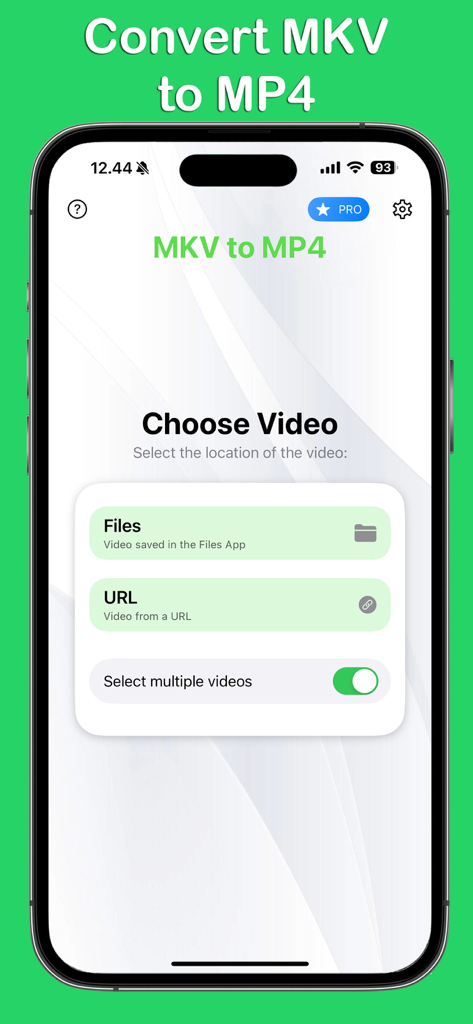
MKV to MP4 Converter app interface on iOS showing video selection options from Files or URL and a multiple video toggle.

MKV to MP4 Converter app interface on iOS showing video selection options from Files or URL and a multiple video toggle.

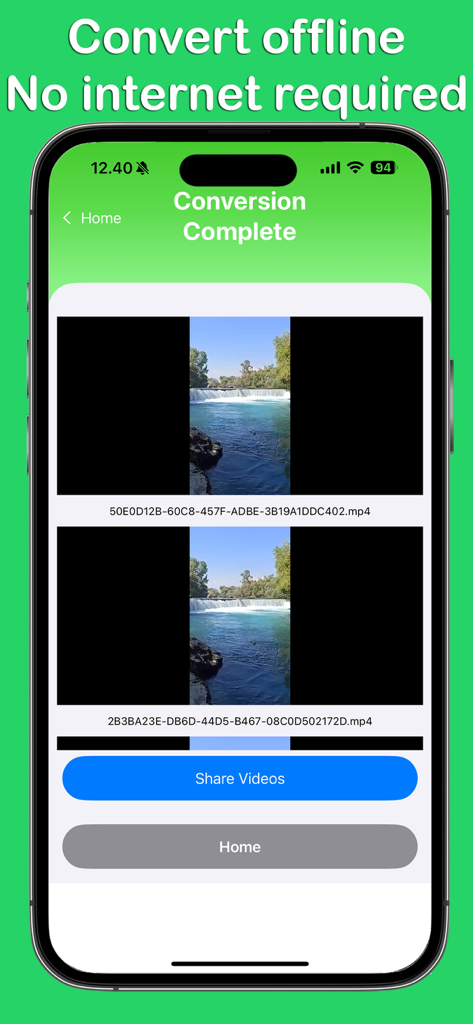
Screenshot of MKV to MP4 Converter app showing conversion complete screen with offline mode enabled on iPhone

Screenshot of MKV to MP4 Converter app showing conversion complete screen with offline mode enabled on iPhone

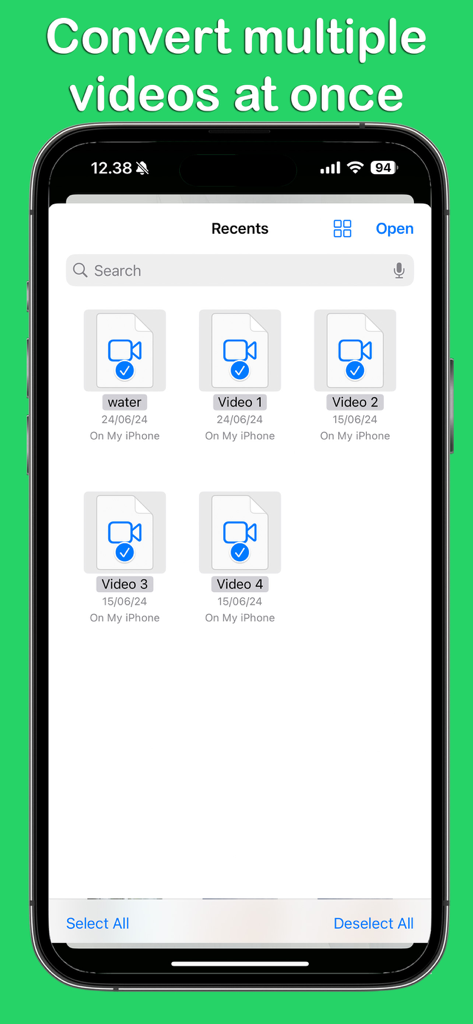
Interface showing multiple video selection for batch conversion in the MKV to MP4 Converter app.

Interface showing multiple video selection for batch conversion in the MKV to MP4 Converter app.

Pro-Grade Conversion for Your Mobile Workflow

The tools that make this app stand out, trusted by 1000 users.

High-Speed Batch Processing

Stop waiting on individual files. Convert entire folders of footage at once to keep your content creation or media organization moving at full speed.

🛡️

100% Offline & Secure

Process your sensitive video files locally on your iPhone or iPad. No cloud uploads, no data usage, and complete privacy for your professional assets.

💎

Lossless Quality Guarantee

Maintain the integrity of your 4K and 1080p videos. Our advanced engine ensures your MP4 output remains crisp and vibrant for professional editing or playback.

About the app

Everything you need to know about MKV to MP4 Converter.

Description

Transform your MKV files into MP4 format effortlessly with the MKV to MP4 Converter app. Our app offers a user-friendly interface and fast conversion speeds, ensuring you can enjoy your videos in the desired format without any hassle. Perfect for professionals and casual users alike, MKV to MP4 Converter provides high-quality output every time. Key Features: Offline video conversion Maintain original video quality Simple and intuitive interface Batch conversion support Compatible with a wide range of devices Whether you need to convert a single video or multiple files at once, our app has you covered. Download MKV to MP4 Converter today and streamline your video conversion process. Important Notes: Non-Copyrighted Content Only: This app is intended for converting non-copyrighted videos or videos that you have the right to convert. Please respect the intellectual property rights of content owners. User Responsibility: By using this app, you acknowledge and agree that you have the right to convert the videos you are using or that the videos are non-copyrighted. MKV to MP4 Converter app is free. You can use it forever, at no cost. However, MKV to MP4 Converter does offer premium features for its subscribers. If you decide to purchase an upgrade, you will unlock additional features. Terms of Use: https://kociapp.github.io/MKV-to-MP4/term-of-use Privacy Policy: https://kociapp.github.io/MKV-to-MP4/privacy-policy

Latest Version

1.0.3

Size

30.9 MB

First Released

Jul 9, 2024

Ready to Streamline Your Video Workflow?

Join thousands of creators and professionals converting MKV files into high-quality MP4s directly on your iPhone or iPad. Start your offline batch conversion for free today.

Download on App Store

App information, icons, screenshots, and descriptions displayed on this page are sourced from the Apple App Store and are the property of their respective developers. Download estimates and rankings are based on MWM's proprietary models and may not reflect actual figures. This page is provided for informational and analytical purposes only.

Believe this page infringes your intellectual property? File a dispute