
MobieSync


Bridge the gap between your devices. Transfer photos, videos, and documents instantly via your browser—no cables, no iTunes, and no complex setup.
Publisher
Category
UtilitiesDownloads
3K+User Rating
Total Ratings
0Locales
6Discover the interface used by 3K+ users.

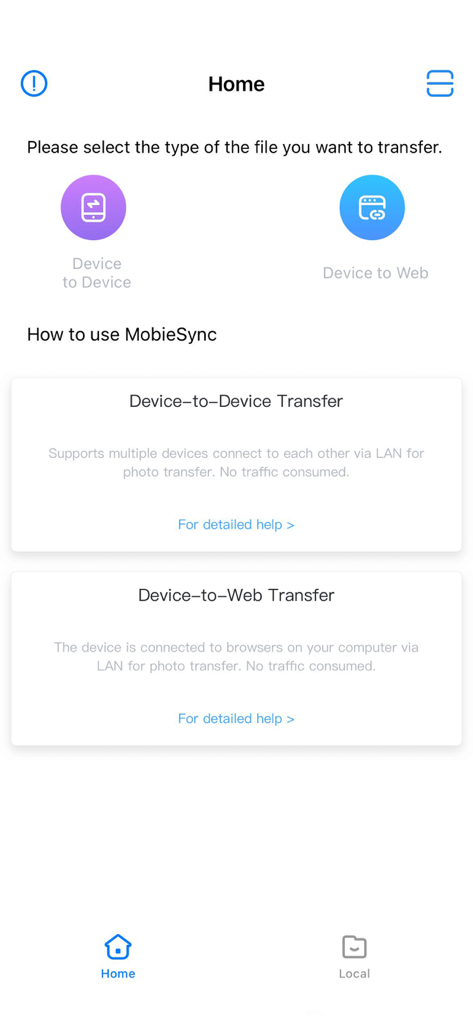
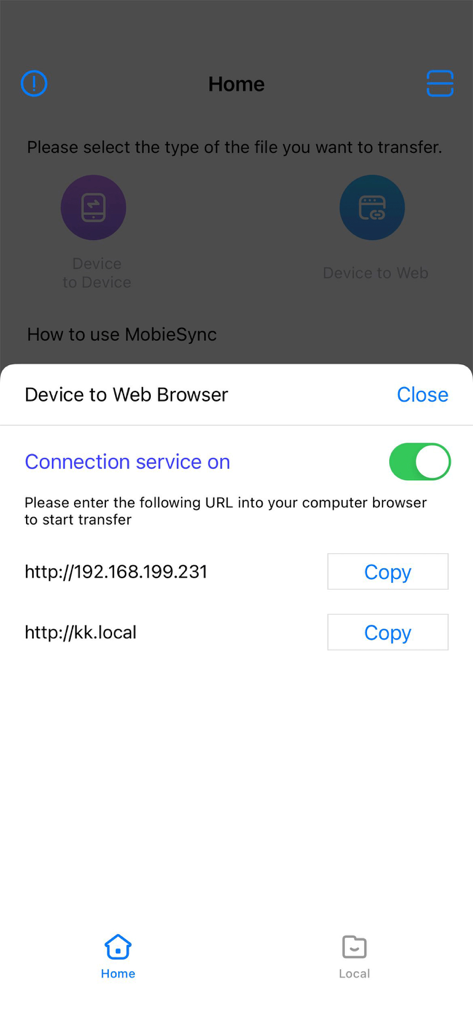
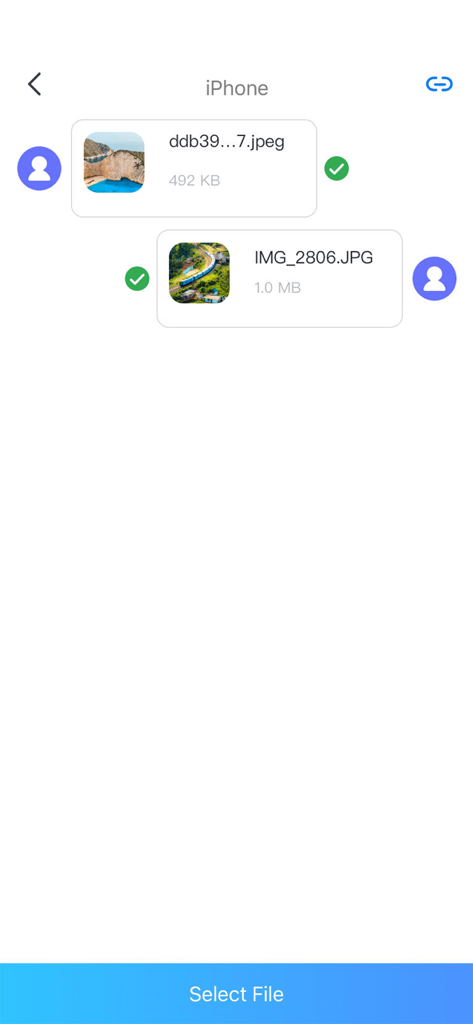
The tools that make this app stand out, trusted by 3K+ users.
Ditch the Lightning cable for good. Connect your phone to any computer instantly using your local Wi-Fi and a web browser.
The perfect bridge for iPhone users on Windows or ChromeOS. Move files freely without the frustration of iTunes or proprietary software.
Clear your 'Storage Full' alerts in seconds. Move large 4K videos and high-res photos to your computer with zero compression and maximum speed.
Everything you need to know about MobieSync.
Description
Latest Version
1.1.70
Size
24.6 MB
First Released
Nov 9, 2020
Join thousands of users who have simplified their workflow. Connect your iPhone to any PC browser and move your photos, videos, and files in seconds—no software or cables required.
Top-ranked apps in the same category

Google LLC

Google LLC

China Mobile Online Services Co., Ltd.

Google LLC

Servicos e Informacoes do Brasil

DEEP FLOW SOFTWARE SERVICES - FZCO

Servicos e Informacoes do Brasil

CHINA TELECOM Corporation Ltd.

Microsoft Corporation
App information, icons, screenshots, and descriptions displayed on this page are sourced from the Apple App Store and are the property of their respective developers. Download estimates and rankings are based on MWM's proprietary models and may not reflect actual figures. This page is provided for informational and analytical purposes only.
Believe this page infringes your intellectual property? File a dispute