Mobile Mouse Bluetooth Remote: Pro-Grade Control for Your Entire Apple Ecosystem
Experience seamless, low-latency control with native Bluetooth—no Wi-Fi or server software required. Turn your iPhone, iPad, or Apple Watch into a professional-grade trackpad, keyboard, and remote for your Mac and iPad instantly.
Publisher
RPA Tech, INC
Category
Utilities
Downloads
100+
User Rating
1.0/5
Total Ratings
0
Locales
1
Your Workspace, Reimagined
Discover the interface used by 100+ users.
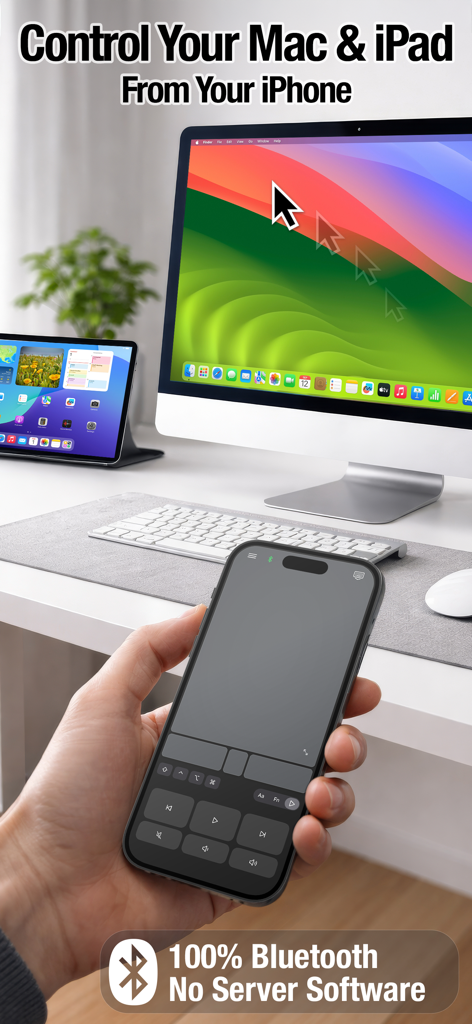
A hand holding an iPhone using the Mobile Mouse app to control a Mac and iPad via Bluetooth
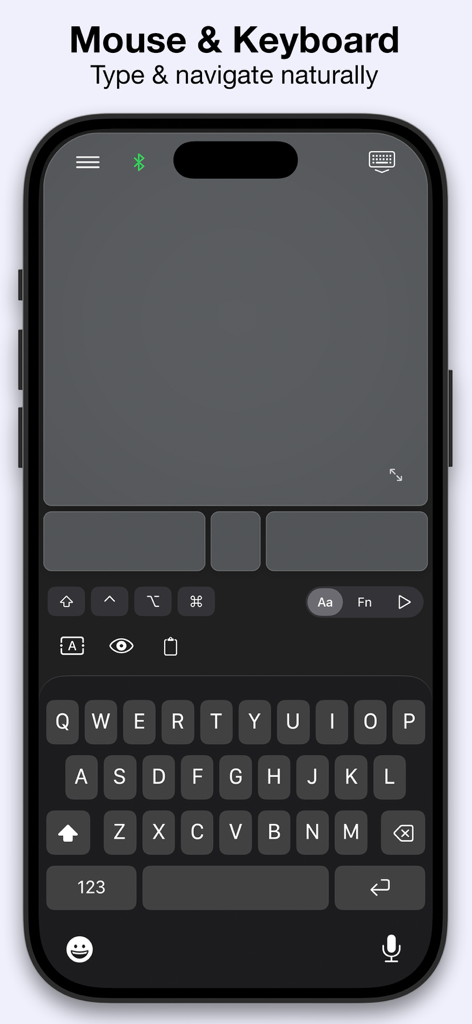
A screenshot of the Mobile Mouse Bluetooth Remote app interface featuring a virtual trackpad and a full QWERTY keyboard on an iPhone.
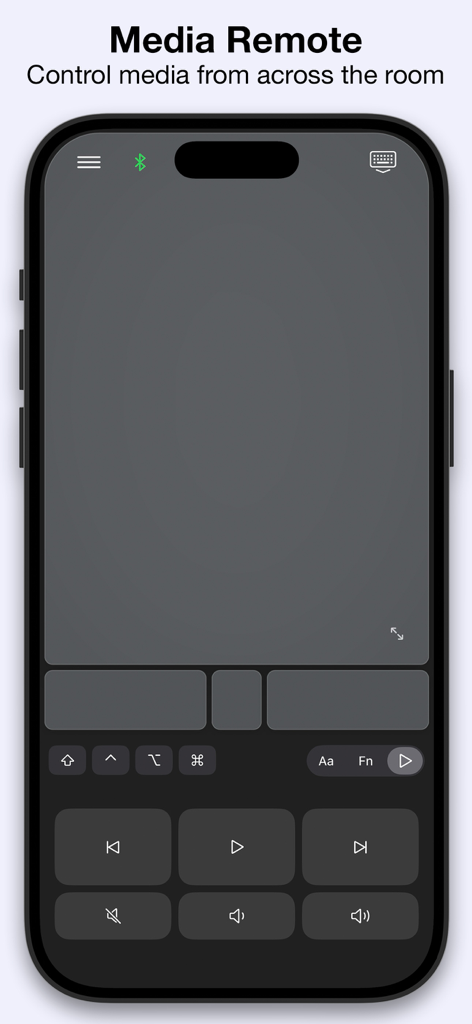
Mobile Mouse Bluetooth Remote app media control interface on iPhone
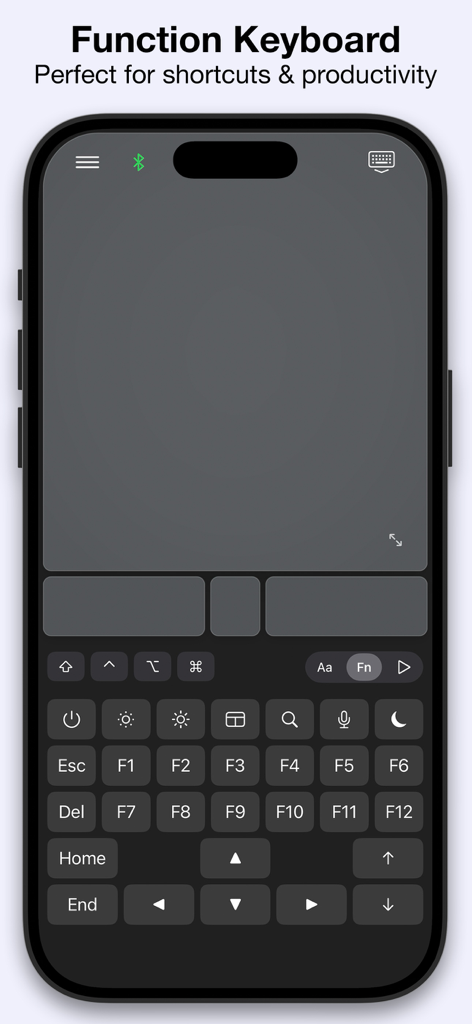
Interface of the Mobile Mouse Bluetooth Remote app showing the function keyboard with F-keys and navigation shortcuts on an iPhone
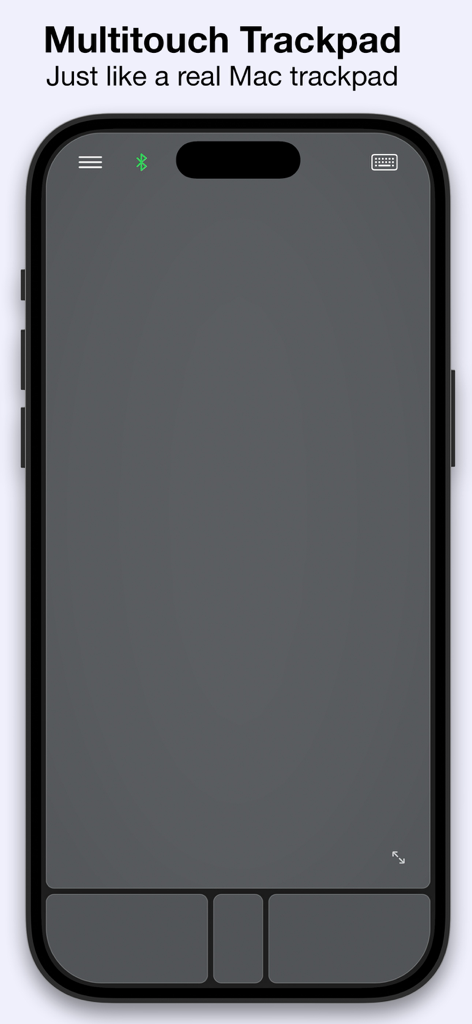
An iPhone screen displaying the multitouch trackpad interface of the Mobile Mouse Bluetooth Remote app.
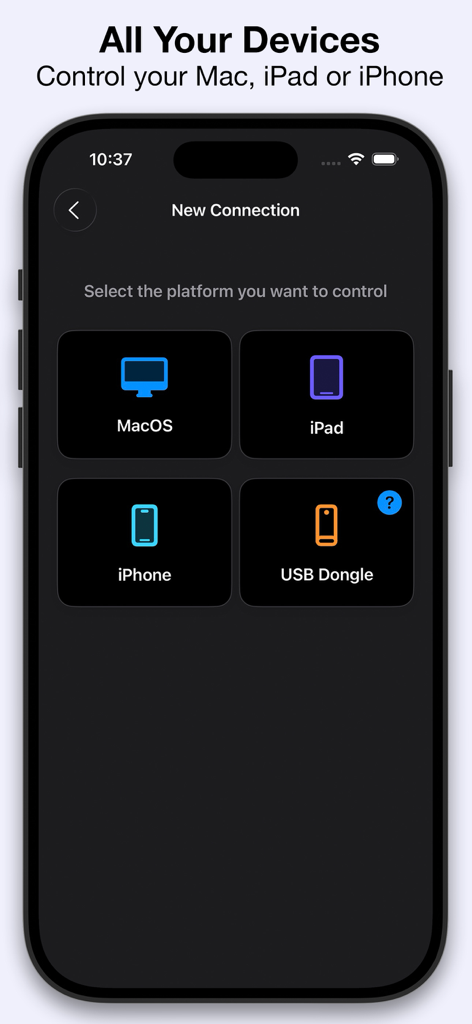
Mobile Mouse Bluetooth Remote app screen showing options to connect and control MacOS, iPad, iPhone, or a USB Dongle.
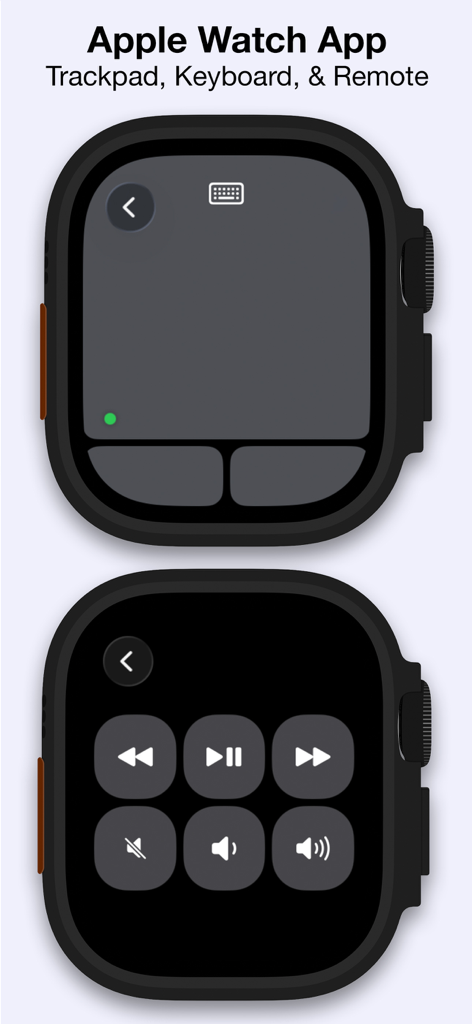
Apple Watch app interface for Mobile Mouse Bluetooth Remote showing trackpad and media controls
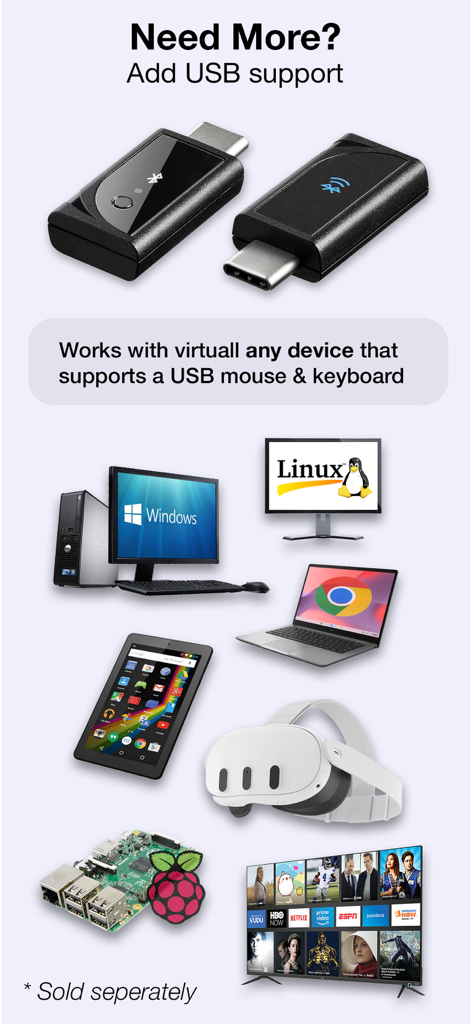
Optional USB dongle for Mobile Mouse Bluetooth showing support for Windows Linux Chromebook VR Raspberry Pi and Smart TVs
Master Your Workspace with Native Bluetooth
The tools that make this app stand out, trusted by 100+ users.
⚡
Zero-Setup Connectivity
Connect instantly via native Bluetooth. No companion apps or desktop servers required, making it perfect for secure corporate environments and quick setups.
🖱️
Precision Multi-Touch
Navigate with fluid scrolls, swipes, and gestures. Use the fully encrypted keyboard to type securely on any device from the palm of your hand.
✈️
Reliability on the Go
Works completely offline and in high-security zones where Wi-Fi is restricted. The ultimate companion for business travelers and presentation pros.
About the app
Everything you need to know about Mobile Mouse Bluetooth Remote.
Description
Turn your iPhone, iPad, or Apple Watch into a real Bluetooth mouse, keyboard, touchpad, and remote for your Mac and iPad.
Connect instantly using native Bluetooth — no Wi-Fi, no cables, and no companion software required.
Mobile Mouse Bluetooth delivers fast, low-latency control that just works. Swipe, scroll, tap, type, and control your devices directly from the palm of your hand.
Unlike other remote apps that rely on Wi-Fi networks or background server software, Mobile Mouse uses a direct Bluetooth connection for reliable performance anywhere — even offline.
Features
• Multi-Device Control – Use your iPhone, iPad, or Apple Watch to control your Mac, iPad, or iPhone
• Native Bluetooth Connection – No Wi-Fi, no cables, no server software to install
• Multitouch Touchpad – Scroll, swipe, tap, and perform gestures smoothly
• Media Remote – Play, pause, skip tracks, and adjust volume
• Full Keyboard – Standard and function keys, modifier keys, brightness, sleep, and more. Fully encrypted
• Compact Convenience – Ideal for travel, presentations, accessibility, and relaxed computing
Compatibility & Requirements
Mobile Mouse Bluetooth supports modern Macs, iPads, and iPhones using native Bluetooth. Compatibility with older Apple devices may be limited. A free trial is available so you can test your setup before purchasing.
Optional USB Dongle
With the optional Bluetooth USB-C dongle, you can control virtually any device that supports a USB mouse and keyboard, including Windows PCs, Linux systems, Raspberry Pi, Meta Quest, Android and ChromeOS devices, smart TVs, and more. The dongle works as a real USB device, allowing access to login screens, BIOS, and system menus without restrictions. Learn more at: https://bluetooth.mobilemouse.com
Frequently Asked Questions
• Can I use my iPhone as a Bluetooth mouse?
Yes. Mobile Mouse Bluetooth lets you use your iPhone as a real Bluetooth mouse for Mac and iPad.
• Can I use my iPhone as a touchpad or trackpad?
Yes. The app includes a multitouch touchpad with scrolling, swiping, and gesture support.
• Can I use my phone as a keyboard for my Mac or iPad?
Yes. Mobile Mouse provides a full Bluetooth keyboard with standard keys, function keys, and modifier keys.
• Does Mobile Mouse work without Wi-Fi or internet?
Yes. It connects directly using native Bluetooth and works completely offline.
• Is this a real Bluetooth device or just a remote app?
It works as a real Bluetooth mouse, keyboard, and touchpad — not a screen-sharing or Wi-Fi remote.
• Is Bluetooth input secure?
Yes. All Bluetooth keyboard input is encrypted, just like a physical Bluetooth keyboard.
• Can I control multiple devices?
Yes. You can control multiple Macs, iPads, or iPhones from one device.
• Does it work with Windows or Linux?
Yes, using the optional Bluetooth USB-C dongle (sold separately).
• Can I use it at the login screen or BIOS?
Yes. With the USB dongle, Mobile Mouse works as a standard USB mouse and keyboard before the OS loads.
• Is there a free trial available?
Yes. A free trial is available so you can test compatibility before purchasing.
• What are some additional uses for Mobile Mouse?
Mobile Mouse works great as a presentation remote, and media controller. Works with web browsers like Safari, Chrome, and Firefox; video apps including YouTube, Netflix, VLC, Plex, Kodi, and OBS; music apps such as Spotify and Apple Music; presentation tools like Keynote, PowerPoint, and Google Slides; creative apps including Adobe Photoshop; and conferencing apps such as Zoom, Microsoft Teams, and Google Meet.
Privacy Policy: https://bluetooth.mobilemouse.com/privacy
Terms of Service: https://bluetooth.mobilemouse.com/terms
Latest Version
1.0.3
Size
3.9 MB
First Released
Jan 15, 2026
Take Command of Your Devices Today
Experience the power of native Bluetooth control with zero software installation. Join the ranks of minimalist professionals who have simplified their workflow. Start your free trial now.
App information, icons, screenshots, and descriptions displayed on this page are sourced from the Apple App Store and are the property of their respective developers. Download estimates and rankings are based on MWM's proprietary models and may not reflect actual figures. This page is provided for informational and analytical purposes only.
Believe this page infringes your intellectual property? File a dispute