
This page is not an official page of the app or its developer, but an independent editorial publication created for informational and commentary purposes. Unless expressly stated otherwise, neither the app nor its developer is affiliated with, endorsed by, sponsored by, authorized by, or otherwise officially connected with MWM, Apple, Google Play, the app publisher, or the app's developer, and nothing on this page implies that the app was developed using MWM's services. Any trademarks, logos, screenshots, and other content remain the property of their respective owners.


Mosyle Business
Streamline device deployment and provide employees with a powerful self-service catalog to access essential corporate apps and tools instantly, anywhere in the world.
Downloads
1K+User Rating
Total Ratings
0Publisher
Category
ProductivityLocales
1Latest Version
1.12.2Size
87.1 MBFirst Released
Dec 28, 2018Unlock the Power of Your Apple Fleet
The ultimate mobile device management solution for IT teams and employees to collaborate securely and efficiently from anywhere in the world.
On-Demand Self-Service
Empower your team with a personalized catalog to instantly install approved apps and books without waiting for IT support.
Remote Deployment at Scale
Configure and enroll iPhones and iPads over-the-air, making it easy to manage a distributed workforce or hybrid classroom.
Frequently Asked Questions
Everything you need to know about Mosyle Business
What is Mosyle Business?
Mosyle Business is a brand-new mobile device management (MDM) solution for IT managers. It helps deploy, manage, and scale iPhone and iPad devices in enterprise environments, boosting workforce productivity.
How do employees access apps and books with Mosyle Business?
Employees use the Mosyle Business app to access a self-service catalog. They can install suggested applications and download books onto their corporate iPhone or iPad devices.
What devices does Mosyle Business support?
Mosyle Business supports corporate iPhone and iPad devices. It provides deployment and management features specifically for iOS and iPadOS environments.
Can IT administrators manage corporate policies with Mosyle Business?
Yes, IT administrators can apply corporate policies and restrictions based on users, groups, and/or devices. They can also take inventory and view real-time reports.
How do users log into the Mosyle Business app?
End-users can log into their Mosyle Business account using the corporate access code provided by their company. The app also offers a QR Code sign-in option.
What kind of applications can users install via Mosyle Business self-service?
Users can install suggested applications from a self-service catalog, including productivity and utility apps like Firefox, Google Chrome, iMovie, Keynote, and Microsoft Office suite.
Does Mosyle Business support BYOD (Bring Your Own Device) deployments?
Yes, Mosyle Business can be implemented in any type of deployment model, including both corporate-owned and BYOD environments for Apple devices.
What is the purpose of the 'Device Info' section in Mosyle Business?
The 'Device Info' section displays details such as the device type (e.g., iPhone), serial number, operating system version (iOS/iPadOS), and the assigned user, along with a digital device tag.
Does Mosyle Business integrate with Apple management programs?
Yes, IT administrators can connect Mosyle Business with Apple Business Manager or Apple School Manager, Device Enrollment Program, and Volume Purchase Program.
The following screenshots and description are sourced directly from the app's official store listing and are the property of the app developer.
App Store
Screenshots
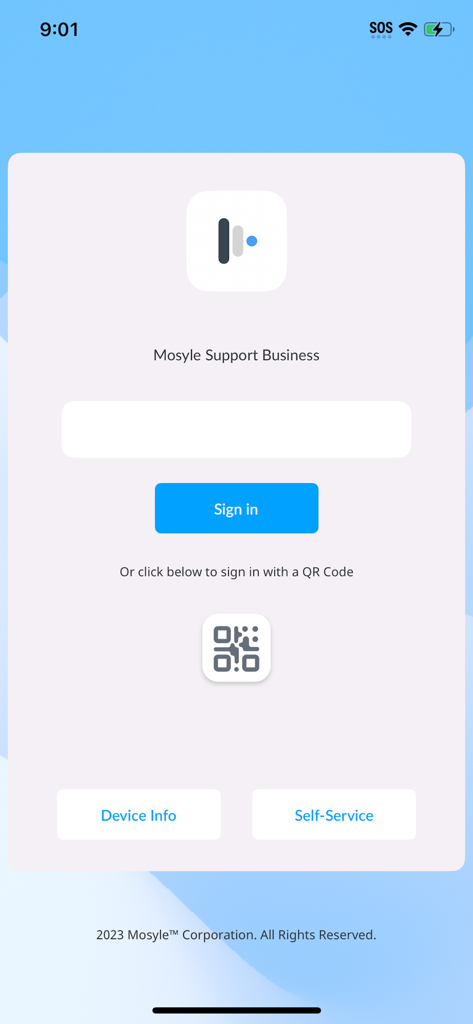
Mosyle Business app login screen with sign in button and QR code option
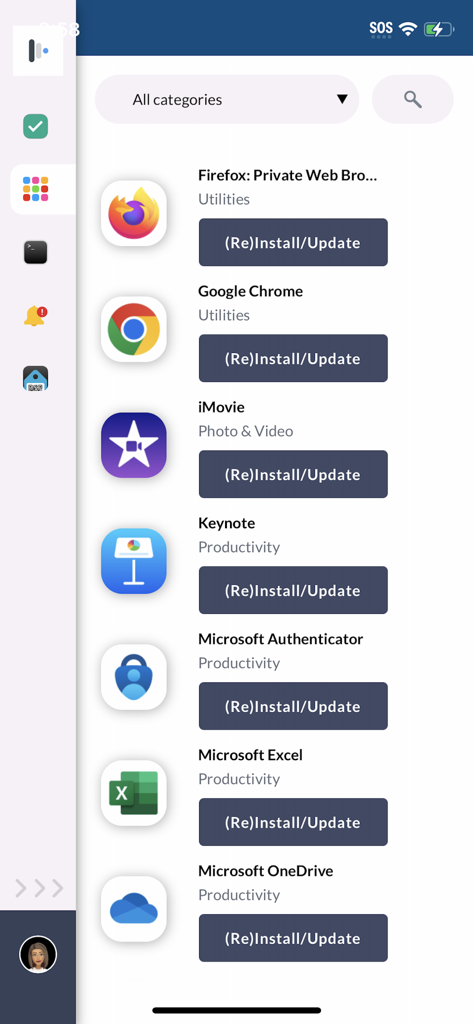
Mosyle Business self-service app catalog for corporate device management
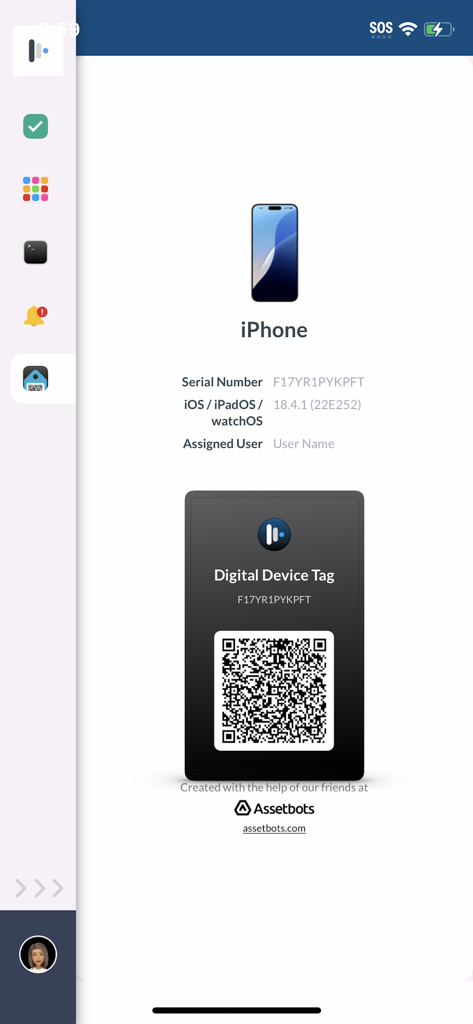
Mosyle Business app interface displaying a digital device tag with a QR code and iPhone serial number for IT management
Description
Download
More Like This
Top-ranked apps in the same category

ChatGPT
OpenAI OpCo, LLC

Google Gemini
Google LLC

Grok
X.AI Corporation

Gmail - Email by Google
Google LLC

千问 - 阿里最强大模型官方AI助手
Shanghai Zhixin Puhui Technology Co., Ltd.

Google Drive
Google LLC

Microsoft Authenticator
Microsoft Corporation

Google Sheets
Google LLC

Google Docs
Google LLC
This page is not an official page of the app or its developer, but an independent editorial publication created for informational and commentary purposes. Unless expressly stated otherwise, neither the app nor its developer is affiliated with, endorsed by, sponsored by, authorized by, or otherwise officially connected with MWM, Apple, Google Play, the app publisher, or the app's developer, and nothing on this page implies that the app was developed using MWM's services. Any trademarks, logos, screenshots, and other content remain the property of their respective owners.