
This page is not an official page of the app or its developer, but an independent editorial publication created for informational and commentary purposes. Unless expressly stated otherwise, neither the app nor its developer is affiliated with, endorsed by, sponsored by, authorized by, or otherwise officially connected with MWM, Apple, Google Play, the app publisher, or the app's developer, and nothing on this page implies that the app was developed using MWM's services. Any trademarks, logos, screenshots, and other content remain the property of their respective owners.


MP3 Converter - Extract MP3
Transform videos into high-quality audio, create trending GIFs, and edit content on the fly. The fast, powerful, and mobile-first toolkit designed for the next generation of creators.
Downloads
153K+User Rating
Total Ratings
0Publisher
Category
ProductivityLocales
20Latest Version
3.0.0Size
97.3 MBFirst Released
Jun 20, 2024One App, Infinite Creative Possibilities
Stop jumping between apps. Edit, convert, and craft high-quality media with a powerful toolkit built for your mobile-first lifestyle.
Pro-Grade Audio Extraction
Instantly turn any video into a high-quality MP3 or WAV. Perfect for saving trending sounds and creating custom ringtones.
Universal Format Conversion
No more 'file not supported' errors. Convert MP4, MOV, MKV, and more while optimizing for resolution and file size.
Frequently Asked Questions
Everything you need to know about MP3 Converter - Extract MP3
What is the primary function of the MP3 Converter - Extract MP3 app?
The MP3 Converter - Extract MP3 app, also called Universal Media Workshop, offers comprehensive multimedia solutions. It provides video and audio conversion, video editing, and GIF production features.
What video formats does Universal Media Workshop support for conversion?
Universal Media Workshop converts videos from formats like MP4, AMV, AVI, MOV, TS, GIF, MPG, M4V, MKV, WMV, and 3GP. It also offers resolution and bit rate adjustments.
Can the MP3 Converter - Extract MP3 app convert audio to MP3 format?
Yes, the Universal Media Workshop app converts audio to MP3, WAV, AAC, and other formats. It supports up to 10 different target audio formats with customizable settings.
How does Universal Media Workshop create GIFs from videos?
The app transforms video clips into dynamic GIF images with options for looping, rewinding, and variable speed. It allows custom resolution, frame rate, and cropping for creative GIFs.
What video editing tools are available in the MP3 Converter - Extract MP3 app?
The Universal Media Workshop provides tools for editing, splicing, cropping, video doubling, silencing, and captioning. It also integrates GIF and audio conversion capabilities for a professional creative experience.
Does the Universal Media Workshop app keep a record of past conversions and edits?
Yes, the app maintains a clear record of all processed video files. Users can easily view, rename, share, or download their past conversion and editing projects.
Can users adjust video and audio playback speed with the Universal Media Workshop app?
Yes, the Universal Media Workshop app supports adjusting both audio and video playback speed. Users can precisely control the speed, ranging from 0.1x to 10x.
Is it possible to cut or trim videos and audios using the MP3 Converter - Extract MP3 app?
Yes, the Universal Media Workshop app enables users to freely cut and trim both video and audio files. This feature supports precise editing for desired segments.
The following screenshots and description are sourced directly from the app's official store listing and are the property of the app developer.
App Store
Screenshots
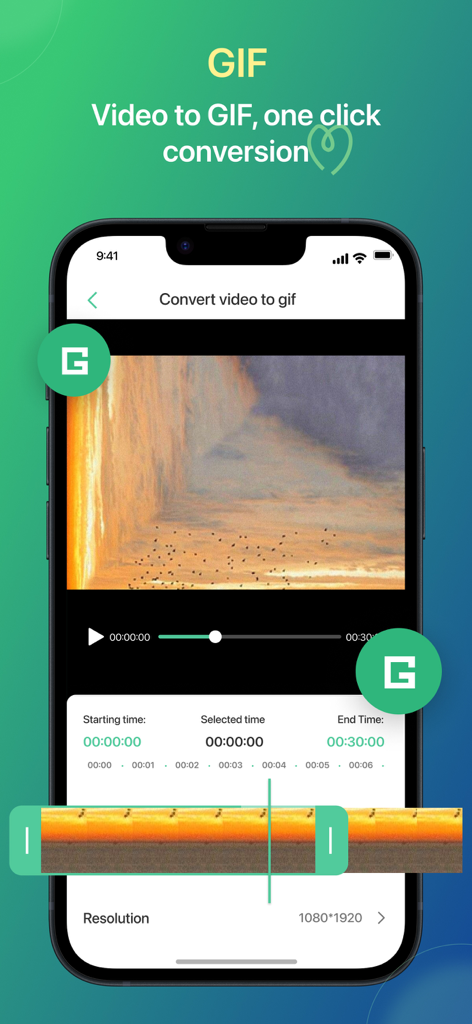
Mobile app interface for converting video to GIF with trimming and resolution settings
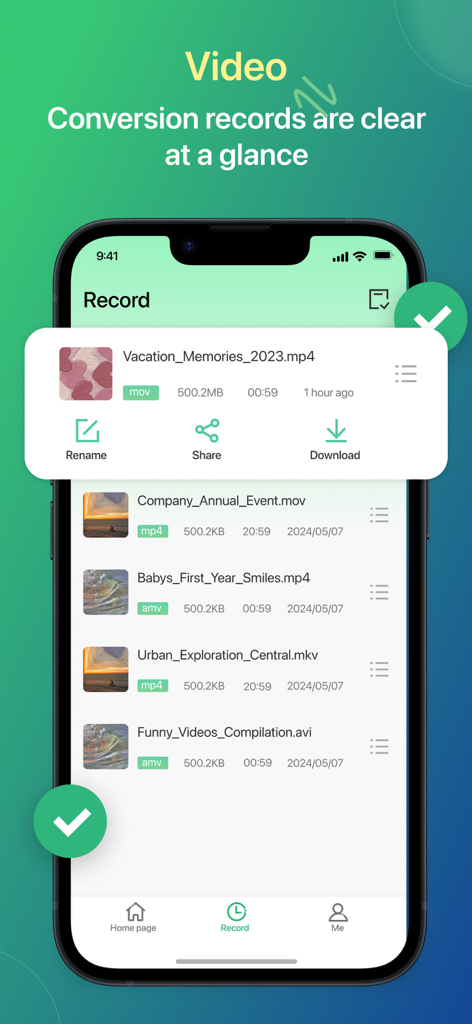
Mobile app screen showing a list of converted video files with options to rename share and download
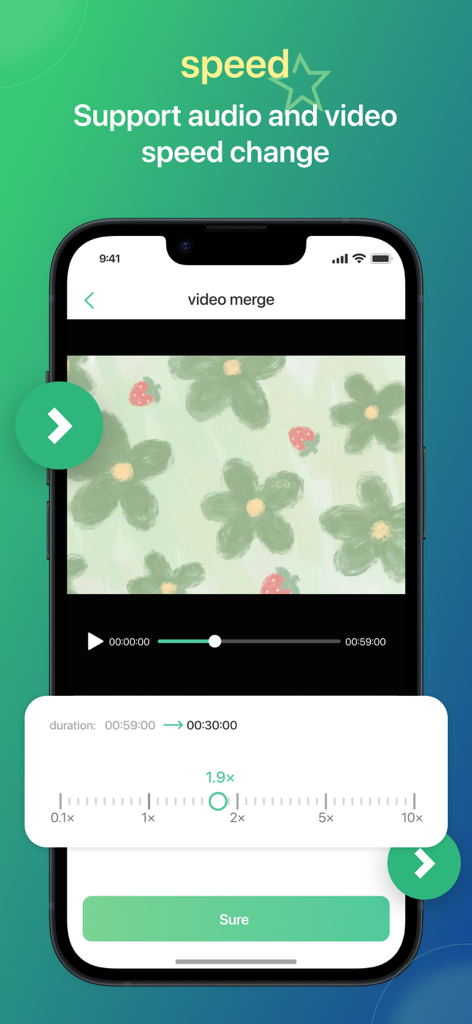
Mobile app screen showing a video speed adjustment tool with a slider set to 1.9x speed
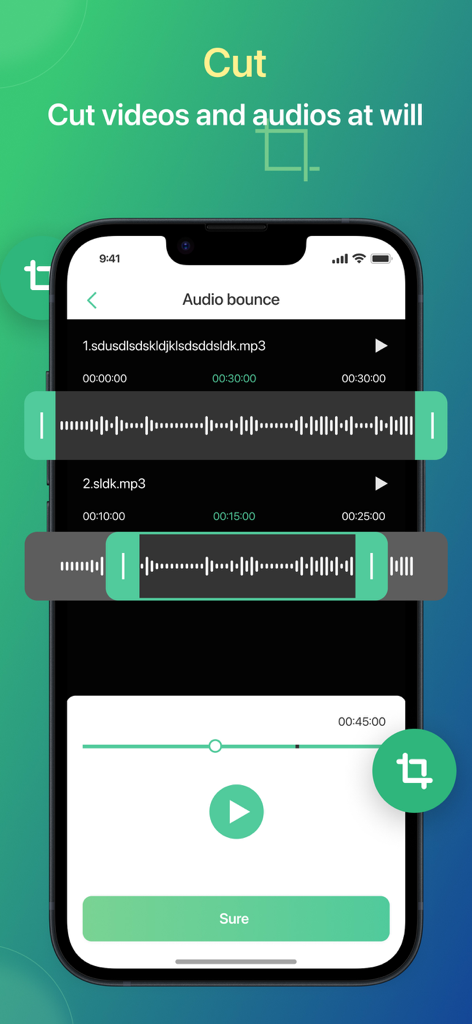
Mobile app interface for cutting and trimming audio files with waveforms
Description
Download
More Like This
Apps with similar features and user experience

iConv - Video & PDF Converter
琛 王

Convert PDF to Word OCR
Tu Phan

PDF Converter – Photos to PDF
SMDA GROUP SP. Z OO

Toolbox by Paperclip
WuHan Paperclip Technology Co., Ltd.

Video Converter and Compressor
Inverse.AI

Video Converter & Compressor
WEBDIA INC.

全能格式转换王-视频音频转换图片文件格式处理
大为 方

PDF Converter: Convert to PDFㅤ
Roberto Hayes

The Document Converter
Float Tech, LLC
This page is not an official page of the app or its developer, but an independent editorial publication created for informational and commentary purposes. Unless expressly stated otherwise, neither the app nor its developer is affiliated with, endorsed by, sponsored by, authorized by, or otherwise officially connected with MWM, Apple, Google Play, the app publisher, or the app's developer, and nothing on this page implies that the app was developed using MWM's services. Any trademarks, logos, screenshots, and other content remain the property of their respective owners.