The Document Converter
Download on App Store

This page is not an official page of the app or its developer, but an independent editorial publication created for informational and commentary purposes. Unless expressly stated otherwise, neither the app nor its developer is affiliated with, endorsed by, sponsored by, authorized by, or otherwise officially connected with MWM, Apple, Google Play, the app publisher, or the app's developer, and nothing on this page implies that the app was developed using MWM's services. Any trademarks, logos, screenshots, and other content remain the property of their respective owners.

Logo of The Document Converter
Download on App Store

The Document Converter

The ultimate workflow bridge for mobile professionals. Convert documents, images, and ebooks into over 100 formats instantly on your iPhone or iPad, ensuring your files are always compatible and ready to share.

Key Figures

Downloads

0

User Rating

4.6/5

Total Ratings

0

Publisher

Float Tech, LLC

Category

Utilities

Locales

23

Latest Version

26.1.0

Size

44.3 MB

First Released

Jul 13, 2014
Features

Master Your Workflow Without Format Barriers

The ultimate digital bridge for professionals and students. Convert any document, image, or e-book in seconds to ensure your files are always ready for any device or client.

Universal File Compatibility

Convert between 100+ formats including DOCX, PDF, HEIC, and EPUB. Never tell a client or professor you can't open their file again.

15-Second Processing

Skip the technical hurdles. Our cloud-powered engine handles complex conversions in under 15 seconds while preserving your battery life.

The following screenshots and description are sourced directly from the app's official store listing and are the property of the app developer.

App Store

Screenshots
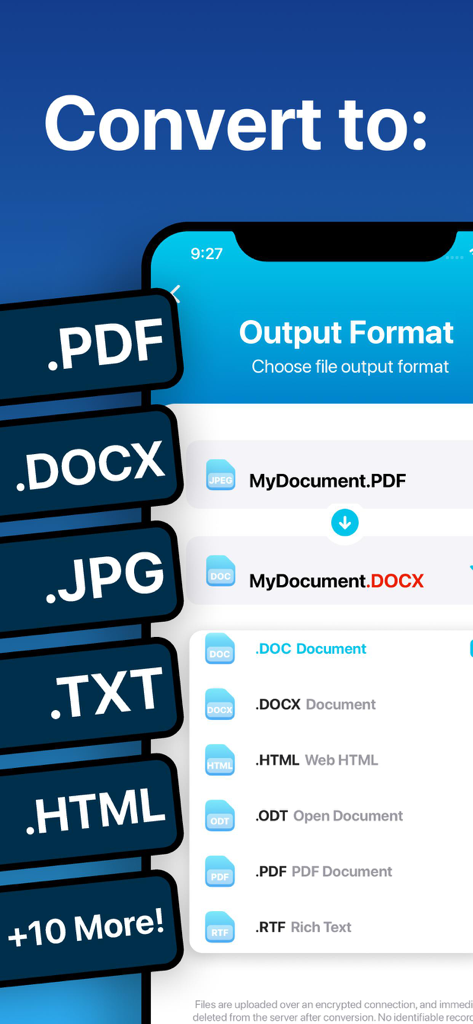
The Document Converter - Interface showing multiple file output formats like PDF DOCX and JPG for conversion in the app
Interface showing multiple file output formats like PDF DOCX and JPG for conversion in the app

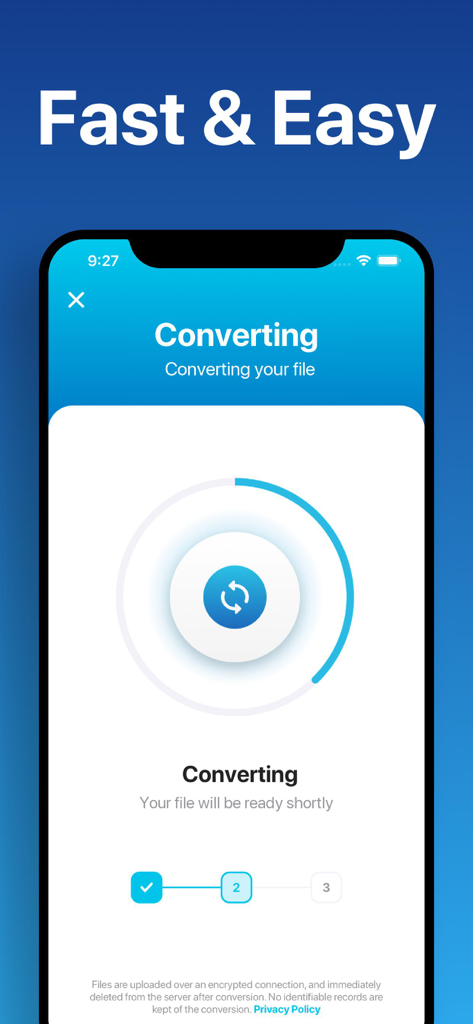
The Document Converter - The Document Converter app interface showing a file conversion in progress with a circular progress indicator.
The Document Converter app interface showing a file conversion in progress with a circular progress indicator.

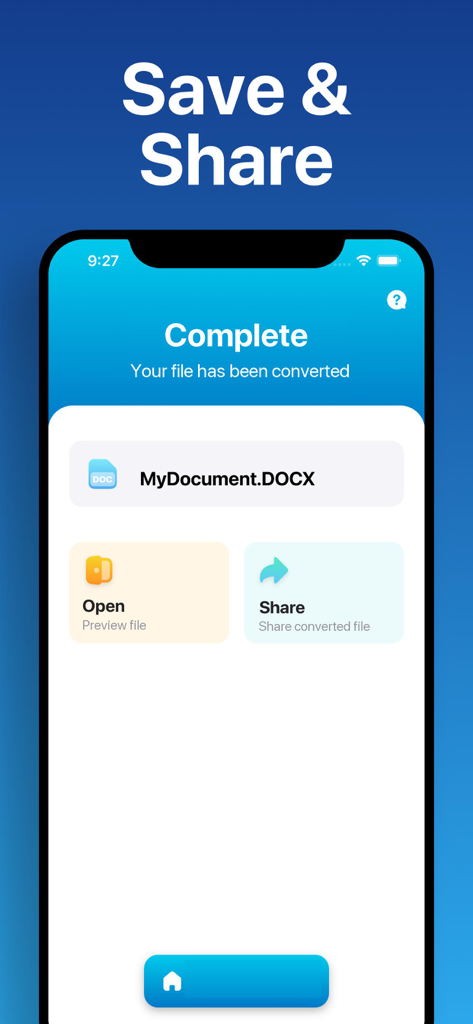
The Document Converter - The Document Converter app screen showing a successfully converted DOCX document with options to open and share.
The Document Converter app screen showing a successfully converted DOCX document with options to open and share.

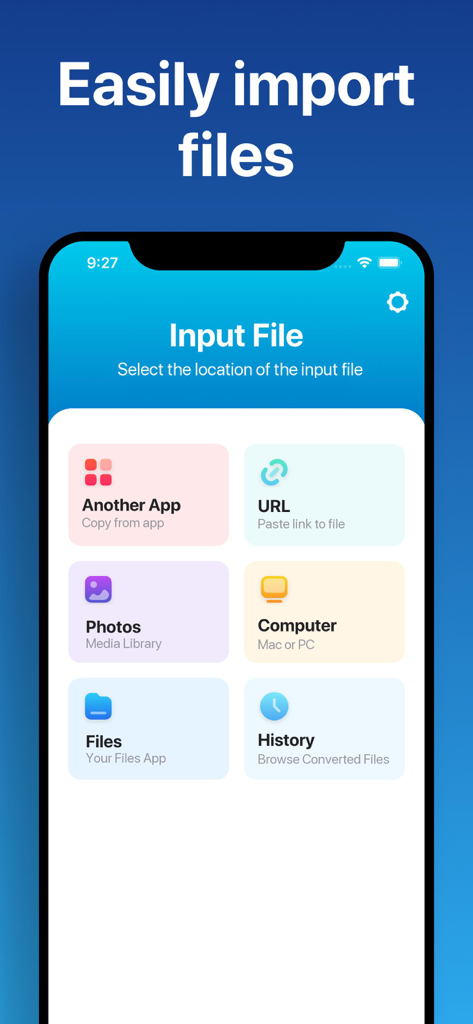
The Document Converter - Interface of The Document Converter app showing different input file sources like another app, URL, photos, and computer
Interface of The Document Converter app showing different input file sources like another app, URL, photos, and computer

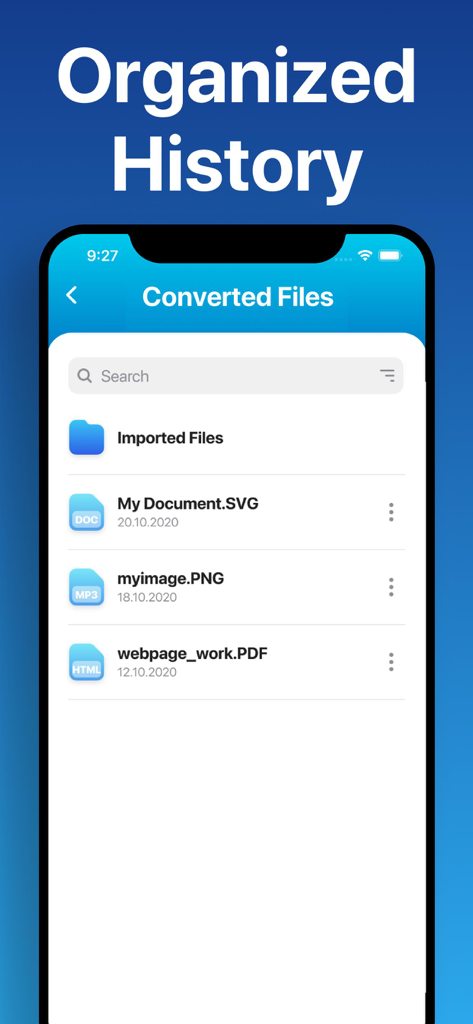
The Document Converter - The Document Converter app interface showing a list of recently converted files in the organized history view

The Document Converter app interface showing a list of recently converted files in the organized history view

Description

Easily convert your files to nearly any document format! 1. Select your input file 2. Choose your output format ( DOCX, PDF, JPG, TXT etc. ) 3. Convert! It will only take a few seconds. 4. Save your file, or open it in Office, Drive, Dropbox, etc! Here are the output formats you can choose from: DOC, DOCX, HTML, ODT, PDF, RTF, TXT, JPG, PNG, JPEG, PNG You can convert from dozens of input formats, here are some of the most popular formats we support converting from: • Documents: ABW, DJVY, DOC, DOCM, DOCX, DOT, DOTX, HTML, HWP, LWP, MD, ODT, PAGES, PDF, RST, RTF, SDW, TEXT, TXT, WPD, WPS, ZABW and more! • Ebooks: AZW, AZW3, AZW4, CBC, CBR, CBZ, CHM, EPUB, FB2, HTM, HTMLZ, LIT, LRF, MOBI, PDB, PML, PRC, RB, SNB, TCR, TXTZ and more! • Images: HEIC, JPG, JPEG, PNG, ICO, SVG, EPS, BMP, GIF, NEF, TIFF and more! • Spreadsheets: CSV, XLS, XLSX and more! • Presentations: PPT, PPTX, KEY, PDF and more! Save, Share or Open your converted files in your favorite apps immediately. Browse your previously converted files with our in-app file browser. You can even AirDrop your files right to your Mac or another device. Conversions usually take less than 15 seconds! Conversion is done on a secure cloud server, which makes conversion easier, faster and much more battery-friendly. You must have an internet connection to use this app. Files are immediately deleted from the server after conversion. While the files are immediately deleted after conversion or cancellation, you should be aware that by using this app, you agree that your files will be sent over to internet from the app to the conversion server. We've also recently added support for local conversions for many popular conversion types. These conversions don't require a server, and are usually done almost instantly! We are continuing to add support for more local conversions with each update. This app includes an optional auto-renewable subscription (Premium Pass): Premium Pass beings with a free trial period, then an auto-renewable monthly subscription when trial ends. Payment will be charged to your Apple account at confirmation of purchase and will automatically renew (at the duration/price selected) unless auto-renew is turned off at least 24 hrs before the end of the current period. Account will be charged for renewal within 24-hours prior to the end of the current period. Current subscription may not be cancelled during the active subscription period; however, you can manage your subscription and/or turn off auto-renewal by visiting your Apple Account Settings after purchase. Any unused portion of the free initial period will be forfeited when you purchase a subscription. Privacy Policy: https://float.support/the-document-converter/privacy Terms of Use: https://float.support/the-document-converter/terms

Download

Download on App Store

This page is not an official page of the app or its developer, but an independent editorial publication created for informational and commentary purposes. Unless expressly stated otherwise, neither the app nor its developer is affiliated with, endorsed by, sponsored by, authorized by, or otherwise officially connected with MWM, Apple, Google Play, the app publisher, or the app's developer, and nothing on this page implies that the app was developed using MWM's services. Any trademarks, logos, screenshots, and other content remain the property of their respective owners.