
This page is not an official page of the app or its developer, but an independent editorial publication created for informational and commentary purposes. Unless expressly stated otherwise, neither the app nor its developer is affiliated with, endorsed by, sponsored by, authorized by, or otherwise officially connected with MWM, Apple, Google Play, the app publisher, or the app's developer, and nothing on this page implies that the app was developed using MWM's services. Any trademarks, logos, screenshots, and other content remain the property of their respective owners.

Video Converter and Compressor
Stop wrestling with unruly files. The app grants users total command over media, transforming unwieldy formats into perfectly tailored content.
Downloads
500k+User Rating
Total Ratings
2.9KPublisher
Category
Photo & VideoLocales
7Latest Version
13.11Size
54.8 MBFirst Released
Aug 17, 2019An analysis of key features providing versatile multimedia manipulation for digital users and content creators.
Core Capabilities Assessment: Video Converter and Compressor
Broad Video Format & Codec Support
The app provides extensive support for a wide array of video formats and codecs, ensuring high compatibility for input and output files across diverse media sources.
Comprehensive Video Transformation
This tool features granular control over video output, allowing users to convert, compress, and precisely adjust resolution, frame rate, and bitrates to optimize content for various platforms and storage needs.
Batch Processing Capabilities
It allows users to process multiple video and audio files simultaneously, significantly streamlining workflows and boosting productivity for bulk media operations.
Video and Audio Trimming & Merging
The app enables precise cutting and trimming of both video and audio segments, alongside the capability to merge multiple clips or tracks into a single unified file.
Video to Audio Conversion
It allows users to effortlessly extract and convert audio tracks from video files into various popular audio formats, catering to podcast creation or audio-only content needs.
Dedicated Audio Conversion & Compression
This tool offers specialized functionalities for audio files, including format conversion, selection between mono and stereo channels, and advanced compression options like CBR/VBR and sample rate adjustment.
Flexible File Import & Management
The app supports versatile file input options from local directories, cloud services, and networked devices, complemented by capabilities to manage existing subtitle and audio tracks within videos.
Video Orientation Correction
It provides tools for correcting or altering video orientation, including 90/180-degree rotations and horizontal/vertical flips, to resolve common filming errors or achieve desired visual effects.
Frequently Asked Questions
Everything you need to know about Video Converter and Compressor
What is the "Video Converter and Compressor" app?
Video Converter and Compressor is an all-in-one tool for converting, compressing, editing, and merging video and audio files. It supports various formats, codecs, and offers advanced customization options like resolution and frame rate adjustments.
What video formats does the "Video Converter and Compressor" app support for conversion?
The Video Converter and Compressor app supports MP4, MKV, AVI, 3GP, FLV, MTS, TS, MPEG, MPG, WMV, M4V, MOV, VOB, F4V, and WEBM video formats for conversion. It also allows custom resolutions and frame rates.
Can the "Video Converter and Compressor" app convert video files into audio formats?
Yes, the Video Converter and Compressor app can convert video files into various audio formats. Supported audio output formats include MP3, AAC, AC3, OGG, M4A, and WAV.
How does "Video Converter and Compressor" compress videos without losing quality?
Video Converter and Compressor offers a "High Quality" compression option using X264 and X265 codecs. This method significantly reduces file size while retaining near-original video quality. Users can also adjust CRF and speed.
What audio formats can "Video Converter and Compressor" handle?
The Video Converter and Compressor app supports converting and compressing audio to MP3, AAC (M4A), AC3, WAV, OGG, and FLAC. It also merges these formats.
Does "Video Converter and Compressor" support processing multiple files simultaneously?
Yes, the Video Converter and Compressor app supports batch processing for all its features. Users can convert, compress, or merge multiple video and audio files concurrently.
Can users merge multiple videos into one file with "Video Converter and Compressor"?
Yes, the Video Converter and Compressor app allows users to join or merge multiple videos into a single file. Users can also trim, change resolution, and adjust the aspect ratio of the merged video.
What video codecs does "Video Converter and Compressor" support?
Video Converter and Compressor supports a wide range of video codecs, including H264, MPEG4, MPEG1, MPEG2, FLV1, VP8, VP9, WMV1, and WMV2.
Can I rotate or flip videos with the "Video Converter and Compressor" app?
Yes, the Video Converter and Compressor app provides options to rotate videos 90-degrees clockwise/anticlockwise or 180-degrees. It also supports flipping videos vertically or horizontally.
Where is the privacy policy for "Video Converter and Compressor" located?
The privacy policy for Video Converter and Compressor is available at http://bit.do/inverseai_privacy_policy. This link is provided within the app's description.
The following screenshots and description are sourced directly from the app's official store listing and are the property of the app developer.
App Store
Screenshots

Explore the app's comprehensive main menu, showcasing quick access to both 'Video Converter' and 'Audio Compressor' features for diverse media tasks.
Unified Tool Hub

This screen highlights the app's extensive video conversion capabilities, allowing users to select various 'Codecs' like H.265 and choose from 'Multiple Formats' such as MP4 or MKV.
Flexible Video Conversion

Observe the app's intelligent video compression, demonstrating significant file size reduction with visual comparisons and the ability to process 'Multiple Files at a Time' for maximum efficiency.
Efficient Video Compression
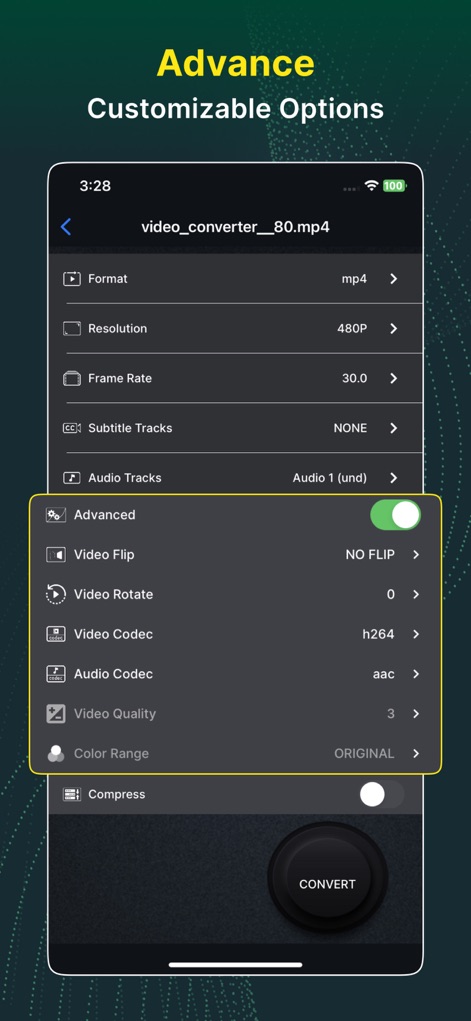
Delve into the advanced settings, where users can fine-tune conversions by adjusting 'Resolution' and selecting specific 'Video Codecs' like h264 for precise control.
Granular Customization

This view reveals the depth of compression control, offering options like adjusting 'Video Bitrate' and selecting 'Encoding Types' such as X264 or X265 for tailored output.
Advanced Compression Controls
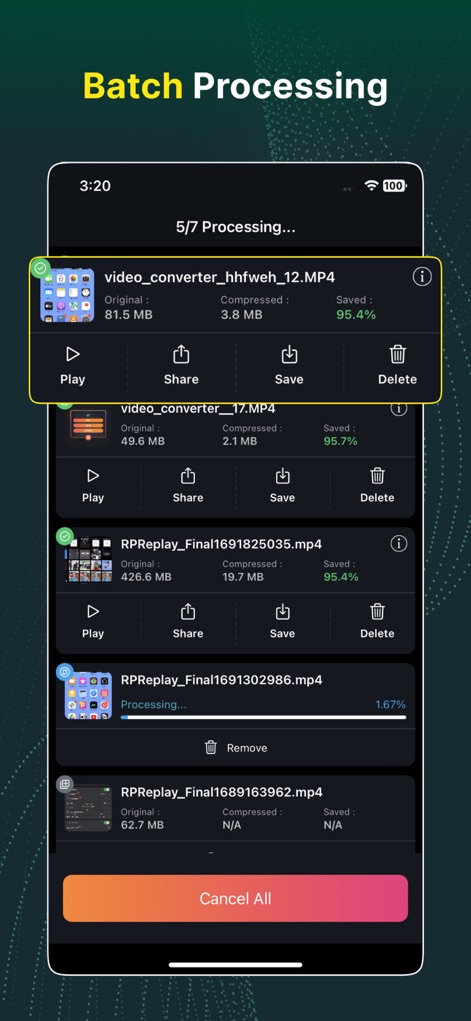
Witness the power of batch processing, enabling users to manage and monitor multiple video conversions simultaneously, clearly displaying 'Saved' percentages and the 'Processing' status of each file.
Streamlined Batch Processing
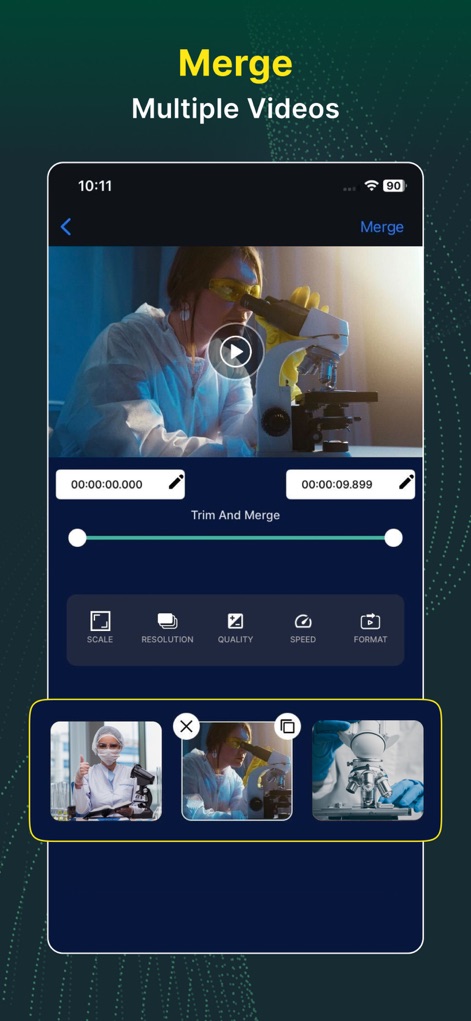
The app facilitates intuitive video merging, allowing users to 'Trim And Merge' segments with precision and manage individual video thumbnails before combining them.
Seamless Video Merging
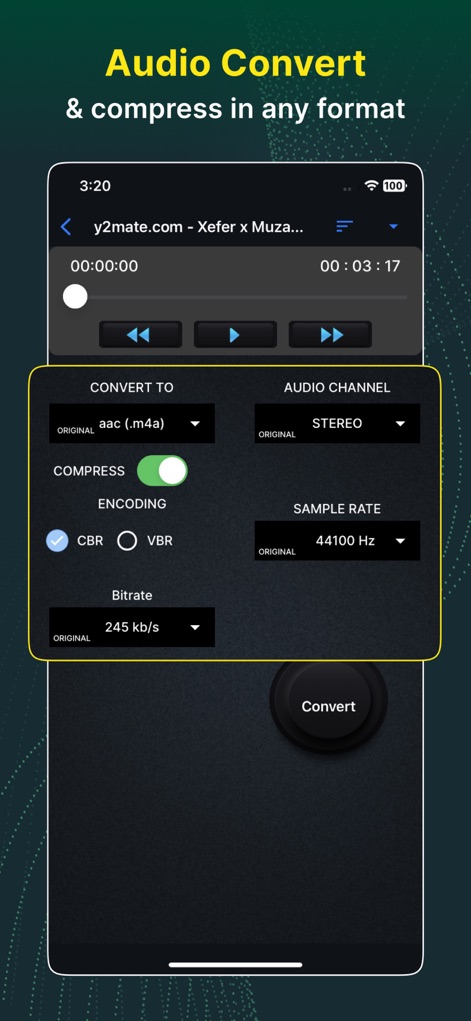
This screen illustrates the app's robust audio conversion features, offering choices for 'Encoding' types like CBR or VBR and the ability to adjust 'Sample Rate' for optimal sound.
Versatile Audio Conversion
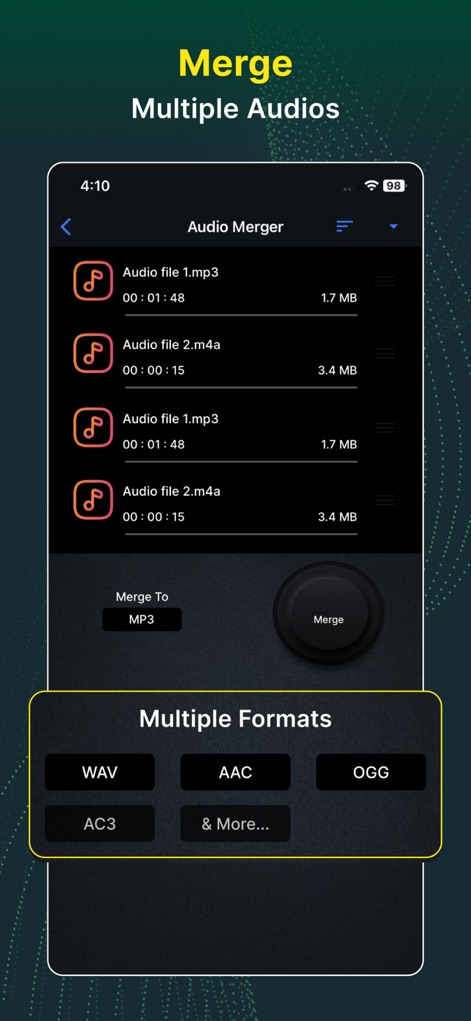
Users can effortlessly merge multiple audio files, with the interface displaying a clear list of input audios and providing options to select 'Multiple Formats' for the output, such as MP3 or WAV.
Efficient Audio Merging
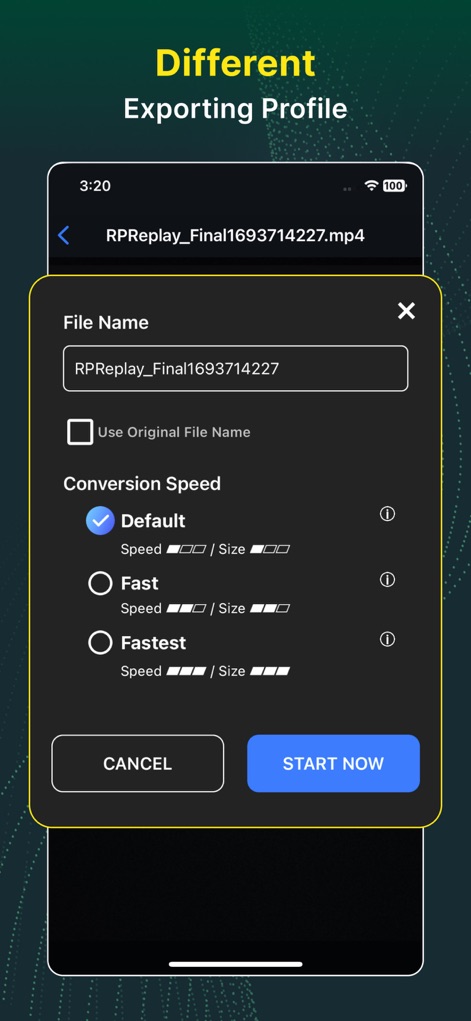
Customize the export process by defining the 'File Name' and selecting from various 'Conversion Speed' profiles (Default, Fast, Fastest) to suit specific needs.
Flexible Export Options
Description
Download
More Like This
Apps with similar features and user experience

iConv - Video & PDF Converter
琛 王

Convert PDF to Word OCR
Tu Phan

PDF Converter – Photos to PDF
SMDA GROUP SP. Z OO

Toolbox by Paperclip
WuHan Paperclip Technology Co., Ltd.

Video Converter & Compressor
WEBDIA INC.

全能格式转换王-视频音频转换图片文件格式处理
大为 方

PDF Converter: Convert to PDFㅤ
Roberto Hayes

The Document Converter
Float Tech, LLC

word文档手机版-办公文档,办公软件
雪 杨
This page is not an official page of the app or its developer, but an independent editorial publication created for informational and commentary purposes. Unless expressly stated otherwise, neither the app nor its developer is affiliated with, endorsed by, sponsored by, authorized by, or otherwise officially connected with MWM, Apple, Google Play, the app publisher, or the app's developer, and nothing on this page implies that the app was developed using MWM's services. Any trademarks, logos, screenshots, and other content remain the property of their respective owners.