
This page is not an official page of the app or its developer, but an independent editorial publication created for informational and commentary purposes. Unless expressly stated otherwise, neither the app nor its developer is affiliated with, endorsed by, sponsored by, authorized by, or otherwise officially connected with MWM, Apple, Google Play, the app publisher, or the app's developer, and nothing on this page implies that the app was developed using MWM's services. Any trademarks, logos, screenshots, and other content remain the property of their respective owners.

PDF Converter – Photos to PDF
Complexity with digital documents disappears. Users gain total command over their files, converting anything to PDF and back, effortlessly.
Downloads
100k+User Rating
Total Ratings
2.3KPublisher
Category
UtilitiesLocales
20Latest Version
2.0.22Size
80.9 MBFirst Released
Jun 16, 2023An evaluation of core functionalities for mobile document and image conversion.
Key Feature Analysis: PDF Converter – Photos to PDF
Photo to PDF Conversion
The app allows users to instantly transform photos into PDF files with just a few taps, providing a quick and efficient way to digitize physical documents or share images in a universal format on the go.
Document to PDF Conversion
This tool enables swift conversion of various document types, including Word and Excel files, into PDF format, streamlining document sharing and ensuring consistent formatting across platforms for professional and academic needs.
Original Quality Preservation
The app guarantees that all documents and images maintain their original crispness and integrity throughout the conversion process, ensuring high-quality output for critical documents and images.
PDF to Editable Document Conversion
It allows users to export PDF files back into editable formats like Word or Excel, crucially maintaining original formatting, which is vital for further editing, collaboration, and repurposing content.
Multi-Format Image Conversion
The app provides powerful support for converting between a wide array of image formats, including JPG, PNG, HEIC, and RAW, ensuring fast conversions without compromising quality, catering to diverse image handling needs.
Intuitive User Interface
This tool features a clean and user-friendly interface, enabling users to convert files and images in just a few taps, which significantly enhances ease of use and speed for managing digital files on the go.
Frequently Asked Questions
Everything you need to know about PDF Converter – Photos to PDF
What is PDF Converter – Photos to PDF app?
PDF Converter is an all-in-one file and image converter. It quickly transforms photos and documents to PDF, converts PDFs to editable files, and supports conversions between various image formats without quality loss.
Can I convert photos to PDF with PDF Converter?
Yes, PDF Converter instantly converts photos into PDF files in a few taps. It supports various image formats such as JPG, JPEG, PNG, HEIC, TIFF, WEBP, RAW, GIF, and BMP for conversion to PDF.
What document types can PDF Converter convert?
PDF Converter converts Word, Excel, and other documents into PDF. It also converts PDF files back into editable Word or Excel documents, ensuring the original formatting is maintained during the process.
Does PDF Converter convert PDF to editable Word or Excel files?
Yes, PDF Converter allows users to export PDF files back to editable Word (.DOCX) or Excel (.XLSX) documents. The app maintains the original formatting of the document during this conversion.
What image formats does PDF Converter support for conversion?
PDF Converter supports comprehensive image conversion for formats including JPG, JPEG, PNG, HEIC, HEIF, PDF, SVG, TIFF, WEBP, RAW, GIF, and BMP. It converts between these formats fast and without quality loss.
How do I manage my PDF Converter subscription and auto-renewal?
You manage your PDF Converter subscription and auto-renewal through your Apple ID account settings after purchase. Subscriptions can be canceled at any time from these settings.
Is there a free trial period for PDF Converter?
Yes, if a free trial is offered, the PDF Converter subscription automatically renews after the 3-day trial period. Users must cancel the subscription before the trial ends to avoid charges.
Does PDF Converter maintain file quality during conversion?
PDF Converter maintains the original quality of all documents and images during conversion. Files remain crisp and intact, ensuring no quality loss throughout the process.
Where can I find the Privacy Policy for PDF Converter?
The Privacy Policy for PDF Converter is accessible via the link provided in the app's description: https://sdmagroop.eu/privacy.html. Users can review the terms there.
The following screenshots and description are sourced directly from the app's official store listing and are the property of the app developer.
App Store
Screenshots
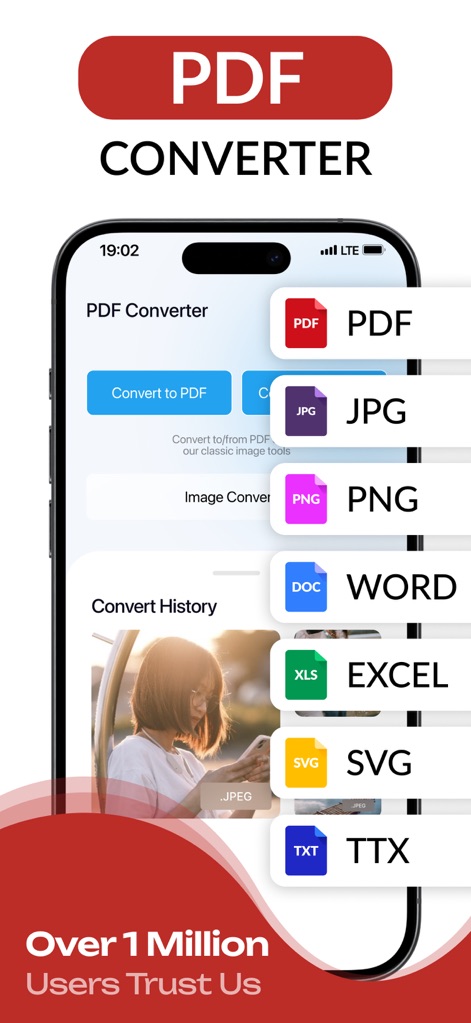
Explore the app's intuitive home screen featuring a floating menu for diverse file type selections and clear main conversion buttons for quick access.
Universal Conversion Hub
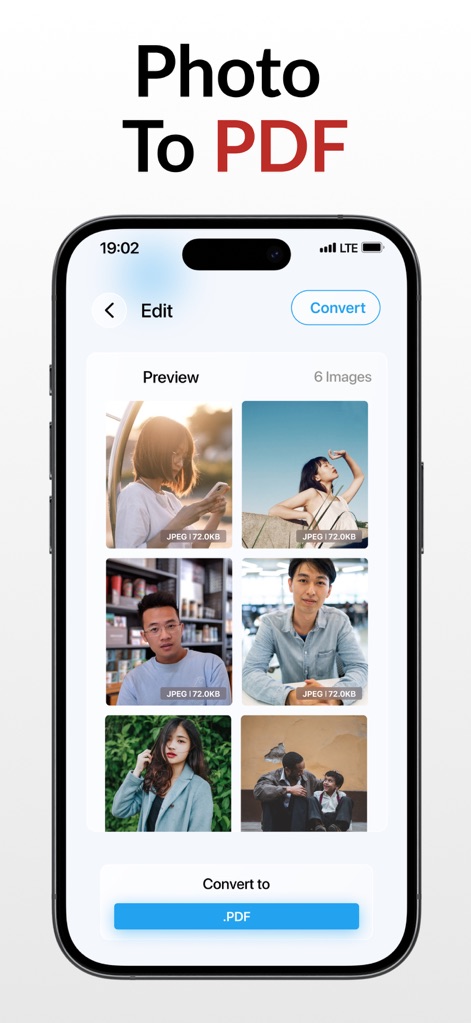
Observe how the app presents a clear image preview grid for selected photos and a prominent 'Convert to .PDF' button to initiate the conversion.
Photos to PDF
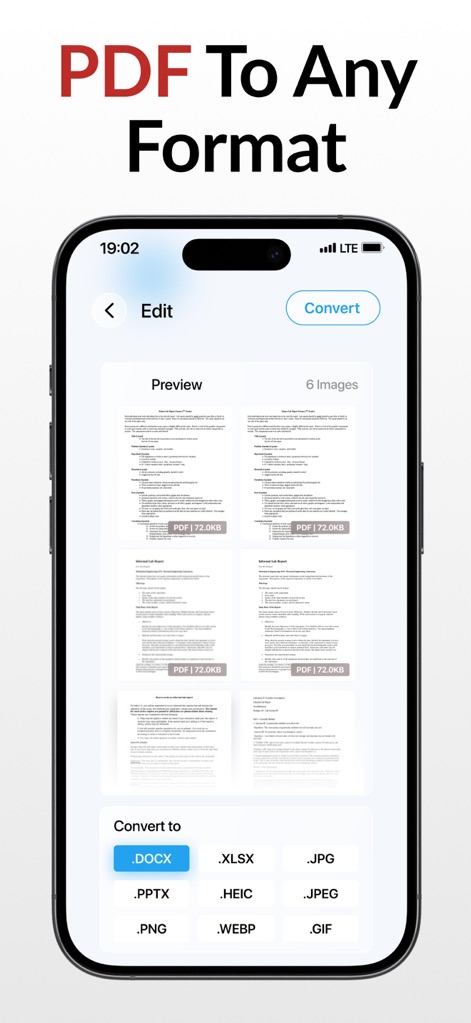
Witness the app's capability to display multiple PDF document previews and offer diverse output format options like .DOCX and .XLSX for flexible conversions.
PDF Export Options
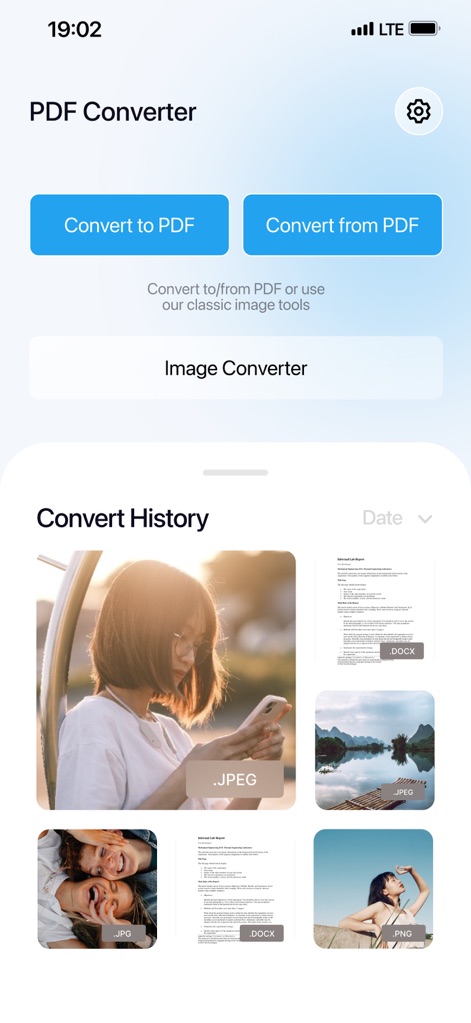
Discover the app's clean interface, showcasing past conversions through organized history thumbnails and distinct 'Convert to PDF' and 'Convert from PDF' sections.
Organized History
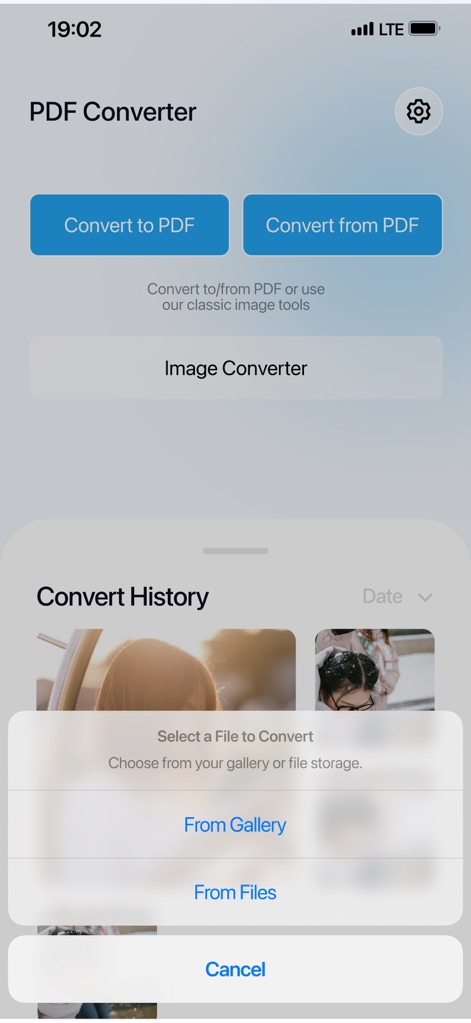
This visual highlights the convenient 'Select a File to Convert' prompt, providing users with clear options to import media either 'From Gallery' or 'From Files'.
Effortless File Selection
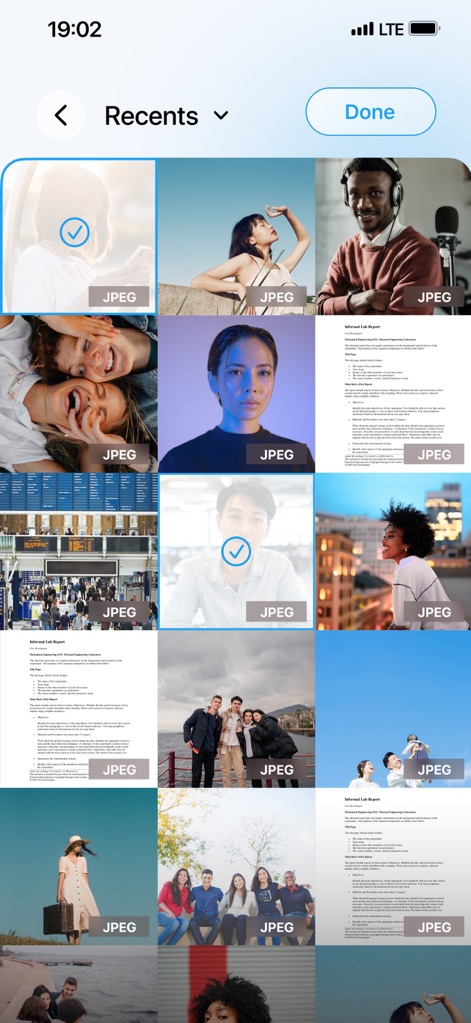
Users can seamlessly select multiple images from the detailed image gallery grid, indicated by distinct selection checkmarks, for batch processing.
Gallery Integration
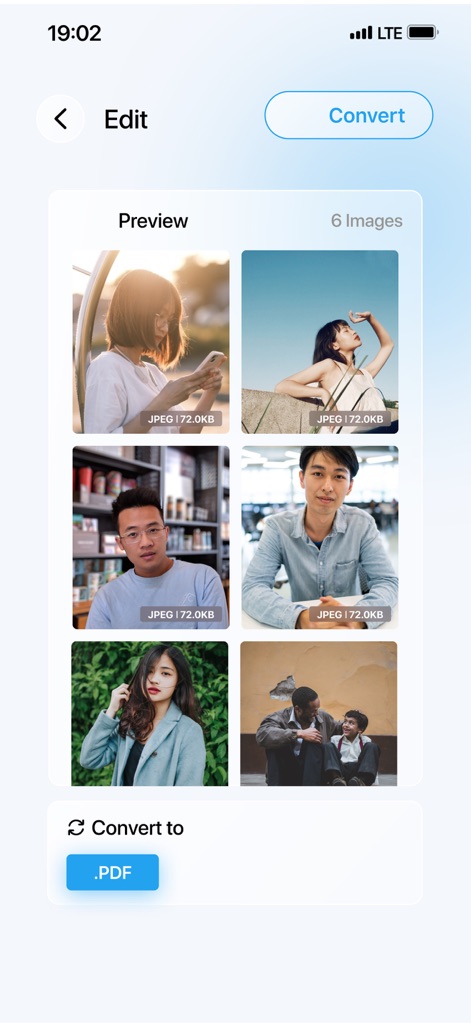
See the efficient image preview grid for selected photos, accompanied by a clear 'Convert to .PDF' action button, streamlining the conversion process.
Image Batch Processing
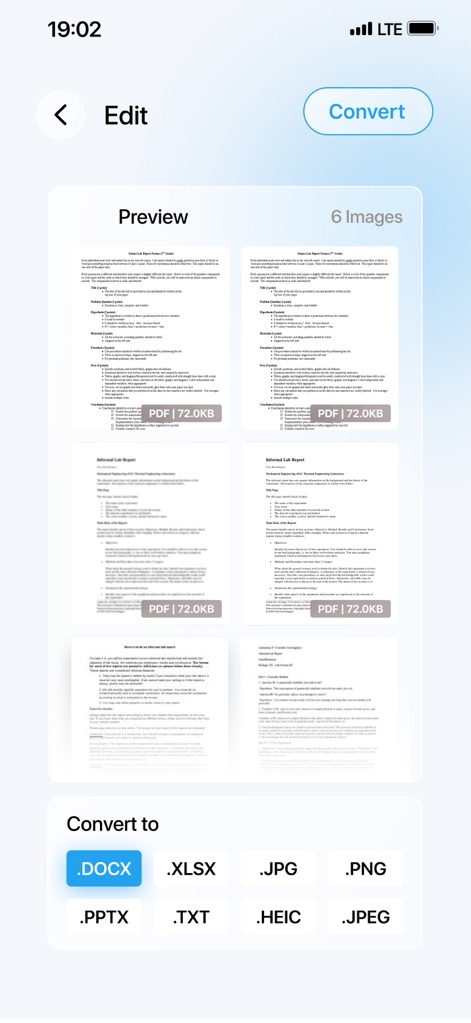
The app displays an array of document previews and provides extensive export format buttons, including .DOCX and .JPG, for comprehensive file management.
Versatile Document Export
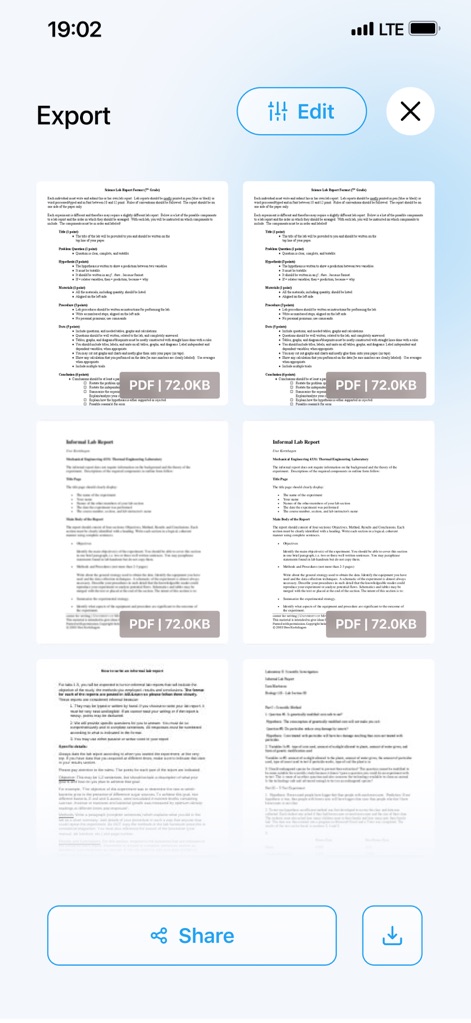
This screen details the final export options, displaying generated document previews alongside prominent 'Share' and 'Download' buttons for easy distribution.
Final Export Options
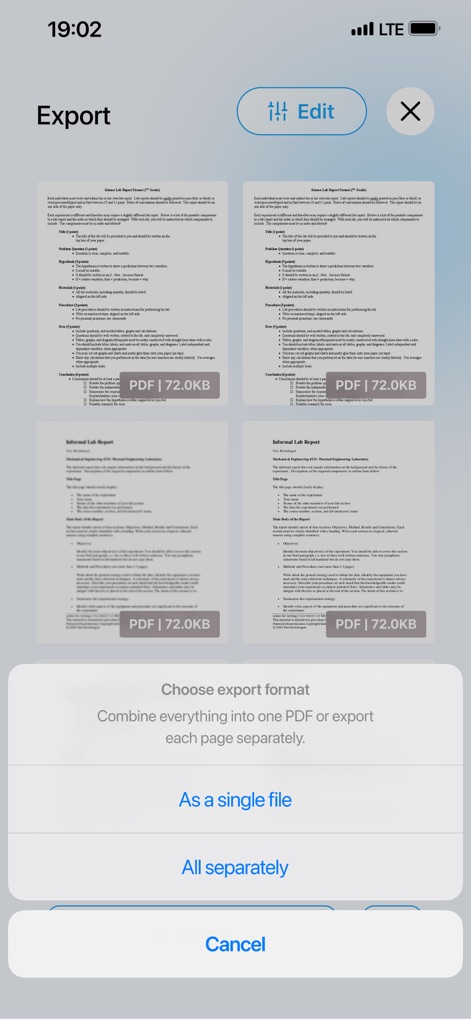
Gain insight into the 'Choose export format' dialogue, offering flexible control with options to export results 'As a single file' or 'All separately'.
Flexible Export Control
Description
Download
More Like This
Apps with similar features and user experience

iConv - Video & PDF Converter
琛 王

Convert PDF to Word OCR
Tu Phan

Toolbox by Paperclip
WuHan Paperclip Technology Co., Ltd.

Video Converter and Compressor
Inverse.AI

Video Converter & Compressor
WEBDIA INC.

全能格式转换王-视频音频转换图片文件格式处理
大为 方

PDF Converter: Convert to PDFㅤ
Roberto Hayes

The Document Converter
Float Tech, LLC
word文档手机版-办公文档,办公软件
雪 杨
This page is not an official page of the app or its developer, but an independent editorial publication created for informational and commentary purposes. Unless expressly stated otherwise, neither the app nor its developer is affiliated with, endorsed by, sponsored by, authorized by, or otherwise officially connected with MWM, Apple, Google Play, the app publisher, or the app's developer, and nothing on this page implies that the app was developed using MWM's services. Any trademarks, logos, screenshots, and other content remain the property of their respective owners.