MultiCalc-Fun Calculations

This page is not an official page of the app or its developer, but an independent editorial publication created for informational and commentary purposes. Unless expressly stated otherwise, neither the app nor its developer is affiliated with, endorsed by, sponsored by, authorized by, or otherwise officially connected with MWM, Apple, Google Play, the app publisher, or the app's developer, and nothing on this page implies that the app was developed using MWM's services. Any trademarks, logos, screenshots, and other content remain the property of their respective owners.
Logo of MultiCalc-Fun Calculations

MultiCalc-Fun Calculations

Stop switching screens and losing track. Run up to four independent, color-coded calculators simultaneously to compare data, record notes, and master your finances with a sleek, privacy-focused interface.

Key Figures

Downloads

0

User Rating

1.0/5

Total Ratings

0

Publisher

刚 姚

Category

Productivity

Locales

3

Latest Version

1.0

Size

2.1 MB

First Released

Jan 8, 2026
Features

Master Your Workflow with Multi-Instance Power

Designed for high-performers who demand more than a basic grid. MultiCalc eliminates mental fatigue by providing a high-performance, multi-window environment for complex data.

Simultaneous Tasking

Handle up to four independent calculations at once with color-coded themes for instant visual recognition and zero cognitive load.

Integrated Labeling

Never lose track of your math again. Add custom notes to every calculation instance to label results as 'Tax', 'Budget', or 'Profit'.

The following screenshots and description are sourced directly from the app's official store listing and are the property of the app developer.

App Store

Screenshots
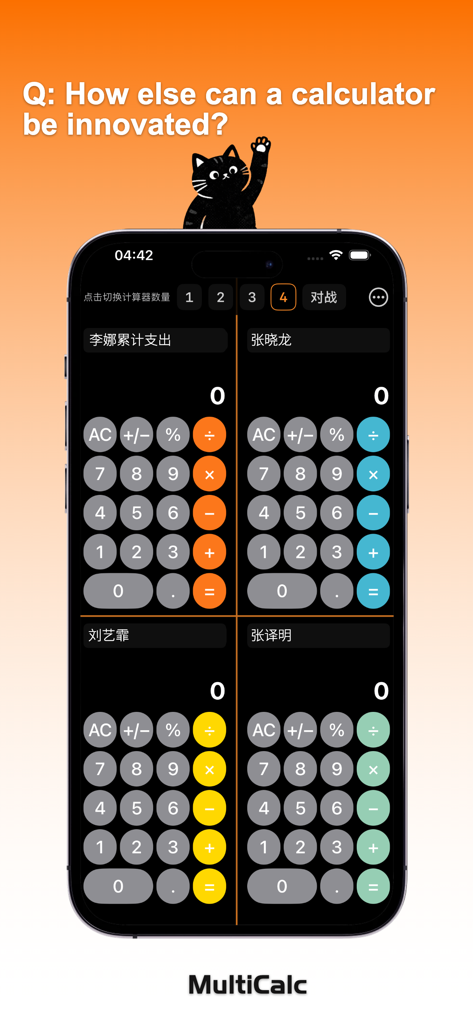
MultiCalc-Fun Calculations - MultiCalc app interface showing four independent calculators in a grid layout on a single iPhone screen.
MultiCalc app interface showing four independent calculators in a grid layout on a single iPhone screen.

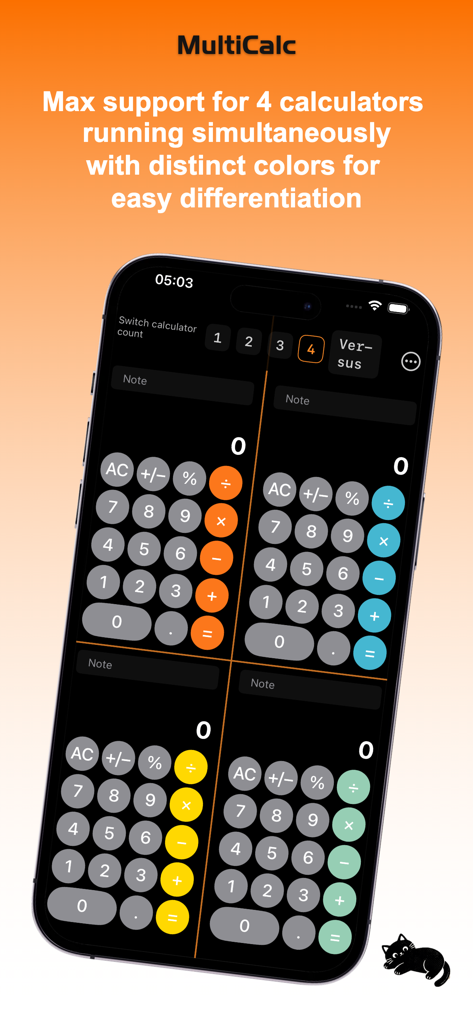
MultiCalc-Fun Calculations - MultiCalc app interface showing four calculators running simultaneously on one screen with distinct color themes
MultiCalc app interface showing four calculators running simultaneously on one screen with distinct color themes

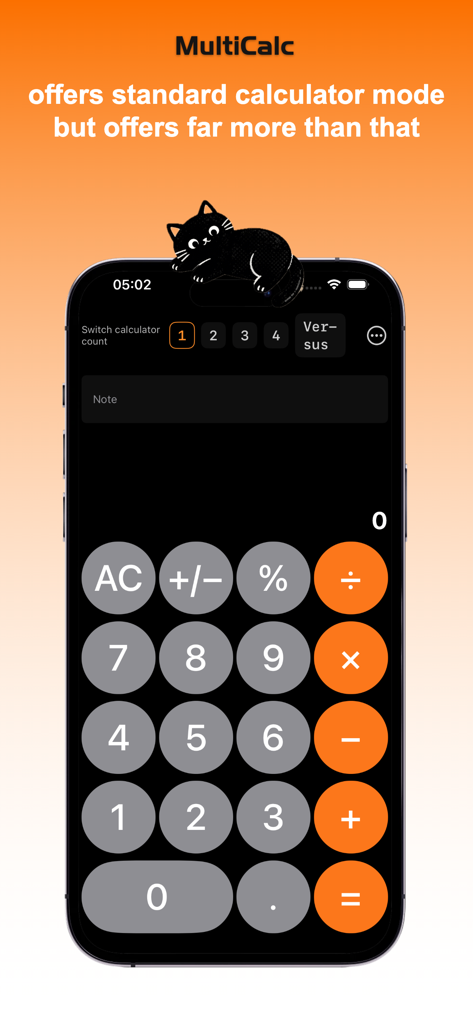
MultiCalc-Fun Calculations - MultiCalc app interface showing standard single calculator mode with a note field and instance switching options
MultiCalc app interface showing standard single calculator mode with a note field and instance switching options

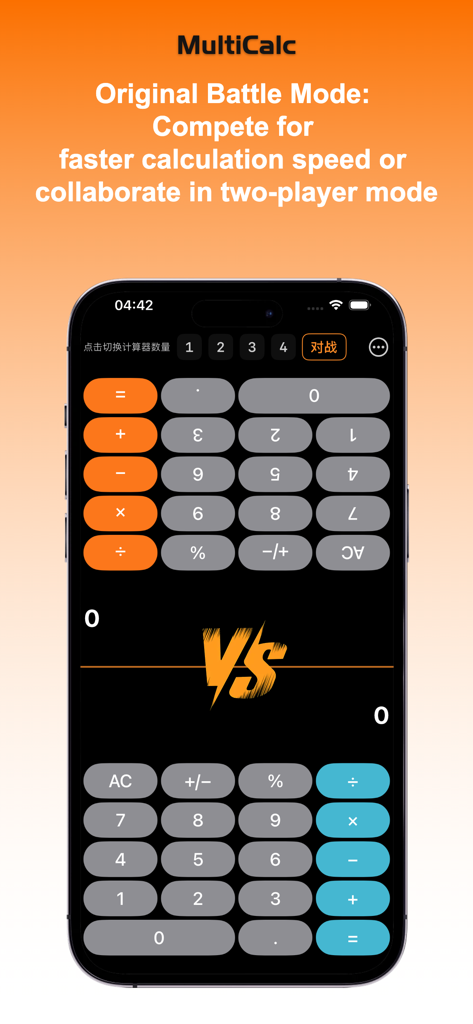
MultiCalc-Fun Calculations - MultiCalc app showing the interactive battle mode with two calculators in a split screen for head to head competition
MultiCalc app showing the interactive battle mode with two calculators in a split screen for head to head competition

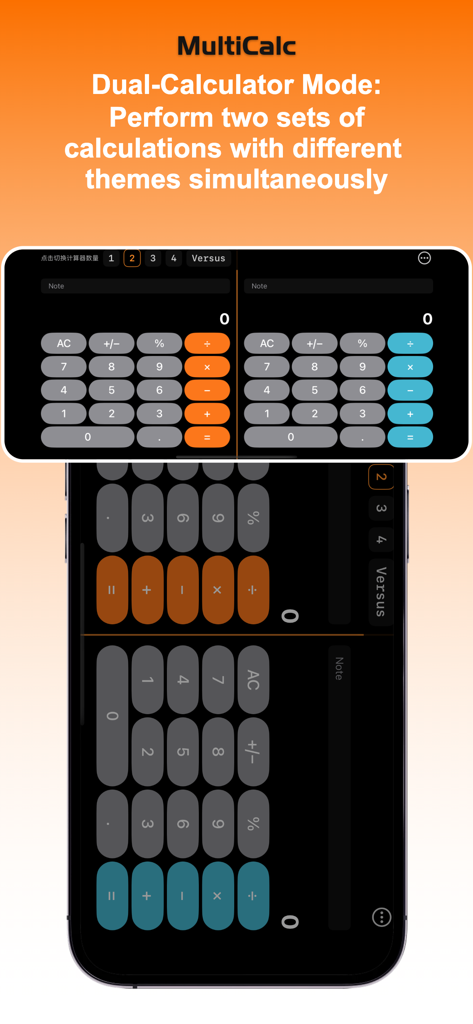
MultiCalc-Fun Calculations - MultiCalc app interface showing Dual-Calculator Mode with two side by side calculators in orange and blue themes
MultiCalc app interface showing Dual-Calculator Mode with two side by side calculators in orange and blue themes

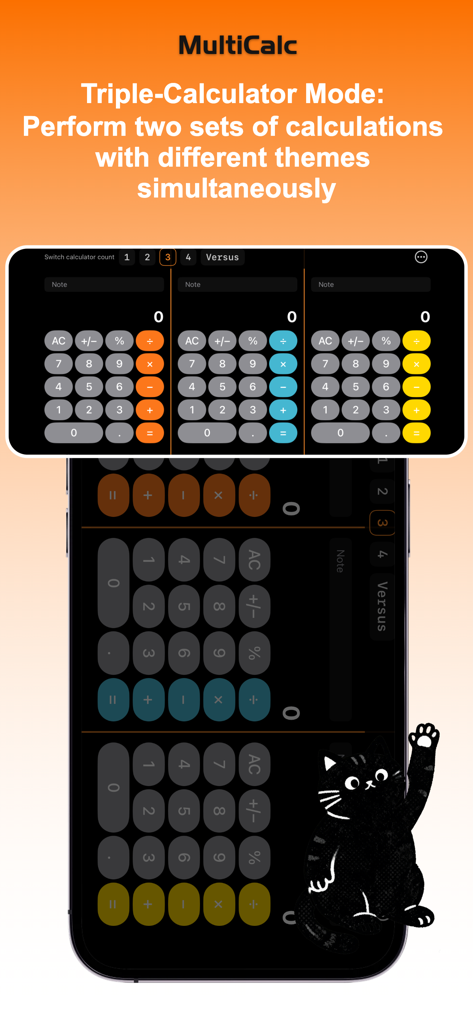
MultiCalc-Fun Calculations - MultiCalc app showing three side by side calculators in triple mode with orange blue and yellow themes

MultiCalc app showing three side by side calculators in triple mode with orange blue and yellow themes

Description

MultiCalc - Multi-Instance Calculator Product Introduction MultiCalc is a revolutionary multi-mode calculator app designed to boost your calculation efficiency. Whether you’re a student, professional, or daily user, MultiCalc meets all your calculation needs. Core Features: Five Calculation Modes 1. Single Calculator Mode - Classic Apple-style calculator interface - Focused and clean, ideal for quick calculations - Supports basic operations: addition, subtraction, multiplication, division - Percentage calculation and positive/negative sign toggle - Built-in note function to record calculation processes 2. Dual Calculator Mode - Landscape display with two calculators side by side - Perfect for comparing calculation results - Differentiated by color themes (Orange, Blue) - Independent note system; each calculator can record separately - Efficiently handles scenarios requiring comparison 3. Triple Calculator Mode - Three calculators working simultaneously - Suitable for complex multi-step calculations - Three unique color themes (Orange, Blue, Yellow) - Independent operation with no interference - Improves multi-tasking efficiency 4. Quad Calculator Mode - 2x2 grid layout with four calculators running at once - Ultimate multi-task calculation experience - Four distinct color themes (Orange, Blue, Yellow, Green) - Ideal for complex financial analysis and data comparison - Independent notes for each calculator, ensuring clear records 5. Battle Mode - Innovative face-to-face calculation experience - Split-screen (top-bottom) design for two-person interaction - Top calculator rotates 180° for opposite-seat use - Perfect teaching and learning tool - Makes calculations fun and interactive Design Highlights Apple-Style Interface - Sleek and elegant black background - Smooth animation effects - Intuitive button layout - Comfortable visual experience Smart Color System - Unique color identifier for each calculator - Orange, Blue, Yellow, Green themes - Facilitates quick differentiation between calculators - Enhances visual recognition efficiency Note Function Record Anytime - Each calculator has an independent note bar - Supports up to 20 characters - Clearly records calculation purposes and results - Easy to review and reference later Use Cases: Student Learning - Multi-step math problem calculations - Compare different problem-solving methods - Battle Mode adds fun to learning - Note function records problem-solving ideas Financial Management - Simultaneous calculation for multiple accounts - Income vs. expense comparison - Budget planning and analysis - Financial data recording Work Efficiency - Parallel calculations for multiple projects - Data comparison and analysis - Quick switching between calculation modes - Improves work efficiency Daily Life - Shopping price comparison calculations - Bill splitting - Discount calculations - Various daily calculation needs Why Choose MultiCalc? 1. Unique Multi-Calculator Design The only app on the market that supports up to four calculators running simultaneously, doubling your work efficiency. 2. Innovative Battle Mode Turns calculations into a fun interactive experience, suitable for teaching, learning, and entertainment. 3. Perfect Privacy Protection All data is processed locally; no information is uploaded, protecting your privacy and security. 4. Stunning User Interface Apple-style design, smooth animations, and a comfortable visual experience. 5. Powerful Feature Set Covers basic operations, percentages, positive/negative signs, and note functions—everything you need. Get Started Download MultiCalc now to experience unprecedented calculation efficiency! - Single Calculator: Focused Calculation - Dual Calculator: Result Comparison - Triple Calculator: Multi-Tasking - Quad Calculator: Ultimate Efficiency - Battle Mode: Interactive Fun MultiCalc - Make calculations more efficient, make work easier! MultiCalc: You deserve a calculator that supports multi-instance mode.

Download

This page is not an official page of the app or its developer, but an independent editorial publication created for informational and commentary purposes. Unless expressly stated otherwise, neither the app nor its developer is affiliated with, endorsed by, sponsored by, authorized by, or otherwise officially connected with MWM, Apple, Google Play, the app publisher, or the app's developer, and nothing on this page implies that the app was developed using MWM's services. Any trademarks, logos, screenshots, and other content remain the property of their respective owners.