Murf AI: Sound Raw Voice Maker

Murf AI: Sound Raw Voice Maker


Download on App Store
Logo of Murf AI: Sound Raw Voice Maker

Murf AI: The Ultimate Studio-Quality Voice Maker

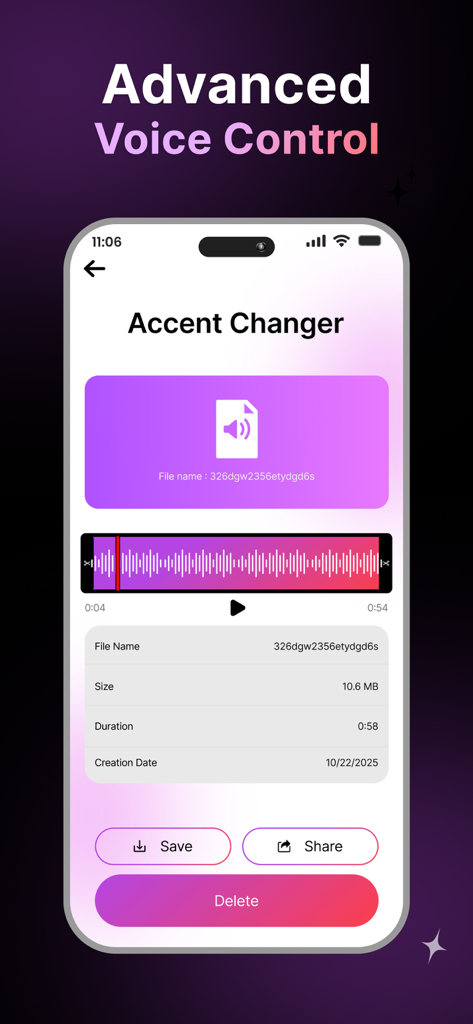
Transform your voice, switch accents, and generate realistic AI narrations in seconds. Perfect for creating professional-grade audio for your TikToks, Reels, and faceless videos without the expensive studio.

Download on App Store

Publisher

Sohail Khan

Category

Utilities

Downloads

0

User Rating

1.0/5

Total Ratings

0

Locales

1

Visualizing Vocal Magic

Discover the interface used by 0 users.

A happy woman wearing headphones with an audio waveform and a five star rating for an enhanced app experience

A happy woman wearing headphones with an audio waveform and a five star rating for an enhanced app experience

Murf AI app interface displaying the advanced voice control and accent changer feature with an audio waveform and file details.

Murf AI app interface displaying the advanced voice control and accent changer feature with an audio waveform and file details.

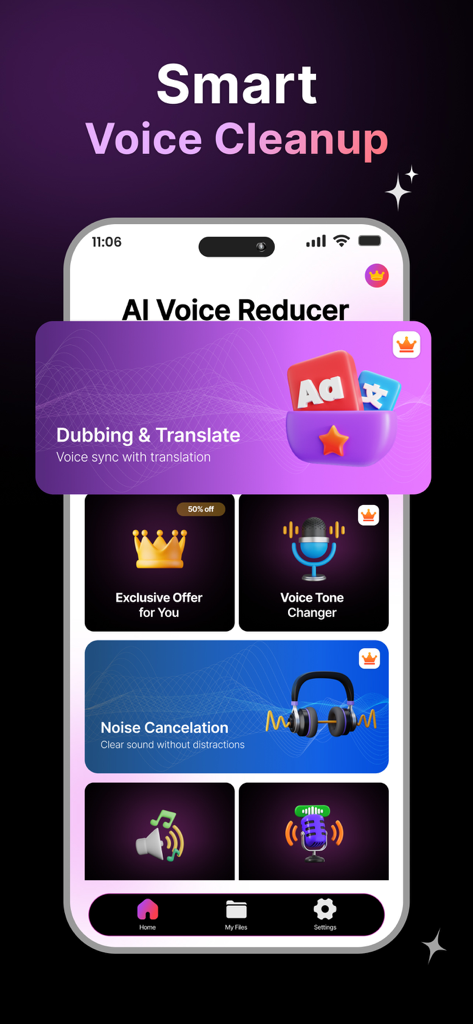
Murf AI app interface showing voice cleanup, dubbing, and noise cancellation features.

Murf AI app interface showing voice cleanup, dubbing, and noise cancellation features.

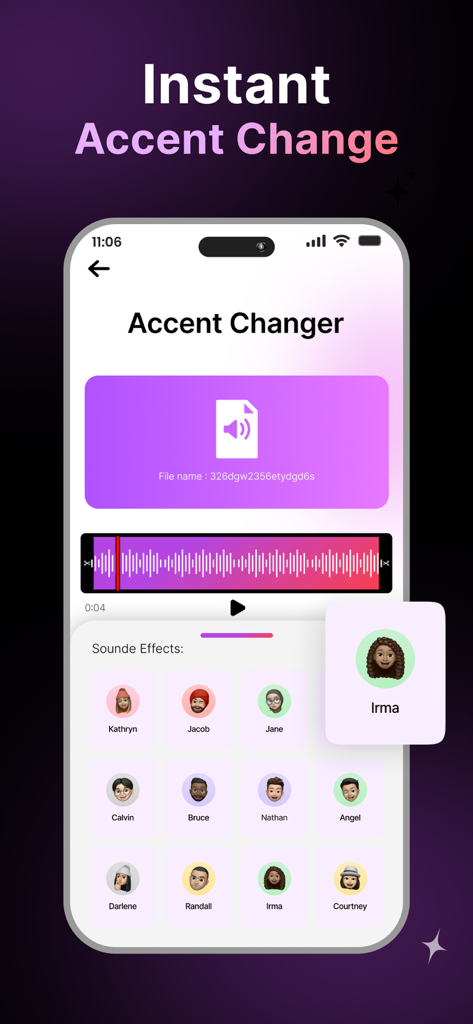
Murf AI app screen showing the accent changer feature with various AI voice profiles and an audio waveform.

Murf AI app screen showing the accent changer feature with various AI voice profiles and an audio waveform.

Power Your Creativity with Pro AI Audio

The tools that make this app stand out, trusted by 0 users.

🤖

Human-Like AI Narration

Generate realistic, natural-sounding voiceovers instantly. Perfect for faceless content creators who value privacy and professional studio quality without the expensive gear.

🧹

Instant Studio-Grade Cleanup

Eliminate background noise and adjust your tone with one tap. Get polished sound quality even if you are recording in a busy dorm, office, or coffee shop.

🎭

Versatile Accent & Persona Control

Adapt your voice to fit any TikTok trend or global audience. Switch accents and styles effortlessly to keep your content fresh and maximize your social engagement.

About the app

Everything you need to know about Murf AI: Sound Raw Voice Maker.

Description

Murf AI is an AI voice platform for realistic voiceovers. Murf AI is an advanced voice generation and voice changer tool that uses artificial intelligence to create natural audio. Murf AI: Voice Changer is a simple and powerful tool that helps you create clean, high-quality audio in seconds. With smart AI technology, you can change your voice, adjust your tone, switch accents, remove background noise, and even generate completely new AI voices. Murf AI makes it easy for anyone - creators, students or professionals to generate high quality audio. Whether you are dubbing a video, recording a voice-over, or making something for social media, Murf AI helps you generate natural sound quickly. Murf AI is easy to use - you can create and save your audio without any effort. Murf AI Key Features: • Easy voice changer with natural results • Accent changer for various voice styles • Tone adjustment for professional quality • Noise cancellation for clean and clear audio • AI voice generation for creating new voices • Perfect for dubbing, voice-overs, videos, and content creation • Fast processing and simple interface Functional Links: Privacy Policy: https://sites.google.com/view/sohail-tech-privay-policy/home Terms of Use: https://sites.google.com/view/sohail-tech-termsofuse/home

Latest Version

1.0.0

Size

122.0 MB

First Released

Dec 17, 2025

Ready to Sound Like a Pro?

Join thousands of content creators using Murf AI to turn scripts into realistic voiceovers instantly. No studio, no expensive mic—just professional audio for your next viral hit.

Download on App Store

App information, icons, screenshots, and descriptions displayed on this page are sourced from the Apple App Store and are the property of their respective developers. Download estimates and rankings are based on MWM's proprietary models and may not reflect actual figures. This page is provided for informational and analytical purposes only.

Believe this page infringes your intellectual property? File a dispute