
This page is not an official page of the app or its developer, but an independent editorial publication created for informational and commentary purposes. Unless expressly stated otherwise, neither the app nor its developer is affiliated with, endorsed by, sponsored by, authorized by, or otherwise officially connected with MWM, Apple, Google Play, the app publisher, or the app's developer, and nothing on this page implies that the app was developed using MWM's services. Any trademarks, logos, screenshots, and other content remain the property of their respective owners.


My garden year
The simple, private journal to track your garden’s progress with photos and notes. Compare year-over-year growth, record care tips, and export your memories into a beautiful PDF archive.
Downloads
3K+User Rating
Total Ratings
0Publisher
Category
LifestyleLocales
6Latest Version
5.0Size
11.2 MBFirst Released
Jul 17, 2019Grow Better Every Season
Stop relying on memory and start tracking your success. My Garden Year is the private, visual journal designed to help you compare growth, perfect your timing, and celebrate your garden's evolution year after year.
Solve Gardener’s Amnesia
Easily compare this year’s progress with last year’s records. Check bloom dates and weather patterns to plan your next planting season with confidence.
Organized Visual History
Move your garden photos out of your messy camera roll and into a dedicated table view. Every image is automatically dated and paired with your custom notes.
The following screenshots and description are sourced directly from the app's official store listing and are the property of the app developer.
App Store
Screenshots
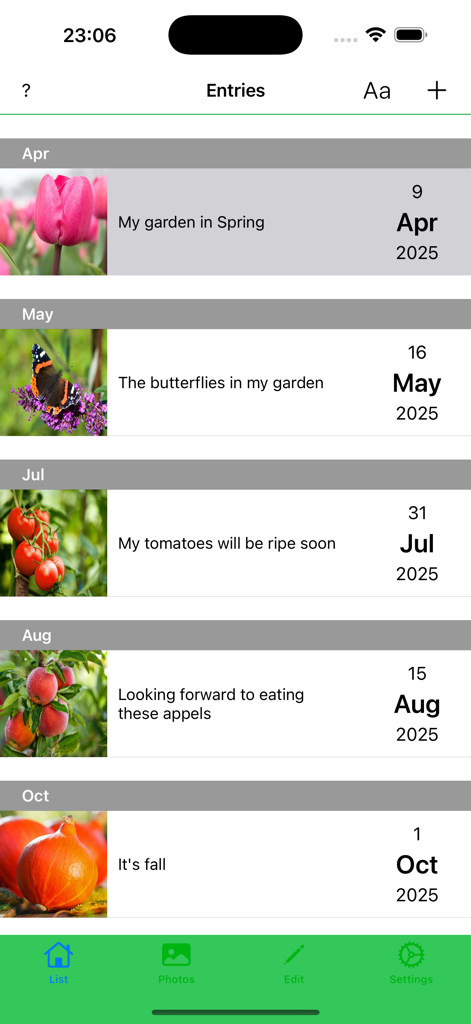
A chronological list of gardening journal entries showing photos and notes organized by month from spring to autumn.
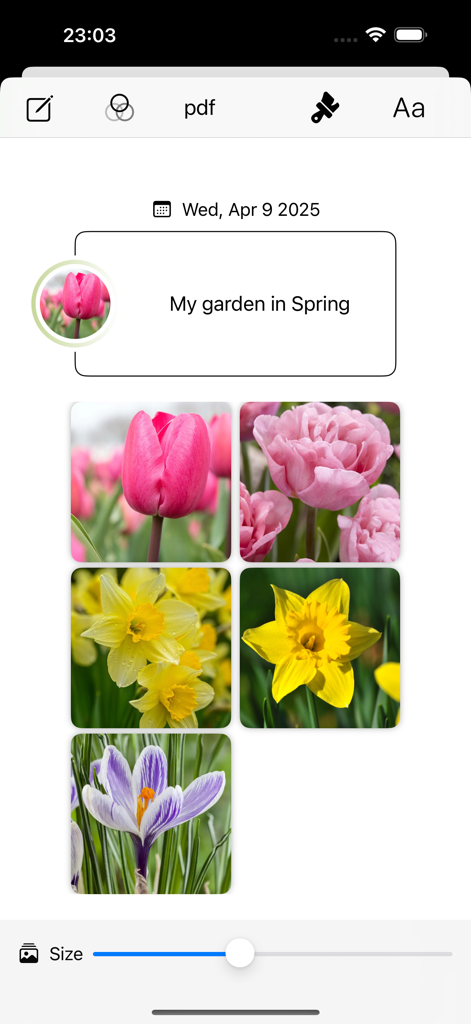
Spring garden journal entry showing photos of tulips and daffodils
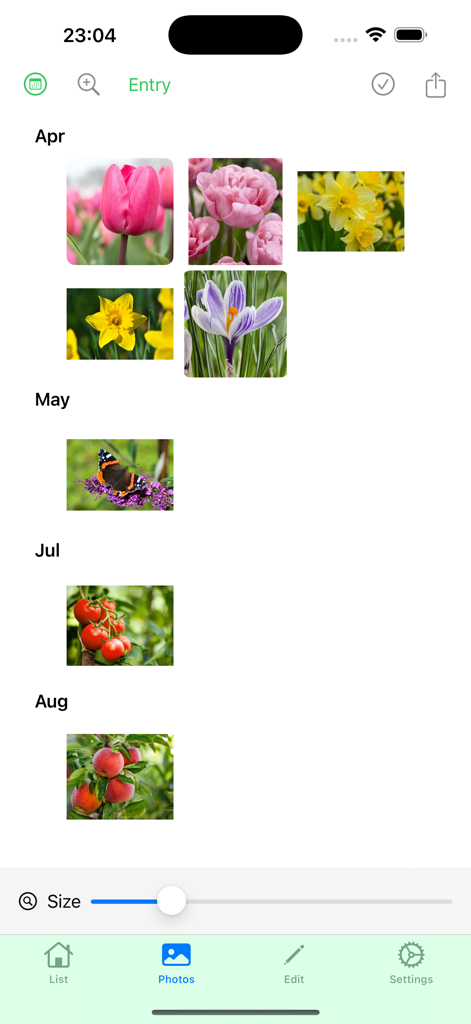
Interface of My Garden Year app showing a photo gallery of garden plants and flowers organized by month
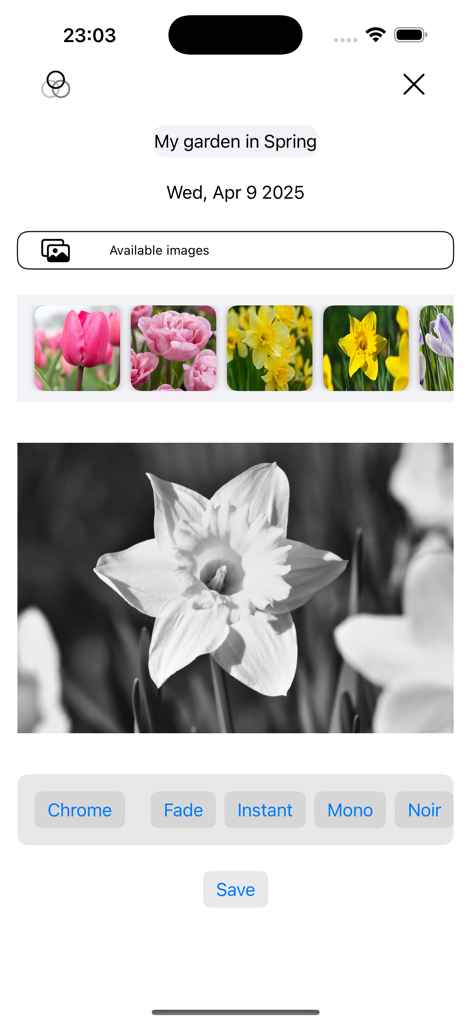
Adding a photo to a garden journal entry with spring flower filter options
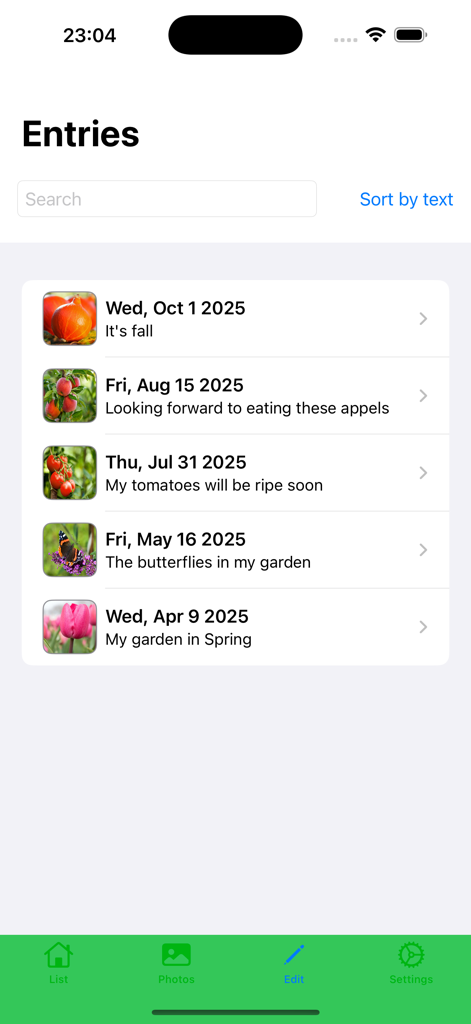
List of gardening journal entries showing dates photos and seasonal notes
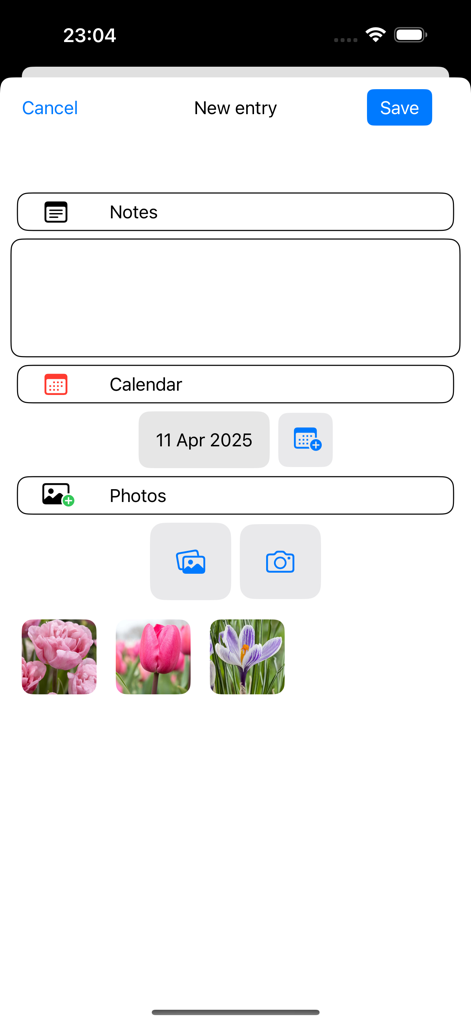
Interface of the My garden year app showing the new entry screen with sections for notes, calendar date, and photo uploads of flowers.
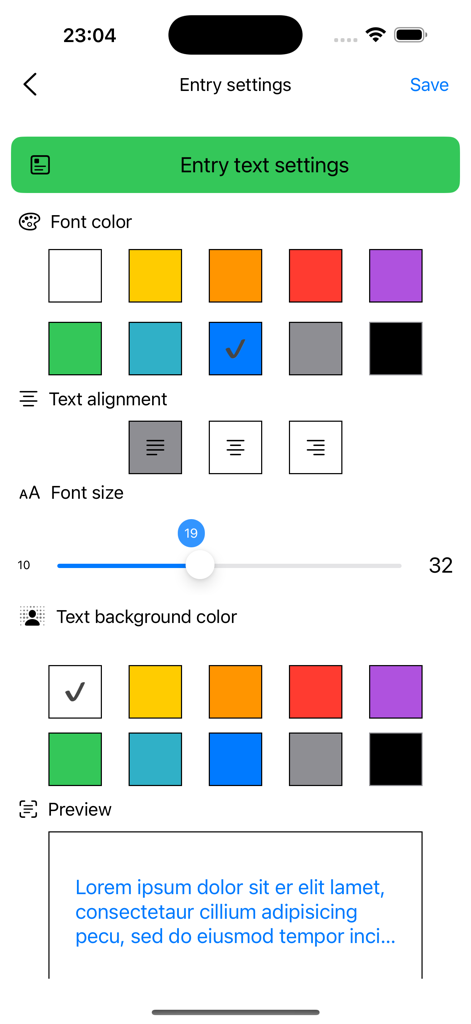
Customization screen for font and color settings in the My garden year app
Description
Download
More Like This
Top-ranked apps in the same category

Pinterest, Inc.

Alipay - Simplify Your Life
Alipay (Hangzhou) Technology Co., Ltd.

美团-美好生活小帮手
Sankuai Technology Co., Ltd.

Dianping: Discover Good Places
Hanhai Information Technology (Shanghai) Co.Ltd

Lemon8 - Lifestyle Community
TIKTOK PTE. LTD.

Xiaomi Home
Beijing Xiaomi Co., Ltd

Tinder Dating App: Date & Chat
Tinder LLC

VNeTraffic
GLOBAL TECHNOLOGY - TELECOMMUNICATIONS CORPORATION

SmartThings
Samsung Electronics Co., Ltd.
This page is not an official page of the app or its developer, but an independent editorial publication created for informational and commentary purposes. Unless expressly stated otherwise, neither the app nor its developer is affiliated with, endorsed by, sponsored by, authorized by, or otherwise officially connected with MWM, Apple, Google Play, the app publisher, or the app's developer, and nothing on this page implies that the app was developed using MWM's services. Any trademarks, logos, screenshots, and other content remain the property of their respective owners.