
This page is not an official page of the app or its developer, but an independent editorial publication created for informational and commentary purposes. Unless expressly stated otherwise, neither the app nor its developer is affiliated with, endorsed by, sponsored by, authorized by, or otherwise officially connected with MWM, Apple, Google Play, the app publisher, or the app's developer, and nothing on this page implies that the app was developed using MWM's services. Any trademarks, logos, screenshots, and other content remain the property of their respective owners.


My Infocert
Effortlessly manage your SPID account and sign documents with Qualified Electronic Signatures. Secure, compliant, and designed for professionals operating across borders.
Downloads
925K+User Rating
Total Ratings
41K+Publisher
Category
ProductivityLocales
10Latest Version
3.20.0Size
131.4 MBFirst Released
Oct 25, 2018Secure Your Global Digital Identity
The essential bridge for US-based professionals and expats to manage SPID and sign legal documents with full European validity, instantly and remotely.
Legally Binding EU Signatures
Execute contracts from the USA with Qualified Electronic Signatures (QES) that meet full eIDAS legal standards without the need for physical travel or notaries.
Instant Secure Access
Seamlessly authenticate into government portals and Legalmail using high-security biometrics, QR codes, and integrated OTP generation for peace of mind.
Frequently Asked Questions
Everything you need to know about My Infocert
What is My Infocert?
My Infocert is the InfoCert app that allows users to manage their Personal or Professional SPID account, perform strong authentication for Legalmail, and manage QES digital signatures.
Can I manage my SPID account with My Infocert?
Yes, My Infocert allows you to manage your Personal or Professional SPID account. You can also complete SPID registration with an Electronic Document in minutes through the app.
Does My Infocert support strong authentication?
Yes, My Infocert supports strong authentication using Push Notifications, QR Codes, and an OTP Generator. It performs two-factor authentication for SPID, Legalmail, and Digital Signature access.
Can I use My Infocert to log in to Legalmail?
Yes, My Infocert enables logging in to Legalmail by using its strong authentication features. The app manages access and authentication specifically for Legalmail services.
How does My Infocert handle digital signatures?
My Infocert allows users to register their QES digital signature for managing document signing. The app also provides functionality for remote signature management.
What authentication methods does My Infocert offer?
My Infocert offers authentication via Push Notifications, QR Codes for quick login, and an OTP Generator. It also supports two-factor authentication, including Face ID for access authorization.
Can I add multiple accounts in My Infocert?
Yes, My Infocert allows you to add and manage multiple InfoCert accounts. Users can consolidate and oversee various accounts from a single application interface.
How do I get support for My Infocert?
You can contact the InfoCert support team directly through the My Infocert application. The app provides a dedicated channel for users to get assistance.
The following screenshots and description are sourced directly from the app's official store listing and are the property of the app developer.
App Store
Screenshots
A professional woman using the My Infocert app for SPID account management and digital identity
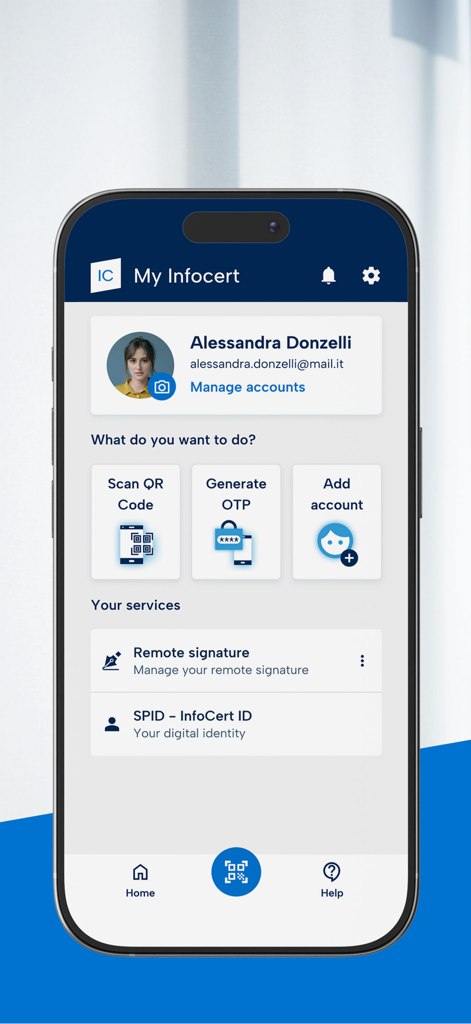
My Infocert mobile app home screen showing user profile and options for digital signature and SPID identity management
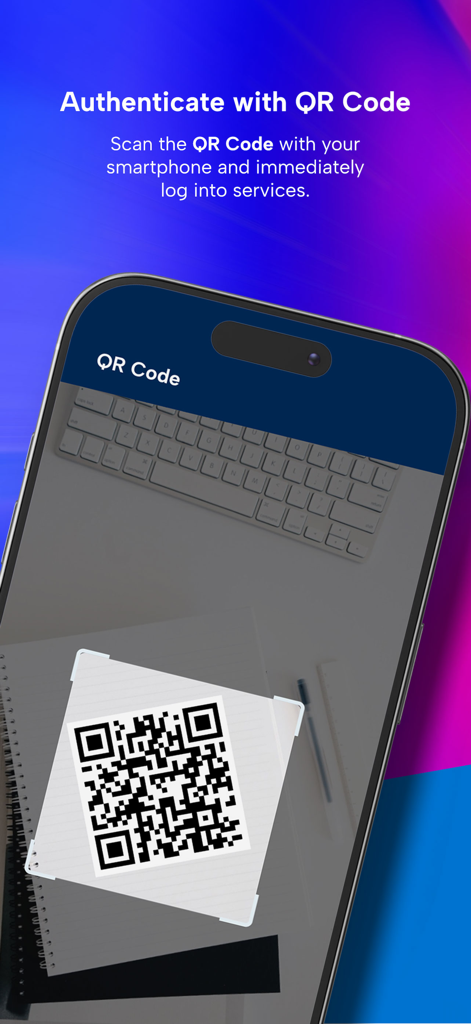
A smartphone scanning a QR code for secure authentication using the My Infocert app.
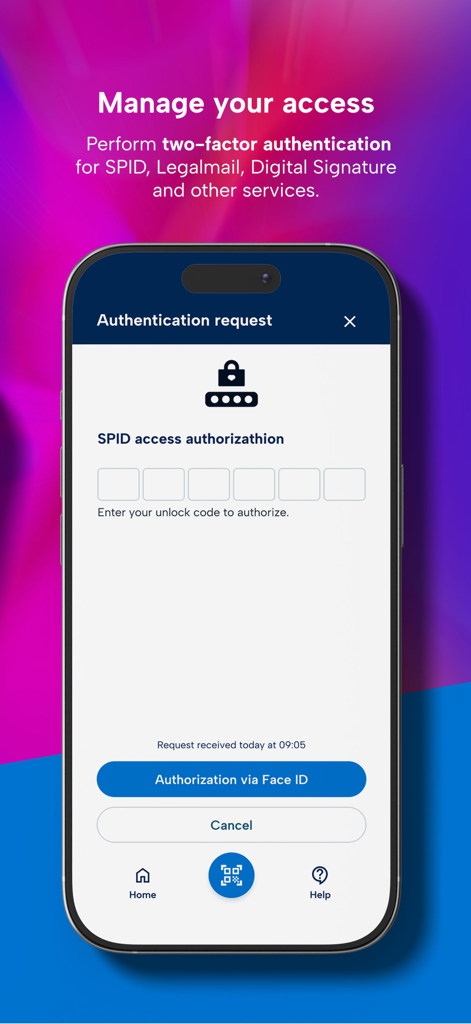
My Infocert app authentication request screen for SPID with Face ID option
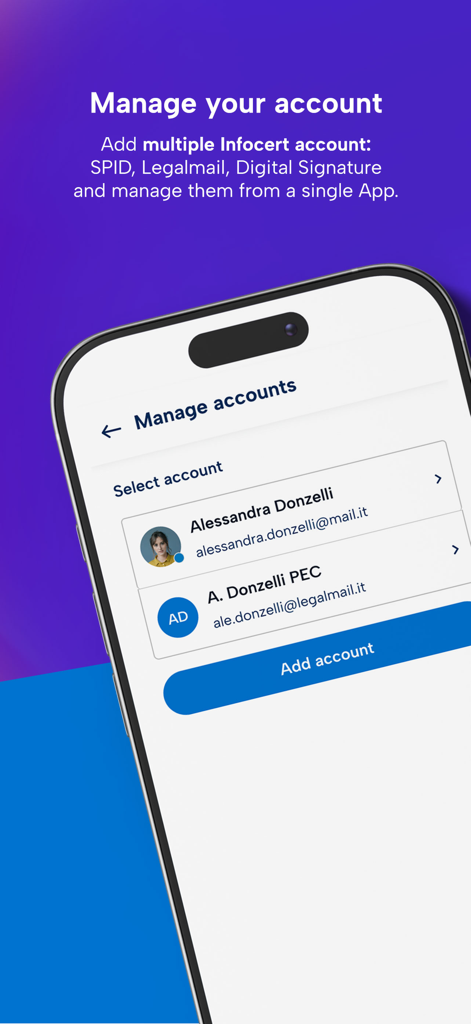
A mobile interface of the My Infocert app showing the manage accounts screen where users can add and switch between multiple SPID and Legalmail accounts.
Description
Download
More Like This
Apps with similar features and user experience

itsme
Belgian Mobile ID SA

myDSS 2.0
SafeTech Ltd
SİMA - Rəqəmsal İmza
Data Processing Center of the Ministry of Communications and High Technologies

Singpass
Government Technology Agency

SoyYo - Identidad Digital
Servicios de Identidad Digital SAS

VIDaaS
valid certificadora digital ltda

TrustMe: Your Digital Identity
A3BC GROUP

Bird ID
Vault Id Solucoes em Criptografia e Identificacao Ltda ME
eDO App
Polska Wytwornia Papierow Wartosciowych S.A.
This page is not an official page of the app or its developer, but an independent editorial publication created for informational and commentary purposes. Unless expressly stated otherwise, neither the app nor its developer is affiliated with, endorsed by, sponsored by, authorized by, or otherwise officially connected with MWM, Apple, Google Play, the app publisher, or the app's developer, and nothing on this page implies that the app was developed using MWM's services. Any trademarks, logos, screenshots, and other content remain the property of their respective owners.