
This page is not an official page of the app or its developer, but an independent editorial publication created for informational and commentary purposes. Unless expressly stated otherwise, neither the app nor its developer is affiliated with, endorsed by, sponsored by, authorized by, or otherwise officially connected with MWM, Apple, Google Play, the app publisher, or the app's developer, and nothing on this page implies that the app was developed using MWM's services. Any trademarks, logos, screenshots, and other content remain the property of their respective owners.


MyICON Changer – Icon Themer
Elevate your home screen in seconds. Choose from hundreds of designer styles or DIY your own using personal photos. No complex shortcuts required—just one tap to make your phone match your vibe.
Downloads
2M+User Rating
Total Ratings
2K+Publisher
Category
Graphics & DesignLocales
22Latest Version
1.3.8Size
223.5 MBFirst Released
Dec 16, 2020Design Your Dream Home Screen
From minimalist to kawaii, MyICON gives you the tools to curate a look that’s uniquely yours—no complex tech skills required.
One-Tap Transformation
Skip the tedious Shortcut app tutorials. Install entire theme packs instantly and refresh your aesthetic in seconds.
Endless Aesthetic Themes
Access a massive library of curated icons and wallpapers. Whether it’s Dark Academia or Y2K, we have your vibe.
Frequently Asked Questions
Everything you need to know about MyICON Changer – Icon Themer
What is MyICON Changer – Icon Themer?
MyICON Changer – Icon Themer is an app that allows users to replace app icons on their home screen. It provides various pictures, themes, and wallpapers to personalize the device's look.
Can I customize app icons using MyICON?
Yes, MyICON allows you to customize app icons. You can choose from pre-designed icons, themes, and wallpapers or create unique icon packs using your own images from your local album.
Does MyICON require the Shortcut app for changing icons?
No, MyICON does not require the Shortcut app. The operation process for changing icons is clear and simple, allowing direct customization without external app dependencies.
Can users upload their own pictures for icons in MyICON?
Yes, MyICON supports uploading pictures from local albums to set as app icons. The DIY icon creation tools allow users to personalize icons with their favorite photos.
Is it possible to modify app names with MyICON?
Yes, MyICON supports modifying the app name. Users can change the display name of the app while customizing its icon on the home screen.
What kinds of icon packs and themes are available in MyICON?
MyICON offers hundreds of icon pictures, themes, and wallpapers in various styles, including fresh, sci-fi, landscape, and cute. The collection is continuously updated.
How do I get access to all premium features in MyICON?
Access to all paid features within MyICON requires a MyICON VIP Membership. Subscribing to this membership unlocks the full range of premium functionalities offered by the app.
What are the subscription frequencies for MyICON VIP Membership?
MyICON VIP Membership subscriptions are billed on a weekly, monthly, or yearly basis. The specific billing frequency depends on the subscription plan chosen by the user.
How can I manage my MyICON VIP subscription?
You can manage your MyICON VIP subscriptions directly within your iTunes account settings. This allows users to control auto-renewal and chosen subscription plans.
Where is the MyICON Privacy Policy located?
The MyICON Privacy Policy is available at the following web address: https://sites.google.com/view/myiconprivacypolicy. This document details the app's data handling practices.
Can MyICON add multiple custom icons simultaneously?
Yes, MyICON supports adding multiple icons via just one tap. This feature simplifies the process of applying several custom icons at once to the home screen.
How does MyICON's DIY icon creation work?
MyICON's DIY icon feature allows users to create custom icons by selecting local images, choosing colors and filters, and adding patterns and text directly within the app.
The following screenshots and description are sourced directly from the app's official store listing and are the property of the app developer.
App Store
Screenshots
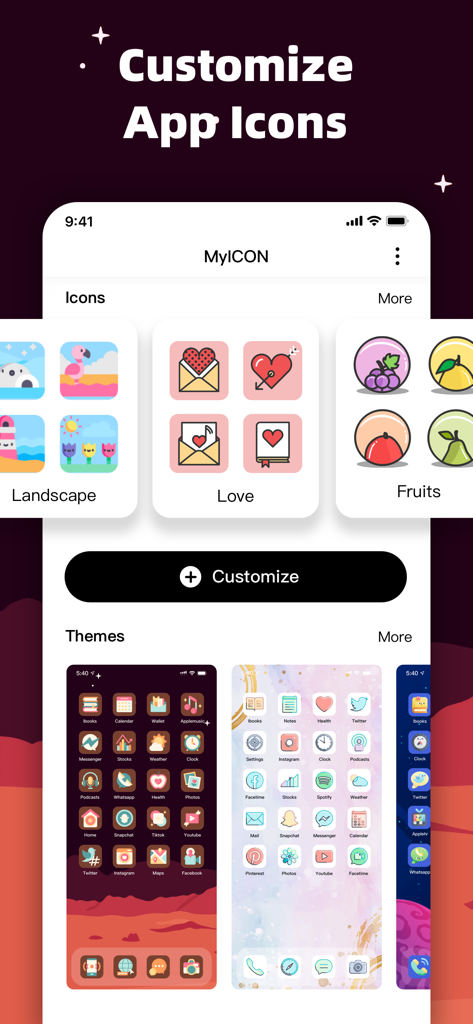
MyICON app interface displaying various aesthetic icon packs and home screen themes for phone customization.
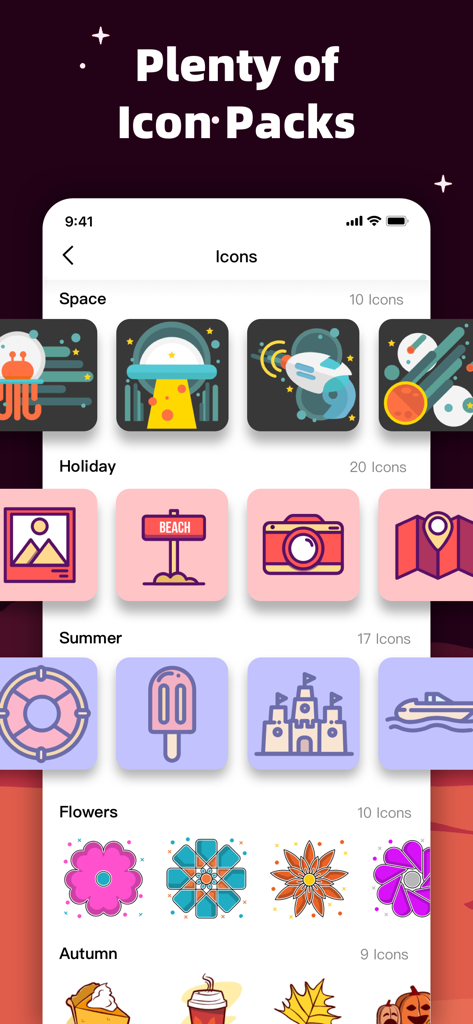
A variety of themed custom app icon packs including space summer and flowers in the MyICON app
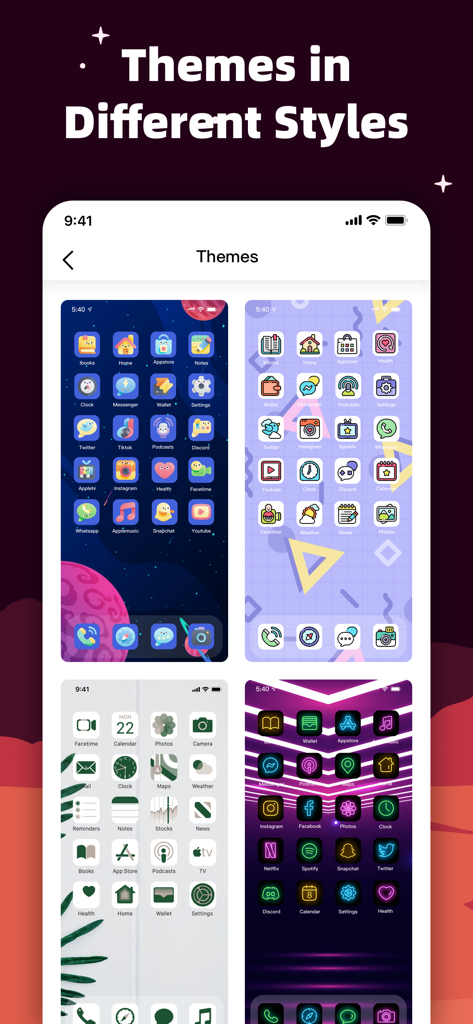
A selection of different aesthetic iPhone home screen themes including space minimalist and neon styles in the MyICON app.
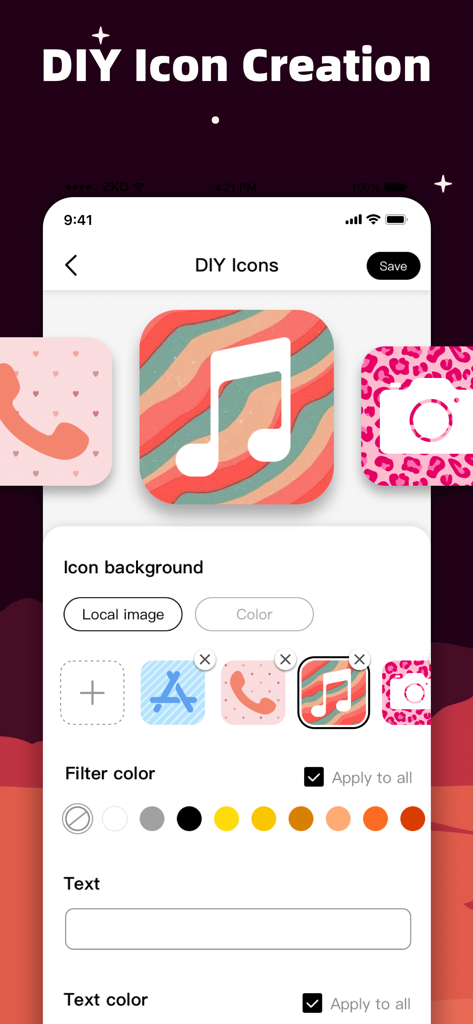
A smartphone interface showing the DIY icon creation feature with various aesthetic backgrounds and color filters
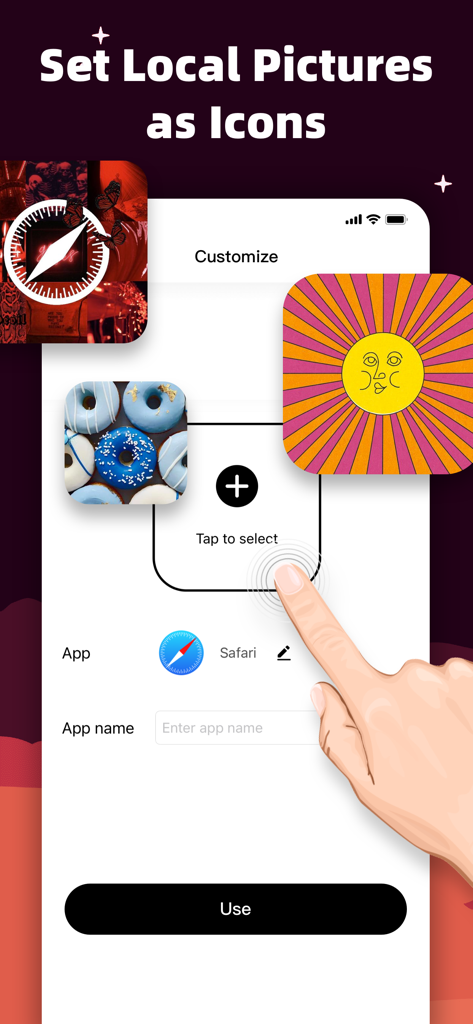
Interface of MyICON app showing how to set local photos as custom app icons
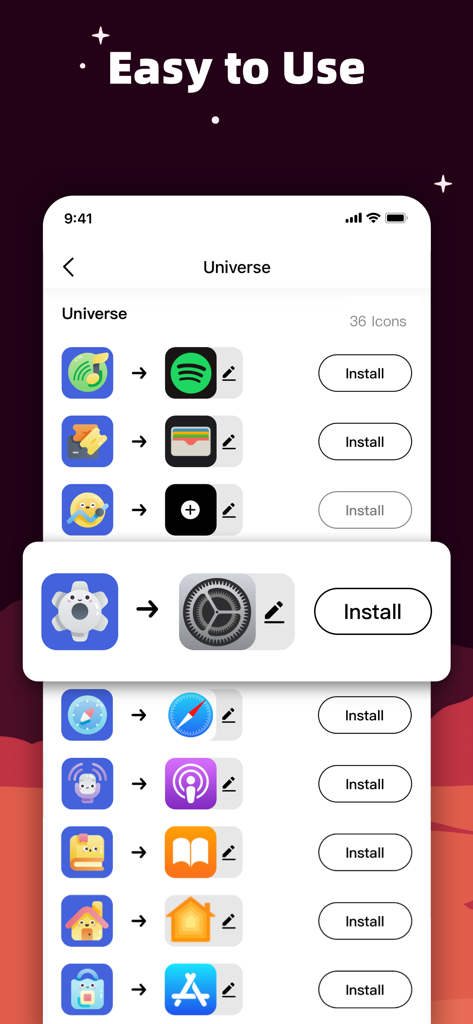
Interface of MyICON app showing easy one-tap installation of custom icons for various apps
Description
Download
More Like This
Apps with similar features and user experience

iScreen - Widgets & Wallpaper
Xiamen ShenZhuo Information Technology Co., Ltd.

Top Widgets⁺ Icons & Themes
Chengdu Tiange Technology Co., Ltd

Colorful Widget- Widget&Themes
Guangzhou ZHIFENG Information Technology Co.,Ltd.

最美壁纸-手机动态主题AI壁纸
文彬 黄

Clockology Watch Faces
Clockology, LLC

全能实况 - 实况壁纸制作器&视频转实况动态壁纸
Xiamen Infinity Starway Technology Co., Ltd.

Fun Widgets-Widgets&Wallpapers
Beijing Curious Cat Co.Ltd

屏幕精灵 - 个性的动态壁纸&充电动画&来电壁纸秀
Guangzhou Shuhong Network Technology Co., Ltd.

Themes - Widget & Icon Themes
S.HOUSING INTERIOR ARCHITECTURE COMPANY LIMITED
This page is not an official page of the app or its developer, but an independent editorial publication created for informational and commentary purposes. Unless expressly stated otherwise, neither the app nor its developer is affiliated with, endorsed by, sponsored by, authorized by, or otherwise officially connected with MWM, Apple, Google Play, the app publisher, or the app's developer, and nothing on this page implies that the app was developed using MWM's services. Any trademarks, logos, screenshots, and other content remain the property of their respective owners.